

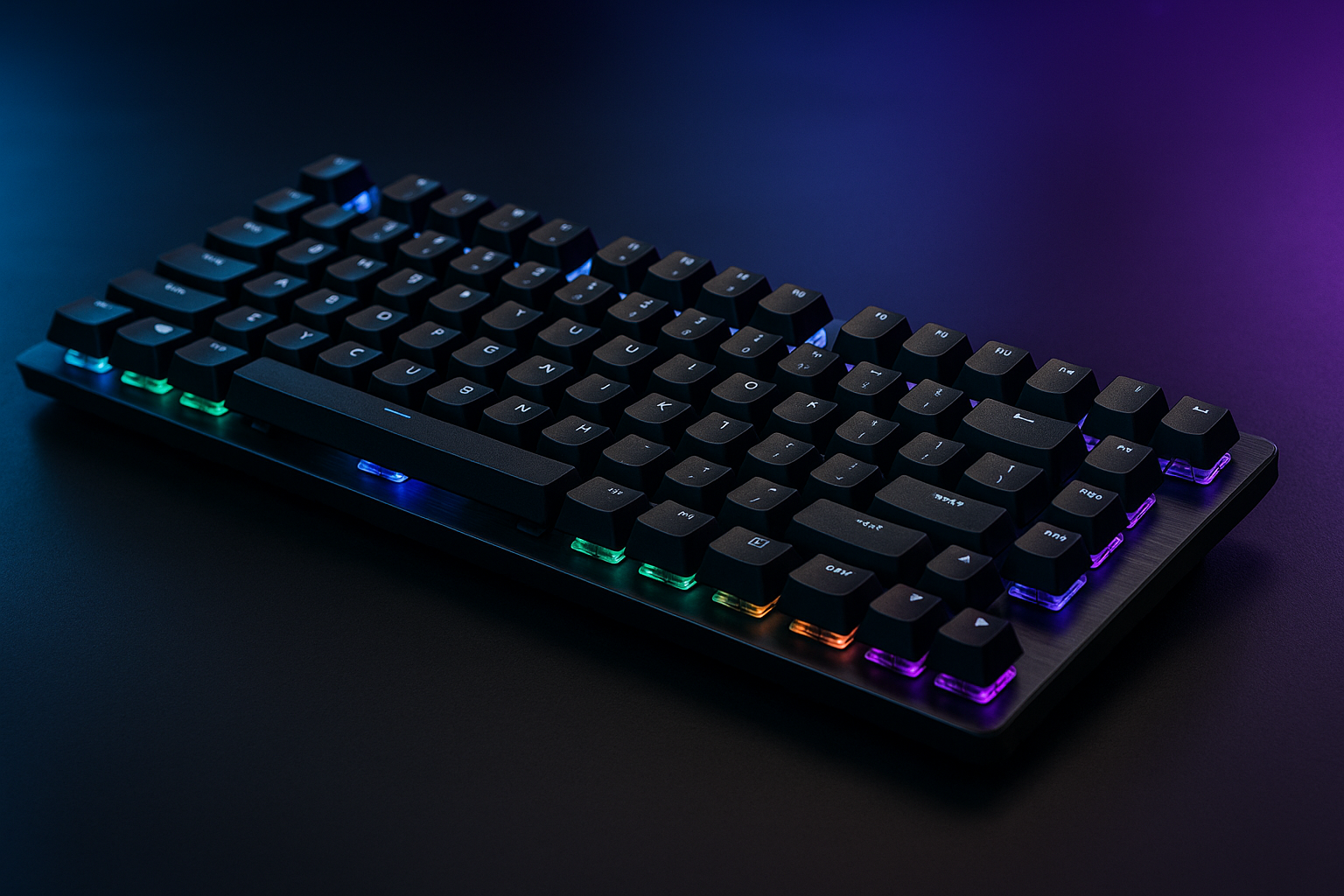
Logitech G915 X Lightspeed TKL Wireless Gaming Keyboard (Clicky) – Black: Quick Overview
A premium wireless keyboard has to solve more than one problem: it needs to feel good under your fingers, stay responsive in a game, and avoid turning charging into a small daily chore. The Logitech G915 X Lightspeed TKL asks whether those conveniences are worth $209.99 in 2026, reduced from $229.99 and currently listed as in stock.
This is a compact tenkeyless mechanical keyboard with low-profile GL clicky switches, LIGHTSPEED 2.4 GHz wireless, Bluetooth, USB-C wired connectivity, RGB lighting, and dedicated media controls. It makes the strongest case for itself when you want audible low-profile typing and the freedom to move between devices; it makes a weaker case if you need quiet switches or simply want an inexpensive keyboard.
The review below looks at gaming response, typing feel, connectivity, software, battery claims, construction, available customer evidence, alternatives, and value. The short version is encouraging but conditional: this is a feature-rich premium board, not an automatic upgrade for every desk.

Key Specifications and What They Mean in Daily Use
| Specification | What you get |
|---|---|
| Layout | Tenkeyless |
| Finish | Black |
| Top plate | Brushed aluminum |
| Keycaps | Double-shot PBT |
| Switches | Low-profile GL clicky mechanical |
| Actuation point | 1.3 mm |
| Total travel | 3.2 mm |
| Lighting | LIGHTSYNC RGB, approximately 16.8 million colors |
Tenkeyless means the number pad is removed, but the main navigation and function-key areas remain. In daily use, that gives you more horizontal space for mouse movement without asking you to live with the compressed function and navigation arrangements common to 60% keyboards.
The 1.3 mm actuation point and 3.2 mm total travel describe different moments in a keypress. Actuation is when the keyboard registers the input; total travel is how far the key can move. The shorter registration point is intended to support quick input, while the longer overall movement still supplies physical travel and feedback.
These are advertised specifications, not measurements from an independent hands-on test. Lighting is configured through Logitech G HUB, where you can access the stated approximately 16.8 million RGB color range and create effects or themes.
Logitech G915 X Lightspeed TKL Gaming Performance
The Logitech G915 X Lightspeed TKL is most naturally aimed at players who enjoy a crisp, audible press rather than a muted, soft key feel. Low-profile GL clicky switches can make repeated inputs feel immediate, and the stated 1.3 mm actuation point is designed to register a press early in the stroke. That may suit fast-paced games, but it does not guarantee a higher actions-per-minute rate or better performance; your timing and comfort still decide that.
The layout is a useful compromise for gaming. You retain the function row, arrows, and navigation keys for games and shortcuts, while the missing number pad leaves more room for broad mouse movements. If your games use a number cluster or you frequently enter numerical data, however, the same compactness becomes a limitation rather than an advantage.
Sound is the central gaming trade-off. A click can give your fingers satisfying confirmation, but it also travels through a shared room. Roommates, office colleagues, stream audiences, and microphones may hear every press. Before relying on remapped keys or game-specific profiles in competitive play, check that the game and operating system handle those commands as expected.
For a fair decision, try to separate speed from preference. The switch specification tells you where input is registered; it cannot tell you whether the sound, resistance, and shorter profile will make a long session more comfortable.
Tri-Mode Connectivity: LIGHTSPEED, Bluetooth, and USB-C
You get three ways to connect the Logitech G915 X Lightspeed TKL. LIGHTSPEED is the intended primary gaming connection, using 2.4 GHz wireless; Bluetooth is useful for a compatible secondary device; and USB-C provides wired data as well as charging. That combination is more practical than a keyboard that treats wireless as the only reason to exist.
A sensible workflow is to pair Bluetooth with a laptop, tablet, or other compatible device, then use the dedicated control to return to LIGHTSPEED when you go back to the gaming computer. USB-C is the fallback when wireless pairing is unavailable, and it means a depleted battery does not have to end a work session or game.
If you encounter apparent lag or an intermittent connection, begin with the simple checks rather than changing software settings at random:
- Confirm that the keyboard is in the connection mode you intended to use.
- Place the wireless receiver where it has a clear path to the keyboard.
- Try USB-C to distinguish a wireless problem from a keyboard or computer problem.
- Reconnect the chosen wireless mode only after confirming the basic hardware connection.
The supplied product information does not state a polling rate, receiver range, or full operating-system compatibility list, so those should be verified on the current listing before purchase.
Battery Life and RGB Power Consumption
Battery life is presented in three very different scenarios: up to hours with RGB at 100%, up to hours with RGB at 50%, and up to 1,000 hours with RGB turned off. That range is useful because it shows the real choice you are making: visual intensity or longer stretches away from the charging cable.
“Up to” is doing meaningful work here. Brightness, animated effects, connection mode, typing or gaming hours, and battery age can all alter the result. Treat the figures as advertised scenarios rather than promises that every owner will achieve the longest number.
You can reduce the inconvenience with a straightforward routine:
- Start with moderate brightness instead of full output.
- Disable RGB during ordinary typing if lighting is not adding much value.
- Check the remaining charge in G HUB rather than waiting for a warning during a game.
- Charge before travel, a tournament, or a long workday away from your usual cable.
Because USB-C supports continued use while charging, the battery issue is manageable even when your preferred lighting setting consumes power quickly. The keyboard’s strongest endurance claim belongs to an unlit setup, not to full-brightness RGB.
Build Quality, Keycaps, and Low-Profile Typing Feel
The brushed aluminum top plate is the main structural and visual feature. It gives the black keyboard a more premium presentation than a basic plastic shell, although the supplied data does not establish a particular weight, flex level, or independent durability result. You should read the material as a design and construction detail, not as proof of a specific rigidity standard.
Double-shot PBT keycaps are a welcome specification for a keyboard at this price. Their legends are formed through layered plastic rather than simply printed onto the surface, a construction method generally intended to resist legend wear over time. That does not make the entire keyboard immune to shine, damage, or misuse, but it is a more reassuring starting point for frequent use.
Low-profile clicky typing sits somewhere between a conventional mechanical board and a laptop-style keyboard, though it is more audible and mechanically defined than a quiet laptop board. Users moving from full-height switches may need an adjustment period. The shorter movement can feel quicker, but you may initially bottom out more often or mistime a press while your hands learn the new height.
Ask yourself a plain question before paying the premium: do you already enjoy clicky switches? If not, the aluminum and keycap upgrades may not overcome the noise or the unfamiliar feel, especially in a shared workspace.

KEYCONTROL, Media Controls, and G HUB Customization
KEYCONTROL is the deeper customization system, allowing up to 15 functions per key. Depending on the application and its permissions, useful assignments could include shortcuts, macros, push-to-talk, or repeated commands. The point is not to map every key simply because you can; a small number of well-chosen bindings is easier to remember and less likely to cause profile confusion.
Hardware and software controls are sensibly separated. The keyboard itself provides media keys and a physical volume roller, while G HUB handles more involved remapping, lighting themes, and synchronized effects with other Logitech G equipment. The roller is especially convenient when you need to change audio without leaving a game or full-screen application.
Set it up in this order:
- Install G HUB and connect the keyboard in your preferred mode.
- Create a profile for the specific game or application.
- Assign only the commands you actually need.
- Label the profile clearly and test every binding outside a live match.
- Keep a simple default profile available for troubleshooting.
This approach matters because elaborate remaps can be clever in theory and bewildering at a.m. when the wrong profile loads. Dedicated media hardware remains useful even if you never create a macro.
What Customers Are Saying
The available product information does not provide a current star rating or review total for this listing. Without those figures, it would be misleading to write that the keyboard is rated a particular number out of five or to claim that a specific number of verified buyers agree on its performance.
That limitation also means the sensible review themes are questions to investigate rather than invented consensus. Customer reviews indicate value only when the same pattern appears repeatedly across recent comments, so look for discussion of clicky sound, low-profile comfort, wireless stability, RGB quality, G HUB usability, battery performance, keycap wear, and whether $209.99 feels justified.
Separate preference complaints from product faults. A buyer who dislikes loud switches may simply have chosen the wrong switch type; repeated reports of connection drops, failed keys, or software problems would carry more weight. The same distinction applies to battery feedback: one owner’s brightness and usage pattern may not represent another owner’s result.
When you inspect the live listing, filter for recent purchases, read one-star comments alongside four- and five-star comments, and note whether multiple reviewers describe the same issue. Prioritize comments from people using the keyboard as you intend to use it—competitive gaming, office typing, streaming, or multi-device work—rather than treating every isolated reaction as equally diagnostic.
How the Logitech G915 X Lightspeed TKL Compares With Alternatives
The closest named alternative is the Logitech G915 TKL LIGHTSPEED. The newer G915 X model gives you a specific set of reasons to investigate it first: KEYCONTROL, double-shot PBT keycaps, USB-C charging and data, and the stated battery scenarios. Whether those additions justify choosing the newer generation depends on how much you value customization, keycap construction, and a modern charging connection rather than simply wanting a low-profile wireless Logitech board.
The SteelSeries Apex Pro TKL Wireless is another premium wireless tenkeyless option, but its appeal is different. The Logitech is built around an audible low-profile clicky experience; the SteelSeries alternative is the one to investigate if an adjustable-switch-oriented design or a different typing character matters more to you. Do not assume one is universally faster or more comfortable.
Compare the products by asking four practical questions:
- Do you want clicky, low-profile feedback, or a quieter or more adjustable switch approach?
- Will you use tri-mode connections, software profiles, and dedicated media hardware?
- Does the volume roller matter more to you than another customization feature?
- Is the current sale price of one model meaningfully lower than the others?
Prices and specifications can change by version and listing, so check the current pages for the Logitech G915 TKL LIGHTSPEED and SteelSeries Apex Pro TKL Wireless before making a final comparison.
Who Should Buy the Logitech G915 X Lightspeed TKL?
The best match is a PC gamer who wants a premium wireless TKL keyboard and already knows that audible clicky feedback is enjoyable rather than irritating. It also suits someone who switches between a gaming PC and a compatible Bluetooth device, or who wants media keys and a physical volume roller within easy reach.
You do not have to be a gamer to use it. The board can fit everyday typing, creative-software shortcuts, and a desk where a full number pad is unnecessary but a 60% keyboard would feel too restrictive. KEYCONTROL may be useful for repeated application commands, provided you configure and test those commands carefully.
You should hesitate if you share a quiet room, use a microphone that captures keyboard noise, require dedicated number-pad access, or normally buy mainstream wired mechanical keyboards. The premium only makes sense when you will use more than the basic typing function.
Use this decision sequence:
- Confirm that the clicky sound is acceptable in your room and workflow.
- Confirm that a tenkeyless layout supports your work.
- Decide whether wireless switching among devices is genuinely useful.
- Compare the current price with premium alternatives.
Remember that RGB and battery life are connected choices. Brighter lighting consumes power more quickly, so neither should be treated as an independent guarantee.
Price, Availability, and Overall Value in 2026
At the time of writing in 2026, the listing shows the keyboard in stock at $209.99, down from an original price of $229.99. That is a displayed reduction of $20.00, not a permanent discount, so check the listing immediately before purchase because both availability and pricing can change.
What you are paying for is a bundle of specific conveniences: low-profile GL clicky switches, LIGHTSPEED wireless, Bluetooth, USB-C use while charging, an aluminum top plate, double-shot PBT keycaps, KEYCONTROL, LIGHTSYNC RGB, media keys, and a volume roller. The package is much easier to justify for a multi-device gamer who will use profiles, lighting, and wireless switching than for someone who will leave it wired with remapping disabled.
Before deciding, compare the current prices of the Logitech G915 TKL LIGHTSPEED and SteelSeries Apex Pro TKL Wireless as well as their available switch options. Pay the premium when low-profile clicky typing, wireless flexibility, and premium materials are central requirements. Look elsewhere when quietness, number-pad access, or low cost comes first.
The Logitech G915 X Lightspeed TKL is therefore a specialised premium purchase, not a value keyboard in the ordinary sense. Its feature set is coherent, but your habits determine whether it feels like money well spent.
Pros and Cons
Pros
- Low-profile GL clicky mechanical switches provide crisp, audible feedback and a stated 1.3 mm actuation point.
- Tri-mode connectivity supports LIGHTSPEED 2.4 GHz wireless, Bluetooth, and USB-C wired operation.
- Brushed aluminum top plate and double-shot PBT keycaps give the design a more premium specification.
- Dedicated media keys and a physical volume roller are useful during gaming and everyday desktop use.
- KEYCONTROL supports up to assignable functions per key, while LIGHTSYNC RGB offers approximately 16.8 million colors.
- USB-C supports wired data and lets you use the keyboard while charging.
Cons
- Clicky switches are loud for shared rooms, offices, streaming, and microphone use.
- The $209.99 price is difficult to justify if you only need a basic wired keyboard.
- A tenkeyless layout removes the number pad, which may inconvenience spreadsheet-heavy workflows.
- Battery estimates vary substantially with RGB brightness and usage, so the longest figure requires lighting to be disabled.
- G HUB and extensive per-key remapping may take time to configure and can become confusing across multiple profiles.
Final Verdict
Key Takeaways
- The Logitech G915 X Lightspeed TKL is a premium tenkeyless keyboard built around low-profile GL clicky switches, three connection modes, RGB, and dedicated media controls.
- Its 1.3 mm actuation point and compact layout suit fast gaming, but the audible switch design will not suit everyone.
- The advertised battery range runs from up to hours at full RGB to up to 1,000 hours with lighting disabled.
- KEYCONTROL, G HUB, Bluetooth, and USB-C give the keyboard genuine flexibility, although the value depends on whether you will use those features.
- At $209.99, choose it for low-profile clicky typing and wireless versatility rather than simply because it is a gaming keyboard.
Frequently Asked Questions
Who should buy the Logitech G915 X Lightspeed TKL?
It is best suited to PC gamers and desk users who specifically want low-profile, audible clicky switches, wireless flexibility, RGB customization, and dedicated media controls. It is less suitable for quiet shared spaces, number-pad users, or shoppers seeking a low-cost wired keyboard.
How long does the Logitech G915 X Lightspeed TKL battery last?
The product data lists three advertised scenarios: up to hours with RGB at 100%, up to hours with RGB at 50%, and up to 1,000 hours with RGB switched off. Actual runtime depends on brightness, lighting effects, connection mode, usage, and battery age.
Can you use the keyboard while it is charging?
Yes. USB-C provides wired data and charging, so you can continue using the keyboard while replenishing the battery. It also serves as a fallback when wireless pairing is unavailable.
Does the Logitech G915 X Lightspeed TKL have a number pad?
No. It uses a tenkeyless layout, so it keeps the main typing, function, navigation, and arrow-key areas but omits the dedicated number pad. That makes it more compact than a full-size keyboard while remaining less restrictive than many 60% models.
What do customer ratings say about this keyboard?
The available product information does not provide a current rating or review count, so a numerical customer consensus cannot be stated responsibly here. Before purchasing, check recent listing reviews and compare repeated comments about connection stability, key failures, software, battery life, and switch noise.
Disclosure: As an Amazon Associate, I earn from qualifying purchases.
