

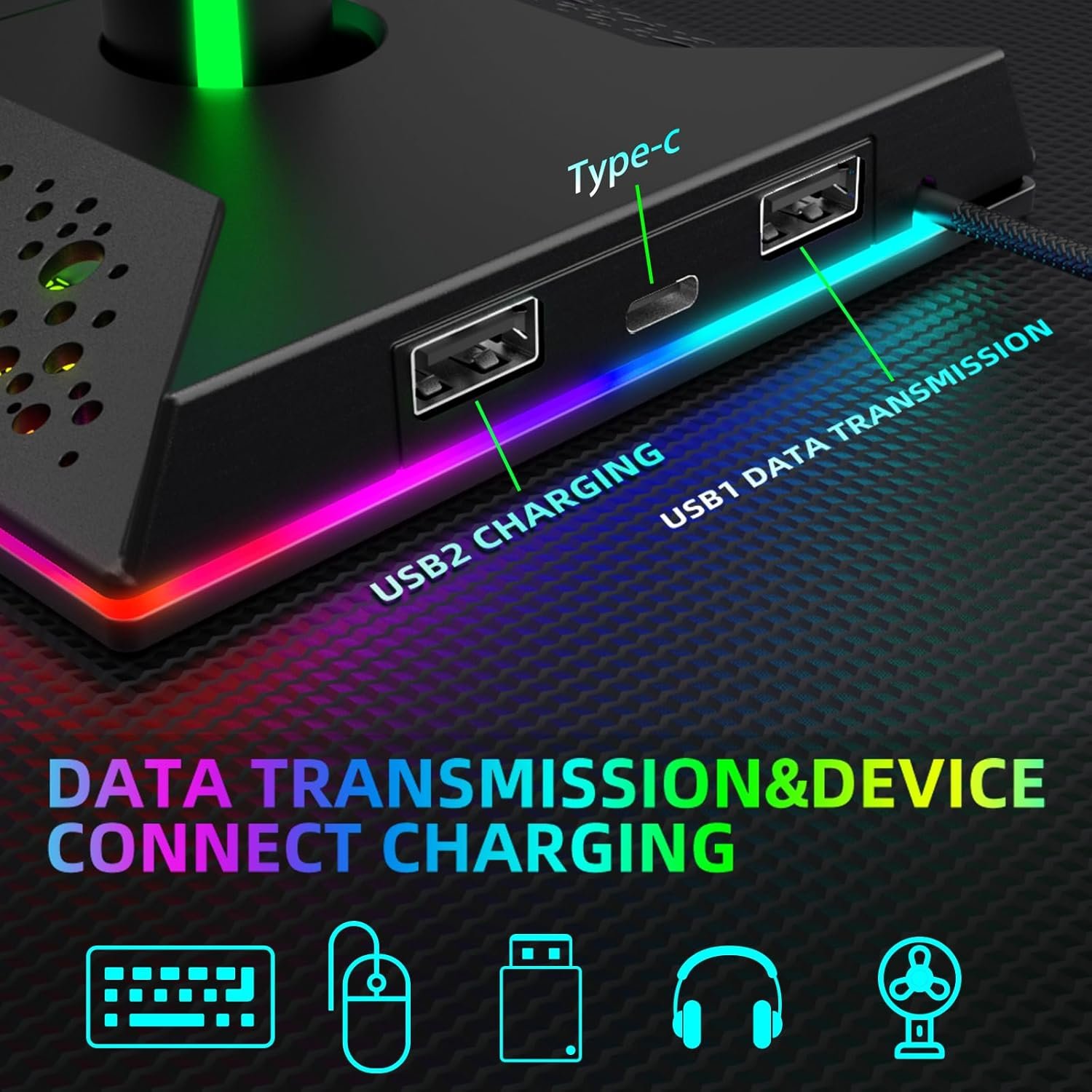
Gaming Headphone Stand PC Accessories – RGB Headset Stand with USB and Type-C Ports, LED Headphone Stand Gift for Boys Men, Computer Game Accessories for Desk
A headset left on a desk becomes clutter surprisingly quickly: the cable catches on your mouse, the earcups collect dust, and the one piece of gaming gear you reach for most often has no proper home. This RGB headset stand addresses that problem while adding lighting and basic connectivity in one accessory.
At $19.99, reduced from a listed $29.99, it looks appealing if you want a straightforward holder with illuminated styling rather than a premium audio accessory. The feature list is unusually generous at this price, but the available product data includes no published customer rating or review count. That means durability, stability, and long-term port performance deserve a cautious assessment.
This review is current for 2026. The confirmed facts are the lighting controls, the two USB 2.0 ports, the stated operating-system support, the nylon-braided cable, and the 12-month warranty; claims about physical fit, reliability, and the Type-C port need verification before you rely on them.
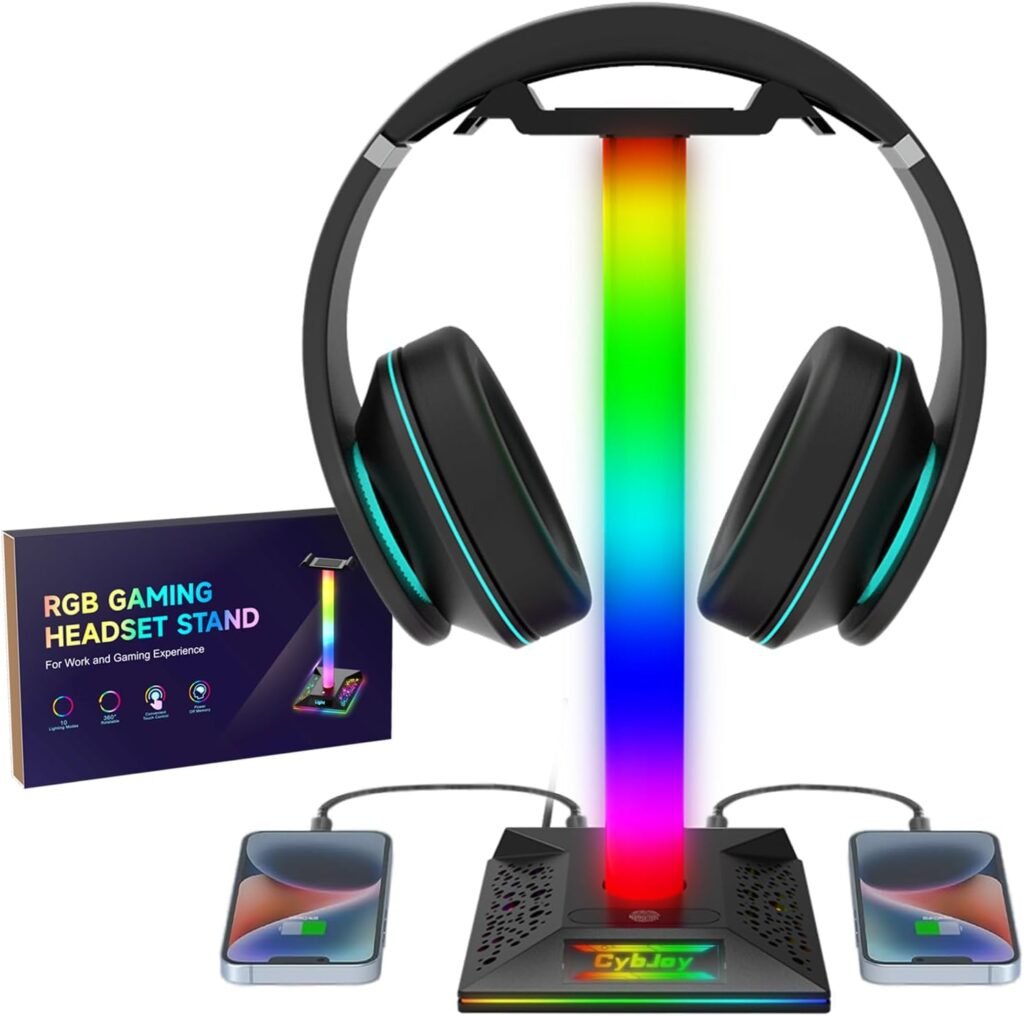

Product Overview: What You Get for $19.99
The core product is a headphone holder with integrated RGB lighting, two USB 2.0 ports, and one Type-C port as shown in the title. The listing also describes plug-and-play use, a nylon-braided cable, and compatibility with Windows, Linux, and Mac systems. In practical terms, it is aimed at a wired PC gaming desk where you want to lift your headset off the work surface and keep a couple of accessories within reach.
The advertised reduction from $29.99 to $19.99 is a $10 saving, which places this firmly in the entry-level accessory category. At that price, you should expect useful convenience rather than carefully documented engineering, premium materials, or the kind of refinement associated with an expensive audio base.
The omissions matter. No stand dimensions, structural-material description, maximum headset weight, USB power figures, data-rate figures, or published rating are supplied. You therefore can’t responsibly assume that a particularly heavy headset will be stable, that the ports will fast-charge a phone, or that the Type-C connection supports a specific function.
For the right setup, the appeal is simple: one dedicated place for a headset and two accessible ports for modest peripherals. If your desk already has a powered hub and your priority is appearance, the stand’s lighting may be the main attraction; if your desk lacks convenient USB access, the ports add more practical value.
RGB Headset Stand Features in Detail
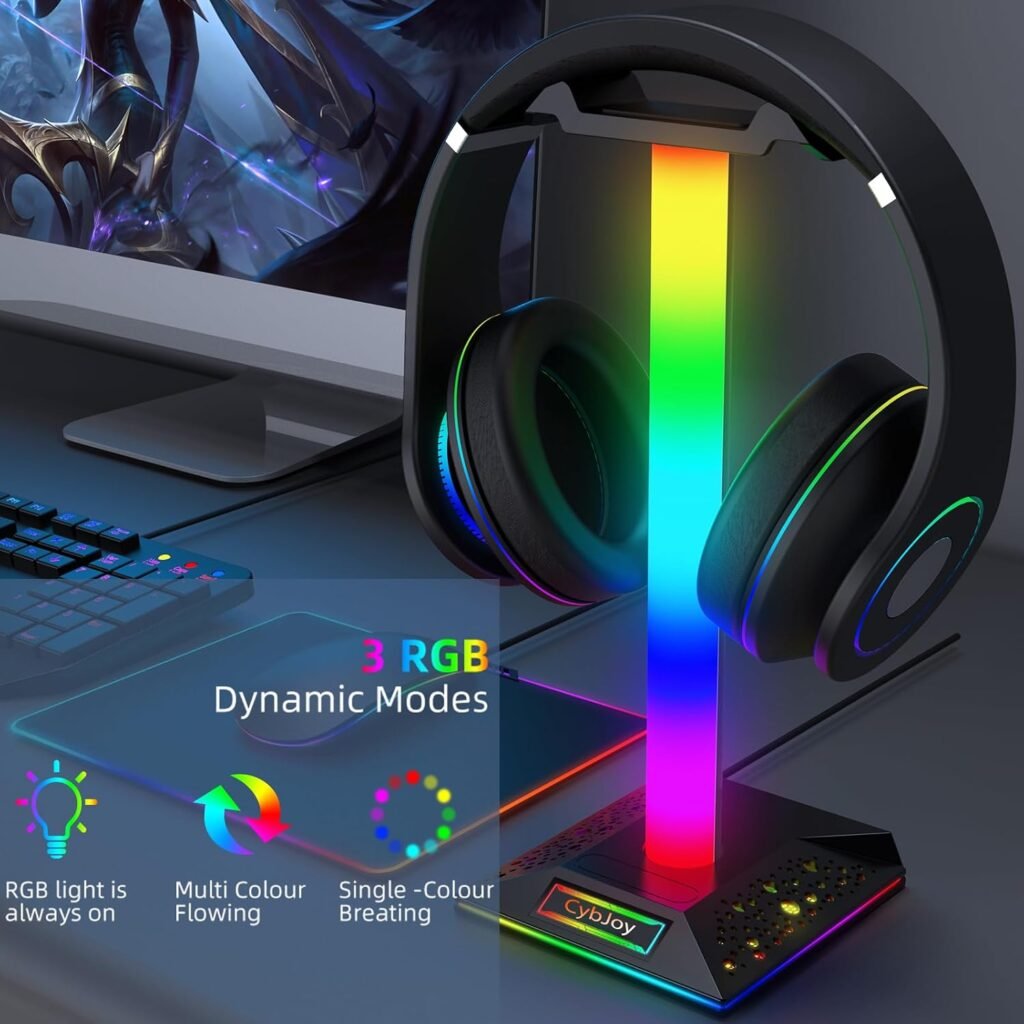
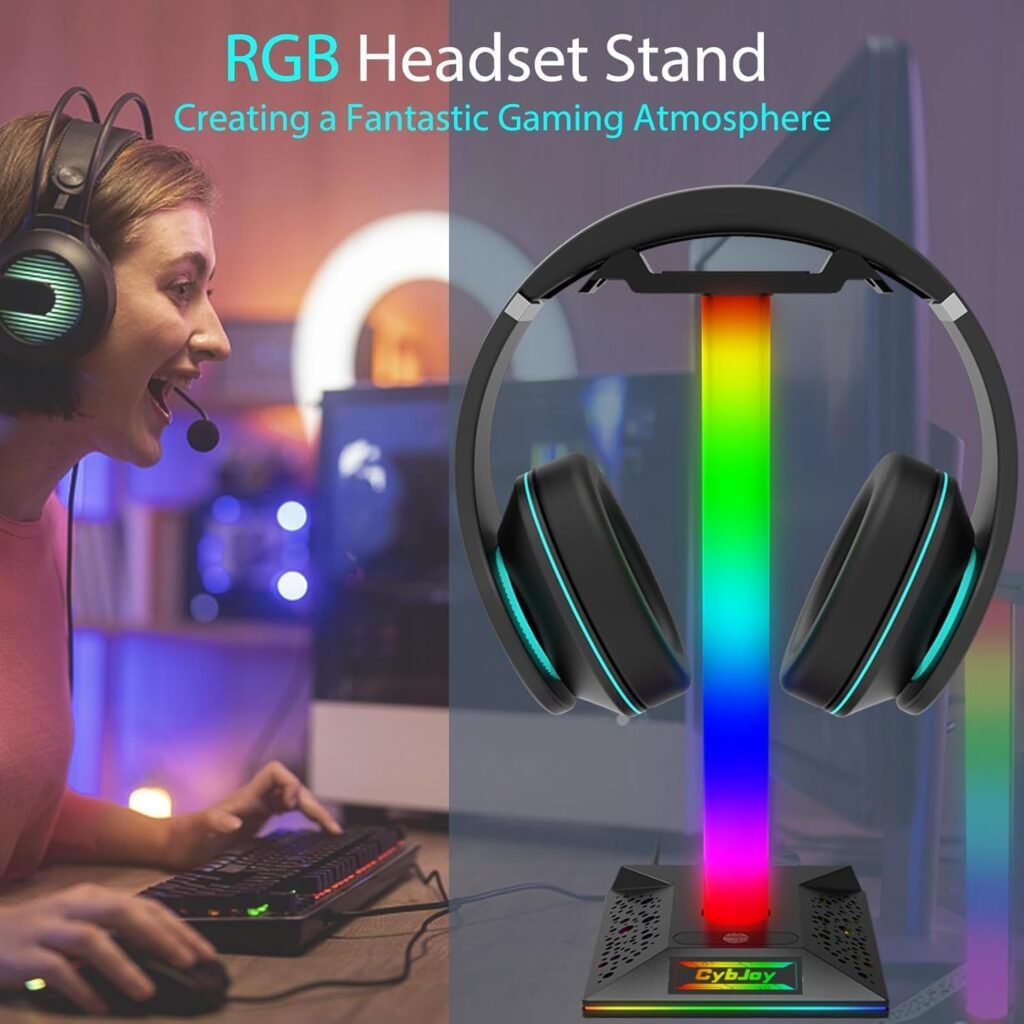
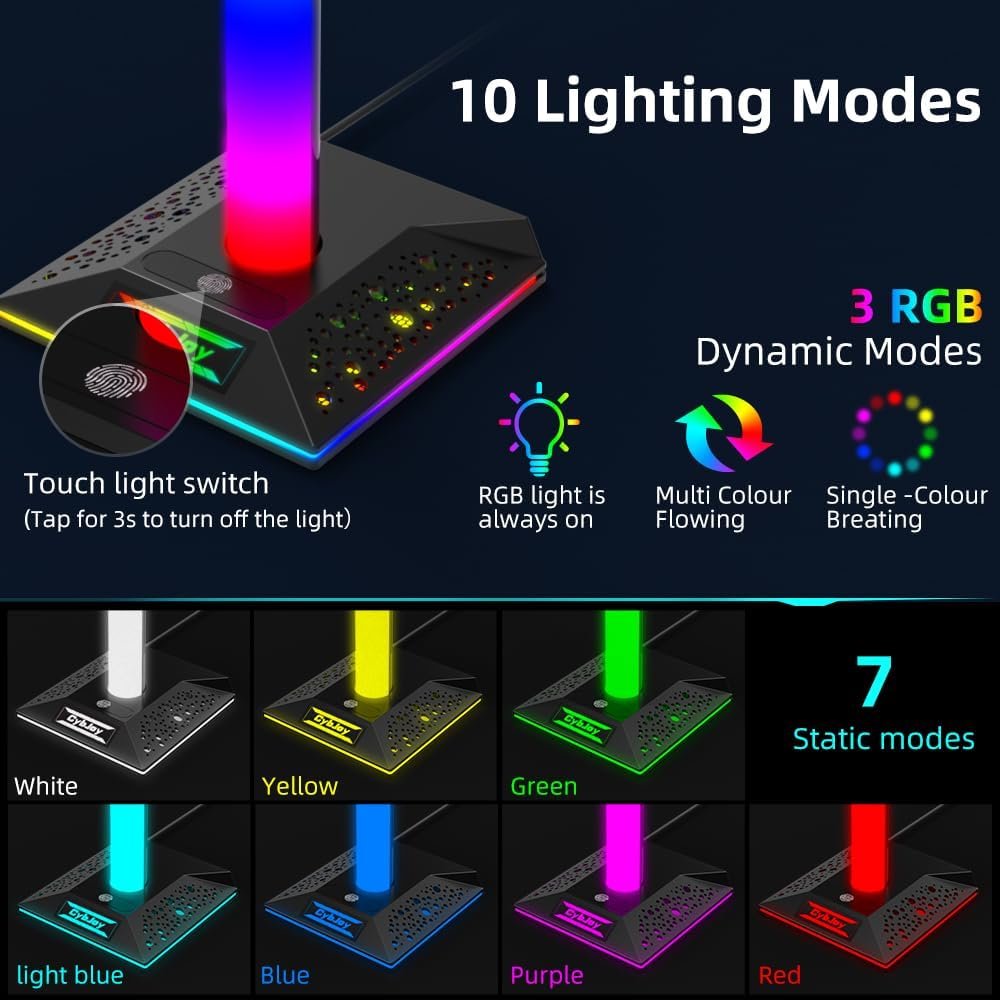
The lighting system offers 10 modes: three RGB colorful-light modes and seven single-color modes. The listing says the base and lamp shift together when you change the effect, so the illumination is intended to read as one coordinated display rather than as separate zones that you tune independently.
Control is handled through a sensitive touch button. You tap the control to move between lighting modes, which keeps the setup free from software, drivers, and another application running in the background. That is useful when you want a static color for ordinary desk work, then a more active RGB effect when the room becomes part of your gaming setup.
The memory function is designed to restore the last selected color or mode after the stand is turned on again. This is a small convenience, but it avoids having to cycle through the choices every time you reconnect power. The practical test is straightforward: select a preferred mode, turn the lighting off, disconnect or power down the stand, and check whether the same state returns when it is switched on again.
Keep the claims within their limits. The supplied information does not confirm brightness levels, app control, synchronization with other RGB hardware, adjustable effect speed, or independent lighting control. The RGB headset stand is therefore best understood as a self-contained decorative light with touch selection, not as part of a larger programmable lighting ecosystem.

USB and Type-C Connectivity: Useful Hub or Basic Convenience?
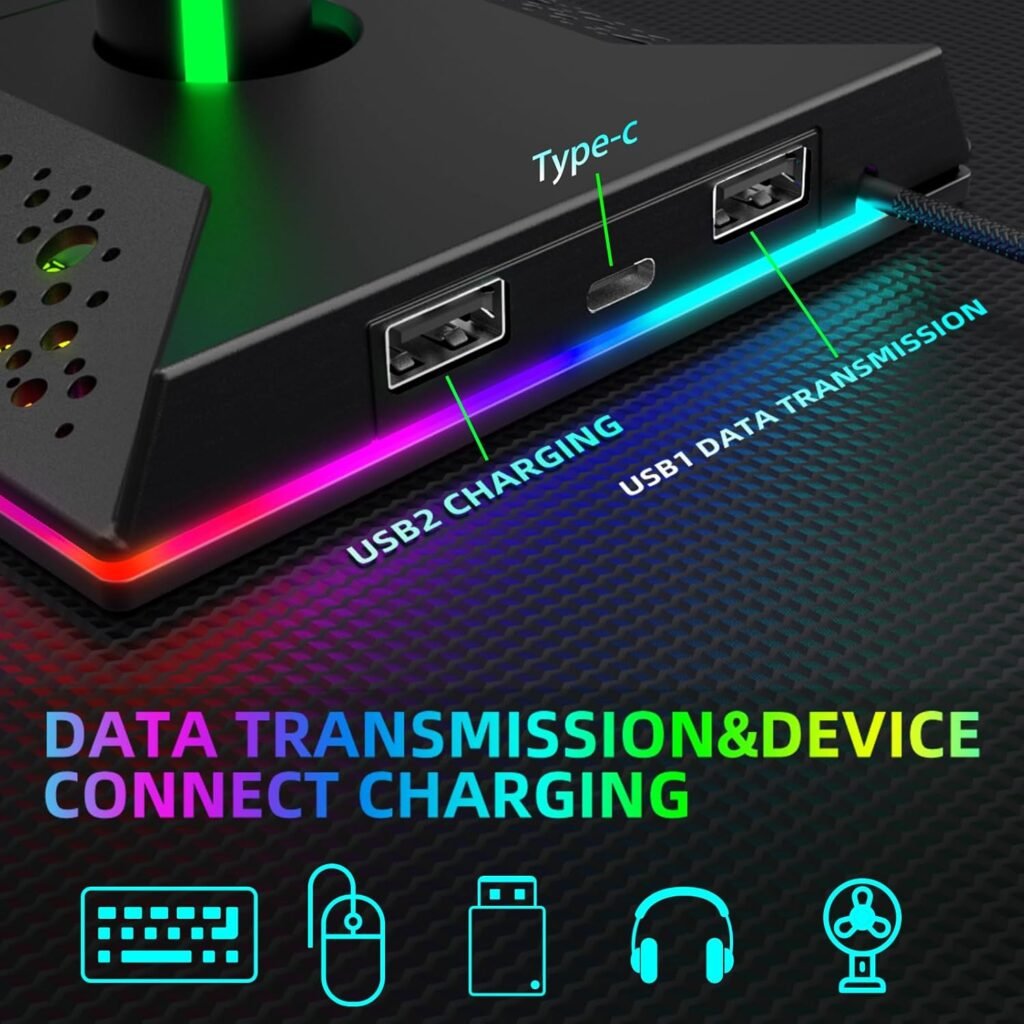
The two confirmed ports are USB 2.0, and the description explicitly says they support charging and data transmission. They are also described as plug-and-play, so no driver installation should be required for ordinary supported computer use. That makes them suitable for modest desk conveniences such as a mouse receiver, a keyboard accessory, a controller cable, or another low-power device.
The Type-C point requires more caution. It appears in the product title, but the supplied description doesn’t say whether it provides power, data, passthrough, or a particular connection to the computer. A Type-C-shaped port can mean several different things, so don’t purchase on the assumption that it is a fast charging socket or a full-speed data port.
USB 2.0 is slower than USB 3.x, and no charging wattage or transfer rate is provided. You should not treat this as the primary charger for a power-hungry device or as the place to attach a demanding external drive. Its strongest role is convenience: keeping simple accessories nearer to your hand.
- Connect the included cable to a suitable computer port.
- Test each USB port separately with a low-power accessory.
- Check the Type-C port independently and confirm that it performs the function you need.
- Stop using a port for critical equipment if it repeatedly disconnects or behaves inconsistently.
Setup, Touch Controls, and Everyday Operation
Setup should be uncomplicated. Put the stand on a stable part of the desk, connect the included nylon-braided cable to the computer, attach any USB accessories, and tap the control to choose a lighting mode. Because the listing describes the stand as plug-and-play, Windows, Linux, and Mac users shouldn’t need a separate driver package for the basic functions.
After connection, give yourself five minutes for a proper check rather than assuming everything works because the light comes on. Confirm the lighting activates, cycle through all modes, and test both USB ports with a low-power accessory. If you specifically bought the stand for Type-C access, verify that port separately instead of treating its presence in the title as a complete specification.
To test the memory feature, choose the color or effect you prefer, turn the lighting off, then power the stand down and reconnect it. The listing says the previous light state should return, but the test will tell you how that behavior works in your particular setup.
Route the braided cable toward the rear of the desk where possible. Leave enough slack near the connector for normal movement, keep the lead away from the desk edge, and avoid allowing the headset cable or a controller cable to pull sideways on the stand’s connection. This takes seconds and reduces avoidable strain.
Compatibility and Desk-Setup Considerations
The manufacturer names Windows XP, 7, 8, and 10, Linux, and Mac as compatible systems. That is useful evidence for conventional computer use, but the description doesn’t explicitly confirm newer Windows versions or every current Mac configuration. Plug-and-play language suggests a simple connection, not a guarantee that every modern computer or accessory will behave identically.
“Universal compatibility” should also be read narrowly. It mainly refers to operating-system and basic plug-and-play support; it does not guarantee compatibility with every headset shape, USB-C accessory, or gaming console. The listing doesn’t specifically confirm PlayStation, Xbox, Nintendo Switch, phone, or tablet support, even though some USB accessories may function with suitable adapters.
Physical fit is another unknown. Before ordering, check the space available on your desk, the shape of your headset’s headband, and whether its earcups or microphone could reach nearby monitors, speakers, or controllers. No product height, base dimensions, stand weight, or load limit is supplied, so owners of unusually large or heavy headsets should ask the seller for those details first.
A sensible compatibility check looks like this:
- Confirm that your computer matches one of the operating-system families named in the listing.
- Decide whether you need the USB ports for low-power accessories or more demanding equipment.
- Ask the seller what the Type-C port actually supports.
- Consider the headset’s physical shape and the surrounding desk equipment.
What Customers Are Saying
There is no displayed star rating or total review count in the product information supplied for this listing. Consequently, customer reviews cannot establish a recurring pattern of praise or complaints here. It would be misleading to say that verified buyers commonly praise the RGB effects, report easy touch control, or complain about unstable USB ports when those review figures and comments have not been provided.
That absence is not proof that the product is poor. It simply leaves important questions unanswered, including whether the lighting remains reliable after months of use, whether the base stays steady with different headset weights, and whether the Type-C port does what shoppers expect. The stated specifications can describe intended functions; they cannot substitute for a meaningful body of customer experience.
If you inspect the listing yourself before purchasing, read recent verified-purchase comments first and look for photos showing the headset on the stand and the accessory on an actual desk. Reviews are more useful when they identify the computer or peripheral tested. Repeated complaints about cable length, touch sensitivity, port reliability, or stability deserve more weight than one isolated failure report.
For this product in particular, pay attention to evidence about long-term reliability, charging performance, and Type-C behavior. Until customers provide consistent, specific reports on those points, the fairest conclusion is that the review evidence is insufficient rather than positive or negative.
Who Should Buy This RGB Headset Stand?
This is mainly for the budget-conscious PC gamer who wants a dedicated headset holder, decorative lighting, and two convenient USB 2.0 ports in one accessory. The combination makes sense on a bedroom or gaming-room desk where appearance matters, but spending more on an elaborate base would feel unnecessary.
The lighting modes and touch control are especially suitable if you want visual customization without RGB software. You can choose a single color for a quieter look or use a shifting RGB effect when you want the desk to feel more like a gaming space. The listing’s gift positioning may also appeal to someone buying for a gamer, although the features—not the gendered marketing—are the better reason to consider it.
You should be cautious if your priorities are fast USB transfer, documented high-power charging, premium metal construction, detailed measurements, or confirmed console support. Those needs aren’t addressed clearly by the supplied information, and a low purchase price doesn’t resolve that uncertainty.
Use this decision test: choose the stand if headset storage and basic connectivity matter more than premium materials, advanced RGB synchronization, or published performance figures. If any one of those premium requirements is essential, compare more thoroughly before committing to an entry-level accessory.
How It Compares With Alternatives on Amazon
The most revealing comparison is with better-known premium bases. The Razer Base Station V2 Chroma is positioned as a substantially more feature-focused gaming-desk product, with a broader ecosystem and a higher-end approach than this $19.99 stand. That doesn’t automatically make it better for every buyer: if you only need a place to hang your headset and two basic USB connections, the cheaper accessory may be the more sensible fit.
The CORSAIR ST100 RGB Premium Headset Stand occupies a similar premium-versus-entry-level contrast. It is marketed as a more substantial desk accessory with a heavier feature set, while the reviewed stand concentrates on the basics: illumination, headset storage, and straightforward USB access. Current prices and exact specifications for both alternatives can change, so check their live listings immediately before purchasing rather than relying on an old comparison.
Compare each candidate using the same questions:
- What is the current price and warranty?
- Which USB standard and charging functions are documented?
- What are the dimensions, construction details, and headset support limits?
- Are RGB controls touch-based, software-controlled, or synchronized with other hardware?
- What do recent customer ratings and photographs show?
The reviewed RGB headset stand’s advantage is low upfront cost plus lighting and USB access. The Razer or CORSAIR option may suit you better if construction quality, software integration, audio-related features, or stronger documentation matter more than price. A basic stand can still be the right purchase when premium extras would go unused.
Warranty, Reliability, and Buying Advice
The listing includes a 12-month worry-free warranty and says the seller will provide assistance within hours for defects. That is a useful support promise, but it is not evidence that the stand will remain durable for years. Treat it as protection if something arrives faulty, not as a substitute for clear construction details or customer feedback.
When the package arrives, photograph the parcel and retain your order details. Then test every lighting mode, connect a low-power accessory to each USB port, operate the touch button repeatedly, and check the Type-C connection if it was a deciding feature. Early testing gives you a clear record if the product arrives damaged or a function fails.
Contact the seller promptly if the lighting doesn’t activate, the touch control is inconsistent, a port disconnects repeatedly, or the stand shows physical damage. Describe the computer and accessory involved, the exact port tested, and the steps that reproduce the problem. Specific information is more useful than a general report that the unit “doesn’t work.”
The nylon-braided cable is intended to resist everyday wear, but no details are supplied about the stand’s structural material, base grip, internal power protection, or port lifespan. Use it within its stated plug-and-play role and avoid unsupported assumptions about fast charging, high-speed storage, or unusually heavy headsets.
Value Assessment at the Current Price
At $19.99 rather than the listed $29.99, the stand offers a $10 reduction and combines several functions that might otherwise require separate accessories: headset storage, RGB lighting, two USB 2.0 ports, and a Type-C connection shown in the title. That is a reasonable package for a simple illuminated desk accessory, particularly if you would otherwise buy a holder and a basic USB extension separately.
The value becomes less convincing when you need dependable performance documentation. The supplied information does not include dimensions, materials, weight capacity, USB power output, Type-C behavior, a customer rating, or a review count. Those omissions don’t make the stand unusable, but they make it harder to judge whether it will suit an unusually heavy headset or a demanding desk setup.
For a casual PC gaming station, the combination of low cost, touch-controlled lighting, and basic connectivity is the strongest argument. For professional users, high-speed data transfer, premium construction, advanced RGB control, or documented charging performance, a more expensive alternative may justify its price through clearer specifications and stronger ecosystem support.
Buying takeaway: confirm the Type-C function and physical fit before ordering, then regard the 12-month warranty as a safety net rather than the main reason to buy. If your expectations remain modest, this RGB headset stand is an appealing budget convenience; if your requirements are demanding, the missing specifications should make you pause.
Pros and Cons
Pros
- Low $19.99 sale price, reduced from $29.99.
- Ten lighting modes with touch control and a memory function.
- Two confirmed USB 2.0 ports for basic charging and data use.
- Plug-and-play compatibility with the operating systems named in the listing.
- Nylon-braided cable and a stated 12-month worry-free warranty.
Cons
- No published customer rating or review count is supplied, making long-term reliability difficult to judge.
- The stand’s dimensions, materials, weight limit, USB power output, and Type-C function are not specified.
- USB 2.0 is suitable for basic peripherals but not high-speed storage or demanding charging needs.
- Console compatibility and RGB software synchronization are not confirmed.
Final Verdict
Key Takeaways
- This $19.99 accessory combines headset storage, RGB lighting, two USB 2.0 ports, and a Type-C connection listed in the title.
- The lighting modes and touch control work without software, while the memory function is intended to preserve your previous lighting choice.
- The two confirmed USB 2.0 ports are useful for low-power peripherals, but there is no supplied wattage or transfer-speed information.
- No customer rating, review count, dimensions, load limit, structural-material details, or clear Type-C specification is provided.
- It is best viewed as a budget desk organizer with lighting, not as a premium headset base station or high-performance USB hub.
Frequently Asked Questions
Can the stand charge devices through its USB ports?
The listing confirms two USB 2.0 ports for charging and data transmission, with plug-and-play operation and no driver installation. It does not provide charging wattage or data-transfer figures, so you should treat them as basic convenience ports rather than a high-power charging station.
What does the Type-C port do?
The product title includes one Type-C port, but the supplied description does not explain whether it supports charging, data transfer, passthrough, or another function. If Type-C connectivity is essential, confirm its purpose with the seller before ordering.
Which computers are compatible with this RGB headset stand?
The listing names Windows XP, 7, 8, and 10, Linux, and Mac systems. It does not specifically confirm every newer Windows version, modern Mac configuration, or gaming-console compatibility.
How many lighting modes does the headset stand have?
The stand provides three RGB colorful-light modes and seven single-color modes. Its touch control changes the lighting without software, and the memory function is designed to restore the last selected color or mode when the stand is powered on again.
Is this headset stand good value?
It is a sensible choice if you want a dedicated place for a headset, decorative lighting, and two basic USB ports at a low price. It is less suitable if you need premium construction, documented charging performance, high-speed USB, advanced RGB software, or confirmed console support.
Disclosure: As an Amazon Associate, I earn from qualifying purchases.
