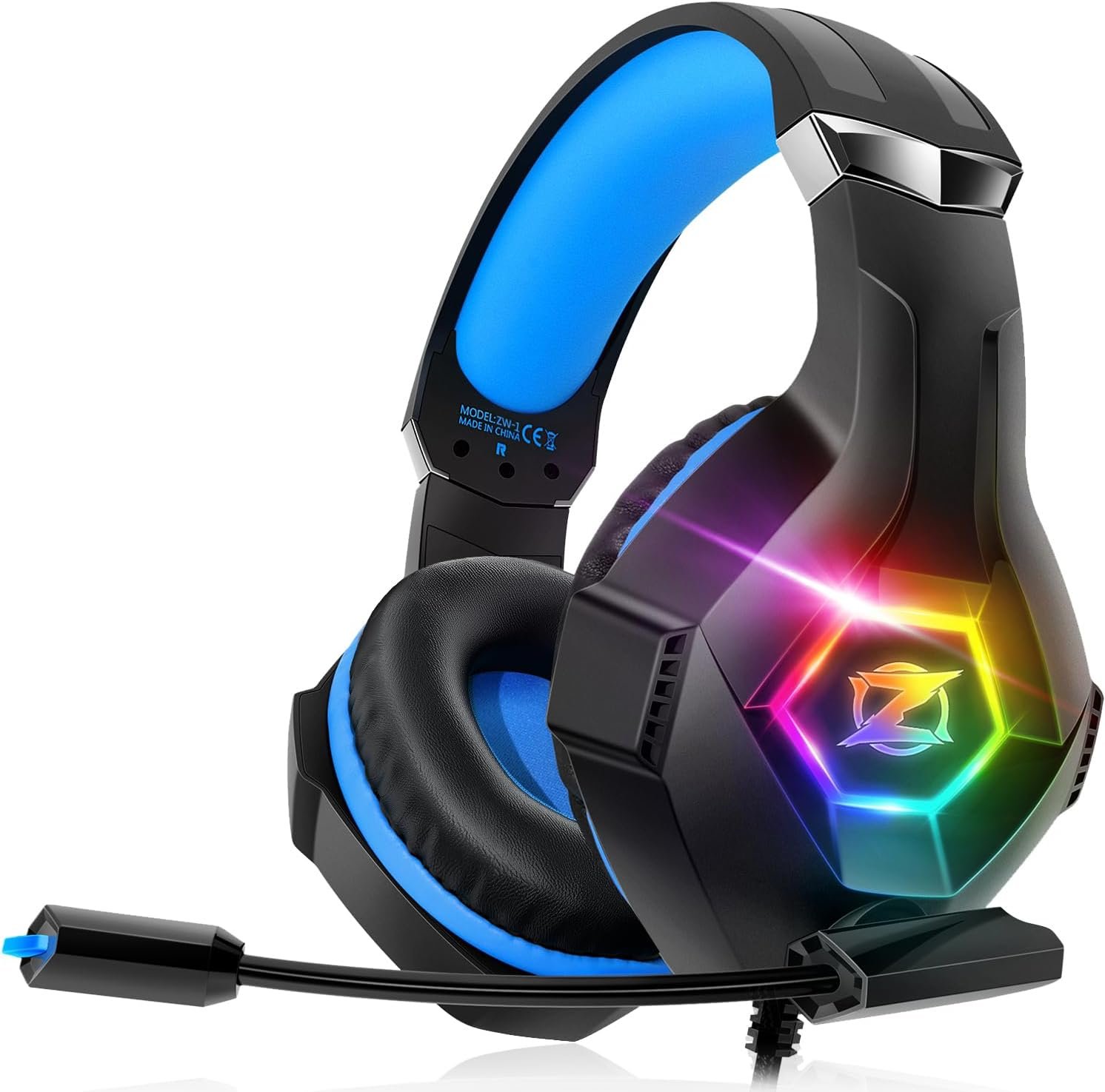
Ozeino Gaming Headset for PC, Ps4, Ps5, Xbox Headset with 7.1 Surround Sound, Gaming Headphones with Noise Cancelling Mic RGB Light Over Ear Headphones for Xbox Series X/S, Switch-Blue
A $24.99 headset can be perfectly adequate for a teenager’s console, a shared family PC, or a second controller setup. The harder question is whether it can also deliver comfortable, immersive sound across several platforms without making you wrestle with adapters and settings. The Ozeino Gaming Headset makes a convincing budget case on paper, but it is not presented as a premium wireless or audiophile model.
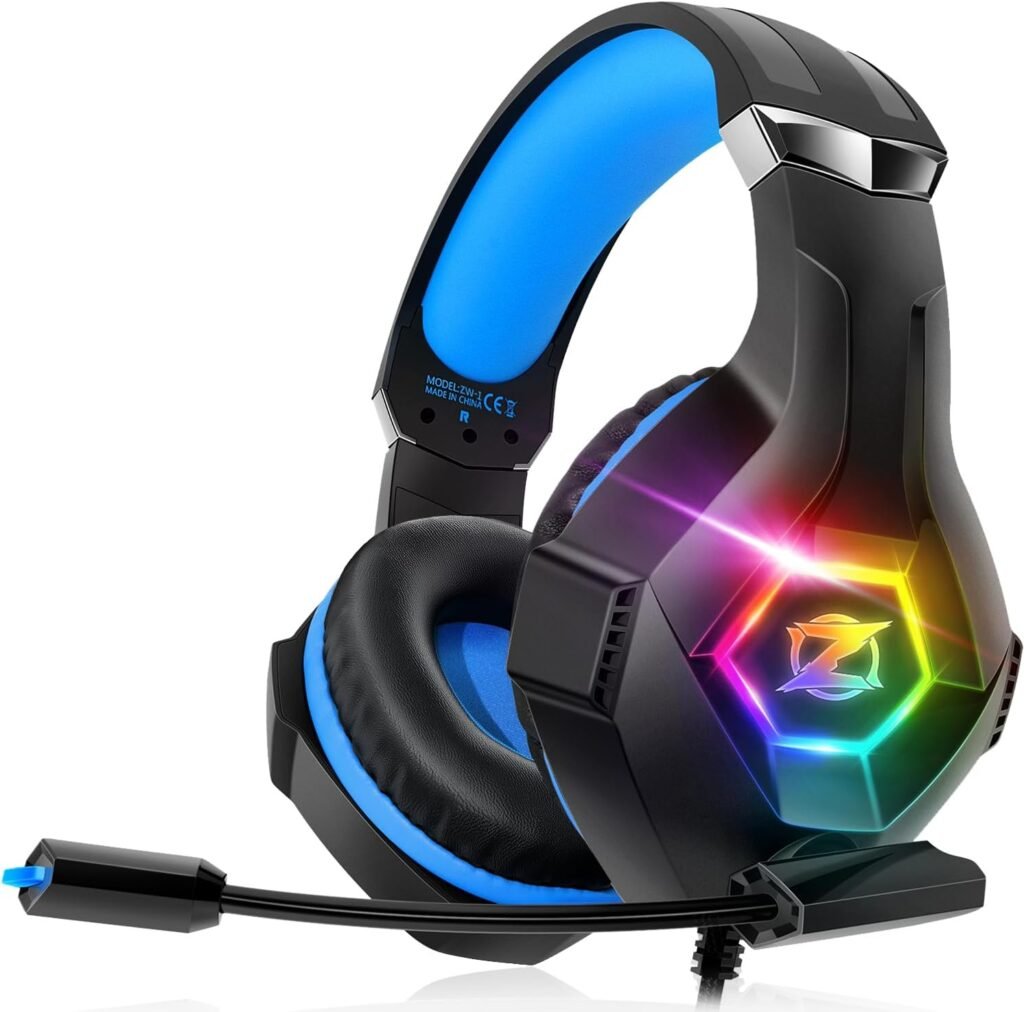
The design is built around a 240-gram frame, over-ear protein-leather memory-foam earcups, a stretchable adjustable headband, advertised 7.1 surround sound, an omnidirectional noise-cancelling microphone, RGB lighting, and a wired 3.5mm connection. The current listed price is $24.99, down from $29.99, and the product is shown as in stock.
For 2026, that places this headset firmly in the inexpensive, multi-platform category. You are paying for broad compatibility and a useful collection of gaming features rather than measured acoustic performance, wireless convenience, or extensive software control. This review separates the confirmed specifications from the claims that still need testing, using the supplied product information and avoiding unsupported ratings or review counts.

Product overview and specifications
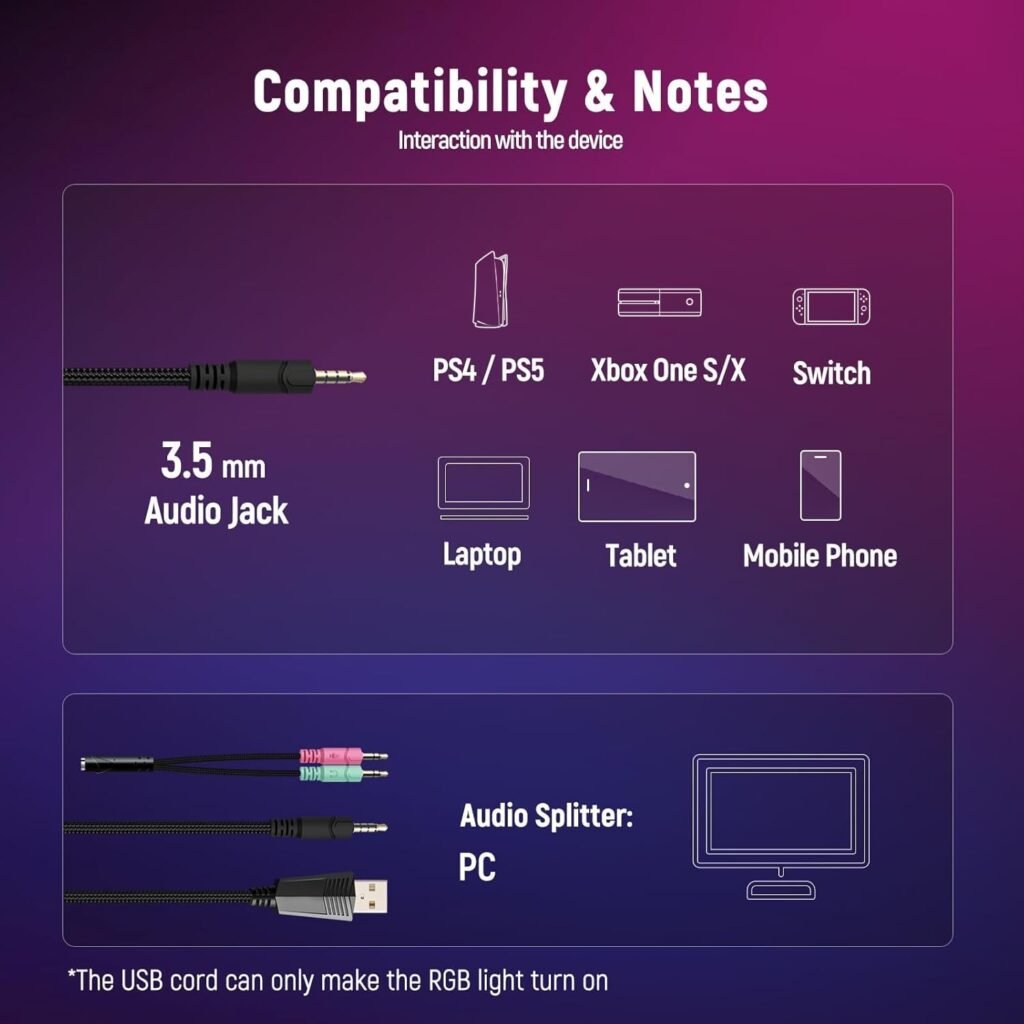
The Ozeino Gaming Headset uses a universal wired 3.5mm connection and is listed for PS5, PS4, Xbox Series X/S, PC, Switch, laptop, and Mac. That arrangement is refreshingly simple: there is no wireless pairing, charging routine, or battery percentage to monitor. Your actual experience will depend on the port arrangement of the device and controller in front of you.
PC use needs particular attention. The included 1-to-2 3.5mm splitter separates the signal into a green audio plug and a red microphone plug. The USB connector has a different job entirely: it supplies power for the RGB lights and does not carry the primary game audio signal.
| Specification | Listed detail |
|---|---|
| Weight | 240 grams |
| Connection | Wired 3.5mm |
| Microphone | Omnidirectional, advertised noise-cancelling design |
| Lighting | RGB, powered through USB |
| Earcups | Over-ear protein leather with memory foam |
| Platforms | PS5, PS4, Xbox Series X/S, PC, Switch, laptop, Mac |
| Price | $24.99, reduced from $29.99 |
| Availability | In stock when supplied for review |
An older Xbox One controller is the main compatibility exception. It requires a separate Microsoft adapter, which is not included. The listing also does not establish driver diameter, cable length, frequency response, impedance, wireless capability, software support, or independent certification for the surround-sound system. Those omissions matter if you are comparing it with a headset that publishes measurements.
Ozeino Gaming Headset sound and gaming performance
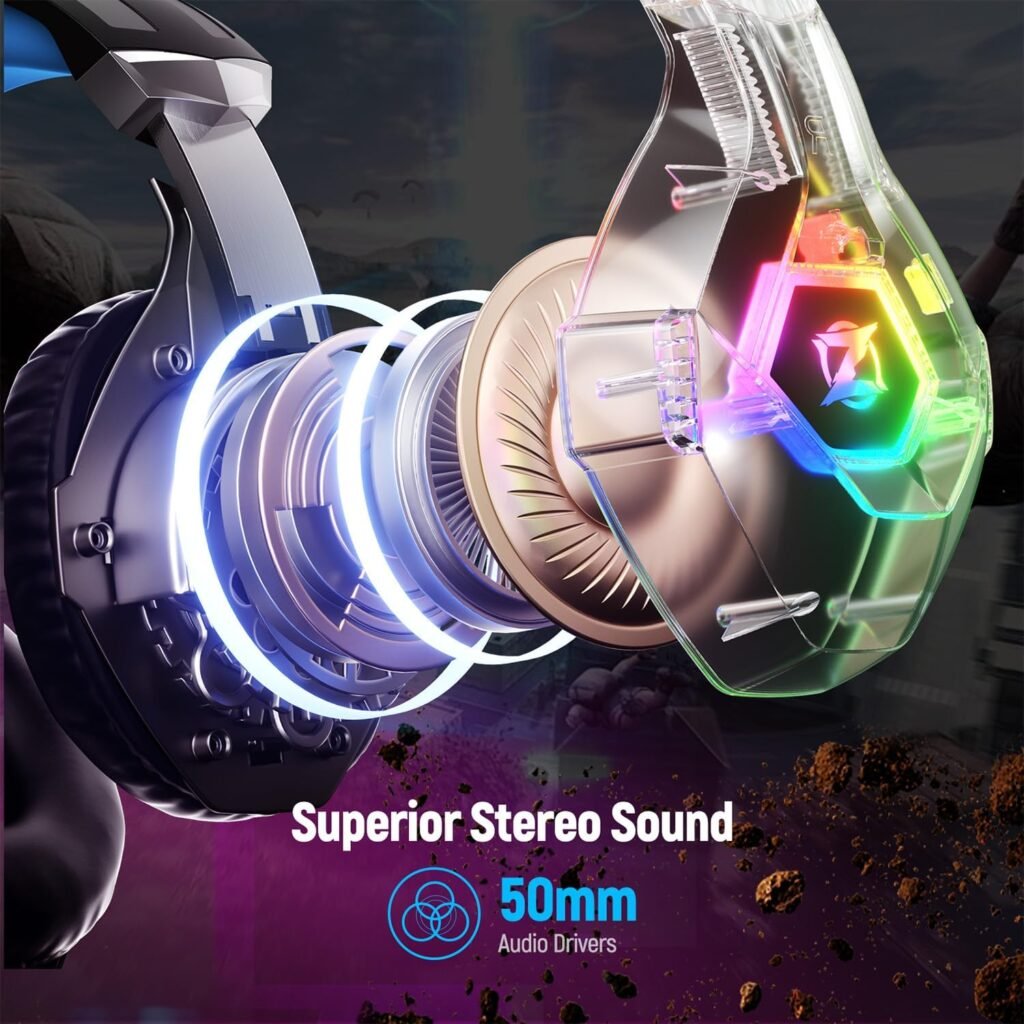
The advertised 7.1 surround sound is meant to create a wider, more directional presentation from a conventional headset. In practice, virtual surround processing can make footsteps, gunfire, and environmental effects seem easier to place, but it cannot be treated as equivalent to discrete multi-driver cinema sound. On a headset at this price, the result may be useful in one game and distracting in another.
The claimed deep bass should appeal if explosions and soundtrack impact are more important to you than a strictly neutral balance. Bass can add excitement, yet excessive emphasis may cover quieter dialogue, reload sounds, or subtle movement cues. Music and films may benefit from a fuller presentation, while voice chat usually depends more on vocal clarity than on the advertised surround effect.
The analog connection has two practical advantages: setup is uncomplicated, and there is no wireless transmission delay or battery management. The trade-off is that you do not get the advanced EQ profiles, platform-specific controls, or firmware features sometimes offered by USB and wireless headsets. The supplied information also includes no driver diameter or measured frequency-response data, so sound conclusions must remain modest.
Try this before committing to a long session:
- Play a familiar game with the headset in its ordinary stereo setting.
- Enable the available surround mode and repeat the same section.
- Compare dialogue, footsteps, directional effects, and environmental ambience.
- Listen for whether bass adds impact or overwhelms quieter details.
- Keep the setting that improves your own ability to hear the game, rather than assuming 7.1 is automatically better.
The Ozeino Gaming Headset may be a sensible casual-gaming choice if its virtual positioning sounds natural to you. Competitive players should be more cautious, because no independent imaging measurements are supplied.

Comfort, fit, and over-ear design
Comfort is one of this headset’s more persuasive specifications. At grams, the Ozeino Gaming Headset sits in a light budget-category range, which should reduce the feeling of a heavy object pressing down during ordinary play. Weight alone does not determine comfort, however; clamp force, head size, hairstyle, glasses, and ear shape can change the experience considerably.
The over-ear protein-leather memory-foam earcups are intended to spread pressure around the ears rather than place it directly on the ear cartilage. They may also provide a degree of passive sound isolation. The soft headband and stretchable ergonomic design are meant to let you find a usable fit without immediately forcing the band to its maximum extension.
Adjust it gradually before a long session. Start with the headband close to its smallest comfortable setting, place the earcups around your ears, and extend each side only until the pads seal without squeezing. If you wear glasses, check whether the arms create a gap or pressure point, then wear the headset for a 30-minute trial before deciding whether the fit is acceptable.
There are familiar material trade-offs. Leather-like pads can feel warmer than breathable fabric during extended play, especially in a heated room. The supplied details describe the materials but do not establish how well the covering will resist peeling or compression over years of use, so comfort should not be confused with proven long-term durability.
Microphone, controls, and RGB lighting
The microphone is described as an upgraded omnidirectional noise-cancelling design. Its practical purpose is straightforward: make team communication easier to understand while reducing some surrounding distraction. That description is not the same as a measured noise-rejection result, so your room still matters. A keyboard, fan, television, or another person nearby can expose limits that a quiet bedroom will not.
A physical microphone mute switch is a useful inclusion. You can disable voice chat quickly without opening a game menu, which is handy when someone speaks to you in the room or when you need to cough. The questions to investigate through supplied buyer feedback, if available, are whether voices sound clear or muffled, whether the boom stays where you place it, and whether background-noise reduction remains effective around ordinary household sounds.
RGB lighting is decorative rather than functional. The USB plug must be connected to a powered USB socket for the lights to operate, while the USB connection does not provide the primary game audio. On a desktop, that may mean one more cable across the desk; on a console, it may require a convenient nearby USB port. If you do not care about lighting, leave the USB lead disconnected and use the headset’s main wired connection.
Before a competitive match, make a short recording or use microphone monitoring on each platform. Speak at your normal volume, tap a key if you play at a desk, and listen for clipping, muffling, or unwanted room noise. That five-minute check is more useful than relying on the phrase “noise cancelling” alone.
Multi-platform setup: PC, PlayStation, Xbox, and Switch
Cross-platform support is a central reason to consider the Ozeino Gaming Headset, but the correct setup differs slightly by device. On PC, attach the supplied splitter, connect the green plug to the audio output and the red plug to the microphone input, then select the headset as both the input and output device in your system settings. A computer with a combined headset jack may not need the splitter, while separate ports generally do.
For PS5 and PS4, connect the headset to the controller’s 3.5mm port. Check the console’s input-device selection, microphone permissions, and game-chat balance before starting a multiplayer session. On Xbox Series X/S, use the compatible controller connection and verify the chat mixer. An older Xbox One controller needs the separate Microsoft adapter specified by the listing; it is not supplied with the headset.
Switch, laptop, and Mac compatibility depends on a suitable combined 3.5mm headset jack. Hardware with separate audio and microphone ports may require the correct adapter, while USB-C-only devices will need a compatible USB-C audio solution. The RGB lead remains separate from the audio connection on every platform.
Use this troubleshooting order:
- Push the 3.5mm plug fully into the controller or device.
- Check the headset’s physical microphone mute switch.
- Select the correct input and output device in the console or computer settings.
- Adjust game-chat balance and confirm the microphone permission.
- Connect the USB lead separately only if you want RGB lighting.
Following that order helps distinguish a setup problem from a faulty headset, particularly when a computer splitter or older controller is involved.
What Customers Are Saying
The supplied production information does not include a verified star rating, review total, or individual customer comments. That means it would be misleading to claim that buyers consistently praise its comfort, microphone, cable, or sound. A trustworthy assessment has to say when the available evidence is limited rather than turn the product description into invented customer testimony.
There are still sensible themes for shoppers to examine in the listing’s customer reviews before purchasing. Look for repeated observations about whether the earcups remain comfortable during long sessions, whether heat or clamp pressure becomes troublesome, and whether the advertised bass leaves dialogue and quieter effects audible. A single comment saying “great sound” tells you less than several reviews describing the same game, session length, and listening preference.
Microphone feedback deserves the same care. Check whether reviewers mention clear speech or a muffled voice, whether the boom holds its position, whether the mute switch works reliably, and whether keyboard or fan noise is reduced. RGB complaints may actually concern the USB lead not being connected to a powered port, while audio complaints may result from an incorrectly fitted splitter or an incompatible controller.
When you read mixed feedback, compare the reviewer’s platform, controller generation, session length, and expectations with your own. Someone seeking an inexpensive headset for occasional Fortnite or family gaming may judge it very differently from a tournament player or a listener accustomed to premium music headphones. Until a verified review set is available, treat this as a low-cost trial with clearly defined limits, not a guaranteed premium performer.
Who should buy the Ozeino Gaming Headset?
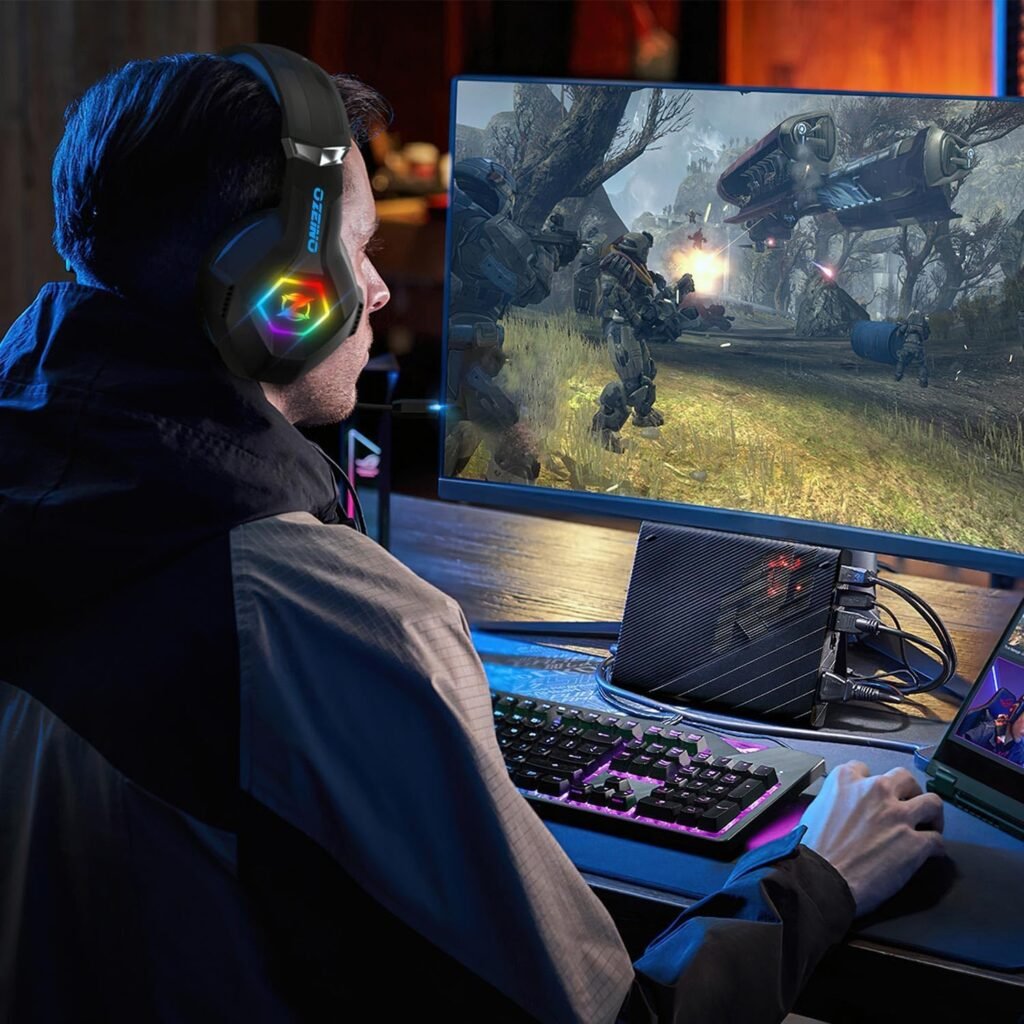
The best match is a budget-conscious player who wants one wired headset for several consoles and computers, plus a built-in microphone and RGB styling. You may also appreciate it if you prefer plugging in and playing instead of charging a battery, pairing Bluetooth, installing firmware, or keeping track of wireless range.
It makes particular sense for a younger gamer, a shared household, or a spare setup where the purchase price matters more than deep customization. The 3.5mm format can move between a controller and computer more easily than a headset tied to one wireless receiver, although PC and older Xbox requirements still need checking before purchase.
You should look elsewhere if wireless freedom is non-negotiable, if you need active noise cancellation, or if your phone, tablet, or laptop has only USB-C and you do not want an adapter. The same applies if you want detachable cables, sophisticated software controls, premium music detail, or strong independent evidence for competitive positional accuracy.
For mainstream multiplayer, the headset may be sufficient, especially when the main priorities are low cost, a physical mute switch, and broad wired compatibility. Tournament-focused players should compare independently tested alternatives instead of assuming the 7.1 label guarantees superior imaging. A simple rule works: choose the Ozeino Gaming Headset for low-cost wired versatility and RGB; spend more when microphone consistency, refined positional audio, or proven durability is the priority.
Value at $24.99 compared with alternatives
At the listed $24.99, reduced by $5 from the stated original price of $29.99, the Ozeino Gaming Headset is priced as an accessible feature-heavy wired model. Availability and pricing can change, so treat those figures as the current listing information rather than a permanent market position.
The HyperX Cloud Stinger and Logitech G432 are sensible alternatives to investigate, but they occupy a different comparison conversation. The Cloud Stinger is a wired gaming headset known for a lightweight comfort approach, a flip-to-mute microphone design, and support across common console and PC connections, with the exact bundle varying by version. The G432 is also a wired model and is associated with virtual surround support, a boom microphone, and additional control options on compatible computer setups.
Those alternatives may justify a higher price through brand support, construction, tuning, software, warranty terms, or microphone consistency, but neither is automatically the right choice for every shopper. The Ozeino places more emphasis on RGB lighting, the advertised 7.1 effect, broad platform coverage, and an inexpensive entry point. If you simply need a spare headset for a controller, those features may matter more than advanced software.
Compare the complete setup, not just the headset price:
- Confirm the current listing price and availability for every model.
- Check whether your PC needs a splitter or whether your device needs a USB-C adapter.
- Calculate the cost of an Xbox adapter if you use an older Xbox One controller.
- Compare microphone controls, comfort design, software support, and warranty terms.
- Choose the model whose total setup matches your platform and priorities.
That process prevents a cheap headset from becoming less economical after required accessories are added.
Buying checklist and final assessment
Before ordering, confirm three things: your device has a compatible 3.5mm headset port, your PC has the right inputs for the supplied splitter, and your Xbox controller does not require the separate Microsoft adapter mentioned in the listing. Those checks take less than a minute and prevent the most avoidable compatibility disappointment.
Decide whether RGB lighting is useful to you. The USB lead is required for illumination but not for primary audio, so the headset can remain an ordinary wired audio device if you prefer a simpler desk or console arrangement. Also consider whether your main use is casual gaming, shared household play, or competitive sessions where microphone consistency and precise imaging carry greater weight.
Ozeino Gaming Headset: a budget option worth considering for casual or multi-platform wired gaming, provided you understand the adapter and setup limitations. The low listed price, multi-platform design, virtual surround claim, microphone features, and comfort-focused construction create a strong feature list for an inexpensive model, but the supplied information does not prove premium acoustic refinement or long-term durability.
Buy at $24.99 if compatible wired versatility and low upfront cost are your priorities. Compare the HyperX Cloud Stinger 2, Logitech G432, or other better-documented models if you need wireless operation, more refined audio, stronger microphone evidence, or a clearer record of long-term construction quality.
Pros and Cons
Pros
- Low $24.99 listed price, reduced from $29.99.
- Universal 3.5mm wired connection for PS5, PS4, Xbox Series X/S, PC, Switch, laptop, and Mac.
- Lightweight 240-gram construction with over-ear memory-foam earcups and an adjustable headband.
- Built-in microphone with a physical mute switch.
- RGB lighting can be used when the USB lead is connected to a powered USB socket.
Cons
- The USB connection powers the RGB lights but does not carry the main game-audio signal.
- An older Xbox One controller requires a separate Microsoft adapter, which is not included.
- The listing does not provide driver size, cable length, frequency response, impedance, software support, or independent surround-sound test data.
- Protein-leather earcups may become warm during long sessions, and long-term material durability is not established.
- The 7.1 surround feature is an advertised virtual effect rather than confirmed discrete multi-driver cinema surround.
Final Verdict
Key Takeaways
- At $24.99, the Ozeino Gaming Headset is aimed at budget-conscious players who want one wired headset for several platforms.
- Its 3.5mm connection avoids charging and pairing, but PC users need the supplied splitter and RGB requires a separate powered USB connection.
- The 240-gram design, memory-foam earcups, adjustable headband, microphone mute switch, and RGB lighting make the feature list appealing for the price.
- Treat the 7.1 sound and noise-cancelling microphone as advertised features to test, not as proof of premium competitive performance.
- Buy it for affordable wired versatility; compare better-established alternatives if refined audio, microphone consistency, wireless freedom, or long-term durability comes first.
Frequently Asked Questions
Does the Ozeino Gaming Headset work on PC?
Yes, provided your computer has the required inputs or you use the included 1-to-2 splitter. Connect the green plug to audio and the red plug to the microphone input, then select the headset for both output and input in your operating-system settings. The USB plug is only needed for RGB lighting.
Which consoles are compatible with this headset?
It connects to PS5 and PS4 controllers through their 3.5mm headset ports. Xbox Series X/S users can connect through a compatible controller. An older Xbox One controller needs a separate Microsoft adapter, and that accessory is not included.
Is the 7.1 surround sound genuine?
The advertised 7.1 feature should be treated as virtual surround rather than the same thing as a multi-speaker home-cinema system. It may make directional effects and footsteps easier to distinguish, but the listing provides no driver measurements or independent surround certification.
Disclosure: As an Amazon Associate, I earn from qualifying purchases.