

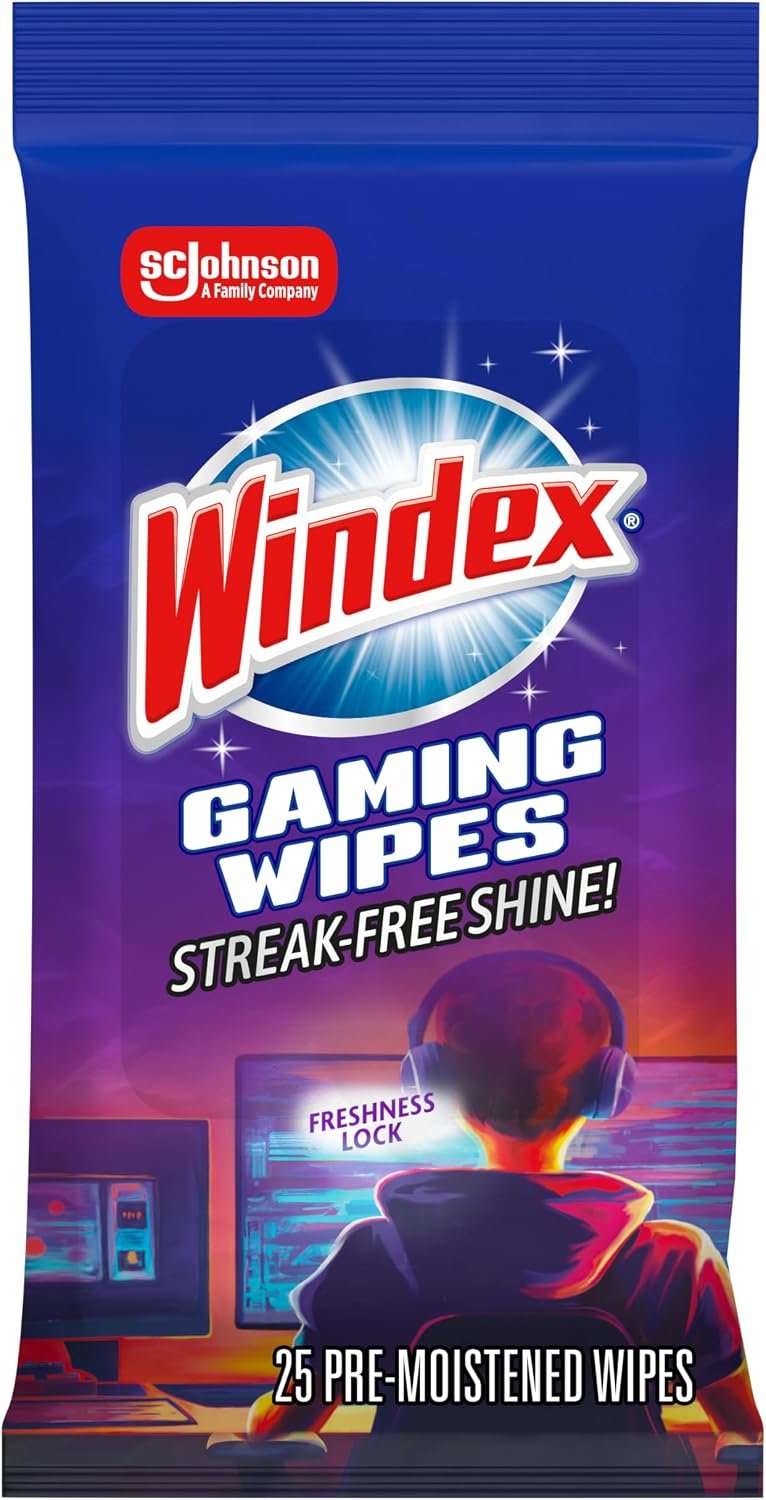
Windex Gaming Cleaning Wipes: Product Overview
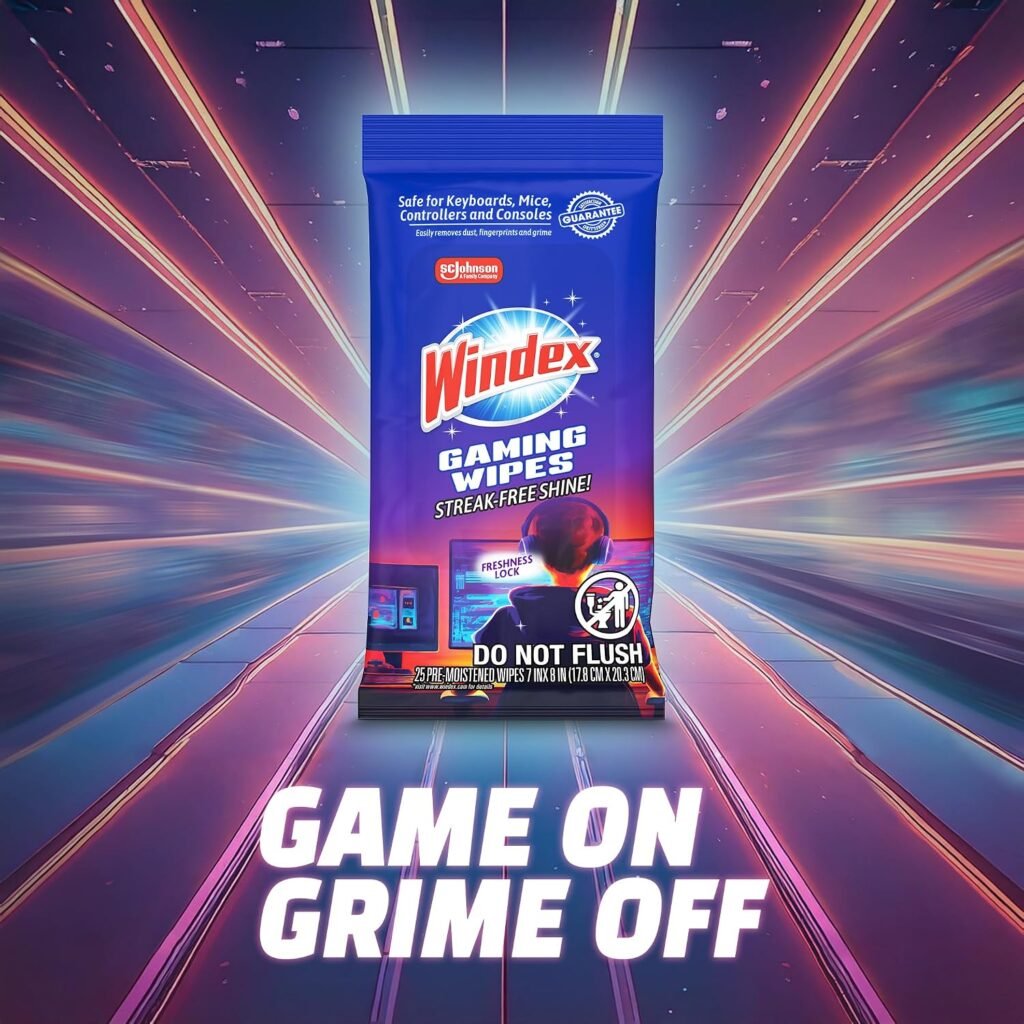
Fingerprints, dust, and oily smudges appear on gaming equipment with almost absurd speed. A controller can look handled after one evening, while a monitor bezel, headset, keyboard, and console quietly collect the same evidence around it. Windex Gaming Wipes are aimed at that small but persistent problem: quick cleaning when you don’t want to find a spray bottle, wet a cloth, and worry about where the excess liquid will go.
This product is a 25-count pack of pre-moistened wipes listed at $6.49 and shown as in stock at the time of review. The early assessment is fairly simple: it looks more useful for routine surface maintenance than for deep cleaning, stubborn stain removal, internal dust, or repairing damaged equipment. The one-step format and compact resealable pack are its main appeal, particularly if you keep cleaning supplies in a desk drawer, console cabinet, dorm room, or shared gaming area.
The product description supplies the performance and safety claims; customer experience is a separate question. Because no star rating or review count was included in the supplied listing information, this review distinguishes clearly between what the manufacturer says the wipes are designed to do and what can actually be confirmed from the available record.
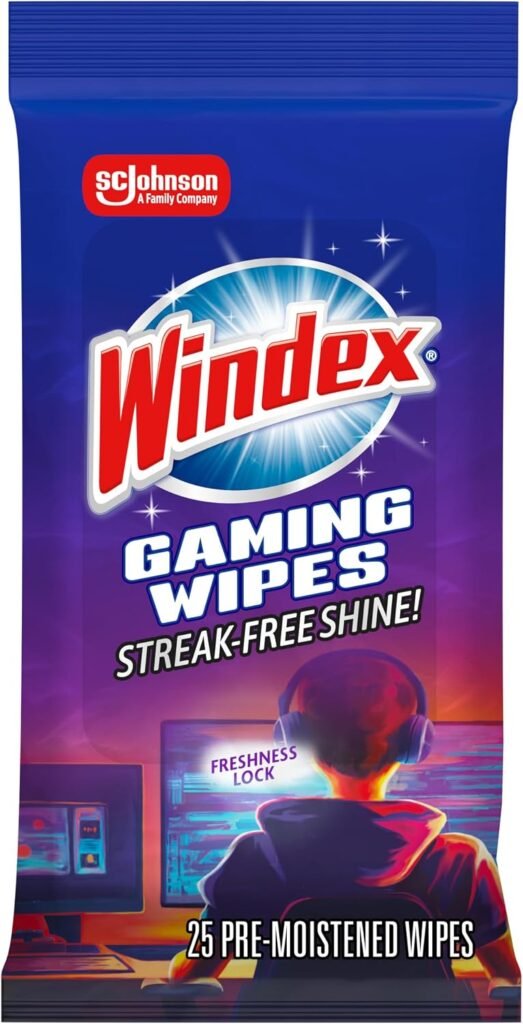

Key Specifications and What Comes in the Pack
The confirmed specifications are straightforward. You receive 25 pre-moistened wipes in one pack, with an ammonia-free formula, anti-static positioning, and a resealable closure described as a freshness lock. The listed price is $6.49, which works out to approximately $0.26 per wipe before delivery charges, discounts, or future price changes.
That packaging choice matters more than it may seem. A bottle can tip beside a keyboard, and a separate cloth can disappear into laundry; a sealed wipe pack can sit in a drawer or backpack until you need it. It also makes sense in a shared room where several people handle controllers and nobody wants a liquid cleaner left beside the equipment.
The available information does not confirm wipe dimensions, a full ingredient list beyond the ammonia-free claim, scent, shelf life, or compatibility with particular coatings. Those omissions don’t automatically make the pack a poor choice, but they limit how confidently you can assess it for specialized displays or unusual materials. Availability is listed as in stock now; the $6.49 price should still be treated as a current listing price rather than a permanent guarantee.
Windex Gaming Wipes Cleaning Performance
For ordinary maintenance, a pre-moistened wipe should handle the kind of mess you can see: dust, fingerprints, light dirt, oils on a controller grip, and residue on hard exterior plastic. It may be convenient on a mouse, headset shell, keyboard case, display bezel, or console surface where the goal is simply to restore a cleaner appearance. The product description also promises a streak-free shine, though that result can vary considerably by surface.
Glossy plastic may show a different finish from matte plastic. A textured controller grip can retain grime in its pattern, while a rubberized surface may react differently from a smooth bezel. On a display, the amount of moisture and the pressure you use will affect the result; a wipe that looks perfect on a hard console may leave visible marks on a glossy panel.
Use the product as an exterior cleaner, not as an electronics repair kit. It should not be pushed into ports, seams, vents, switches, or other openings, and it doesn’t replace compressed air for loose debris or specialist tools for internal work.
- Power down and unplug the equipment.
- Wipe gently, using no more pressure than needed to lift the mark.
- Keep the wipe away from openings and joins.
- Allow the surface to dry completely before reconnecting or using the device.
The resealable closure is therefore part of performance, not just presentation. If the pack loses moisture after opening, later wipes become less useful; if it stays sealed, the one-wipe routine remains genuinely convenient.

Ammonia-Free Formula and Electronics Safety
An ammonia-free formula will appeal to shoppers who want to avoid ammonia-based household glass cleaners around screens and gaming hardware. The listing specifically positions these wipes for consoles, headsets, controllers, screens, keyboards, and related equipment. That is a useful starting point, but ammonia-free does not mean universally risk-free. Material and coating compatibility still determine whether a liquid cleaner is appropriate.
Never spray directly onto electronics. Keep liquid away from charging ports, vents, button gaps, and connector areas; around an edge, use a nearly dry section of the wipe rather than bringing a visibly wet portion right up to the boundary. For anti-glare coatings, OLED panels, touch surfaces, leatherette, and soft-touch finishes, consult the device maker’s care instructions before applying anything.
A small patch test is sensible when the material is unfamiliar. Choose a hidden area, use light pressure, wait until it is fully dry, and stop if you see discoloration, tackiness, haze, or coating damage. If the manufacturer says to use only a dry microfiber cloth, follow that instruction instead of relying on the broad wording of the wipe listing.
Anti-Static Design: Useful Benefit or Marketing Detail?
The anti-static claim has a practical interpretation: after cleaning, the surface may be less likely to show visible residue and may not attract dust as quickly. That could be useful on monitor bezels, keyboards, consoles, controllers, and desk-side accessories where dust is easy to see. Still, the supplied information offers no measured reduction in static or dust accumulation, so it would be excessive to treat the feature as a proven performance specification.
There is also an important distinction between wiping the outside of static-sensitive equipment and protecting internal components from electrostatic discharge. These wipes are not an ESD maintenance tool, grounding system, or replacement for proper service precautions. They are simply intended for external cleaning.
You can judge the benefit in a practical way. Clean one surface, inspect it under a desk lamp for film or streaks, and compare how quickly dust becomes visible over several cleaning sessions. If the surface looks clean but develops a sticky residue, or if dust appears unchanged, the anti-static positioning may not matter for your particular setup.
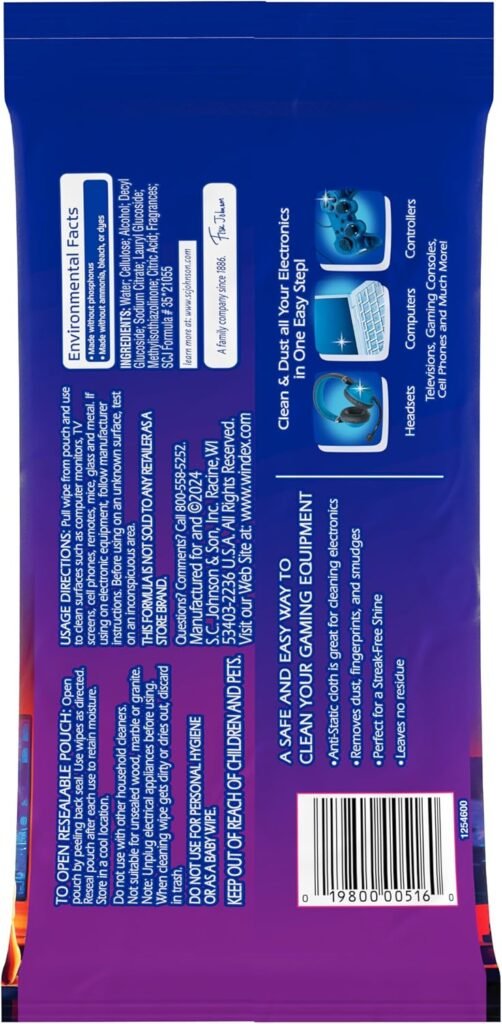
Using Windex Gaming Wipes on Different Gear
Controllers and mice: Use a light pass on hard plastic to lift fingerprints and ordinary hand grime. Avoid saturating buttons, analogue sticks, triggers, seams, and charging contacts. A wipe can reach the broad surfaces, but it shouldn’t be forced into the places where moisture is hardest to remove.
Keyboards: Disconnect the keyboard first and remove loose crumbs or dust separately. Then wipe the key tops and case surface rather than trying to push liquid between the keys. This is an exterior routine; it isn’t a replacement for lifting keycaps or using an appropriate tool for debris trapped underneath.
Headsets: Hard plastic and outer earcup surfaces are the most straightforward targets. Cushions, fabric, faux leather, and microphones need more caution because their materials and finishes vary. Keep the wipe lightly damp and don’t assume that a wipe suitable for a plastic shell is equally suitable for every part of the headset.
Screens: Follow the device instructions, use no direct application, and make a light pass without pressing on the panel. Inspect the display after it dries rather than adding more moisture to chase a mark. Consoles: Restrict cleaning to accessible exterior surfaces and the areas around vents; never push a damp wipe into ventilation openings.
The product description names all of these categories, but “screens” or “headsets” doesn’t mean every coating, cushion, or finish within that category has identical compatibility.
What Customers Are Saying About Windex Gaming Wipes
No customer star rating or review count was supplied with the product data available for this review. That means it would be misleading to say that many buyers praise the wipes, or that several reviewers complain about dryness, scent, streaking, small size, seal failures, or stubborn grime. Those are useful patterns to investigate on a live listing, but they cannot be presented as verified findings here.
Customer experiences would reasonably differ according to the surface being cleaned, how much pressure is used, how the pack was stored, and whether equipment was powered down first. A lightly damp wipe may be ideal for hard plastic but less satisfying on a large glossy screen. Likewise, a complaint about drying could reflect a poor seal, heat exposure, or a pack that has been open for a long time rather than the formula alone.
The buyer-facing interpretation is therefore conditional. Windex Gaming Wipes are most convincing if the current review record consistently praises fast surface maintenance, usable moisture after opening, and low residue. They are less convincing for deep cleaning or anyone seeking a guarantee that one product is safe on every screen coating and soft material. Check the live rating, review count, and newest comments before placing greater weight on social proof.

How the $6.49 Price Affects the Value
At the listed $6.49 price, the arithmetic is easy: wipes cost roughly $0.26 each. That is not the whole value calculation, because you are paying for a ready-to-use format, a resealable pack, and a product marketed specifically around gaming gear rather than assembling a bottle and separate cloth yourself.
The convenience is strongest for occasional users. If you clean a shared controller after a family gaming session or want a quick wipe beside a work-and-gaming desk, one prepared wipe can be less bother than setting up a reusable system. The trade-off is ongoing cost: microfiber cloths can be reused many times, although they require washing and a separate cleaning solution.
A 25-wipe pack may be a useful trial quantity, but it could disappear quickly in a household with several controllers, a PC setup, and multiple screens. The price becomes easier to justify if each wipe remains moist after opening, removes ordinary fingerprints in one pass, and leaves little or no residue. If you need to clean a large desk and monitor frequently, a reusable approach may provide better long-term value. Delivery fees, discounts, and future listing changes can also alter the calculation.
Windex Gaming Wipes Compared With Alternatives
WHOOSH! Screen Shine represents a different approach commonly used for screen care: a reusable-cloth-and-cleaner system rather than a small pack of disposable pre-moistened wipes. It may appeal more if your main task is repeated cleaning of large monitors and you prefer reusable materials. Windex Gaming Wipes are more portable and immediately ready for a controller, headset shell, keyboard exterior, or console.
MiracleWipes for Electronics is another named alternative to investigate when you want a product aimed at a broader group of household electronics. Compare its current pack size, formula claims, care instructions, and per-wipe cost with this 25-count Windex pack rather than assuming that a larger-looking package is automatically cheaper.
The choice comes down to priorities:
- Lowest upfront commitment: the $6.49 Windex pack is a modest way to try a ready-to-use format.
- Frequent large-screen cleaning: WHOOSH! Screen Shine or another reusable-cloth system may better suit repeated passes.
- Mixed gaming gear: Windex’s named emphasis on controllers, consoles, headsets, keyboards, and screens is convenient.
- Larger supply: compare the current wipe count and per-wipe price of MiracleWipes for Electronics.
Pack sizes and prices change, so check the current figures and each product’s care instructions before deciding.
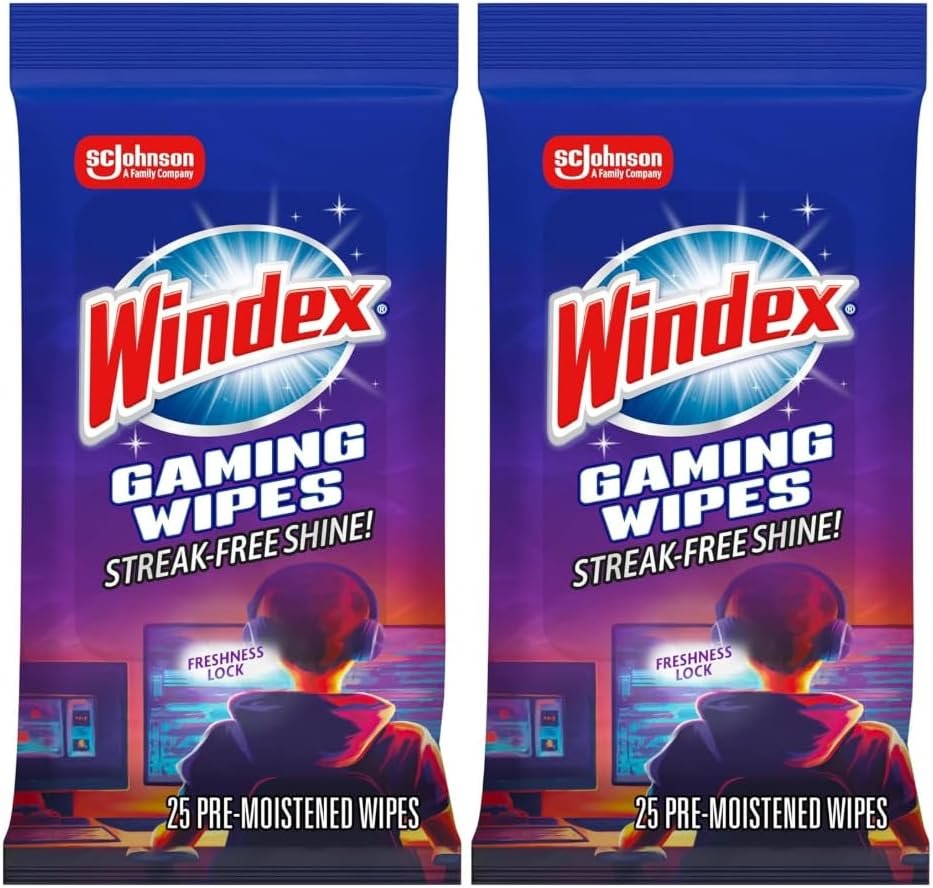
Who Should Buy Windex Gaming Wipes?
You should consider Windex Gaming Wipes if your priority is a fast, low-effort way to handle fingerprints and everyday dust across several types of equipment. They fit shared controllers, family gaming rooms, dorm desks, work-and-gaming setups, and anyone who dislikes keeping a spray bottle beside electronics. The resealable format is particularly sensible when you clean occasionally and don’t want a large bottle of solution sitting unused.
They are a weaker match if you need internal dust removal, heavy grease removal, professional equipment maintenance, or one cleaner proven safe for every display coating and fabric. No disposable wipe can remove the need to follow device-specific instructions, especially with specialized panels and delicate materials.
Use this buying rule: choose Windex Gaming Wipes when portability and speed matter most; choose a microfiber-based system when long-term cost, reusable materials, or frequent large-screen cleaning matter more. Before applying any liquid cleaner to a specialized display, soft-touch finish, fabric, or faux-leather component, confirm the device-care guidance.
Cleaning Routine and Storage Tips
A simple routine will protect both the equipment and the remaining wipes. First shut down and unplug the device. Remove loose dust and debris separately, take out one wipe, and fold it to create a manageable cleaning surface. If it feels overly damp, wring or fold it so you aren’t carrying excess moisture toward an edge.
- Start with the least dirty suitable surface and finish with the dirtiest.
- Use separate passes for screens and high-touch plastics so visible grime isn’t dragged across a display.
- Wipe lightly, then leave the equipment untouched until it is fully dry.
- Pull out only one wipe at a time and press the resealable closure firmly after every use.
- Store the pack away from heat and direct sunlight.
Don’t use a nearly dried wipe on a large display while pressing harder to compensate for its low moisture. Use a fresh wipe or an appropriate dry microfiber cloth instead. If you use the pack infrequently, record the opening date and inspect the first remaining wipe for moisture and unusual odor before cleaning valuable equipment. This makes the packaging’s freshness claim something you can monitor rather than simply assume.
Final Buying Takeaway for 2026
For 2026, Windex Gaming Cleaning Wipes look like a sensible $6.49 option for routine exterior cleaning across common gaming gear, provided you use them cautiously around openings and delicate surfaces. The confirmed package includes pre-moistened wipes, an ammonia-free formula, anti-static positioning, resealable packaging, and in-stock availability at the time of review.
The central limitation is just as clear: this is a visible-surface maintenance product, not a complete electronics-cleaning system. It won’t replace manufacturer-approved care methods, compressed air, internal servicing, or a material-specific solution. The absence of a supplied star rating and review count also means the conclusion cannot be strengthened by a verified customer consensus here.
Choose Windex Gaming Wipes if you want quick, occasional wipe-downs for controllers, hard exterior plastics, keyboards, consoles, and selected screen surfaces. Choose a reusable microfiber-based setup if you clean at high volume, maintain large displays frequently, or place the lowest long-term cost above one-step convenience.
Pros and Cons
Pros
- Ready-to-use pre-moistened format requires no separate spray bottle or measuring.
- Ammonia-free formula is positioned for consoles, headsets, controllers, screens, keyboards, and other gaming equipment.
- Resealable packaging helps keep the remaining wipes usable between cleaning sessions.
- At the listed price, the pack costs approximately $0.26 per wipe.
- Anti-static positioning and the claimed streak-free finish suit routine desk-side maintenance.
Cons
- The 25-count pack may not last long for frequent cleaning of several devices or a complete desk setup.
- The provided product information does not confirm compatibility with every screen coating, soft-touch finish, fabric, or faux-leather surface.
- A wipe is intended for exterior maintenance and cannot replace compressed air, internal dust removal, or specialist electronics-cleaning tools.
- No customer rating or review count was supplied, so the product’s long-term user consensus cannot be independently assessed here.
Final Verdict
Key Takeaways
- Windex Gaming Wipes are a $6.49 pack of pre-moistened, ammonia-free wipes intended for quick exterior maintenance.
- The compact resealable packaging is useful at a gaming desk, but the pack is not a complete electronics-cleaning system.
- The stated anti-static and streak-free benefits are sensible maintenance claims, not proof of universal compatibility or internal ESD protection.
- Use extra caution on displays, soft-touch plastics, fabric, faux leather, ports, vents, buttons, and seams.
- They make the most sense when speed and portability matter more than the lowest long-term cleaning cost.
Frequently Asked Questions
What can Windex Gaming Wipes be used on?
The listed description presents them as suitable for consoles, headsets, controllers, screens, keyboards, and related gaming equipment. Use them only on accessible exterior surfaces, avoid openings, and check your device manufacturer’s care instructions first.
Do Windex Gaming Wipes deep-clean electronics?
They are designed for visible dust, dirt, fingerprints, smudges, and ordinary surface residue. They are not a substitute for compressed air, internal cleaning, repair, or specialist tools for ports and components.
What rating do Windex Gaming Wipes have?
The supplied listing does not provide a customer rating or review count, so there is no verified numerical review consensus to report. Your buying decision should therefore rest on the confirmed specifications, intended use, and your device-care requirements.
How should you use these wipes safely?
Power down and unplug the device, remove loose debris, apply the wipe lightly to an exterior surface, keep moisture away from seams and ports, and let the equipment dry fully before reconnecting it. Patch-test delicate materials in a hidden area first.
Disclosure: As an Amazon Associate, I earn from qualifying purchases.
