

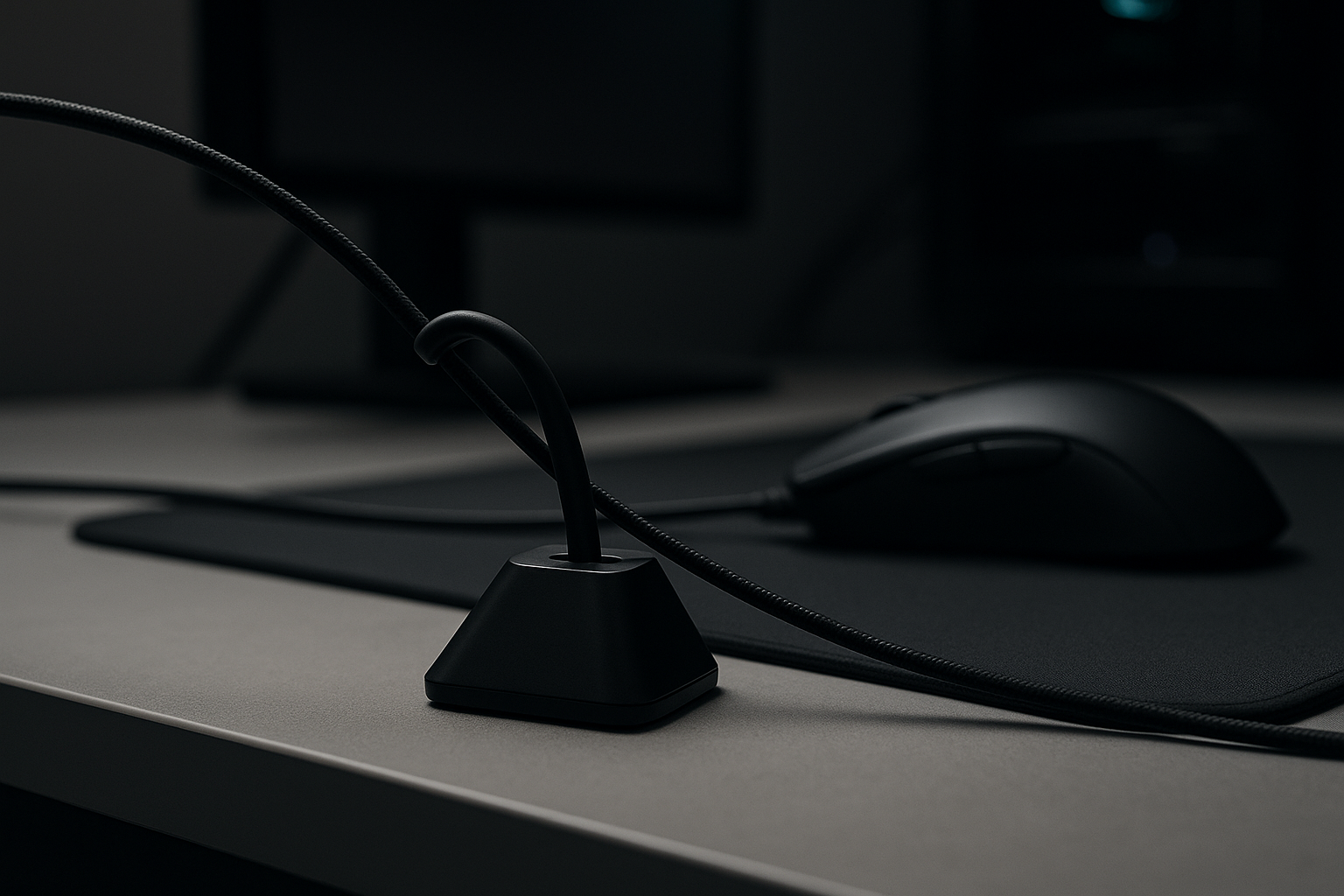
Pulsar Gaming Gears Micro Bungee ES: Product Overview
A wired mouse cable can catch on the desk, monitor stand, or mouse-pad edge at exactly the moment you make a fast movement. The Pulsar Micro Bungee addresses that small but persistent annoyance without asking you to replace the mouse or change how it connects. At $6.95 and listed as In Stock in 2026, it is inexpensive enough to consider as a targeted fix, although the adhesive mounting method will not suit every desk.
The Pulsar Gaming Gears Micro Bungee ES, Wired Mouse Support, Single Pack is a passive cable-management accessory. You receive one micro bungee, flexible cable support, an adhesive mounting piece, and an extra 3M adhesive piece intended to allow reuse. It is not a wireless adapter, charging device, replacement cable, or performance-enhancing mouse.
The real question is simple: can a $6.95 cable guide provide enough freedom of movement and desk organization to justify adding another accessory to your setup? If your cable repeatedly rubs against the pad or pulls when you reach toward the edge, the answer may be yes. If your cable is already unobtrusive, the improvement will be more about tidiness than a dramatic change in gameplay.
That distinction matters. The product can change the cable’s path, but it cannot change the mouse sensor, click latency, connection type, or physical properties of a stiff cable. Think of it as a small routing tool rather than a hidden gaming upgrade.

Key Features of the Pulsar Micro Bungee
The product’s central promise is a free-from-drag design. By raising or guiding the cable, the support is intended to reduce contact with the desk surface, the mouse-pad edge, and nearby objects. That can be useful when a cable bunches beside the mouse or falls back onto the pad during repeated movements.
Pulsar also describes the design as 360 Free Motion. In practical terms, the flexible support is meant to let the cable move in different directions instead of forcing it through one rigid, fixed channel. This should help when your hand travels left, right, forward, and back, but it does not mean the cable becomes weightless or that every cable will behave identically.
The space-saving idea is equally central. You can attach the micro bungee to a monitor or another suitable nearby surface rather than giving up desk area to a weighted base. The listing does not provide exact dimensions, so it would be misleading to promise a particular footprint or clearance. Its compact concept is clear; the precise fit depends on your desk and monitor arrangement.
Construction is listed as high-grade polycarbonate, flexible silicone, and strong 3M VHB adhesive. Each material has a practical role: polycarbonate forms the support structure, silicone provides cable contact and flexibility, and the adhesive holds the bungee in position. The single-pack format is worth noticing too, because the extra 3M adhesive may help if you reposition the accessory or need to reuse it after changing your setup.
- Polycarbonate: the structural support material.
- Silicone: the flexible contact point for guiding the cable.
- 3M VHB adhesive: the fixed mounting method.
How the Pulsar Micro Bungee Works With a Wired Mouse
Setup is straightforward, but placement determines whether the Pulsar Micro Bungee feels helpful or restrictive. Start by cleaning and drying the chosen surface. Position the support so the cable approaches it naturally, without making a sharp bend, then attach it with the supplied adhesive. Before intense gaming, allow the bond to settle in line with the adhesive manufacturer’s guidance.
- Clean the selected monitor or nearby surface and let it dry fully.
- Hold the support in place and trace the cable’s likely path through the widest mouse movements.
- Attach the bungee only when the approach looks relaxed rather than sharply angled.
- Test slow movements before making fast, repeated sweeps.
The right position depends on several variables: mouse sensitivity, cable length, desk depth, monitor placement, and whether your mouse pad is centered or offset. A support that works perfectly on a shallow desk may feel too close on a deeper one. Likewise, a cable that approaches from the side may need a different position from one routed behind the monitor.
After installation, look for three signs: the cable should rise clear of the desk, feed smoothly through the support, and avoid tugging when the mouse reaches the usable pad’s edges. Try slow left-to-right movements first, followed by forward-and-back movements. Then make several wide sweeps. If the adhesive shifts, the cable catches, or your reach feels shortened, adjust the cable path or mounting position before playing seriously.
The listing specifies wired mouse support, but that does not guarantee identical results with every cable. Check whether your cable diameter and connector routing sit naturally in the bungee. Very thick, rigid, or heavily angled cables may need more room than the small support provides.
Cable Control, Desk Space, and Setup Quality
The Pulsar Micro Bungee makes three related promises: less cable drag, more usable mouse space, and a cleaner desk. The first two matter most when you use low sensitivity, a large mouse pad, or a game that demands repeated broad movements. A cable that repeatedly catches on an edge can interrupt the physical motion even when the mouse itself is working perfectly.
Still, the physical benefit should be separated from the marketing language. The bungee can guide and elevate the cable; it cannot remove resistance created by a stiff sheath, heavy connector, poorly placed monitor, or unsuitable adhesive surface. If the cable itself is rigid, the support may simply transfer some of that tension to the mounting point.
The clean-setup appeal is easier to understand. On a compact desk, the cable no longer needs to lie loosely across the work area. On a workstation used for both gaming and productivity, a small monitor-area support may look less intrusive than a large weighted accessory. It is a modest change, but sometimes the modest changes are the ones you notice every day.
Keep the support close enough to prevent excess cable from falling onto the pad, but not so close that the mouse feels restricted at its farthest reach. When repositioning, remove the adhesive slowly and follow the desk or monitor manufacturer’s guidance. Do not pull sharply on painted, coated, or delicate surfaces; the adhesive may hold well enough to damage a finish during removal.
The result is best judged by movement rather than appearance. Make the same wide sweeps before and after installation and pay attention to cable contact, tugging, and whether the mouse reaches the same usable area. If the only change is that the desk looks neater, that can still be valuable—but it is a different benefit from eliminating drag.
What Customers Are Saying
No displayed customer rating, review count, or verified-purchase statistic was included in the supplied product information. Because of that, a responsible review cannot claim that buyers rated the product a particular score or that a certain number of reviewers praised or criticized it. Treat any precise sentiment summary elsewhere as something to verify against the live listing before relying on it.
When customer reviews are available, the most useful positive patterns to check are reduced cable interference, easy installation, compact size, and improved freedom across a large mouse pad. It would also be useful to see whether buyers repeatedly describe the $6.95 purchase as worthwhile compared with a larger traditional bungee. Repeated comments with the same cause carry more weight than a single enthusiastic or disappointed sentence.
Pay equal attention to criticisms. Look for reports of adhesive failure, difficulty finding a suitable surface, poor fit with unusually thick or stiff cables, or restricted movement after incorrect positioning. Comments that connect poor grip to dust, moisture, temperature, or a badly prepared surface should be read differently from repeated reports of failure on clean, suitable surfaces.
The stated specification provides a useful comparison point. Reviews praising flexible routing and clean movement would support the Free Motion claim. Comments about poor grip would deserve closer examination alongside the supplied 3M VHB adhesive: the problem could be the adhesive, the surface, the preparation, or the tension placed on the support.
Customer experience can vary for sensible reasons. Desk material, monitor shape, cable design, installation conditions, and individual expectations all affect the outcome. A buyer expecting a completely wireless feel may be disappointed even if the accessory successfully prevents the cable from touching the pad. Until actual rating and review-count figures are available, the fairest conclusion is that the design is plausible, but its long-term satisfaction level remains unconfirmed.

Pulsar Micro Bungee vs. Traditional Mouse Bungees
The most useful comparison is not simply which product looks more gaming-focused. It is whether you want a small fixed cable guide or a standalone accessory that you can lift, move, and reuse across different setups. The Pulsar Gaming Gears Micro Bungee ES uses adhesive mounting, while the Glorious Mouse Bungee is a recognizable traditional alternative to investigate for shoppers who prefer a freestanding design.
The trade-off is fairly clear. An adhesive-mounted support can occupy less desk space and has a lower stated entry price, but it depends on a suitable mounting surface and is less convenient to move. A freestanding bungee may offer a more substantial base and easier repositioning, although it takes up space and may be less appealing on a compact desk.
The Razer Mouse Bungee V3 is another familiar alternative. Before choosing it, verify the current listing price, dimensions, cable compatibility, and customer rating rather than assuming its present specifications or value. Those details can change, and the right choice depends on your cable and desk more than on brand recognition.
Use this framework when comparing the options:
- Mounting method: fixed adhesive support versus a movable freestanding base.
- Portability: whether you regularly change desks or layouts.
- Desk footprint: whether preserving surface area is a priority.
- Thick-cable support: whether your cable needs more space or a stronger base.
- Accessory type: a minimal guide or a standalone bungee.
The Pulsar option’s strongest value proposition is its $6.95 entry price and compact mounting concept. It is not a promise that it will outperform every freestanding bungee. Choose it when your desk accepts adhesive and reclaiming space matters most; choose a traditional competitor when portability, a substantial base, or broader cable-fit flexibility matters more.
Who Should Buy the Pulsar Micro Bungee?
The best match is a wired-mouse user who feels cable drag, has limited desk space, wants a tidier setup, or already owns a large mouse pad and needs the cable lifted clear of its surface. Competitive and enthusiast gamers who make wide, repeated movements may notice the difference when a cable catches on the desk edge or pad. That is a routing benefit, not proof of better aim or lower input latency.
Office and hybrid users are also plausible buyers. A small support near the monitor can keep the work area orderly without adding a large weighted object beside the keyboard. If you switch between gaming and ordinary desk work, reducing loose cable movement may make the whole station feel less cluttered.
You should be cautious if you use a wireless mouse, have a very stiff or unusually thick cable, or work on a delicate mounting surface. The same applies if your desk layout changes often or you strongly prefer accessories that can be removed without leaving an adhesive contact point. In those cases, a freestanding design deserves priority in your comparison.
Use this decision sequence before purchasing:
- Confirm that the mouse is wired.
- Identify a clean, suitable mounting point near the usable mouse area.
- Check that the cable can reach comfortably without a sharp approach angle.
- Decide whether a fixed adhesive mount suits the way you use the desk.
Keep expectations narrow and realistic. This accessory addresses cable routing and physical interference. It does not improve sensor quality, wireless performance, click latency, or the cable itself.
Price, Availability, and Overall Value
The concrete purchase case is uncomplicated: the Pulsar Gaming Gears Micro Bungee ES is listed at $6.95 and is currently In Stock. That places it in the low-cost accessory category, where the decision should be based less on the size of the object and more on whether it solves a recurring irritation.
If cable drag repeatedly interrupts movement, $6.95 can be a modest cost compared with replacing a functioning mouse or buying a larger desk-management system. The included extra 3M adhesive also adds practical value for someone who needs to reposition the support or reuse it after changing the setup.
There is, however, a clear limit to that value. Adhesive mounting depends on surface cleanliness, material, temperature, and placement. If you rent, use a delicate finish, or cannot attach the product securely without risking damage, the low price becomes less persuasive because the mounting method is central to the product’s usefulness.
Ask yourself three questions before deciding:
- Does the cable currently interfere with movement often enough to bother you?
- Is there a suitable mounting point that can accept adhesive safely?
- Would you prefer a compact fixed solution over a portable freestanding bungee?
For wired-mouse users seeking inexpensive cable control, the Pulsar Micro Bungee is worth considering at $6.95. Shoppers who need portability, a substantial movable base, or broader flexibility with unusual cables should compare the Glorious Mouse Bungee and Razer Mouse Bungee V3 first, checking their current listings before choosing.
Pros and Cons
Pros
- Low $6.95 entry price for a dedicated wired-mouse cable guide.
- Compact adhesive-mounted design preserves more desk space than a large freestanding accessory.
- Flexible silicone support is intended to guide the cable through 360-degree movement.
- Includes an extra 3M adhesive piece for reuse or repositioning.
- Can create a tidier monitor-area setup without replacing the mouse.
Cons
- Adhesive mounting is less portable than a freestanding bungee and may not suit delicate or frequently rearranged desks.
- Unusually thick, stiff, or unusually routed mouse cables may not move through the support as freely as standard cables.
- The product cannot remove every source of resistance, including a heavy connector, rigid cable, or poorly chosen mounting position.
- No displayed customer rating or review count was supplied, so buyer sentiment cannot be independently summarized from the available product data.
Final Verdict
Key Takeaways
- The $6.95 Pulsar Gaming Gears Micro Bungee ES is a compact, adhesive-mounted guide for wired mouse cables, not a wireless upgrade or mouse-performance accessory.
- Its flexible silicone support and stated Free Motion design are intended to reduce cable contact with the desk and mouse pad during broad movements.
- The extra 3M adhesive adds useful reuse value, but the fixed mounting method makes surface condition and placement central to the buying decision.
- Choose it when desk space and cable tidiness matter more than portability; choose a freestanding alternative when you need easy repositioning or broader compatibility.
Frequently Asked Questions
Does the Pulsar Gaming Gears Micro Bungee ES make a wired mouse wireless?
No. It is a passive wired-mouse cable support. It does not convert a wired mouse to wireless, charge a mouse, alter sensor performance, or reduce input latency. Its job is to guide and lift the cable so it is less likely to drag across the desk or catch on the edge of a mouse pad.
What comes in the single pack?
The package contains one micro bungee, an adhesive mounting piece, and an extra 3M adhesive piece intended for reuse. The listing does not provide exact dimensions, so cable fit should be checked against the support rather than assumed for every mouse cable.
Is this better than a traditional mouse bungee?
It can be a good choice when you have a clean, suitable surface near the monitor and want a small fixed cable guide. A freestanding bungee is the safer choice if you regularly move the accessory between desks, use a delicate finish, or need more flexibility with unusually thick cables.
How should you install the Pulsar Micro Bungee?
Clean and dry the mounting surface, position the support so the cable approaches without a sharp bend, attach it with the supplied adhesive, and test slow movements before gaming. Give the adhesive time to settle according to the adhesive manufacturer’s guidance, then check wide mouse sweeps for tugging or movement.
Disclosure: As an Amazon Associate, I earn from qualifying purchases.
