
Kavaas Gamer Neon Sign: Product Review Overview and First Impressions
Can a $22.99 LED gaming sign make a bedroom, desk area, or game room feel more finished without turning installation into a project? The Kavaas Gamer Neon Sign makes a persuasive case if your goal is atmosphere rather than better gaming performance. It is a game-controller-shaped LED decoration intended for teen bedrooms, gaming setups, entertainment spaces, and gifts for boys or gamers.
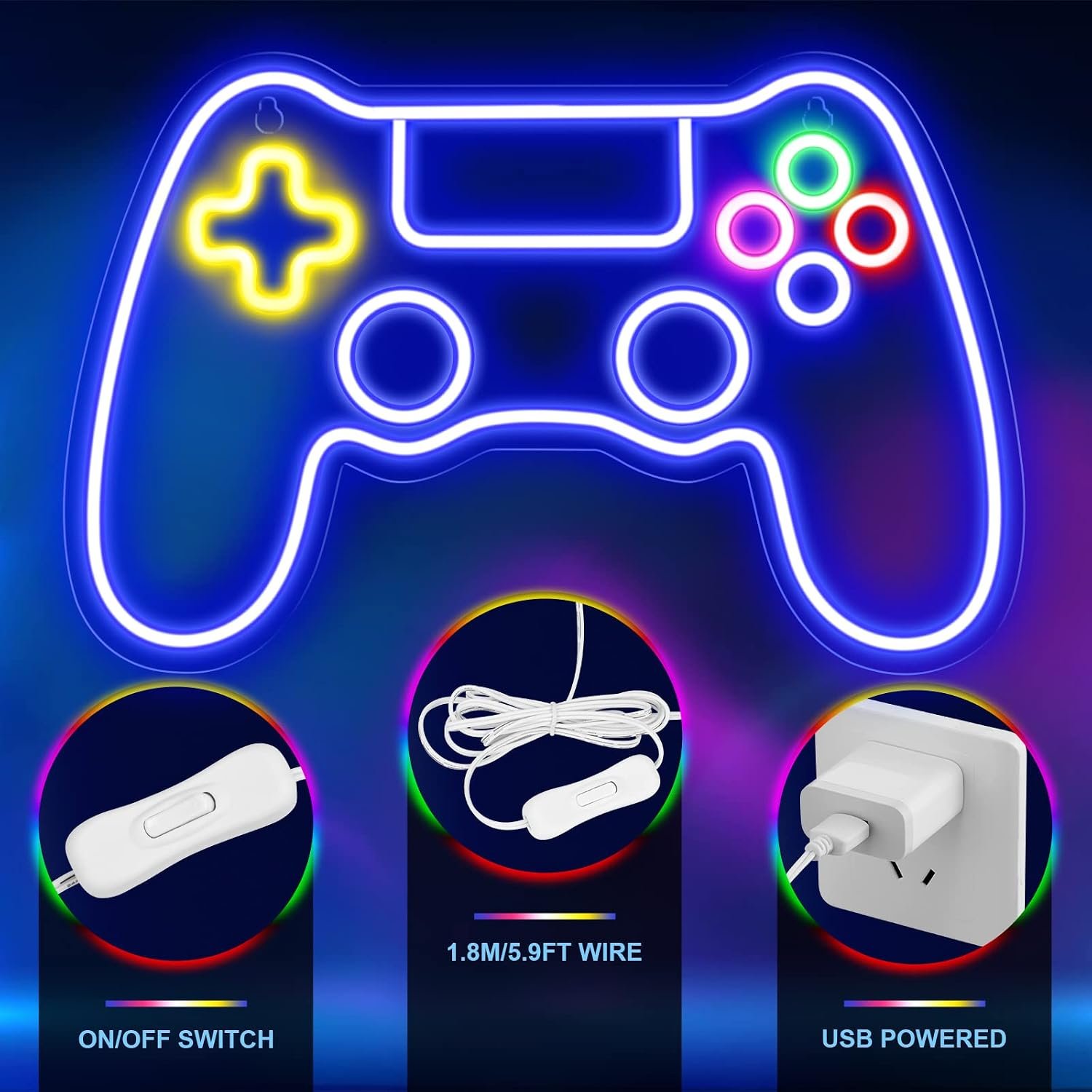
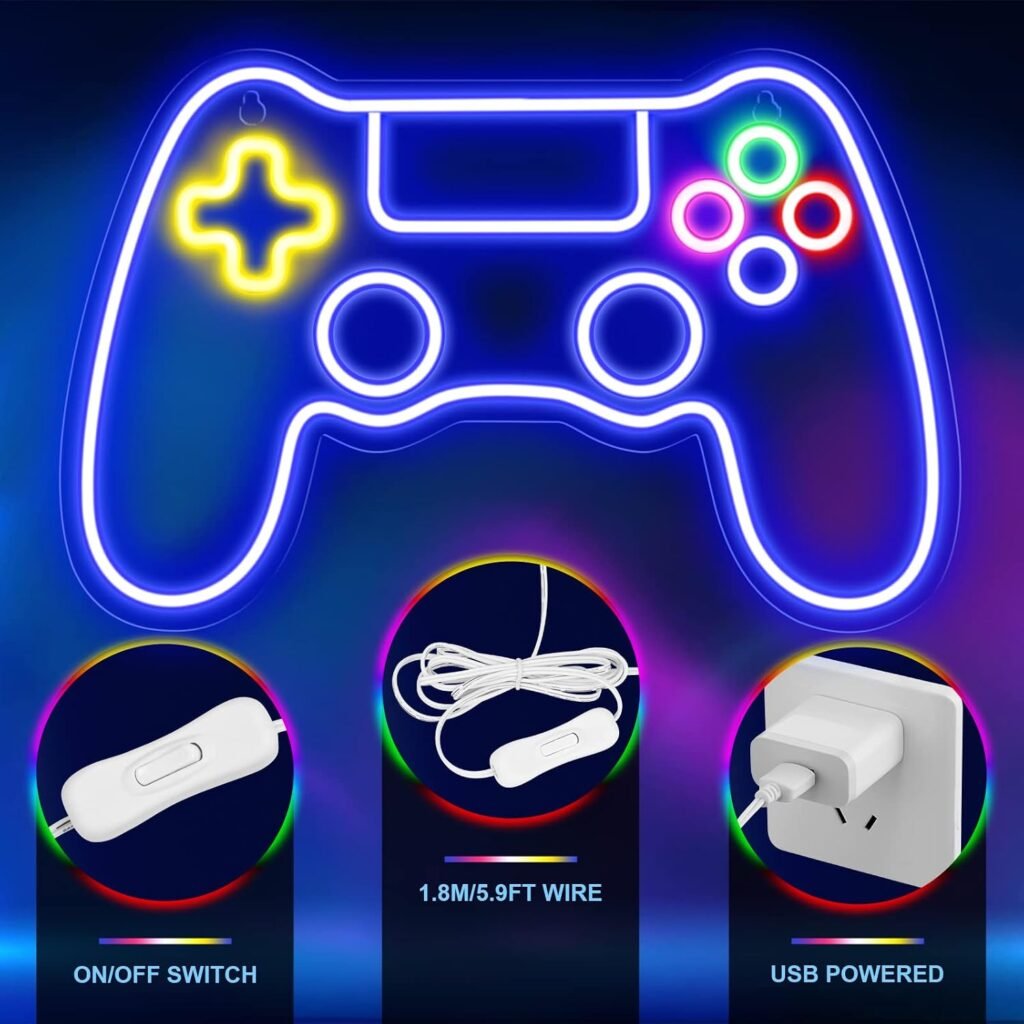
The listed price is $22.99, reduced from an original price of $24.99, and the product is currently shown as in stock. The package is designed around the illuminated sign, a clear mounting backboard, pre-drilled hanging holes, and a USB cable. The cable is 5.9 feet/1.8 meters long.
There are two omissions to understand before ordering: the stick hook and power adapter are not included. That makes this less of a complete ready-to-hang kit than the phrase “plug and play” might initially suggest. You can still have a simple setup if you already own a suitable USB power source and mounting hook, but those requirements affect the real first-use experience.
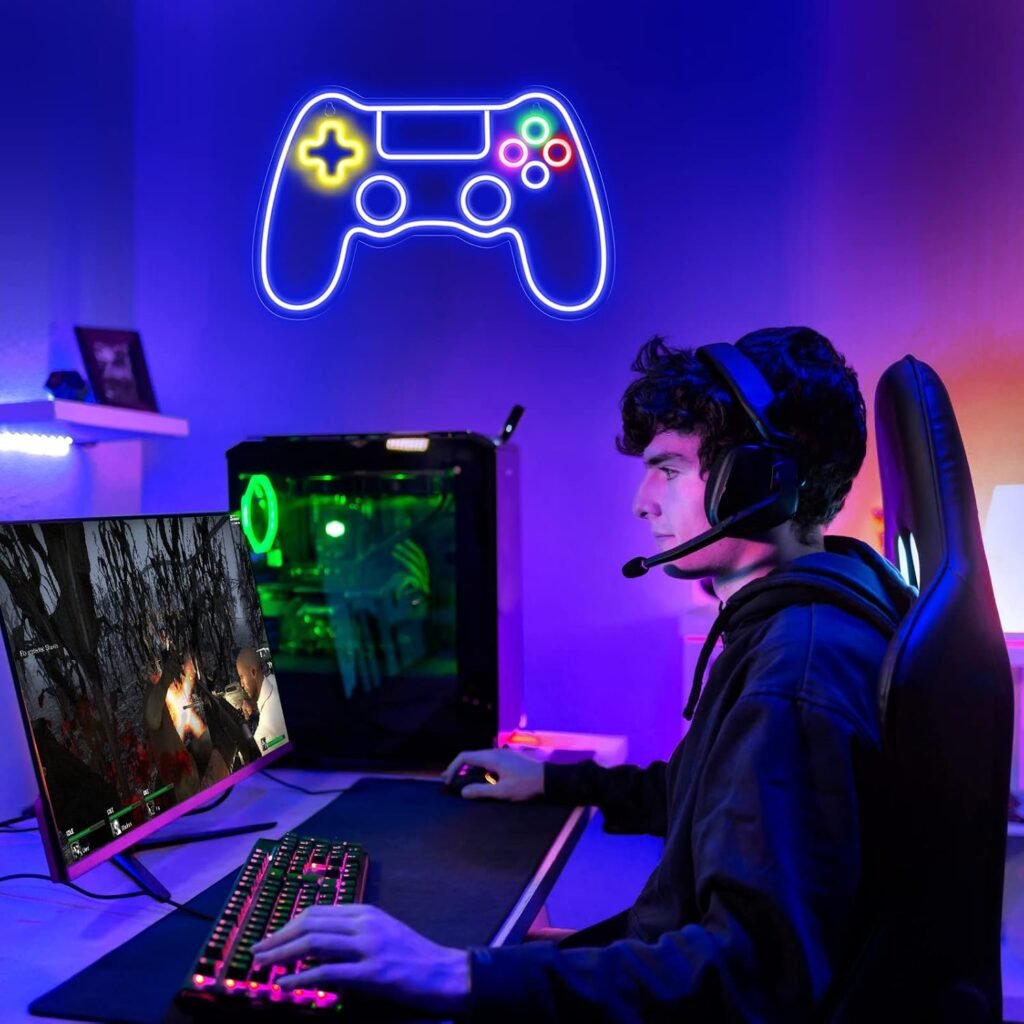
As a decorative light, the Kavaas Gamer Neon Sign adds visual character beside a monitor, above a console shelf, or on a bedroom wall. It will not improve frame rates, sound, controller response, or console functionality. In 2026, it is most appealing to you if you want inexpensive gaming-themed decor and are comfortable supplying the missing setup accessories.

Kavaas Gamer Neon Sign Specifications at a Glance
The core specifications are straightforward, although the supplied listing does not provide a complete technical sheet. It describes LED neon-style tubes rather than traditional glass neon, with the tubes stated to remain cool and safe to touch. That should make the sign more suitable for close-range room decor than a hot bulb, assuming it performs as described.
| Specification | Details |
|---|---|
| Current price | $22.99 |
| Original price | $24.99 |
| Availability | In stock |
| Shape | Game-controller silhouette |
| Power | USB connection |
| Cable | 5.9 feet/1.8 meters |
| Mounting design | Clear backboard with pre-drilled holes |
| Stated service life | At least 50,000 hours |
| Safety claims | Quiet operation; LED tubes stated to remain cool and safe to touch |
| Excluded accessories | Power adapter and stick hook |
The 5.9-foot/1.8-meter cord gives you some flexibility near a desk, shelf, or wall outlet, but reach still depends on where your USB source sits. A clear backboard should let the illuminated outline stand out against the wall while supplying the structure needed for the pre-drilled hanging points.
The 50,000-hour figure is the manufacturer’s service-life claim, not a guarantee of actual household longevity. Likewise, the listing does not establish the sign’s overall dimensions, weight, brightness level, color controls, remote, or lighting modes. Those unknowns matter if you are planning a large wall display or a highly adjustable streaming setup.
Key Features Deep-Dive: Lighting, Construction, and Setup
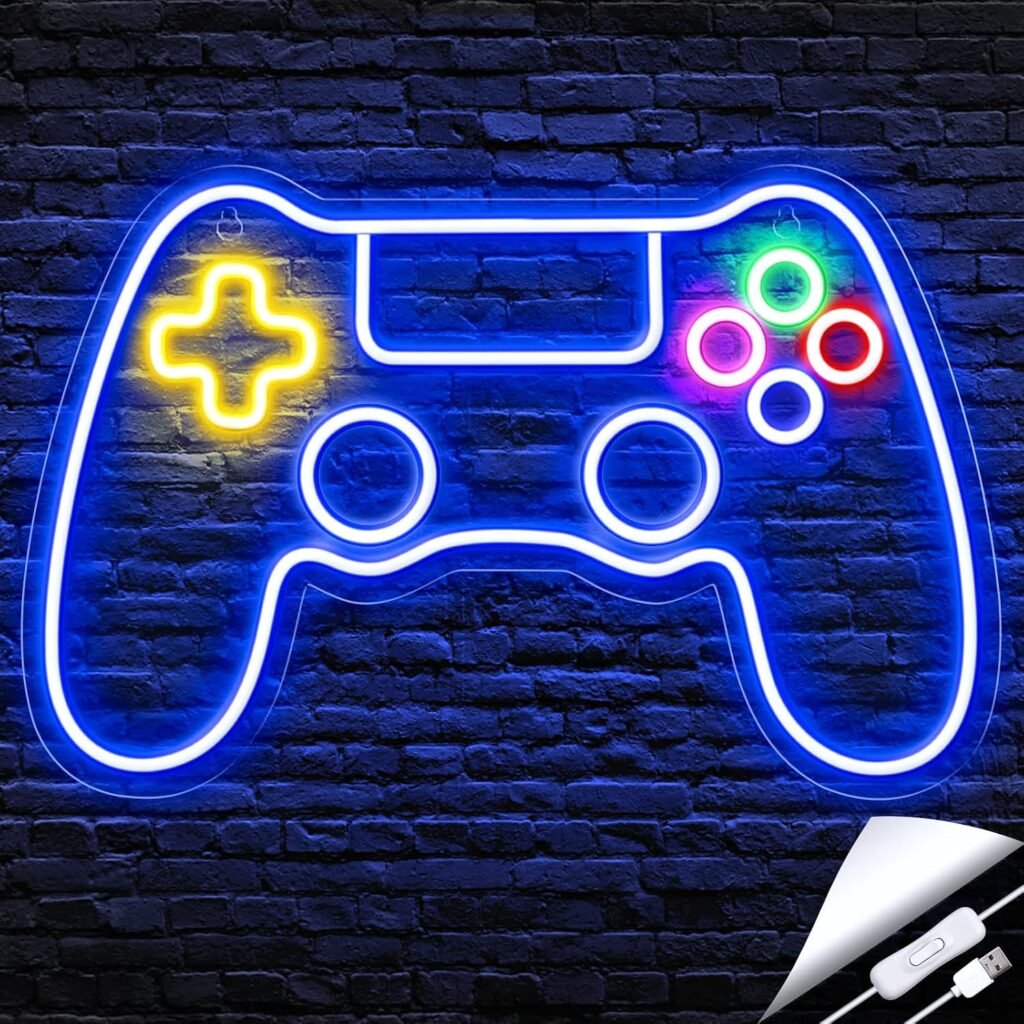
The controller silhouette is the product’s central visual feature. That recognizable shape can work behind a monitor, beside a console shelf, or in a teenager’s bedroom because it communicates “gaming” without relying on a specific console logo. It is decorative shorthand: simple, obvious, and unlikely to need much explanation as a gift.
The LED neon-tube construction is practical for a sign positioned close to where you sit. The product description says the tubes operate quietly and do not heat up, which would be preferable to a hot conventional bulb in a bedroom or around a gaming desk. These remain manufacturer claims, so you should avoid treating them as independent safety certification.
The clear backboard has two jobs. Visually, it should allow the glowing controller shape to remain the focus rather than placing a large opaque panel between the light and the wall. Structurally, it supports the pre-drilled hanging points and is the part you should hold when moving the sign.
- Choose a visible wall position near your normal gaming area.
- Identify a stable, compatible USB source before attaching the sign.
- Install an appropriate hook or wall-mounting solution; the listed stick hook is not supplied.
- Hang the sign using the backboard rather than the cable.
- Route the cord away from chair wheels, feet, heat sources, and accidental pulls.
The design is presented as easy to move, which could suit renters, changing gaming setups, or children who rearrange their rooms. However, the description does not document brightness adjustment, color customization, battery use, an inline switch, waterproofing, remote control, or smart-home compatibility. You should not assume any of those features are present.
How the Kavaas Gamer Neon Sign Fits a Gaming Room
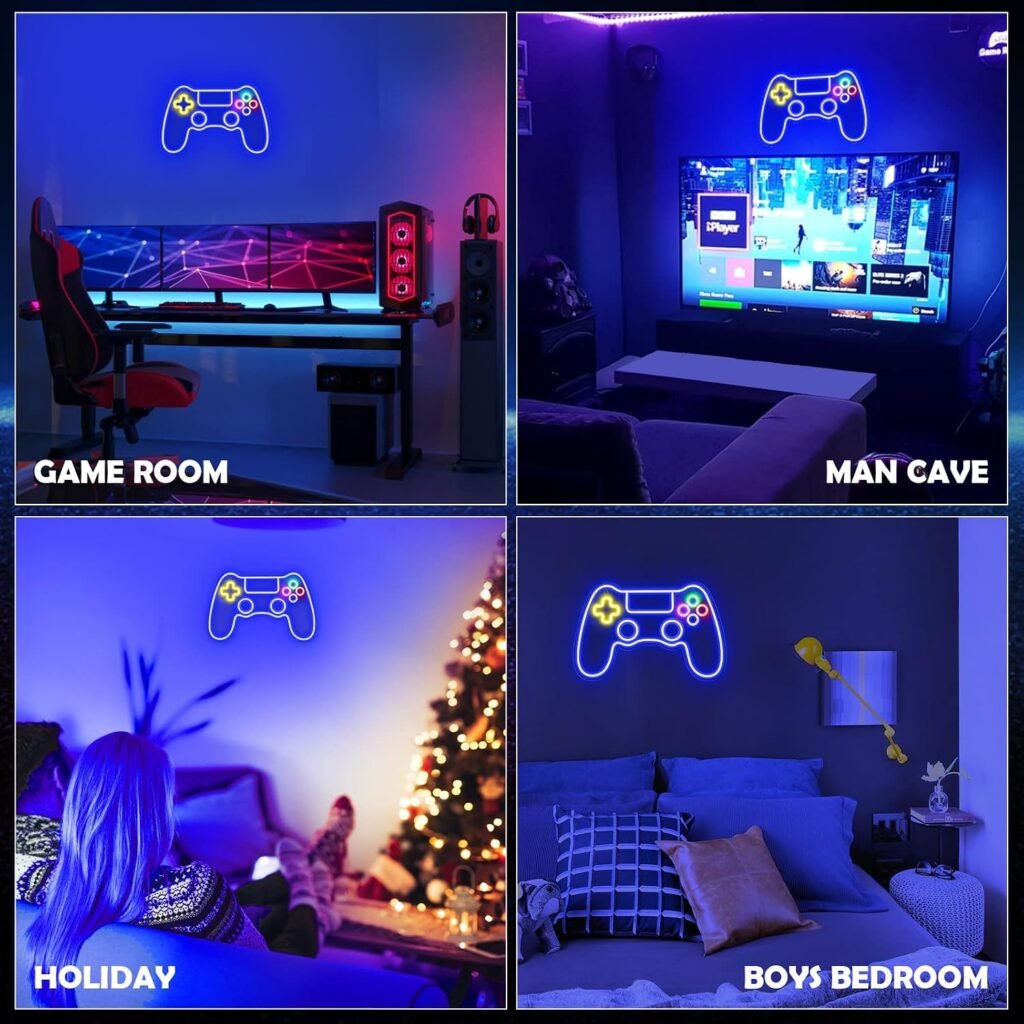
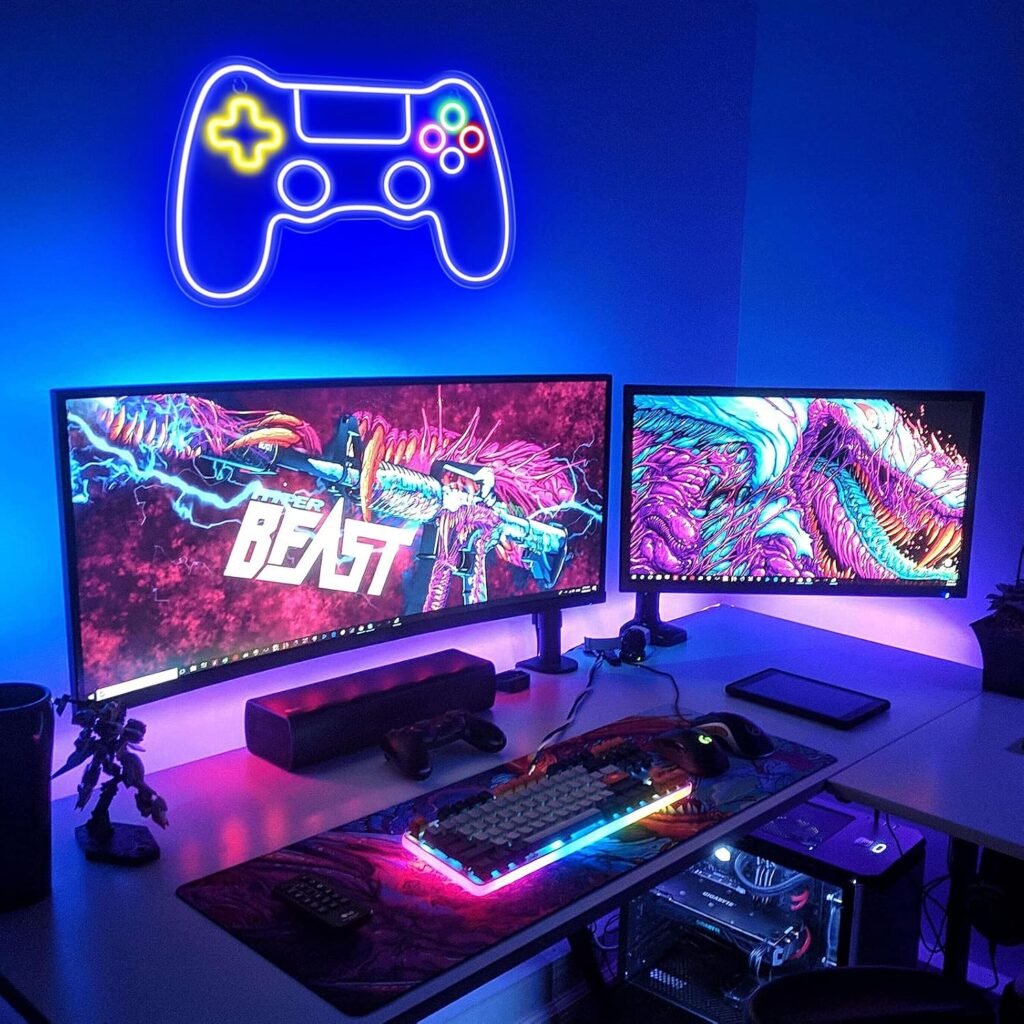
You have several sensible placement options: above or beside a gaming desk, near a console display, on a bedroom wall, behind a streaming setup, or in a small entertainment area. The controller motif should coordinate with consoles, RGB keyboards, headset stands, posters, and other gaming accessories without tying the room to one platform.
Used behind a monitor or television, colored ambient light can add atmosphere and make a plain wall feel more intentional. It should not be treated as a reading lamp, work light, or way to illuminate an entire room. A small decorative sign works best as one visual accent among the rest of your setup.
- Test the cable route from the proposed wall position to the USB source.
- View the wall from your usual gaming seat, not only from the doorway.
- Keep the sign clear of screen edges, vents, and equipment access points.
- Mount it where the controller outline remains visible when the room is occupied.
For a teen bedroom or child’s room, the stated cool-touch LED tubes and quiet operation are reassuring characteristics, but an adult should handle mounting and cable routing. The clear backboard may be less noticeable than an opaque panel; the final look will still depend on wall color, surrounding light, and cable tidiness.
Expect an accent piece, not a full room transformation. Its value depends heavily on placement and the decor around it. A carefully positioned sign can look purposeful; the same sign hidden behind a monitor or surrounded by tangled cables will feel much less special.

What Customers Are Saying About the Kavaas Gamer Neon Sign
No verified star rating, review count, or individual customer-review excerpts were supplied with the product information for this review. That means it would be misleading to claim that buyers consistently praise its brightness, durability, hanging process, or gift presentation. The manufacturer’s description can explain the intended design, but it cannot substitute for reported household experience.
When you inspect the live customer reviews, give the most weight to repeated comments about how the sign looks when lit, whether it is bright enough in a dark room, and whether the backboard is easy to hang. Also look for specific reports about cable reach, the missing adapter, the absent stick hook, and perceived value at $22.99.
A single complaint about a missing accessory would not prove a widespread defect, particularly because the listing explicitly says those accessories are excluded. Repeated comments about dim output, weak mounting points, a short-feeling cable, or difficult setup would deserve more attention than one enthusiastic sentence from a gift buyer.
Gift recipients may focus on the controller shape and the excitement of receiving a glowing gaming decoration. Gaming enthusiasts setting up a desk may care more about brightness, cable management, and whether the sign stays visible behind equipment. Verified buyers should also be the source for confirming ordinary-use claims such as quiet operation, cool-touch performance, and plug-and-play convenience.
Until those review figures and patterns are available, treat the 50,000-hour lifespan as a manufacturer specification rather than customer-proven durability. That distinction is especially relevant when comparing a low-cost decorative light with more established lighting brands.
Is the Kavaas Gamer Neon Sign Easy to Install and Use?
The intended setup is simple, but it is not entirely accessory-free. The pre-drilled holes remove the need to create mounting points in the backboard, and the clear panel should make the sign easier to position. USB power also lets you use equipment you may already have nearby.
- Unpack the sign carefully and inspect the LED tubes, backboard, and cable for visible damage.
- Choose a compatible hook or wall fixture that suits your wall surface and the sign’s mounting points.
- Confirm that a suitable USB outlet is within reach.
- Connect the sign to a stable source, such as a wall charger, powered USB hub, computer, console, or television.
- Test the illumination before finalizing the cable route and wall position.
- Secure the cord so it cannot catch on a chair, foot, or nearby object.
You must provide both the USB power adapter and mounting solution. If you use a powered hub, choose one suitable for the connected devices rather than overloading an unsuitable hub. A loose cable may be convenient during testing but is a poor permanent mounting method.
To relocate the sign, unplug it first, support the backboard, and reinstall the mounting hardware at the new position. Never pull it by the cord or allow the sign to hang from the cable. For care, keep it dry, dust it gently, avoid pressing or bending the LED tubes, and disconnect it before cleaning.
The supplied information does not document whether illumination is always on, controlled by an inline switch, or operated another way. You should check the current listing and buyer photographs before assuming a particular control method.
Kavaas Gamer Neon Sign as a Gift for Teen Boys and Gamers
As a gift, the Kavaas Gamer Neon Sign has an immediate advantage: almost anyone recognizes the game-controller shape. The colorful LED presentation is more visually obvious than a generic wall decoration, while the $22.99 listed price keeps it in the range of a modest standalone present or an add-on to something more functional.
It could suit a child or teen building a gaming corner, a casual gamer decorating a bedroom, or a technology enthusiast who already owns the equipment needed for play. The listing specifically names birthdays, Christmas, and other occasions. That does not make it ideal for every age or recipient, though; someone who wants a new controller or headset may see a decorative sign as less useful.
The generic controller design is helpful in households using different gaming systems. It does not commit the recipient to a particular console brand, so it can sit beside PC equipment, consoles, or mixed gaming accessories.
You could give it alongside a controller, headset, game card, desk accessory, or another gaming-room item. Tell the recipient that a USB power adapter and mounting method are not included, or supply those separately. The available information does not confirm gift-ready packaging, so do not assume it arrives prepared for presentation.
Use a simple test: choose this sign when the recipient values room aesthetics and ambient lighting more than a functional gaming upgrade. That is where its appeal is clearest.
Kavaas Gamer Neon Sign Compared With Similar Gaming Decor
A fair comparison requires current verified prices and specifications for the alternatives, and those details were not supplied here. I therefore would not invent a price, rating, size, brightness figure, warranty, cable length, or included-adapter claim for a Brightown Neon Sign option or a generic game-controller LED wall sign.
| Comparison factor | Kavaas Gamer Neon Sign | Brightown or generic alternatives |
|---|---|---|
| Current price | $22.99 listed | Verify current listing |
| Design | Game-controller shape | Verify model-specific design |
| Power | USB | Verify USB, mains, or battery operation |
| Cable length | 5.9 feet/1.8 meters | Verify model specification |
| Mounting | Clear backboard with pre-drilled holes; stick hook excluded | Verify supplied hardware |
| Adapter | Not included | Verify package contents |
| Controls and brightness | Not documented in supplied information | Verify model-specific details |
| Rating and warranty | Not supplied | Verify current listing |
Kavaas’s clearest value points are its $22.99 price, USB operation, clear pre-drilled backboard, stated cool-touch tubes, quiet-operation claim, and claimed 50,000-hour service life. The trade-off is that a competitor including both a power adapter and mounting hardware could be better ready-to-hang value even with a higher shelf price.
When comparing Brightown or another generic sign, check the actual illuminated size, lighting output, controls, adapter, warranty, and customer rating for that exact model. Decorative signs vary considerably, and a lower price does not automatically suit a large wall or bright streaming background.
Who Should Buy the Kavaas Gamer Neon Sign?
The strongest match is a shopper seeking an affordable game-themed accent for a bedroom, desk area, console corner, or small gaming room. The Kavaas Gamer Neon Sign also makes sense when you already have a USB power adapter and can install a suitable hook or wall fixture without needing a fully bundled kit.
It is a visually obvious gift at $22.99, particularly for someone building a gaming space from scratch. The controller shape should work for PC and console households alike, and its decorative purpose means you do not need to know which games the recipient plays.
Consider another type of product if your priorities are adjustable RGB effects, remote control, battery operation, a large-format wall display, or primary room lighting. None of those features is documented in the supplied information, so they should not be assumed.
For renters, the movable pre-drilled design may be useful, but you still need mounting hardware that matches the wall and avoids unnecessary damage. Before choosing, work through this short process:
- Confirm that you have a suitable USB power source.
- Decide where the sign will hang and how the cord will be routed.
- Check that the controller motif fits the recipient’s decor.
- Compare the cost and inconvenience of missing accessories with alternatives.
The distinction is simple: this is a decorative purchase, not a functional gaming upgrade. If you want a mood-setting object that identifies a gaming corner, it is a reasonable candidate. If you want performance, controls, or practical illumination, look elsewhere.
Is the Kavaas Gamer Neon Sign Good Value at $22.99?
At $22.99, the Kavaas Gamer Neon Sign is priced as inexpensive decorative LED lighting rather than gaming equipment. The current price is $2.00 below the stated original price of $24.99, and the product is listed as in stock; availability is time-sensitive and says nothing about quality.
Its value comes from the combination of controller styling, clear backboard, pre-drilled holes, USB cable, and the manufacturer’s cool-touch and quiet-operation claims. The stated 50,000-hour lifespan also sounds attractive, but verified reports about brightness, construction, setup, and gift satisfaction should carry more weight than that claim alone.
Your practical cost may be higher if you do not already own a USB adapter and mounting hook. Those are not expensive or unusual accessories in many homes, but a sign advertised as easy to install is more convenient when the necessary pieces are in the box. Check what you have before deciding whether the displayed price represents the complete cost for you.
For a small gaming accent or a modest gift, the price looks reasonable. It becomes less compelling if you need adjustable lighting, broad wall coverage, advanced controls, or a complete ready-to-install package. The product earns consideration because it delivers a clear decorative idea at a low listed price, not because it offers a long list of documented features.
Buying recommendation: choose it for affordable gaming decor and gift use when you can supply the missing accessories. Reconsider if included mounting hardware, a power adapter, or advanced lighting controls are priorities.
Pros and Cons
Pros
- Recognizable game-controller styling suits bedrooms, desks, console displays, and gaming backgrounds.
- USB-powered design with a 5.9-foot/1.8-meter cable offers straightforward access to common USB power sources.
- Clear backboard and pre-drilled holes are intended to make hanging and relocating the sign easier.
- The manufacturer states that the LED tubes are quiet, cool to touch, and rated for at least 50,000 hours.
- The $22.99 listed price keeps it within reach as a modest gaming-room gift.
Cons
- A USB power adapter is not included, so you may need to provide one before using the sign.
- The stick hook is excluded, meaning wall mounting may involve an extra purchase and some installation decisions.
- The supplied information does not document brightness adjustment, RGB effects, a remote control, battery operation, waterproofing, or smart-home compatibility.
- Its 5.9-foot cable may limit placement if your preferred wall position is far from a suitable USB source.
Final Verdict
Key Takeaways
- The Kavaas Gamer Neon Sign is an affordable decorative accent for a gaming desk, bedroom, console corner, or small entertainment area.
- Its clearest practical advantages are the controller-shaped design, clear pre-drilled backboard, USB operation, and stated cool-touch LED construction.
- You must account for a separate USB power adapter and mounting solution because neither is included.
- The available product information does not establish adjustable brightness, color controls, a remote, battery operation, or smart-lighting compatibility.
- At $22.99, it makes the most sense as low-cost gaming decor or a gift, not as a replacement for functional gaming equipment.
Frequently Asked Questions
Does the Kavaas Gamer Neon Sign include a power adapter?
Yes, but you will need a suitable USB power source. The sign includes a 5.9-foot/1.8-meter USB cable, while the power adapter is not included. A compatible wall charger, powered USB hub, computer, console, or television may work, provided the source is stable and suitable for the sign.
Is mounting hardware included?
No. The product description specifically says that the stick hook is not included. You will need to supply a compatible hook or other wall-mounting hardware and choose a solution appropriate for your wall.
What is the Kavaas Gamer Neon Sign used for?
The description presents it as a decorative game-controller-shaped LED sign for gaming rooms, bedrooms, entertainment spaces, and gifts. It is ambient decor rather than a functional gaming accessory, so it does not improve console performance, audio, or gameplay.
Is the LED sign safe to touch?
The manufacturer states that the LED neon tubes do not heat up and are safe to touch. That is a product claim rather than an independently verified test result. Adult supervision is sensible when mounting it in a child’s room, and the cable should be routed away from pulling hazards.
How long is the Kavaas Gamer Neon Sign supposed to last?
The manufacturer states a service life of at least 50,000 hours. That figure should be treated as a specification, not a guarantee of how long every individual sign will operate in a household.
Is this sign good value at $22.99?
It may be a good choice if you want inexpensive, recognizable gaming decor and already have a USB adapter and suitable mounting hardware. Consider another product if you need adjustable lighting, battery operation, a remote, or a complete ready-to-hang kit.
Disclosure: As an Amazon Associate, I earn from qualifying purchases.