

AODK 59-Inch Gaming Desk: Features and First Impressions
A desk that turns a glass-sided gaming PC into the centerpiece of the room sounds appealing—until you need somewhere to put the monitor, keyboard, mouse, speakers, and the small, unglamorous objects that accumulate around every setup. The central question for the AODK Gaming Desk is whether its raised display structure leaves enough usable workspace and storage behind.
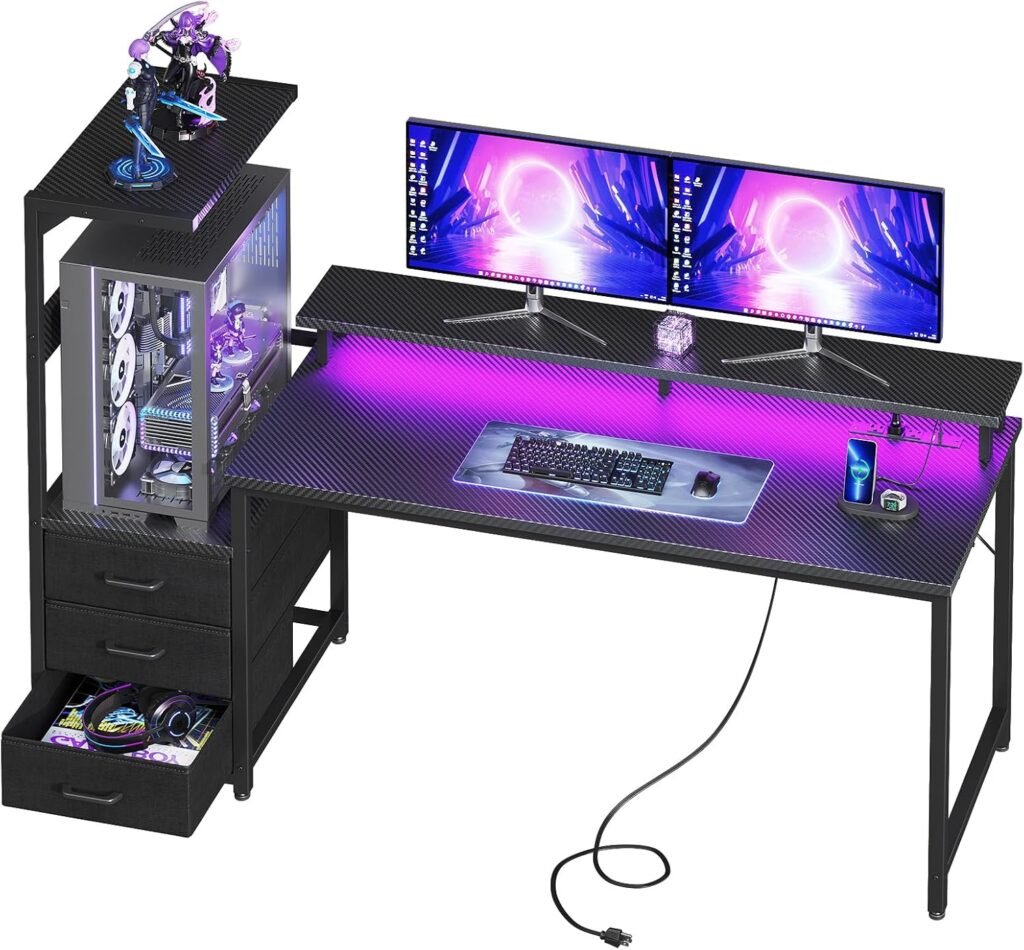
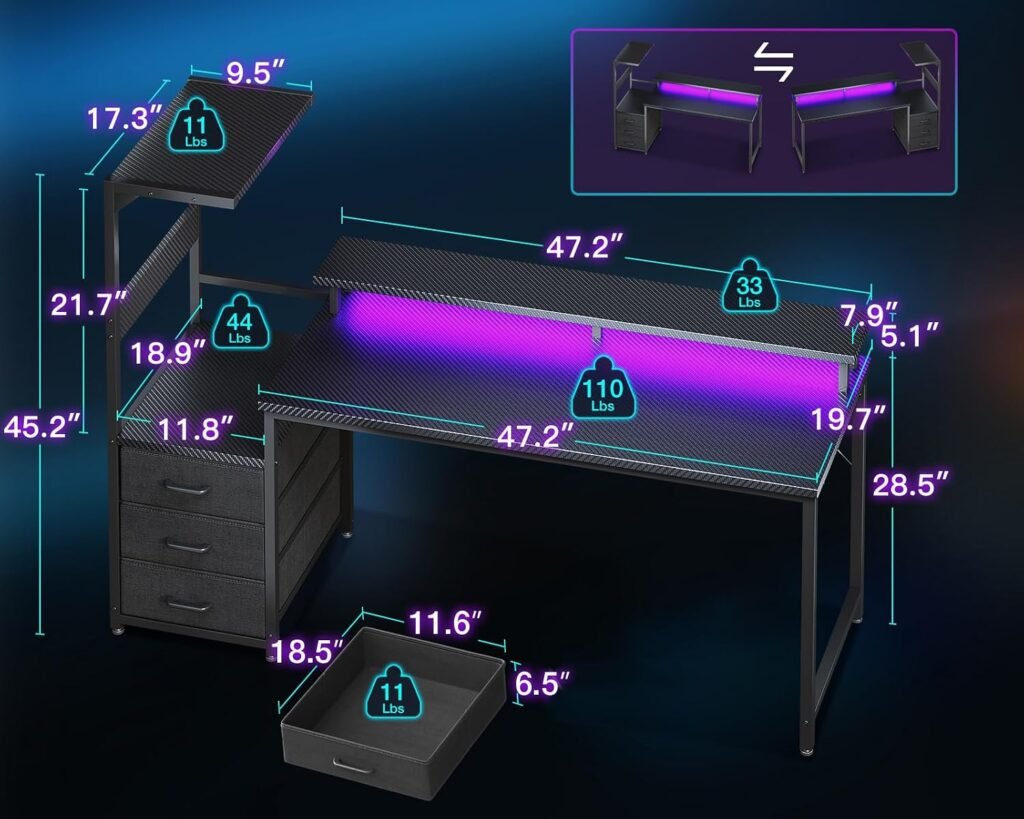
The product is listed at $119.99, reduced from an original listed price of $139.99, and is shown as in stock. It combines a 59-inch reversible desk, an elevated PC showcase stand, an RGB LED strip, three fabric drawers, and a side display shelf. That is an unusually feature-heavy package for the price, though the design is more specialized than a normal flat gaming desk.
AODK specifically positions the desk for panoramic tempered-glass cases such as Lian Li O11- and Hyte Y60-style builds. Because the supplied information does not include exact stand dimensions, clearance measurements, or a maximum load rating, compatibility remains something you must verify rather than assume. This review therefore concentrates on the questions that matter in 2026: workspace, stability, storage, lighting, reversibility, assembly practicality, and whether the feature mix justifies the cost.

AODK Gaming Desk Design and Workspace Layout
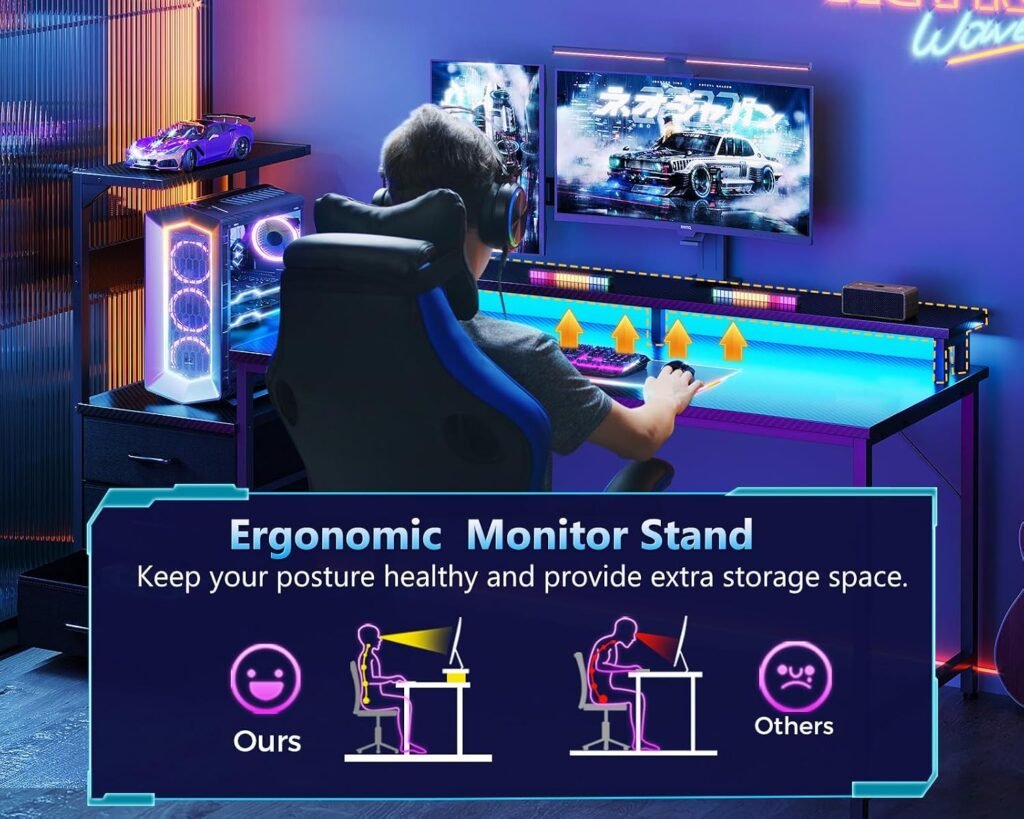
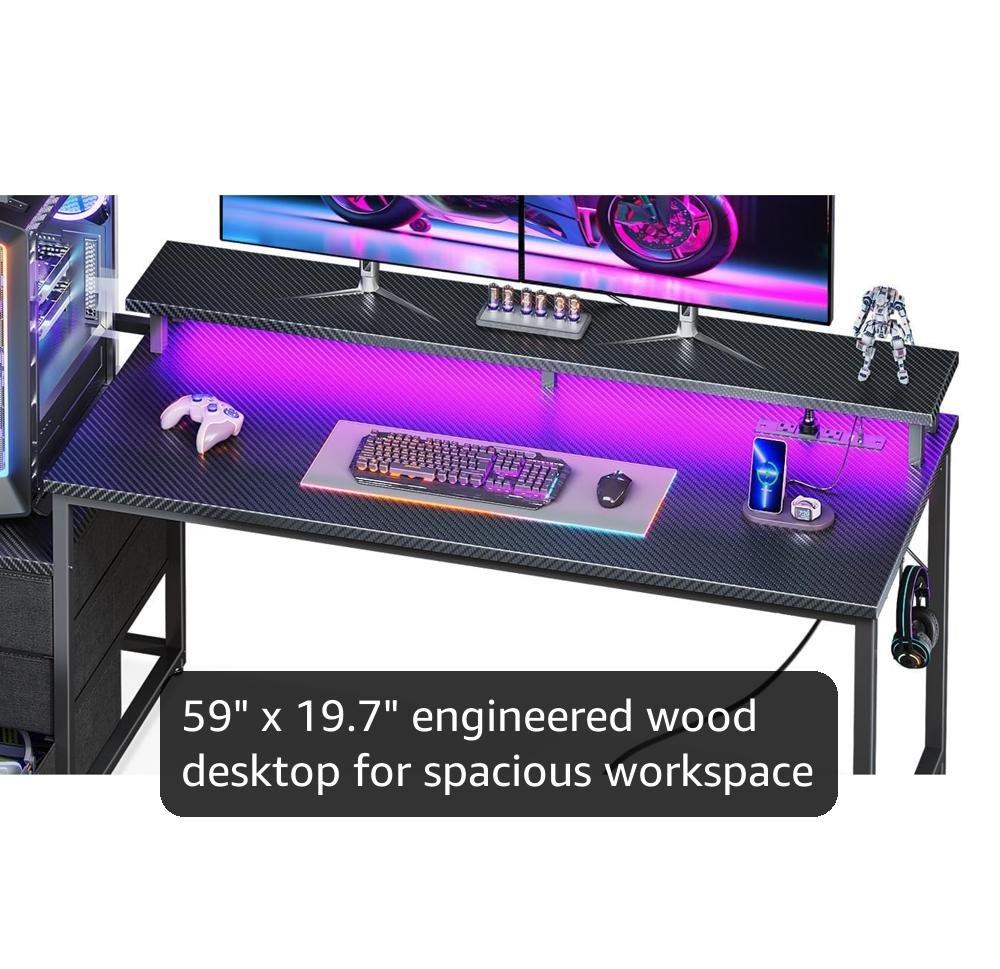
The AODK Gaming Desk is built around a compromise. Its broad desktop should accommodate a gaming monitor, keyboard, mouse, speakers, and everyday accessories, but part of that surface is claimed by the raised PC showcase. A conventional flat desk gives you more uninterrupted room; this design gives you a more deliberate composition, with the computer treated as part of the furniture rather than equipment hidden underneath.
That elevated position changes the visual effect of a panoramic case. Tempered-glass panels and internal RGB components become easier to see from a seated position, and the chassis is separated from the dust and stray objects commonly found on the floor. If you have spent money on a carefully arranged interior, why keep it behind your knees?
The reversible configuration is one of the more practical details. You can adapt the arrangement for a left-handed mouse position, a corner room, a shared workspace, or a setup in which the cleanest cable route runs toward one particular wall. The trade-off is that the showcase structure and side storage occupy space that would otherwise remain open.
Before assembly, mark the monitor, case, speakers, drawer unit, and shelf positions on the floor or wall-side area with painter’s tape. Sit where you normally play and check whether the mouse path and screen sightline still feel natural. This simple layout test can reveal whether the desk’s visual centerpiece is helping your room or crowding it.
AODK Gaming Desk PC Showcase Stand: Stability, Compatibility, and Airflow
The raised PC stand is the defining feature, and it is aimed at a demanding type of computer: a middle-tower case with glass panels, a substantial graphics card, and enough internal hardware to make floor placement inconvenient. The product description cites an industrial steel frame, a thick desktop board, and a reinforced foundation intended to reduce wobbling while the desk is in use.
Elevation has two everyday advantages. It puts the case where you can see the components without crouching, and it keeps the chassis farther from floor dust. It may also make access to the rear and side panels less awkward, although the actual convenience depends on how much clearance your room and cable arrangement provide.
There is a meaningful gap between those construction claims and the figures a careful buyer needs. The supplied listing does not state a precise maximum load, platform width or depth, or ventilation clearance. The references to Lian Li O11 and Hyte Y60 should be read as examples of the intended case category, not as universal proof that every version of either family will fit.
Use this process before ordering:
- Measure the case width and depth, including feet, handles, glass projections, and permanently attached cables.
- Compare those figures with the seller’s current technical diagram or a reply from the seller.
- Check that front, rear, and bottom vents will remain open once the case is positioned.
- After assembly, test the empty platform for rocking before placing the computer on it.

AODK Gaming Desk RGB LED Lighting and Setup Atmosphere
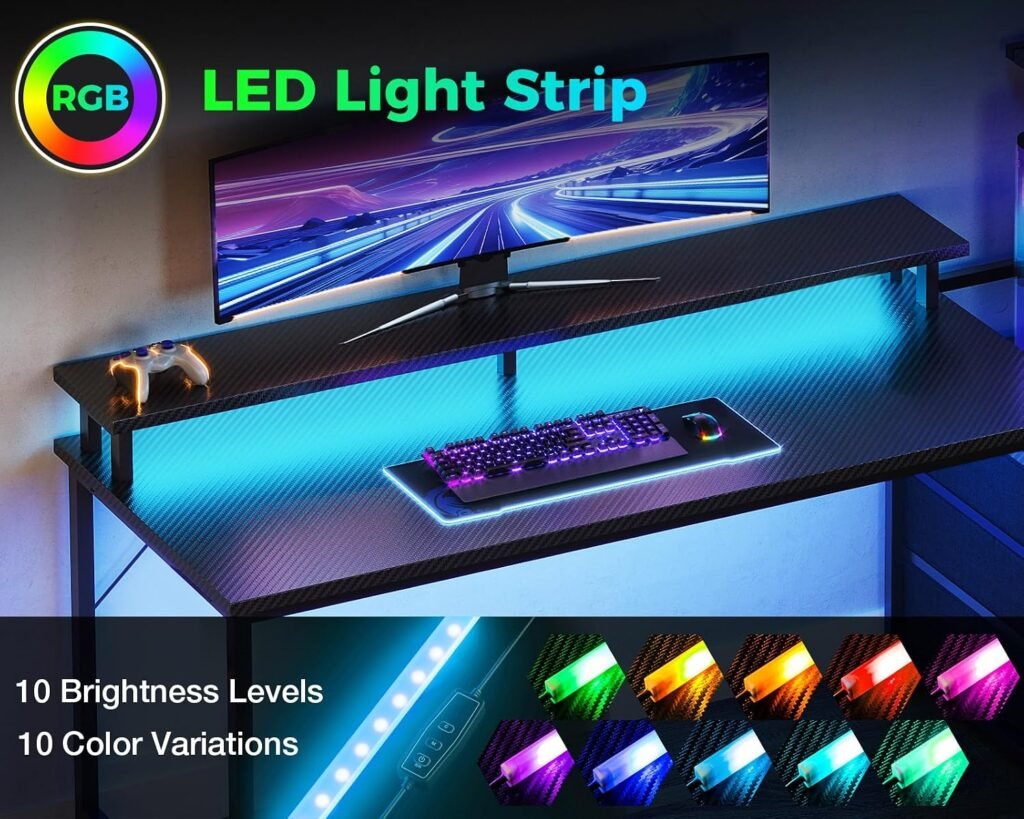
The integrated RGB strip sits underneath the monitor shelf, extending the lighting beyond the computer’s own case illumination. In a dark room, that can give the setup a more finished appearance, and it may add useful color behind a streaming background without requiring a separate light bar.
The limitation is that the supplied product information describes visual coordination rather than confirmed hardware synchronization. It does not specify motherboard-software support, connector type, brightness levels, or lighting modes. In practical terms, the strip may match your PC’s color scheme while still operating independently from the internal LEDs.
That distinction matters if you are expecting every component to change color together. A desk light can look coordinated without receiving commands from the same software or controller. For many users the atmosphere will be enough; for a carefully synchronized build, the current listing should answer the connection question before purchase.
Install the lighting with patience. Route its cable before placing the monitor, keep any control switch accessible, and avoid sharply bending or pinching the strip around corners. RGB is a finishing feature, not the reason to overlook poor case fit, a cramped work surface, or a frame that rocks under pressure.
AODK Gaming Desk Storage and Display Features: Three Drawers Plus a Side Shelf
Three built-in fabric drawers address a problem that photographs of gaming setups tend to conceal: controllers, charging cables, spare adapters, manuals, and headphones need somewhere to go. Fabric drawers are well suited to those lightweight items because they hide visual clutter without making the desk feel like office furniture.
They are less convincing as storage for heavy power bricks, dense tool collections, or anything that needs rigid protection. The listing describes the drawers as spacious but does not supply their measurements or load ratings, so you should think of them as accessory organizers rather than miniature filing cabinets.
The side display shelf and overhead top board add vertical storage for collectibles, speakers, action figures, or Funko Pops. Used carefully, this preserves the main gaming surface and gives the setup some personality. The shelf should not become a wall of objects that blocks airflow, obscures the monitor, overhangs an edge, or makes cable access difficult.
A sensible arrangement is straightforward: use one drawer for charging accessories, one for controllers and peripherals, and the third for miscellaneous items. Keep the display shelf to lightweight objects that sit securely within its footprint. That approach makes the storage useful without turning the desk into a collection of precarious piles.
AODK Gaming Desk Assembly, Reversible Configuration, and Everyday Use
Assembly is likely to require more attention than a basic tabletop-and-four-legs desk because you are joining a desktop, steel frame, elevated showcase, drawers, side shelf, top board, and lighting. The product description emphasizes stability, but it does not provide an assembly-time estimate, tool list, warranty details, or stated desktop weight rating.
Start by clearing a large floor area and inventorying every fastener before you begin. A second person is especially useful when positioning the desktop and raised stand. Keep the main fasteners slightly loose while the frame and reversible components are aligned; tightening everything immediately can make a small misalignment difficult to correct.
Pay particular attention to the orientation of the shelf and drawers. Identify which pieces can be reversed before locking the frame, then decide based on your room’s corners, door clearance, dominant hand, and outlet position. If you change your mind after full tightening, you may face partial disassembly rather than a quick adjustment.
Once assembled, check that the desk sits level, inspect every joint for rocking, and test the stand with the empty case first. Then route cables so they do not pull sideways against the elevated computer. Recheck the frame after several gaming sessions, especially if you move the desk or add equipment.
What Customers Are Saying About the AODK Gaming Desk
No rating, review count, or customer-review excerpts were supplied with the product data available for this review, so it would be misleading to invent a consensus or attach a numerical score. The right approach is to treat the live buyer-review record as a checklist of questions rather than assume that attractive setup photographs prove long-term performance.
Customer reviews indicate—when you inspect the current listing—that the most useful themes should include instruction clarity, sturdiness after installation, fabric-drawer quality, the accuracy of the reversible layout, PC-case fit, RGB operation, and reports of damage or missing hardware. Pay close attention to whether buyers using panoramic cases praise the appearance and dust separation or say that the platform is too small for their particular chassis.
Verified buyers report different kinds of evidence in different time frames. A photograph can show that the desk looks good on day one; it cannot establish whether the frame wobbles after repeated use, whether a drawer sags, whether cable management remains practical, or whether the LEDs continue working after months of adjustment.
When reading the listing, prioritize recent reviews and filter for buyers with the same case size. Look for assembly photographs, comments from dual-monitor or large-monitor users, and specific descriptions of missing parts or damaged boards. A short review saying “looks great” is useful for appearance, but a detailed account of installation and daily use carries more weight for this purchase.
AODK Gaming Desk Compared With Amazon Alternatives
The most useful comparison is not a race between brand names; it is a choice between two desk philosophies. A conventional 55- or 60-inch carbon-fiber gaming desk sold through Amazon usually gives you a flat, uninterrupted surface. The AODK Gaming Desk instead uses part of that surface for a dedicated PC display platform, so you are exchanging open mouse space for presentation and elevation.
A second alternative is an Amazon gaming desk with drawers or shelving. That type may offer more conventional storage or a broader place for accessories, but it may not provide dedicated support for a panoramic tempered-glass case. Prices for both alternatives change, so compare their live prices with the AODK’s listed $119.99 baseline rather than relying on an old screenshot or search result.
Compare each candidate across the details that affect your room:
- Case compatibility: does the rival support a case directly, or must the computer sit on the floor?
- Workspace: how much open mouse and keyboard area remains after shelving is installed?
- Storage: are the compartments fabric, rigid, open, or absent?
- Flexibility: can the arrangement reverse, and does the frame suit your cable direction?
- Evidence: what do current reviews say about wobble, damage, warranty support, and assembly?
Choose the AODK when the glass-sided PC is part of the room’s visual identity. Choose a flat alternative when uninterrupted working space matters more than the showcase effect.
Who Should Buy the AODK Gaming Desk?
The strongest match is a PC gamer with a panoramic tempered-glass case, an RGB-heavy build, limited floor space, and a genuine desire to make the computer part of the room. Streamers and setup-focused users may also appreciate the illuminated monitor shelf, hidden accessory storage, and dedicated area for collectibles or speakers.
The reversible layout broadens that audience. It can help when your desk must fit into a corner, avoid a door swing, share a room, accommodate a left-handed setup, or reach a wall outlet on one particular side. Those are small practical details until a desk is installed and every cable has to travel in the wrong direction.
This is a weaker fit if you own a very large full-tower case, unusually deep equipment, or a monitor arrangement that needs every inch of open desktop. It is also not the obvious choice for a professionally rated heavy-load workstation because the supplied description does not publish the relevant load documentation.
Before purchase, work through this checklist:
- Confirm the case’s full measurements and ventilation needs against the current technical diagram.
- Choose which side should hold the shelf and drawers.
- Measure the available wall length and account for doors and outlets.
- Sketch the monitor, keyboard, speaker, and mouse positions.
- Verify the current listing’s load information, warranty, included hardware, stock, and returns policy.
AODK Gaming Desk Price, Value, and Buying Decision at $119.99
At the listed $119.99, the desk is $20 below its original listed price of $139.99—roughly 14% off. The value comes from combining several setup-specific elements in one package: a reversible frame, an elevated PC stand, an RGB strip, three fabric drawers, and a side display structure.
Feature count should not be confused with build quality. The price becomes compelling only if the stand genuinely fits your case, the frame remains stable, and the drawers and lighting perform as expected. A cheaper flat desk may be the better use of money if you do not need PC elevation or built-in display storage.
Choose this desk over a basic flat model when three conditions are true: you actively want to display a panoramic case, you need integrated organization, and coordinated lighting matters to the look of the room. If any of those priorities is absent, the lost open surface becomes harder to justify.
Check the live price, availability, delivery estimate, returns policy, warranty, included hardware, and current customer-rating information immediately before ordering. The listed $119.99 price may change, and the missing technical figures are too important to overlook.
The buying decision is conditional rather than universal: choose the AODK Gaming Desk when your case measurements and room layout match its showcase design. Keep comparing flat or more heavily documented alternatives when uninterrupted desktop space, maximum-load information, or long-term support matters more than the display aesthetic.
Pros and Cons
Pros
- Elevated PC showcase design puts a panoramic tempered-glass case at eye level and away from the floor.
- Reversible arrangement can work better in corner rooms, shared spaces, and left- or right-sided setups.
- Three fabric drawers, a side display shelf, and an overhead top board provide useful organization and personalization.
- Integrated RGB strip adds coordinated ambient lighting beneath the monitor shelf.
- The listed $119.99 price combines several features that would otherwise require separate accessories.
Cons
- The raised PC platform uses valuable desktop space and lacks published platform dimensions, clearance figures, or a maximum load rating.
- The listing does not specify RGB software synchronization, connector type, brightness, lighting modes, assembly time, tools, warranty, or desktop weight capacity.
- Fabric drawers are convenient for light accessories but may not provide the rigid support or protection needed for heavy equipment and dense tools.
Final Verdict
Key Takeaways
- The AODK Gaming Desk is a specialized display desk for panoramic PC cases, not simply a conventional flat gaming table.
- Its combination of a reversible layout, RGB strip, three fabric drawers, and display shelving offers a lot of setup-focused functionality at the listed price.
- The decisive issue is case compatibility: exact platform dimensions, clearance, and load capacity are not supplied in the product information.
- Choose it when showcasing the PC matters as much as preserving workspace; choose a flat desk when maximum open mouse area is the priority.
Frequently Asked Questions
Will the AODK Gaming Desk fit a Lian Li O11 or Hyte Y60 case?
The desk is specifically marketed for panoramic tempered-glass middle-tower cases, including builds similar to the Lian Li O11 and Hyte Y60. However, the listing does not provide exact platform dimensions, clearance, or maximum load information. Measure your case, including feet and cable protrusions, and compare it with the seller’s current technical diagram before ordering.
Is the AODK Gaming Desk reversible?
Yes. The design is reversible, making it more adaptable to left-handed users, corner rooms, shared spaces, and setups where the best cable route is on a particular side. Decide the orientation before tightening the frame completely, then confirm that the shelf, drawers, monitor, and PC do not interfere with doors or wall outlets.
Does the RGB lighting sync with PC components?
The integrated strip sits underneath the monitor shelf and is intended to coordinate visually with the PC’s internal lighting. The supplied information does not confirm motherboard software synchronization, connector type, brightness, or lighting modes, so treat it as independent desk illumination unless the current listing says otherwise.
Is this desk suitable for two monitors?
It can suit a dual-monitor setup, but the raised showcase structure reduces the uninterrupted surface available for monitors, keyboard movement, and mouse space. Before buying, sketch the intended monitor positions and check the current technical diagram for the usable desktop and stand arrangement.
Disclosure: As an Amazon Associate, I earn from qualifying purchases.