Razer Tartarus V2: Product Overview and First Impressions
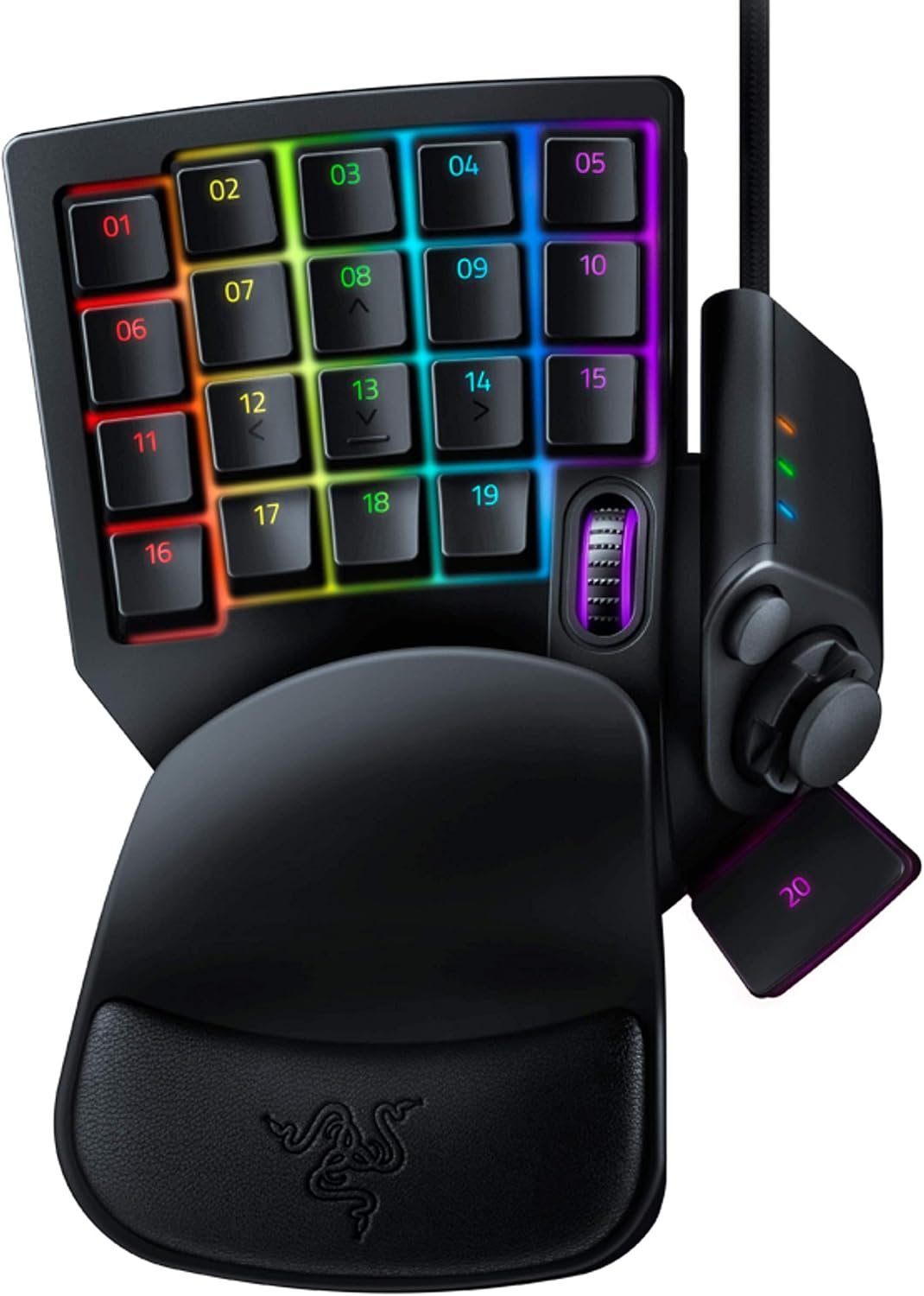
If your left hand is tired of choosing between movement and a crowded row of hotkeys, the Razer Tartarus V2 takes a different approach: it gives that hand a dedicated control surface rather than asking you to use another full keyboard. The result is a specialized accessory for PC gaming and creative software, with programmable keys arranged around an 8-way thumbpad.
At the listed price of $69.99, reduced from an original listed price of $79.99, it is currently in stock. That price is reasonable only if you will use the extra controls; a conventional keyboard remains more practical for ordinary typing and general computer use.
The black, left-handed design includes soft-cushioned mecha-membrane keys and an integrated thumbpad, according to the supplied specifications. It looks most appealing for MMO, strategy, action, or simulation players who want many commands close to the left hand, and for console-oriented players who prefer directional thumb control. If you are simply searching for a conventional mechanical keyboard, however, this is solving a different problem.

Key Features of the Razer Tartarus V2 Explained
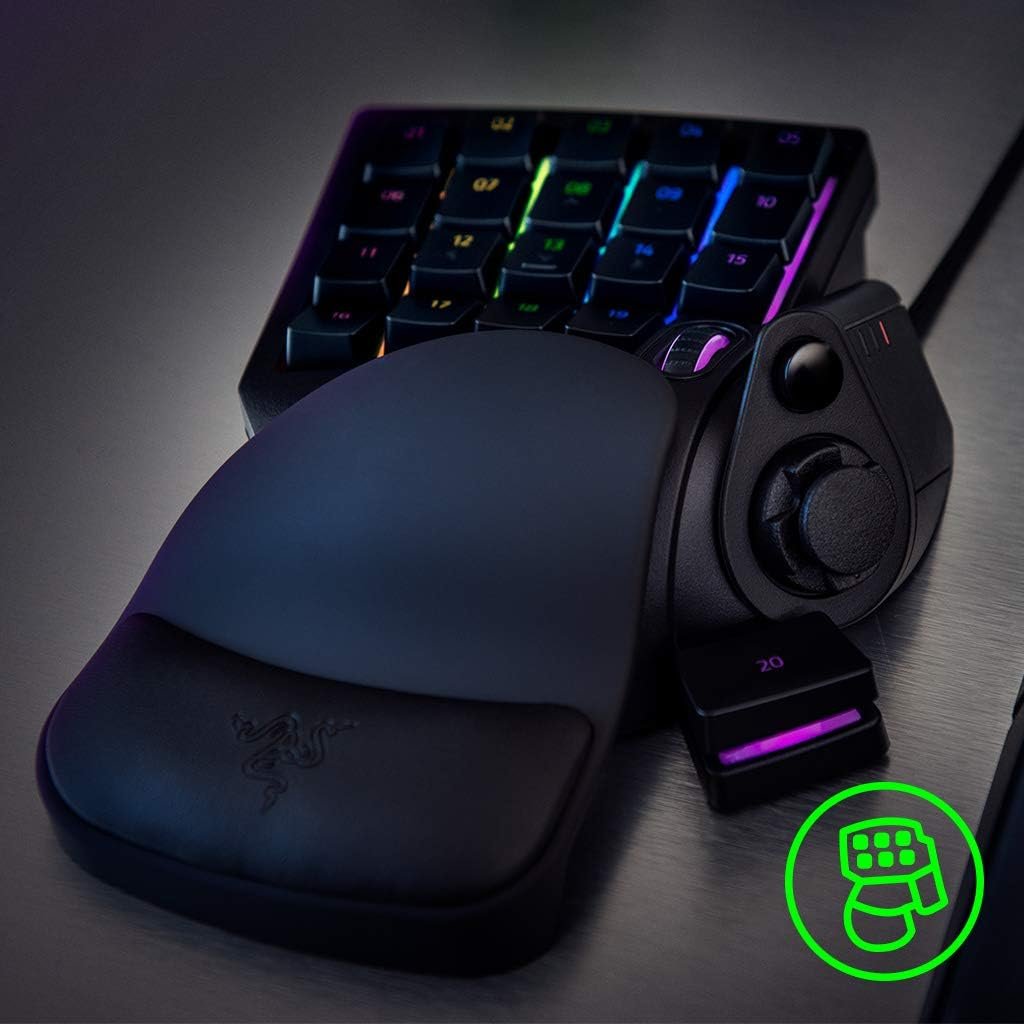
The Razer Tartarus V2 is built around a simple idea: frequently used commands should sit under the hand that is already near the keyboard’s left side. Its principal hardware features are programmable mecha-membrane keys, an 8-way directional thumbpad, individually backlit keys, and support for Razer Chroma lighting.
On the software side, Razer Hypershift allows keys and key combinations to be remapped for a second layer of commands. You can therefore assign ordinary actions to the primary layout and hold a modifier for another set of actions. Macros extend that approach to more complex command sequences, subject to the rules and policies of the software or game you use.
The supplied description does not provide dimensions, weight, polling rate, cable length, operating-system compatibility, or switch lifespan. Those omissions matter if you are comparing technical specifications, so you should confirm them from the current listing or manufacturer documentation before purchase rather than assuming them.
Unlike a standard keyboard, this keypad is not trying to offer a complete typing layout. Its value comes from concentrating movement, abilities, inventory actions, communication, and application shortcuts in one reachable area. That specialization can make sense beside a normal keyboard, but it also means the keypad is an additional device rather than a universal replacement.
Razer Tartarus V2: Programmable Keys for Gaming and Creative Work
Thirty-two programmable keys give you room to build a layout around the commands you actually use instead of accepting the arrangement supplied by a game. In an MMO, that might mean abilities, potions, mounts, inventory actions, and target controls. In a strategy game, the same keys could hold building commands, unit groups, camera functions, or production shortcuts.
Creative software can benefit too. Repeated timeline actions, brush changes, editing commands, or tool selections can sit under the left hand while your mouse hand remains focused on navigation or detailed work. The point is not that every one of the keys must be filled; it is that the movement between a frequently used command and the mouse can be reduced.
Hypershift is what makes the count more useful than a collection of spare buttons. A primary key can perform one action normally and a secondary action when the Hypershift modifier is held. You can remap individual keys or combinations, but genuine programmability takes testing. Extra keys do not automatically create a better layout.
- Start with movement and the commands you press most often.
- Play or work with that primary arrangement until it feels natural.
- Add secondary-layer commands only after the first layer is reliable.
- Save a separate profile for each game or application rather than forcing one crowded arrangement everywhere.

Mecha-Membrane Switches: Tactile Feedback Without a Fully Mechanical Board
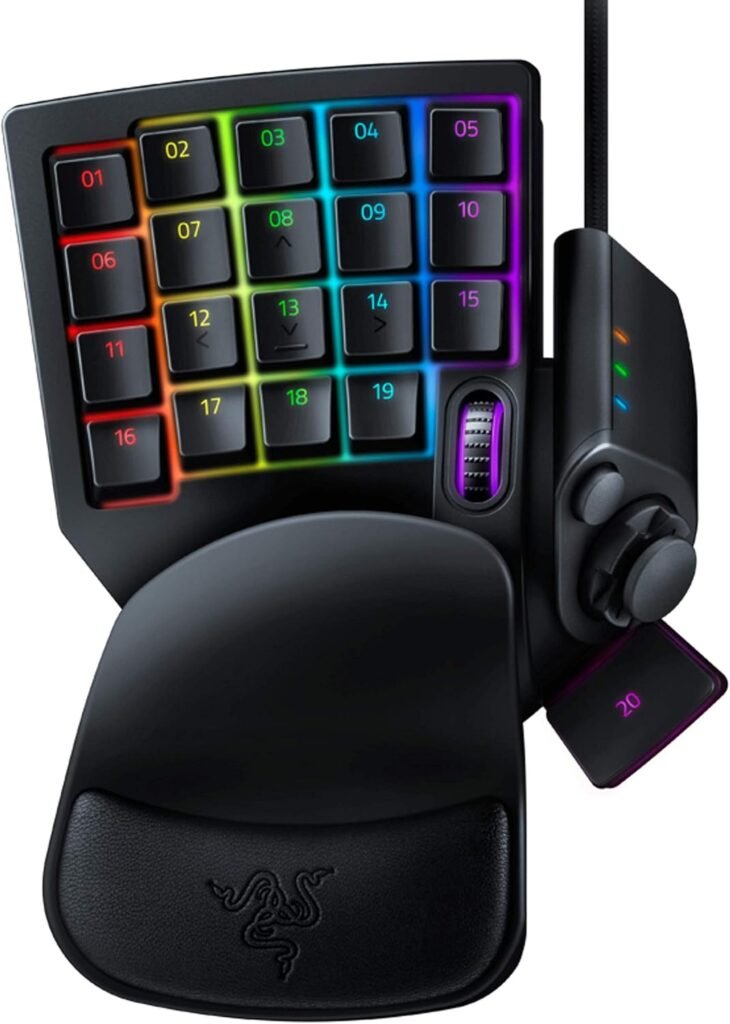
The mecha-membrane switches are intended to sit between two familiar preferences. The supplied description says they provide the tactile feedback associated with a mechanical keypress while retaining a soft-cushioned membrane rubber-dome design. That combination may appeal if you want a noticeable press without committing to the feel of a traditional mechanical board.
It would be inaccurate to assign a particular actuation force, noise level, travel distance, or durability rating here because none of those figures appears in the supplied product data. The switch design is therefore best treated as a personal-preference decision, not proof that the keypad is automatically better than mechanical or ordinary membrane alternatives.
When reading customer feedback, look for concrete comments rather than broad praise. The useful questions are whether the keys feel consistent, whether accidental presses occur, whether the cushioning remains comfortable during long sessions, and whether the tactile response feels too soft for the user. A player who likes quiet, cushioned input may reach a different conclusion from someone who expects a crisp mechanical switch.
The 8-Way Thumbpad and Left-Handed Control Layout
The 8-way thumbpad is the feature most likely to determine whether the Razer Tartarus V2 feels immediately intuitive or oddly unfamiliar. Players coming from a console controller may recognize the basic movement logic at once, while a PC player who has spent years on WASD may need a short period of deliberate practice.
Movement-heavy games are the obvious use case, but the thumbpad can also handle menu navigation, secondary software controls, or an accessibility-focused arrangement. It may be especially useful when keeping several movement directions available under one thumb feels preferable to coordinating four separate keys.
There is a trade-off. WASD is a familiar standard with extensive PC-game support; the thumbpad asks you to learn a new physical reference point. Begin in a low-pressure game or practice area, assign only movement, and add jump, crouch, or modifier functions once directional control feels dependable.
The fixed left-hand orientation makes hand preference and desk positioning central buying questions. If you frequently switch between left- and right-handed control setups, or want a device that can be used anywhere on the desk, this specialized arrangement may be less convenient.
Razer Chroma RGB and Personalization
Razer Chroma supplies the visual side of the keypad. The product description specifies individually backlit keys, support for up to 16.8 million colors, and synchronization with popular games, Razer hardware, Philips Hue, and products from more than partners.
Lighting can make a complex layout easier to remember. You might use one color for movement, another for combat commands, and a third for utility actions, creating a visual map rather than treating RGB as decoration. Keep the arrangement restrained enough that the colors remain useful when you are concentrating on a game.
Chroma does not make a keypress faster, add macro capability, or change the thumbpad’s physical behavior. Before relying on a particular integration, verify software setup, profile switching, and synchronization behavior in current customer feedback or hands-on testing; the supplied description does not establish that every partner works identically.
Setting Up the Razer Tartarus V2 for the First Time
Setting up the keypad is less about plugging it in than deciding which commands deserve the limited space your muscle memory will occupy. Use this sequence to avoid creating an impressive-looking but confusing profile:
- Connect the keypad and open or install the required Razer configuration software.
- Create a profile for one game or application.
- Assign movement, the most frequently used actions, and one communication command first.
- Test the primary layout, then enable and test Hypershift separately.
- Save a backup of the working layout before experimenting with macros or lighting.
- Create additional profiles instead of filling one profile with unrelated commands.
Test remapped actions in a safe practice area before entering a competitive match or using them on important creative work. Write down the secondary-layer commands or use a consistent color scheme so you do not have to remember a hidden layout under pressure.
If something behaves incorrectly, work through a short checklist: confirm the intended profile is active, check that the key assignment was saved, inspect lighting settings separately from command settings, and look for duplicate commands assigned to both a primary and secondary layer. This process also helps distinguish a software-profile mistake from a physical key problem.
What Customers Are Saying About the Razer Tartarus V2
The supplied product data does not include a displayed star rating, review count, or review excerpts at publication time. That means a responsible review cannot claim that “many buyers” praise the thumbpad, report key failures, or find the software difficult without inventing evidence. The absence of those figures is itself useful: you should inspect the current customer-review panel before treating any specific pattern as frequent.
When a review sample is available, separate repeated themes from isolated complaints. Count how often users mention the 32-key layout, thumbpad comfort, mecha-membrane feel, extended-session comfort, Chroma customization, profile switching, and key reliability. Then give greater weight to reviews from people playing the same genres or using the same creative applications as you.
Conflicting feedback would not necessarily indicate that one side is mistaken. A console-oriented player may find the thumbpad natural while a WASD user dislikes it; someone who enjoys configuring profiles may consider the software worthwhile while another buyer sees it as unnecessary friction. The most relevant review is the one that describes your intended hand position, game type, and tolerance for setup.
Until the live listing supplies verifiable rating and review-count information, treat the hardware description—not unconfirmed customer anecdotes—as the evidence for this purchase. Look specifically for detailed comments about accidental presses, consistency across keys, fatigue, profile activation, and whether the cushioned switch feel is comfortable or too soft.
How the Razer Tartarus V2 Compares With Alternatives
The closest comparison depends on what you want from a one-handed keypad. The Razer Tartarus Pro is the more obvious premium Razer alternative for shoppers seeking a more advanced switch experience. The V2 has the simpler proposition: mecha-membrane feedback, the thumbpad, Hypershift, macros, and Chroma in one dedicated control surface.
The Redragon K585 DITI One-Handed RGB Mechanical Gaming Keyboard takes a different route. It is better considered as a more conventional mechanical one-handed layout, whereas the Razer Tartarus V2 makes the thumbpad and its Razer-centered lighting ecosystem central to the experience.
| Model | Key layout | Switch approach | Movement control | Lighting ecosystem | Likely buyer |
|---|---|---|---|---|---|
| Razer Tartarus V2 | Dedicated 32-key keypad | Mecha-membrane | 8-way thumbpad | Razer Chroma | Player wanting thumb control, layers, and Razer integration |
| Razer Tartarus Pro | Dedicated Razer keypad | More advanced switch experience | Thumbpad-oriented control | Razer ecosystem | Buyer prioritizing a higher-end Razer keypad |
| Redragon K585 DITI | More conventional one-handed layout | Mechanical-oriented approach | Keyboard-style movement | RGB-focused setup | Buyer wanting a simpler mechanical keypad |
Choose the Tartarus V2 when thumbpad movement and Chroma integration matter. Consider the Tartarus Pro when the higher-end Razer switch experience is the main reason to upgrade. Investigate the Redragon option when you want a simpler mechanical layout and do not need the Razer-style control arrangement.
Who Should Buy the Razer Tartarus V2?
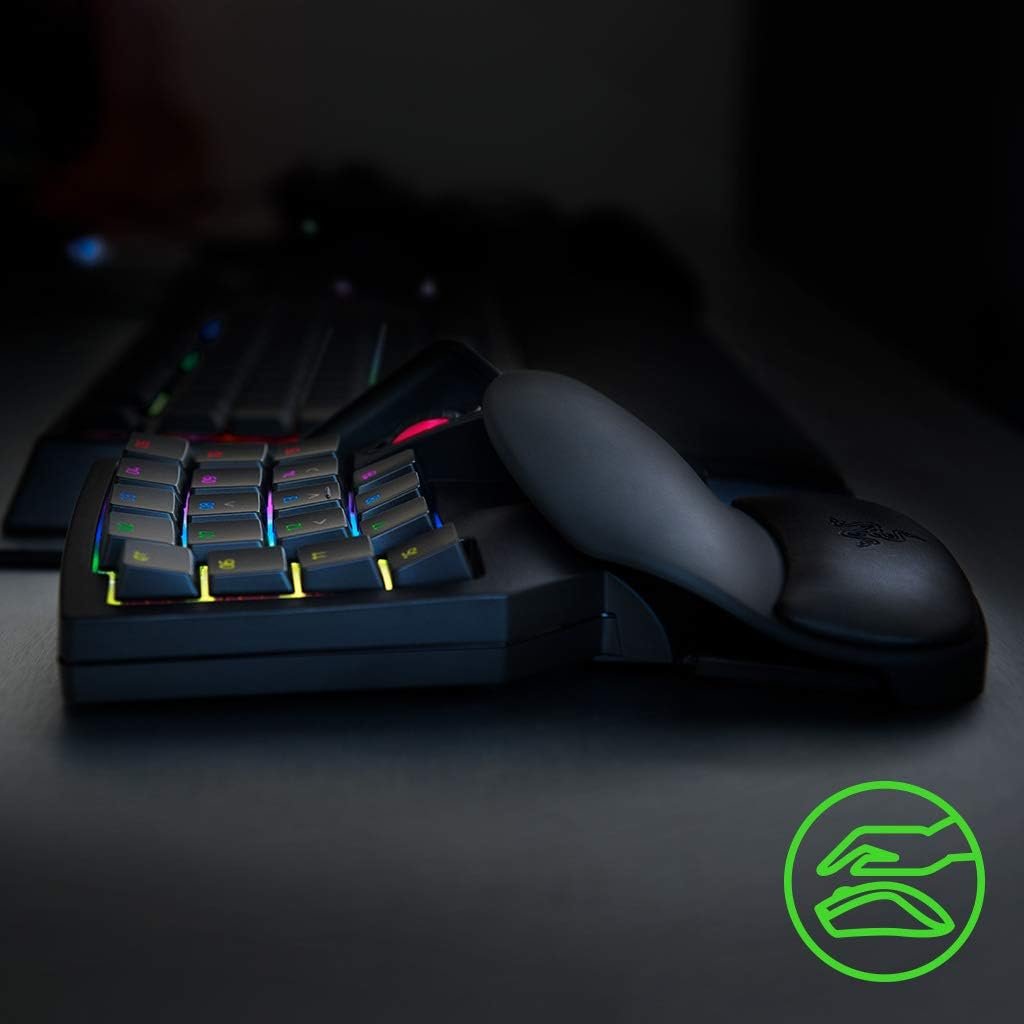
The strongest candidates are players whose games or applications contain more commands than a standard left-hand position handles comfortably. MMO, MOBA, strategy, simulation, and action players can assign abilities, movement, communication, inventory, and utility actions across the keypad. Creative-software users may also benefit if they repeatedly reach for the same tools or shortcuts while the mouse handles precise navigation.
Players moving from console controls deserve particular consideration. The 8-way thumbpad may provide a familiar starting point, though it cannot be promised to suit every hand or accessibility need. For some users, bringing movement and commands into one dedicated area may reduce travel; for others, the fixed layout or thumb position may create a new source of discomfort.
You are less likely to be satisfied if you already like a full keyboard, rarely use macros, dislike configuration software, or specifically want conventional mechanical-switch behavior. A specialized keypad earns its place through repeated use, not through the number of controls printed on the box.
- List the commands that currently make your hand leave its comfortable position.
- Map those commands against the 32-key layout and decide whether there is a real advantage.
- Ask whether the thumbpad matters, or whether ordinary WASD-style keys would be preferable.
- Compare the $69.99 cost with a standard keyboard, a simpler macro pad, or another keypad.
Price, Availability, and Overall Value
The current listing shows the Razer Tartarus V2 at $69.99, down from an original listed price of $79.99, with availability shown as In Stock. The discount is useful context, but it is not the reason to buy. The value comes from combining programmable keys, Hypershift layers, an 8-way thumbpad, mecha-membrane feedback, and individually backlit Chroma keys in a dedicated left-hand design.
You are paying for a control arrangement that a regular keyboard does not reproduce in quite the same way: movement can sit under the thumb, repeated actions can occupy nearby keys, and profiles can be tailored to different games or applications. That can justify the price for someone who uses many commands every session and is willing to spend time creating a dependable layout.
The calculation is weaker if you need only two or three extra shortcuts. In that case, a cheaper macro pad or software remapping on an ordinary keyboard may provide enough functionality without introducing a new hand position and profile system.
Razer Tartarus V2 — verdict: at $69.99 in 2026, it is most likely to justify its price for MMO, strategy, simulation, action, and creative-software users who specifically want thumbpad movement and extensive left-hand customization. If you prefer a normal mechanical keyboard, dislike setup, or need only occasional macros, choose a conventional keyboard or simpler one-handed alternative instead.
Pros and Cons
Pros
- 32 programmable keys provide substantial room for game actions, shortcuts, macros, and creative-software commands.
- The 8-way thumbpad offers an alternative to WASD movement and may feel familiar to console-oriented players.
- Mecha-membrane keys combine tactile mechanical-style feedback with a soft-cushioned membrane design.
- Razer Hypershift adds a secondary command layer for additional remapped functions.
- Individually backlit keys support up to 16.8 million colors through the Razer Chroma ecosystem.
Cons
- The thumbpad and left-handed layout require an adjustment period if you are accustomed to WASD controls.
- The supplied product information does not confirm dimensions, weight, compatibility details, cable length, polling rate, or switch lifespan.
- Its dedicated layout and software configuration may offer little value if you need only a few extra shortcuts or prefer a conventional mechanical keyboard.
Final Verdict
Key Takeaways
- The keypad concentrates programmable commands under your left hand instead of adding another full keyboard.
- The 8-way thumbpad is its defining control feature and may appeal particularly to console-oriented players.
- Mecha-membrane keys provide a cushioned tactile style of press, but they are not a substitute for a conventional mechanical keyboard if that is what you prefer.
- Hypershift, macros, profiles, and Chroma lighting add flexibility, although they require configuration time.
- At $69.99 in 2026, it makes the most sense for players or creators who will regularly use its dedicated layout.
Frequently Asked Questions
What is the Razer Tartarus V2 used for?
The Razer Tartarus V2 is a dedicated left-handed PC gaming keypad with programmable mecha-membrane keys, an 8-way thumbpad, Hypershift support, macros, and individually backlit Razer Chroma keys.
Who should consider the Razer Tartarus V2?
It can suit MMO, MOBA, strategy, simulation, action, and creative-software workflows where many commands are used repeatedly. It is less suitable if you want a conventional full-size mechanical keyboard.
How much does the Razer Tartarus V2 cost?
The supplied product data lists the keypad at $69.99, reduced from an original listed price of $79.99. It is shown as in stock.
Is the thumbpad better than WASD?
The 8-way thumbpad can feel natural to players moving from console controls, but PC players familiar with WASD may need practice before it feels automatic.
Does the Razer Tartarus V2 support RGB synchronization?
The product description confirms Razer Chroma support and synchronization with popular games, Razer hardware, Philips Hue, and products from more than partners. The supplied information does not verify how easy every integration is to configure.
Disclosure: As an Amazon Associate, I earn from qualifying purchases.