

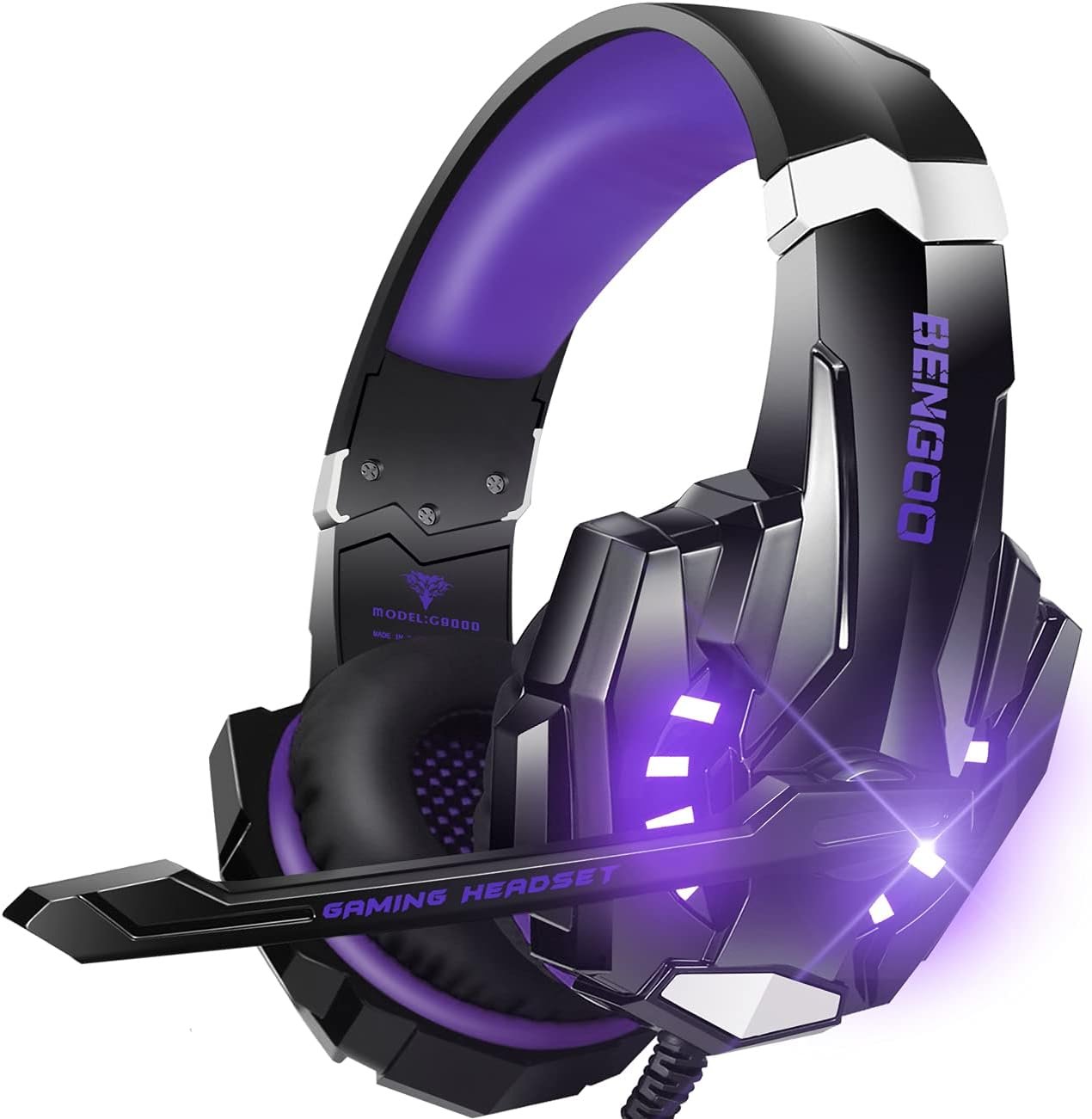
BENGOO G9000 Gaming Headset: Features and First Impressions
A $19.99 headset has one job before it makes grand promises: it needs to let you hear the game and speak to your teammates without becoming an annoyance. The BENGOO G9000 gaming headset is priced for that exact question. Can one inexpensive wired model provide useful audio, communication, comfort, and broad platform support without asking you to pay for a premium headset?
At the time of this review, it is listed at $19.99, reduced from $29.99, and shown as In Stock. That makes it most appealing to budget-conscious players who want one headset for several consoles and a PC. If you need wireless freedom, advanced software, premium materials, or independently documented surround processing, you should look elsewhere.
The assessment below separates the confirmed design from the marketing language. It covers the claimed 7.1 surround sound, 40mm neodymium drivers, microphone, 49-inch cable, LED lighting, comfort design, compatibility, available customer evidence, and whether the overall package earns its modest price.

BENGOO G9000 gaming headset: product overview and specifications
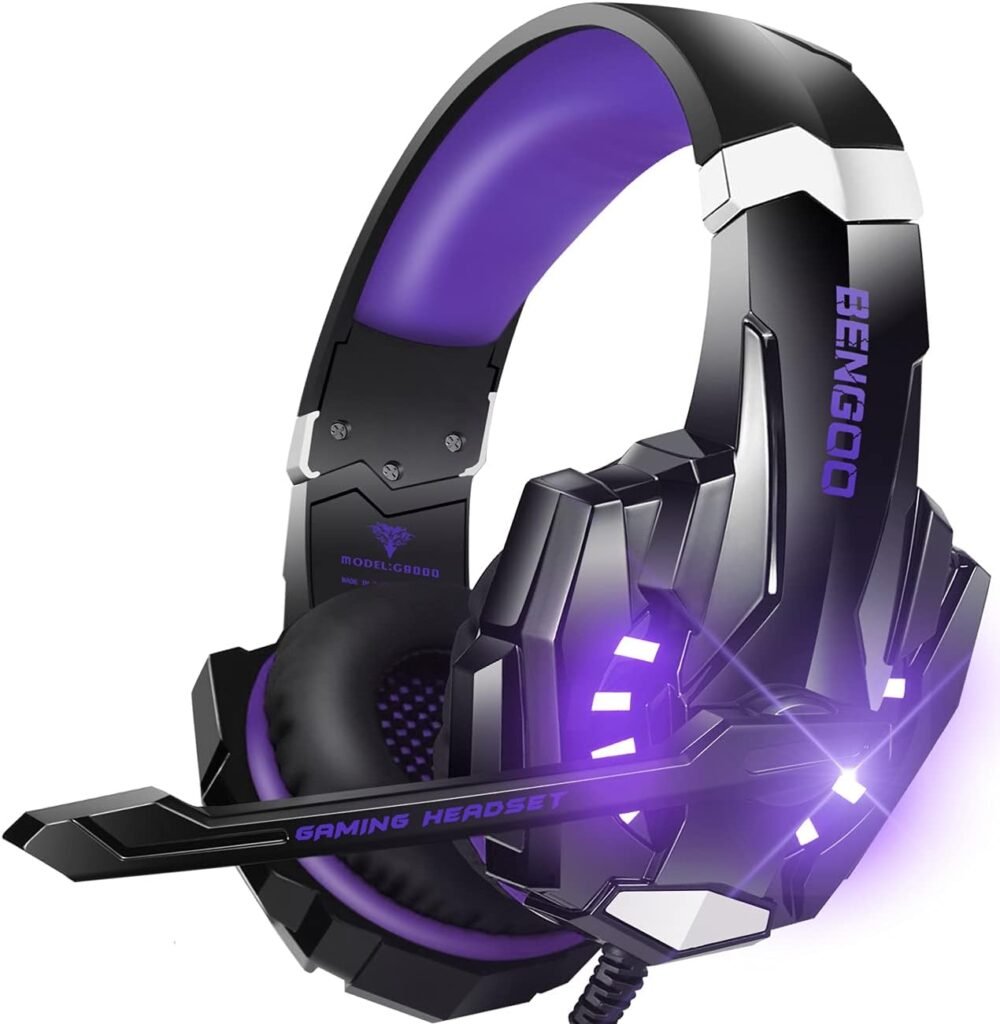
The BENGOO G9000 Gaming Headset is a wired, over-ear stereo headset with an integrated microphone, LED earcup lighting, inline volume control, and a microphone-mute button. It is designed as a straightforward plug-in accessory rather than a wireless system with a charging dock, companion application, or platform-specific control panel.
| Specification | Supplied detail |
|---|---|
| Drivers | 40mm magnetic neodymium drivers |
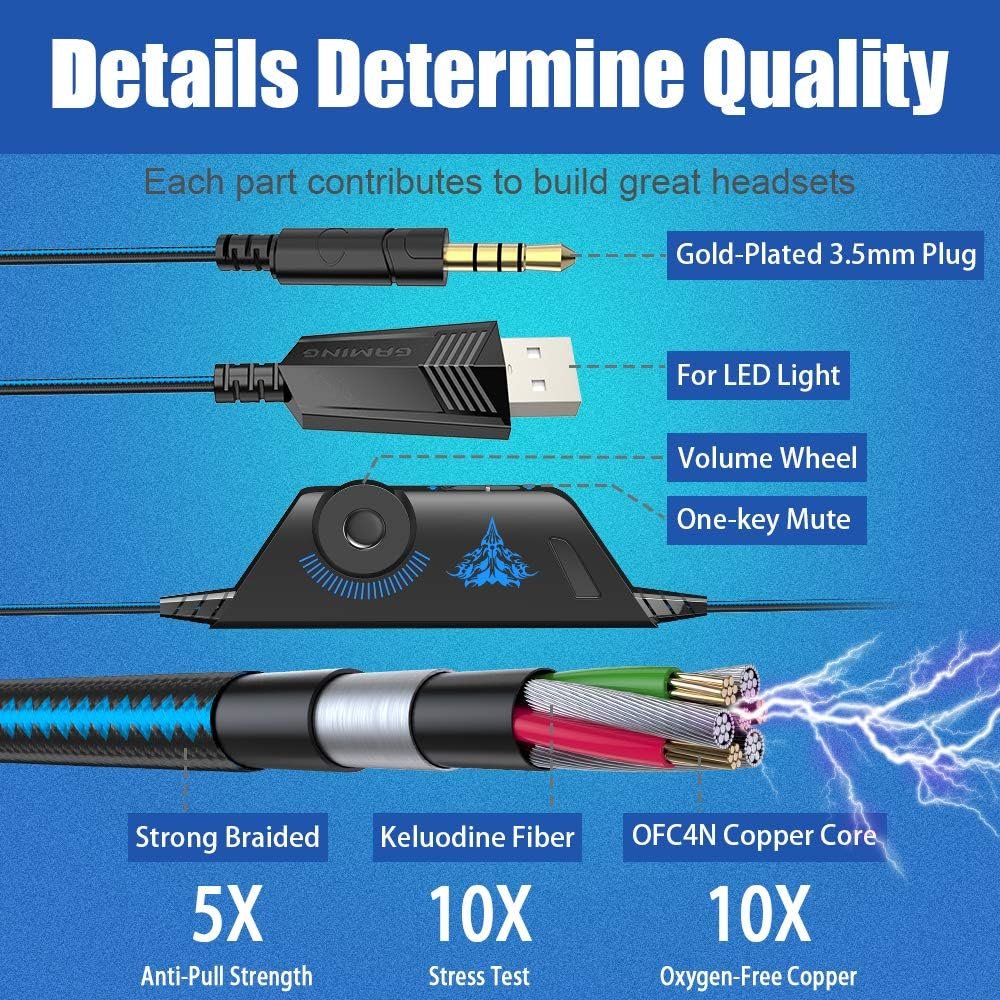
| Cable | 49-inch high-tensile braided USB cable with anti-winding design |
| Earcups | Protein-leather over-ear pads |
| Microphone | Adjustable flexible microphone |
| Lighting | LED earcups |
| Listed compatibility | PS4, PS5, Xbox, Xbox Series X|S, Xbox One, PC, laptop, Nintendo 3DS, PSP, tablet, iPad, computer, and mobile phone |
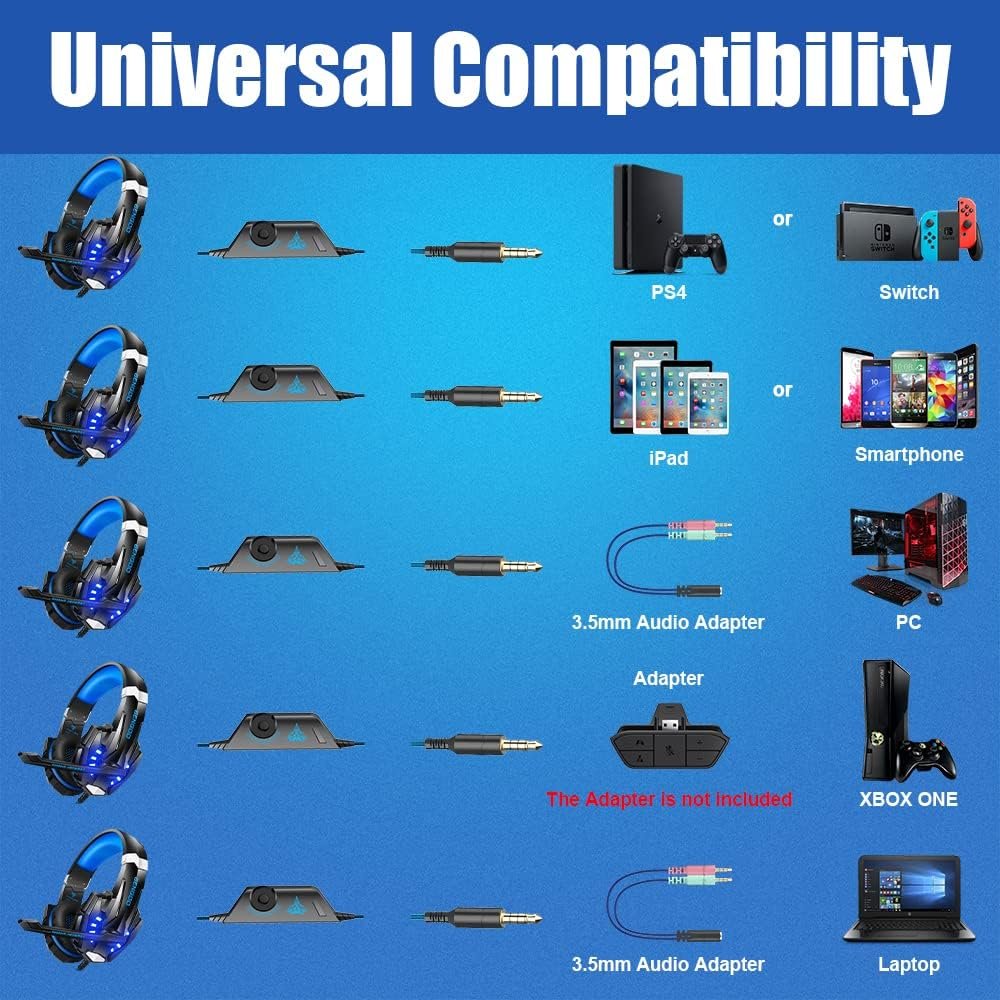
The description confirms a wide compatibility list, but it does not identify every connector or adapter included in the package. That matters when you plan to move between a console controller, computer, tablet, and phone. The listed Xbox One limitation is specific: an additional Microsoft Adapter is required for an older Xbox One controller, and it is not included.
The product also uses phrases such as “7.1 surround sound,” “noise cancelling,” and “acoustic positioning.” Those are claims rather than independently measured results in the supplied information. At the listed $19.99 price, the headset is clearly positioned as an entry-level option; the original $29.99 price provides context, but not proof of performance.
Key features of the BENGOO G9000 gaming headset
The features that matter most here are not the decorative ones. You want to know whether the headset makes voices understandable, whether game effects become tiring, whether the pads remain tolerable, and whether the controls work without interrupting play. The BENGOO G9000 gaming headset offers a sensible set of basics, although each feature should be read with the limitations of a low-cost wired model in mind.
For competitive shooters, the useful test is consistency: can you distinguish footsteps and reloads without explosions swallowing them? For party chat, microphone intelligibility matters more than cinematic bass. In a single-player game, the balance between dialogue, music, and effects becomes the priority. A headset can be acceptable for one of these uses and disappointing for another.
The controls are practical rather than elaborate. A rotary volume controller and one-button microphone mute can save you from opening a console or PC menu during a match. The LED earcups may suit a visibly themed setup, but they do not improve sound, communication, or comfort. The wired design also avoids battery management, while making cable routing part of your daily setup.

Sound quality and claimed 7.1 surround sound
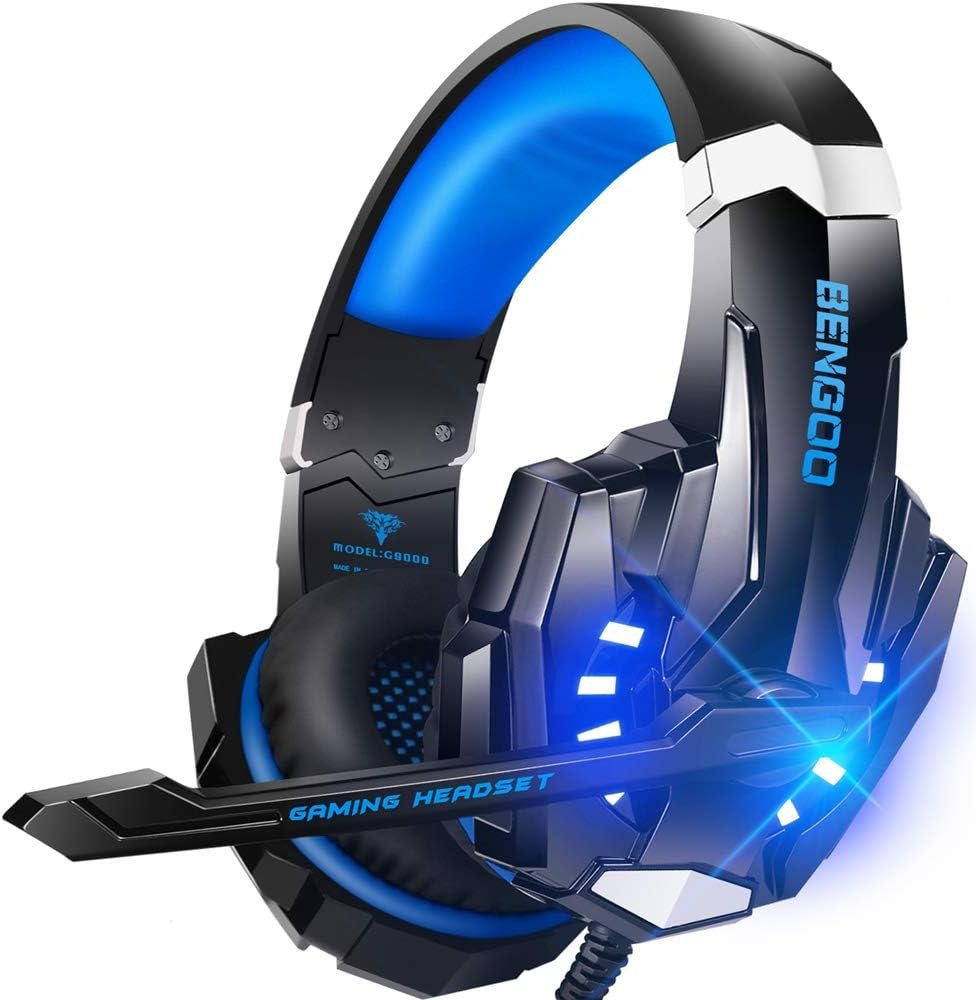
The 40mm magnetic neodymium drivers are intended to reproduce effects, dialogue, music, and directional cues. Driver size alone cannot tell you whether the sound will be warm, bright, bass-heavy, or detailed, so you should treat the specification as a component description rather than a guarantee. The claimed 7.1 surround sound and acoustic positioning are more difficult to judge from the supplied information.
Nothing provided establishes whether the surround effect is hardware-based, software-based, platform-dependent, or simulated virtual surround. That distinction matters on PC, where operating-system and game settings may alter the result, and on consoles, where available spatial-audio controls vary. Tournament-grade imaging should not be assumed from the label.
Use a familiar game to evaluate it. First listen with ordinary stereo, then test any spatial-audio setting available on your console or computer. Check whether footsteps remain distinguishable, whether explosions overpower dialogue, whether bass turns muddy, and whether positional cues stay consistent as you raise the volume. If two processing modes create echo or distortion, use only one.
Microphone performance and noise isolation
The integrated microphone is described as omnidirectional, flexible, and noise-cancelling. An omnidirectional microphone can pick up sound from several directions, which can help with natural speech but also means nearby keyboard clicks, controller noise, fans, or conversation may reach the mic. “Noise cancelling” should therefore be treated as a feature claim, not as evidence of studio-quality communication or active noise cancellation.
The long adjustable boom is useful in ordinary play. Position it close to the corner of your mouth, move it away when you are not speaking, and use the inline mute control when someone enters the room or a private conversation starts. Small adjustments can matter more than marketing language, particularly when teammates need to understand quick callouts.
Test it in three stages: record a short voice clip, join a party chat, and speak at your normal gaming volume. Ask whether your voice is clear and whether background sounds are excessive. The earcups’ passive isolation and the microphone’s noise reduction are separate things; one may work acceptably while the other remains limited.
Comfort, earcups, headband, and LED design
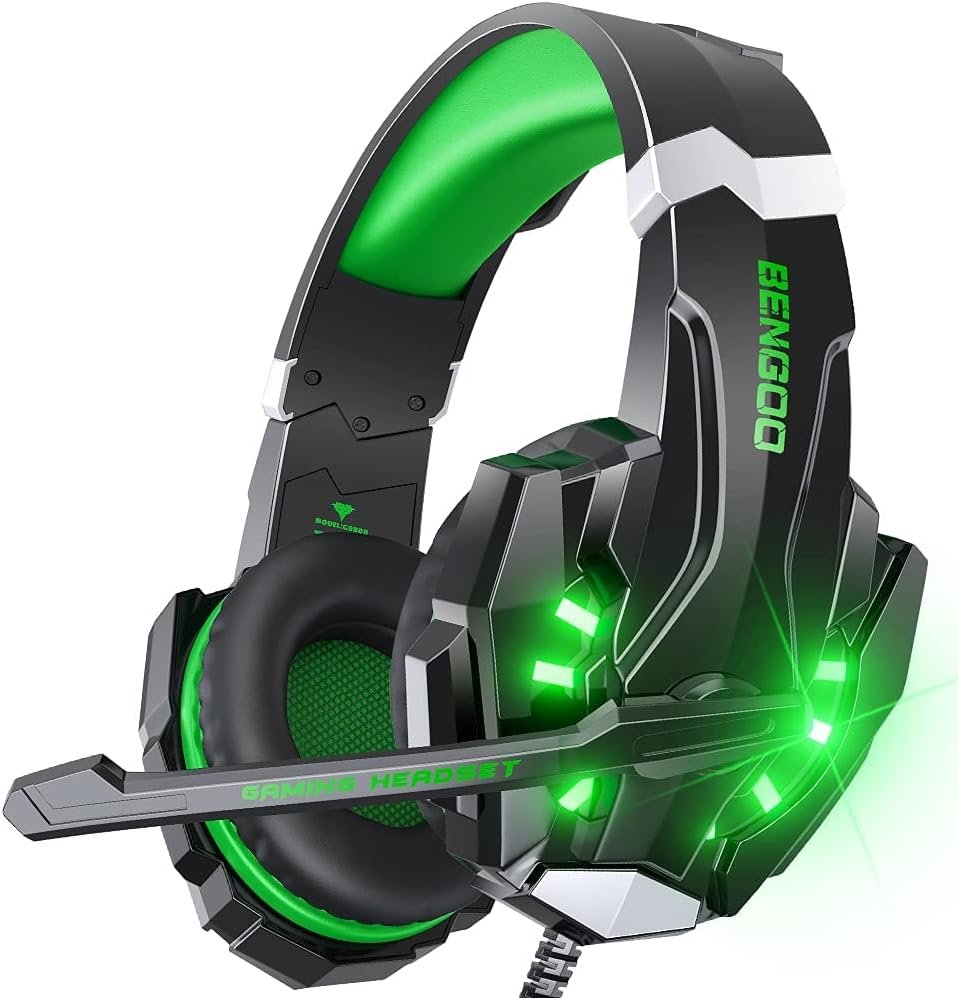
The comfort design uses protein-leather over-ear pads, stated air permeability, a multi-point headband, and skin-friendly leather material. Those choices are intended to spread pressure and provide a soft seal around the ears. They sound appropriate for casual sessions, but synthetic leather often has a familiar trade-off: it can feel comfortable at first and become warm later, especially in a poorly ventilated room.
During use, check clamp pressure, ear clearance, headband adjustment, balance, and the way glasses sit against the pads. Start with a 30-minute session. Adjust the headband before tightening or rearranging the cable, and stop if the pads create persistent pressure or heat rather than assuming discomfort will disappear.
LED earcup lighting is decoration, not an audio feature. The supplied information does not confirm whether it needs a separate USB connection or whether it can be disabled, so inspect the final documentation before relying on a dark-room setup. This is one of those small details that can turn a fun visual accent into an irritation.
Cable, inline controls, and setup
The 49-inch high-tensile braided USB cable is described as anti-winding. A fixed wired connection gives budget gamers two real benefits: there is no battery to charge and no wireless pairing process to troubleshoot. It can also provide predictable latency. The compromise is physical range; your seating position and the location of the connected device determine whether the cable feels convenient.
The rotary volume controller and one-button microphone mute are well chosen for in-game use. Before beginning a match, test both controls, confirm that the mute state is what you expect, and check that the volume is comfortable at the device level as well as on the inline control.
Because the description mentions USB cable control without fully spelling out the included connector arrangement, inspect which plug connects to your device and which connection powers the LEDs before ordering. Route the cable away from chair wheels, desk hinges, and sharp edges. That simple habit is more useful than assuming a braided cable is indestructible.
Compatibility with PS5, PS4, Xbox, PC, and mobile devices
The listed compatibility is unusually broad for a headset at this price: PlayStation and PlayStation 5, Xbox consoles, Xbox Series X|S, Xbox One, PC and laptops, Nintendo 3DS, PSP, tablets, iPad, computers, and mobile phones. That makes the BENGOO G9000 gaming headset attractive if several people in your household use different devices.
Compatibility does not mean identical behavior everywhere. Controller jack type, USB power, operating-system settings, and console audio menus can affect sound, microphone input, and LED operation. An older Xbox One controller also needs the separate Microsoft Adapter described in the product information, so check that requirement before ordering rather than discovering it when you are ready to play.
- Connect the headset to the controller or device using the appropriate included connection.
- On a PC, laptop, tablet, or phone, select the headset as the input and output device if the system does not do so automatically.
- Test game volume and chat volume separately where the platform allows it.
- Speak briefly and confirm that the microphone is not muted.
- Check the LED behavior and any spatial-audio setting before starting a longer session.
This remains a wired headset. It does not remove the need for a physical connection, and shoppers switching among multiple devices should verify the connector arrangement first.
What Customers Are Saying
A numerical customer-rating assessment cannot be made from the supplied product information because no displayed star rating, total review count, or review excerpts were provided. It would be misleading to write that many buyers praise the bass, criticize the cable, or report comfortable long sessions without actual review evidence.
That absence also means there is no reliable basis here for separating first-use impressions from ownership reports. For a headset, that distinction matters. A product may sound acceptable on day one and later receive complaints about cable wear, peeling synthetic leather, loose connections, or microphone failure. Conversely, an inexpensive model may satisfy casual users for years when handled carefully.
When you inspect the live listing, sort through repeated comments rather than one dramatic review. Prioritize verified-buyer feedback that describes several weeks or months of use, then match the comments to your own device and habits. Look specifically for recurring observations about clarity and bass, microphone intelligibility, heat, ease of use, compatibility, cable durability, LED appeal, and value. Low cost can explain simpler materials; it cannot excuse unreliable chat or a connection that fails in ordinary use.
Who should buy the BENGOO G9000 gaming headset?
The BENGOO G9000 gaming headset makes the most sense for an entry-level or casual gamer who wants a low-cost wired model with an attached microphone, over-ear pads, inline controls, and broad stated compatibility. It could suit a family gaming station, a secondary setup, or an occasional multiplayer player who does not want to charge a wireless headset.
The LED lighting may appeal if your desk has a deliberately themed look, but it should not decide the purchase when audio and communication are the priorities. The more useful question is whether you can accept a basic wired design and spend a little time checking the connection, controls, and comfort.
PC users deserve extra caution. Any surround processing may depend on operating-system settings, game support, and the functions provided by the connection, and the supplied information does not document a dedicated software package. If you need wireless freedom, active noise cancellation, detachable cables, premium construction, platform-specific software, or a documented high-end surround implementation, compare other models.
Your decision path is simple: choose this headset when the lowest upfront cost and multi-platform wired use come first. Compare alternatives when long-session comfort, durability, microphone refinement, or advanced audio controls matter more than saving money.
How the BENGOO G9000 compares with alternatives
The BENGOO G9000 sits at the inexpensive end of the wired gaming-headset category. Logitech G432 and HyperX Cloud Stinger are recognizable alternatives for shoppers willing to consider a higher price tier, but current competitor prices and complete specifications were not supplied here, so they should be checked on the live listings before publication or purchase.
| Priority | BENGOO G9000 | Logitech G432 | HyperX Cloud Stinger 2 |
|---|---|---|---|
| Upfront cost | Lowest listed price in this review | Typically positioned above entry level; verify current price | Typically positioned above basic budget models; verify current price |
| Connection | Wired; connector arrangement should be confirmed | Wired; check current package details | Wired; check current package details |
| Microphone | Integrated flexible omnidirectional mic | Compare microphone behavior and controls on the current model | Compare microphone behavior and comfort design on the current model |
| Lighting | LED earcups | Not the main stated appeal | Not the main stated appeal |
| Comfort materials | Protein-leather over-ear pads | Compare current padding and headband construction | Compare current padding and headband construction |
The comparison is less about declaring a universal winner than identifying the compromise. Choosing the least expensive model may give you the needed microphone and console versatility, but you may give up software access, more refined controls, more established long-term ownership evidence, or a comfort design better suited to extended sessions. Check those priorities before treating the lowest price as the best value.
Price, availability, and overall value
BENGOO G9000 gaming headset: reasonable value at $19.99 if your needs are basic and wired. The current listing shows $19.99, reduced from $29.99, with availability marked In Stock. For that price, you receive a wired over-ear headset, integrated microphone, LED earcups, inline volume and mute controls, soft memory-style ear padding, and stated multi-platform support.
The value depends on use rather than feature count. It is a good purchase if the microphone communicates clearly, the fit remains comfortable, and the cable tolerates ordinary handling. A long feature list does not rescue a headset that makes teammates ask you to repeat yourself or that becomes painful halfway through a session.
Before ordering, confirm the intended device connection, check whether your older Xbox One controller needs the separate adapter, review recent customer comments, and decide whether a physical cable fits your setup. If those conditions are acceptable, this is a sensible low-cost starting point. If you want wireless convenience, premium materials, detachable parts, or advanced spatial-audio controls, the extra cost of an alternative may be easier to justify.
Pros and Cons
Pros
- Low $19.99 sale price with a stated $29.99 original price.
- Broad listed compatibility spanning PlayStation, Xbox, PC, Nintendo, mobile, and tablet devices.
- Integrated flexible microphone with inline mute control.
- Over-ear protein-leather pads, adjustable headband, LED earcups, and rotary volume control.
- Wired operation avoids battery charging and wireless pairing.
Cons
- The 7.1 surround-sound, acoustic-positioning, and noise-cancelling claims are not independently measured in the supplied information.
- The wired connection limits seating flexibility, and the 49-inch cable may not suit every setup.
- An additional Microsoft Adapter is required for an older Xbox One controller and is not included.
- The product information does not confirm whether the LED lighting can be disabled or exactly how every connector and adapter is arranged.
- No numerical customer rating, review count, or verified long-term ownership pattern was supplied for this assessment.
Final Verdict
Key Takeaways
- At $19.99, the BENGOO G9000 is aimed at entry-level and casual gamers who want a wired headset with a microphone and broad stated platform support.
- The 40mm neodymium drivers, claimed 7.1 surround sound, and noise-isolating microphone may cover ordinary gaming needs, but the supplied information does not independently verify those performance claims.
- Protein-leather over-ear pads, LED earcups, inline volume control, and microphone mute add useful convenience, while the fixed cable and unclear connector arrangement require attention before purchase.
- The headset is most convincing as an inexpensive secondary or family gaming headset, not as a substitute for a premium wireless or software-enabled model.
Frequently Asked Questions
Does the BENGOO G9000 work with PS4 and PS5?
Yes, the listed compatibility includes PS4 and PS5, but the exact audio, microphone, and lighting behavior can depend on the controller connection and console settings. This is a wired headset, so you must connect it physically to the relevant device or controller.
Can you use the BENGOO G9000 with Xbox One?
The product description lists Xbox One and Xbox Series X|S support. However, an additional Microsoft Adapter is required when using an older Xbox One controller, and that adapter is not included.
Is the claimed 7.1 surround sound genuine surround sound?
The headset uses claimed 7.1 surround sound and acoustic positioning, but the supplied information does not establish whether the effect is hardware-based, software-based, platform-dependent, or simulated virtual surround. Test it with your game and avoid stacking multiple spatial-audio modes if the result sounds echoey or distorted.
Who should buy this gaming headset?
It can be a sensible choice if your priorities are a low purchase price, a wired connection, an integrated microphone, and stated support for several consoles and mobile devices. It is less suitable if you need wireless freedom, detachable cables, premium materials, active noise cancellation, or documented high-end spatial-audio software.
Disclosure: As an Amazon Associate, I earn from qualifying purchases.