

Pulsar Gaming Gears Xlite Wired Gaming Mouse: Product Overview
A mouse can have an impressive sensor and still feel wrong by the end of a long match. The Pulsar Xlite wired mouse takes a more specific position: it is a light, right-handed, medium-sized palm-oriented design for people who want quick repositioning without giving up a solid outer shell. At the listed $49.95 price, it looks like a serious alternative to both heavier budget wired mice and much more expensive wireless models.
The central question is not whether the headline specifications sound fast. They do. The question is whether you value low-effort movement and a focused ergonomic shape more than wireless freedom, a broader range of hand fits, or extra onboard features. In 2026, the Xlite is worth considering when your priorities are competitive FPS control, a cable connection, and a right-hand shape—not when you want one mouse to suit every user.
The white finish, wired format, palm-grip orientation, and medium sizing make the product easy to understand, but they also narrow its audience. You should approach it as a purpose-built gaming mouse rather than a universal office peripheral. The perforation-free exterior may appeal if you dislike dust entering a honeycomb shell, while the optical switches and software aim at users who want more control than a conventional basic mouse provides.

Pulsar Xlite Wired Mouse Specifications at a Glance
The table below gathers the specifications supplied for the Pulsar Xlite wired mouse. Large numbers describe the sensor’s ceiling, not the sensitivity you should automatically use. Most players will choose a much lower DPI and tune their game sensitivity around control, screen size, and personal preference.
| Specification | Stated detail | What it means in use |
|---|---|---|
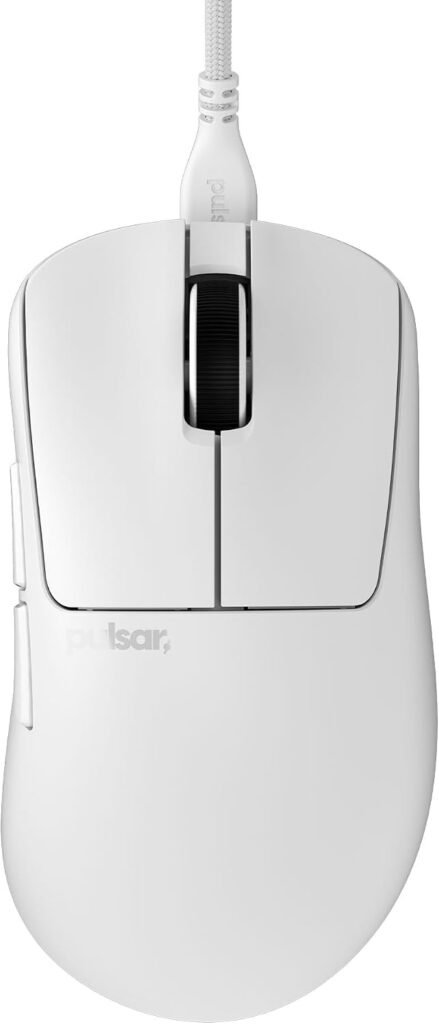
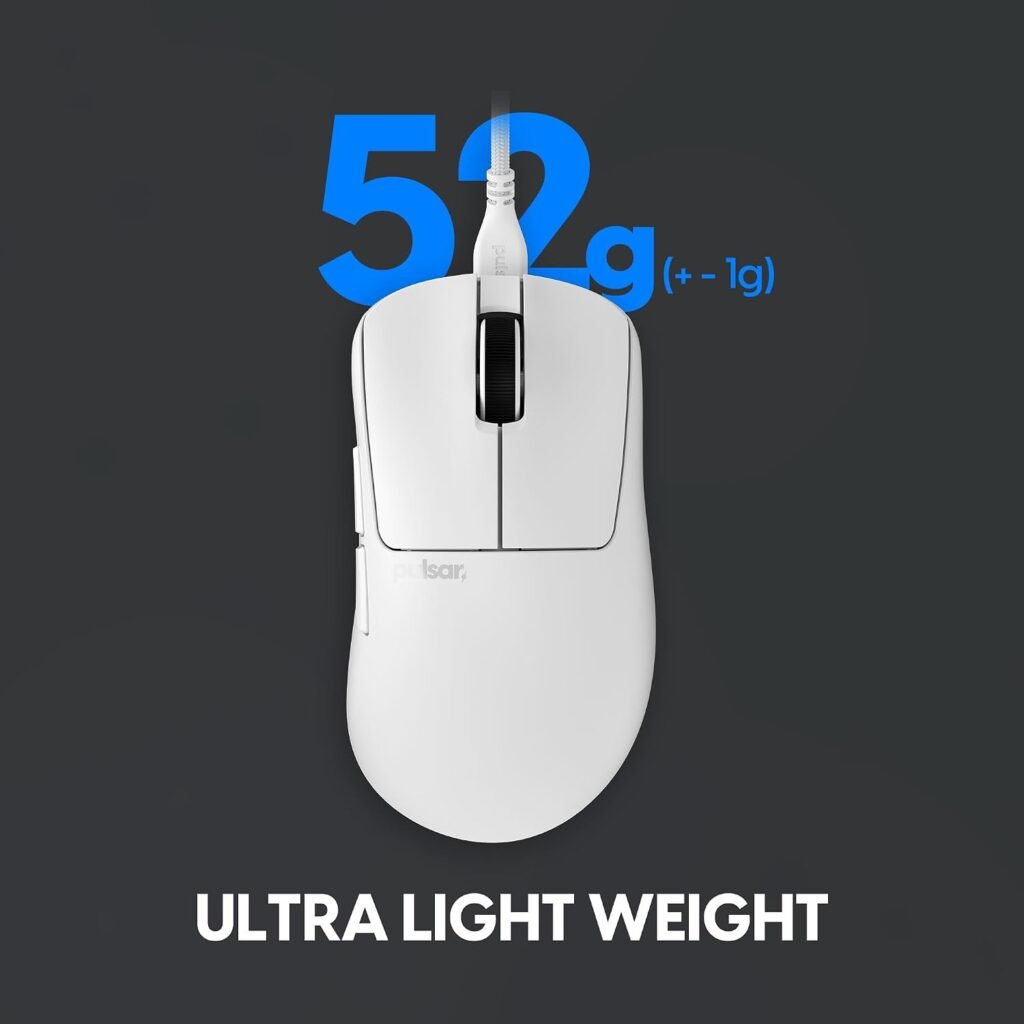
| Weight | 1.83 oz (52g) | Less effort when lifting and repositioning the mouse. |
| Size and orientation | Medium; right-hand ergonomic | Designed around a particular hand position rather than ambidextrous use. |
| Connection and finish | Wired; white | No battery charging, but the cable remains part of your setup. |
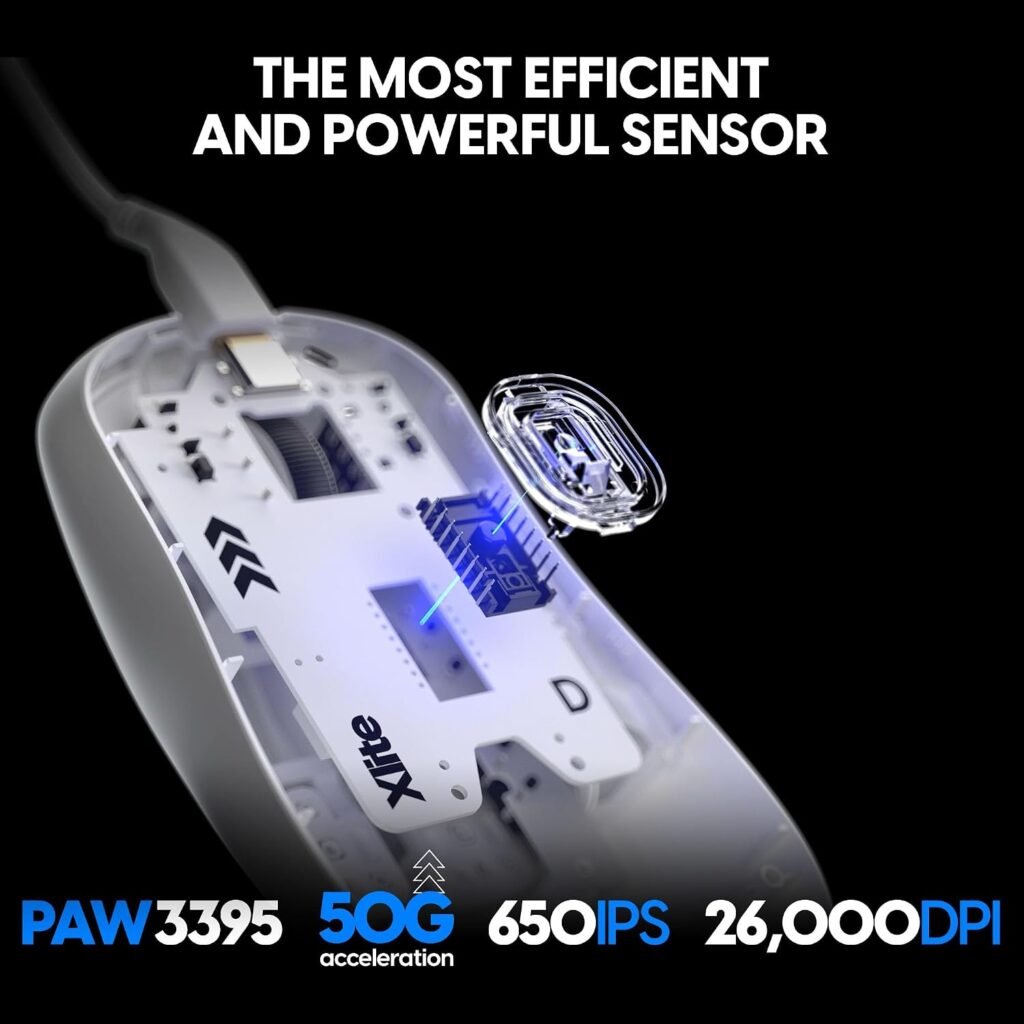
| Sensor | PixArt PAW3395 with Motion Sync | A modern optical tracking platform with alignment features for USB reporting. |
| Maximum DPI | 26,000, programmable | Provides a broad sensitivity range, although the maximum is unnecessary for most users. |
| Tracking speed | 650 IPS | Indicates how quickly the sensor is specified to track movement. |
| Acceleration | 50g | High stated movement tolerance, well beyond ordinary desktop motion. |
| Polling and response | 1,000Hz; stated 1ms interval | The mouse reports frequently enough for the standard 1,000Hz gaming setting. |
| Price and availability | $49.95; in stock | Current listing position supplied for this review; price and stock can change. |
The combination is unusually strong on paper for this category. Before purchase, verify the exact dimensions, cable length, button count, operating-system compatibility, warranty terms, and included accessories; those details were not supplied in the product information.
Pulsar Xlite Wired Mouse Design, Shape, and Comfort
The physical appeal of the Pulsar Xlite wired mouse is that it tries to remove mass without making you hold a visibly skeletal object. Its shell is perforation-free, and the manufacturer describes increased rigidity. That distinction matters: a stiff body can feel more deliberate under the hand, keep the main buttons from seeming flimsy, and preserve a consistent platform during rapid swipes.
The shape is aimed most clearly at palm users and long sessions. Your hand has a defined place to rest rather than hovering over a low, flat shell, and the right-side ergonomic contour should offer more support than an ambidextrous body. Still, “ergonomic” is not the same as universally comfortable. A medium shell may leave a larger hand wanting more rear support, while a smaller hand may struggle to reach side controls without changing grip.
Fingertip and claw users deserve extra caution. Those grips depend more on front-end access, side control, and the ability to make fine movements with less palm contact. Compare the width and rear contour of your current mouse, then check whether your ring and pinky fingers rest naturally instead of squeezing the sides. If your hand relaxes only when the shell fills the back of your palm, the intended design is probably closer to your needs.
The rigid exterior is also practical for anyone who dislikes the feel or maintenance concerns of honeycomb mice. Its success, though, depends on the actual contour and button placement, details that a specification sheet cannot settle. A return-friendly seller is useful here because comfort is a physical judgment, not a promise made by a product description.

Pulsar Xlite Wired Mouse PAW3395 Sensor and Motion Sync Performance
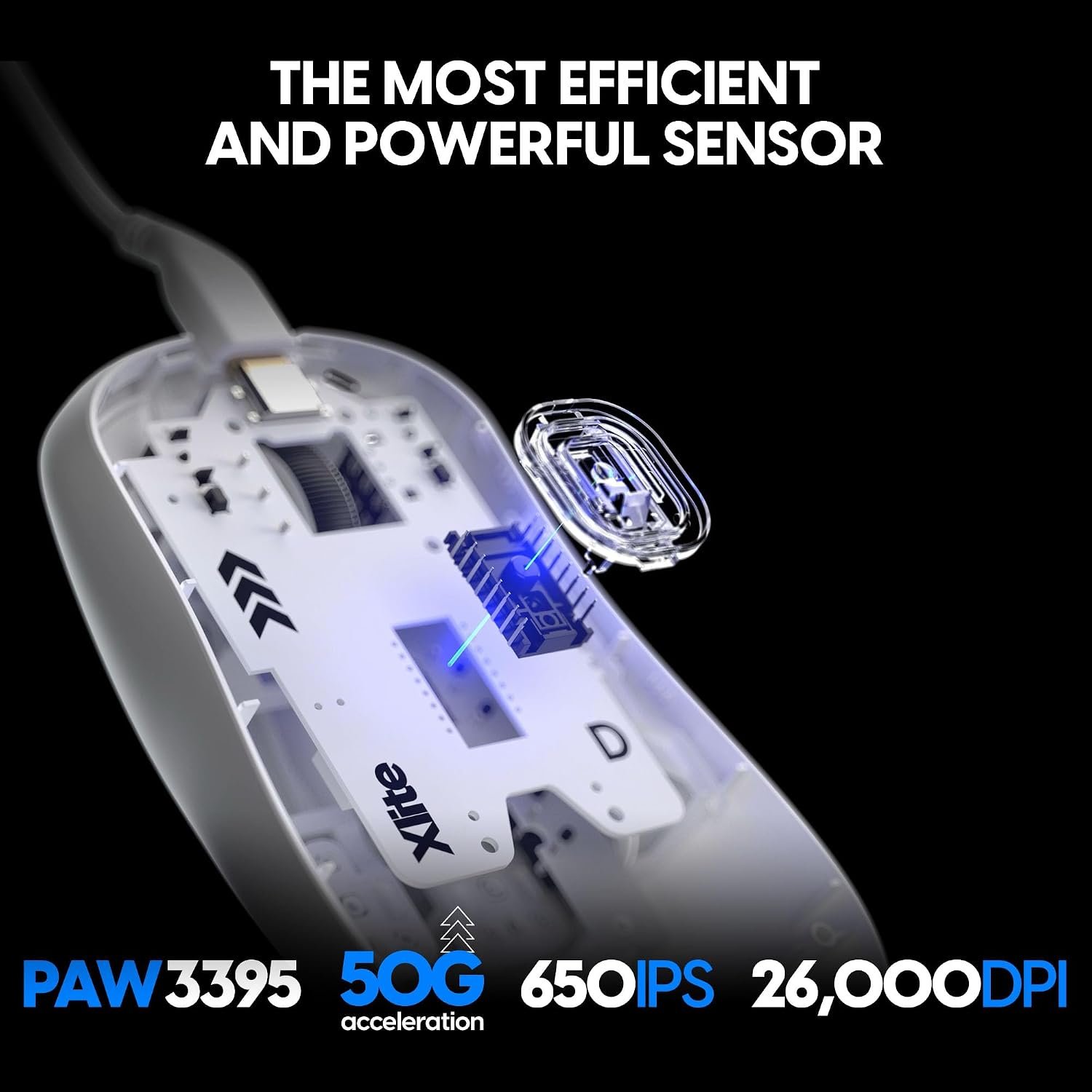
The PixArt PAW3395 is the technical center of the Pulsar Xlite wired mouse. Motion Sync is intended to align sensor data with the USB polling cycle, which can help cursor reports arrive in a more consistent rhythm. The product is also specified for IPS tracking, 50g acceleration, programmable sensitivity up to 26,000 DPI, and 1,000Hz polling with a stated 1ms interval.
Those figures provide plenty of headroom for low-sensitivity FPS play, fast 180-degree turns, high-refresh-rate displays, and ordinary desktop work. They don’t automatically improve aim. A large mouse pad, stable USB connection, suitable game sensitivity, good surface quality, and predictable lift-off behavior can matter more than selecting an extreme DPI number.
Set it up methodically:
- Install the manufacturer’s mouse software and confirm that the device is recognised.
- Choose a sensible DPI that lets you control both small adjustments and broad turns.
- Adjust in-game sensitivity rather than changing several variables at once.
- Disable unnecessary acceleration if you want repeatable hand movement.
- Test tracking in a practice range, then change only one setting at a time.
There is a clear limit to what can be confirmed from the supplied information. No independent sensor test, measured latency result, lift-off-distance figure, or polling-consistency test is provided. Treat the performance numbers as manufacturer specifications, not as a substitute for laboratory measurements or your own practice-range testing.
Optical Switches, Encoder, and Day-to-Day Controls
The Speed of Light optical switches are designed to reduce unintended double clicks while keeping actuation quick. Optical switching is attractive if you play games that demand repeated, deliberate inputs or if you are wary of the wear pattern associated with some conventional mechanical switches. It would be too strong to call double-click trouble impossible, however; switch design reduces a risk but cannot guarantee flawless behavior for every unit over its entire life.
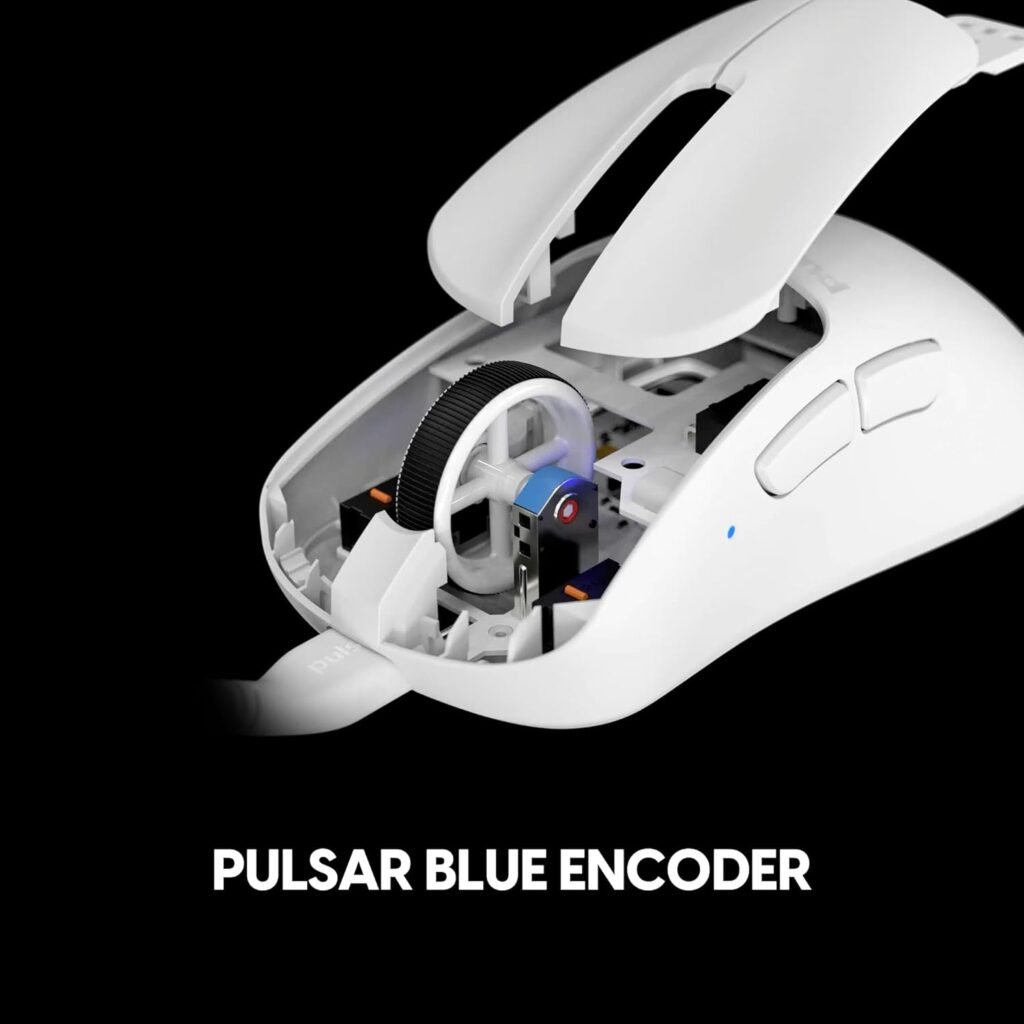
The Pulsar Blue Encoder is a separate part of the control experience. Its stated purpose is to provide tactile wheel rotation inside a dust-proof structure. In daily use, you should judge whether each scroll step is distinct without being harsh, whether the wheel remains comfortable during browsing, and whether rapid scrolling produces accidental inputs.
Pay attention to the less glamorous details during testing: click crispness, required force, button wobble, side-button reach, accidental activations, and the wheel’s behavior in both a browser and a game. The product data does not state switch lifespan, click-force measurements, button count, cable material, or whether the wheel has lighting, so none of those should be assumed.
Test every available button in the software and then in a game. After that, try the debounce setting at its default or a conservative level before experimenting with the stated 2ms minimum. If fast clicking produces unwanted double inputs, raise the setting and retest rather than treating the lowest number as automatically superior.
Pulsar Xlite Wired Mouse Software Customization and Wired Connectivity
The included software gives the Pulsar Xlite wired mouse more flexibility than a basic plug-and-play model. You can reassign keys, create macros, change DPI stages, and control debounce time as low as 2ms. That is enough for practical tailoring without requiring a complicated setup: a side button can handle push-to-talk, while separate sensitivity stages can distinguish browsing from aiming.
A simple profile is usually the better starting point. Save one baseline configuration, assign only the controls you genuinely use, and resist building several overlapping DPI stages before you know what feels natural. Lower debounce settings may appeal to users chasing rapid clicks, but a slightly more conservative setting is sensible if accidental double inputs appear.
The wired connection has an uncomplicated advantage: there is no battery to charge and no wireless mode to troubleshoot. The trade-off is physical. A cable can pull during a low-sensitivity swipe, catch on a monitor stand, or add visual clutter, so route it toward the rear of the desk and consider a mouse bungee if the cable repeatedly reaches its limit.
On first setup, download software only from the manufacturer’s official support page, confirm recognition, accept a firmware update if one is offered, and save the baseline profile before making changes. Check profile persistence, macro controls, DPI-indicator behavior, and whether settings remain active after closing the software. The supplied data does not confirm those behaviors, so they deserve hands-on verification rather than assumption.
What Customers Are Saying About the Pulsar Xlite Wired Mouse
A responsible customer-feedback summary has to begin with what is missing: the supplied product data includes no verified star rating or review count. That means you should not treat claims about comfort, durability, or reliability as a statistically established customer pattern in this review. A live listing should be checked for the current rating, number of reviews, and the dates of detailed ownership reports before you place an order.
When that record is available, give more weight to repeated comments that describe actual use over several weeks or months. Look for consistent observations about palm comfort, low-effort movement, shell solidity, click feel, scroll-wheel tactility, sensor tracking, cable drag, software usability, and long-term reliability. One-line praise can confirm enthusiasm; it cannot establish durability.
Pay particular attention to whether complaints cluster around medium-size fit, button placement, coating, cable behavior, software recognition, or quality control. Reports from palm users are especially relevant because that is the design’s stated priority. Conversely, comments from unusually small or large hands may explain a fit problem without proving that every unit has a shape defect.
At publication time, there is not enough supplied evidence to confirm or reject the claims about rigid construction, reduced double clicks, firmware stability, switch longevity, or encoder performance after extended ownership. This is a limitation, not a hidden positive. Read the newest detailed reviews, separate early impressions from months-long reports, and use the return policy as protection against an individual unit that arrives with inconsistent clicks or tracking.

Pulsar Xlite Wired Mouse Compared With Alternatives
Comparison is most useful when it clarifies priorities rather than declaring a universal winner. The Pulsar Xlite wired mouse is aimed at a buyer who specifically wants a very light wired design, a right-hand palm-focused shape, optical switches, and a $49.95 entry price. The Logitech G Pro X Superlight and Razer Viper V3 Pro are relevant alternatives for shoppers who may put wireless use or a different shape ahead of those priorities.
| Buying consideration | Pulsar Gaming Gears Xlite | Logitech G Pro X Superlight 2 | Razer Viper V3 Pro |
|---|---|---|---|
| Connection | Wired | Verify current listing | Verify current listing |
| Orientation and shape | Right-handed, medium, ergonomic | Verify current shape | Verify current shape |
| Weight | 52g stated | Verify current specification | Verify current specification |
| Sensor claims | PAW3395, Motion Sync, IPS | Verify current sensor claims | Verify current sensor claims |
| Switch technology | Optical switches | Verify current switch type | Verify current switch type |
| Software controls | Keys, macros, DPI, debounce | Verify current controls | Verify current controls |
| Grip suitability | Most clearly palm-oriented | Depends on your hand and grip | Depends on your hand and grip |
| Purchase price | $49.95 listed | Check current listing | Check current listing |
Against a conventional budget wired mouse, the Pulsar’s case rests on its lighter shell, higher-tier sensor platform, optical switching, encoder design, and customization. Whether those justify paying more depends on how much you notice movement effort and click consistency. Verify the Logitech and Razer specifications and prices separately; they may suit you better if wireless convenience or their particular shapes matters more than cable-free simplicity.
Who Should Buy the Pulsar Gaming Gears Xlite Wired Gaming Mouse?
You should start with the Pulsar Xlite wired mouse if you are right-handed, use a palm grip, and want a light pointer for competitive FPS play without managing a battery. The sensor headroom, optical switches, 1,000Hz polling specification, and low-mass shell all support a style built around consistent movement and frequent repositioning. The cable is acceptable if your desk has enough room for it to move freely.
It can also work for everyday desktop use. A light pointing device can feel pleasant across documents, browsers, and creative applications, while programmable buttons may reduce repeated keyboard trips. You do not need to be an esports player to appreciate those traits, though a casual user may not notice a dramatic difference between this sensor platform and a cheaper wired mouse.
You should be cautious if you are left-handed, need a very small or very large body, want wireless convenience, or rely on many buttons for MMO commands and productivity macros. The supplied information presents a focused control layout, not an MMO-style array, and it does not provide exact dimensions for a more precise fit judgment.
Use this short decision process: identify your grip, compare the rear contour and width with your current mouse, check whether your desk can accommodate cable routing, confirm software support for your operating system, and decide whether the $49.95 budget is justified by a specialized design. If those answers line up, the Xlite is a sensible candidate. If they don’t, a more neutral or wireless shape is likely safer.
Price, Value, and Buying Advice in 2026
At $49.95, the Pulsar Xlite wired mouse offers an unusually ambitious set of core hardware: a light construction, PAW3395 sensor, Motion Sync, optical switches, tactile encoder, software customization, programmable sensitivity up to 26,000 DPI, and a 1,000Hz polling specification. That is a strong value proposition if you will actually benefit from the ergonomic shape and low-effort movement.
The value is less obvious for casual use. If you browse, write, and play occasionally at ordinary sensitivity, a cheaper wired mouse may already provide accurate enough tracking. You are paying here for a more specialized shell and control platform, not merely for a pointer that moves across a screen.
Wired operation also keeps ownership simpler because there is no battery replacement or charging routine. That saving has a daily cost if the cable drags or catches, so your desk layout should be part of the price calculation. The listing is currently marked in stock, but both availability and price can change.
Before ordering, work through this checklist:
- Confirm the current seller, return policy, rating, and review count.
- Verify software support, firmware instructions, dimensions, cable details, warranty, and accessories.
- Inspect the shell, cable, and buttons as soon as the mouse arrives.
- Test tracking, scroll steps, clicks, side buttons, and debounce behavior immediately.
- Keep the packaging until you are satisfied that the shape and controls suit you.
The balanced conclusion for is straightforward: this is strong lightweight hardware at $49.95, provided you accept a wired connection and a right-handed medium form.
Pros and Cons
Pros
- Very light perforation-free construction without the open honeycomb exterior some users dislike.
- PAW3395 sensor with Motion Sync, IPS speed, 50g acceleration, programmable DPI up to 26,000, and a stated 1,000Hz/1ms polling specification.
- Optical switches designed to reduce unintended double clicks, paired with a tactile Pulsar Blue Encoder.
- Software supports key reassignment, macros, DPI adjustment, and debounce control down to 2ms.
- Listed at $49.95, making the feature set unusually ambitious for a wired mouse in this price range.
Cons
- The wired connection limits desk freedom compared with wireless alternatives.
- The medium, right-handed shape may not suit left-handed users or unusually small or large hands.
- The supplied product data does not confirm exact dimensions, cable length, button count, compatibility, warranty, accessories, or long-term switch durability.
- Maximum DPI and sensor headroom may offer little practical benefit for casual players using ordinary sensitivity settings.
- A full customer-rating and review-count record was not supplied, so long-term reliability cannot be independently judged here.
Final Verdict
Key Takeaways
- The Pulsar Gaming Gears Xlite combines a very light perforation-free shell with a PAW3395 sensor and optical switches at a listed $49.95 price.
- Its strongest match is a right-handed palm-grip player who wants wired reliability and a medium ergonomic shape.
- The sensor specifications provide substantial headroom, but most buyers will benefit more from careful sensitivity and surface setup than from maximum DPI.
- The main compromises are the fixed wired connection, limited supplied information about fit and durability, and the absence of a provided customer-rating record.
Frequently Asked Questions
Is the Pulsar Xlite wired mouse worth buying?
Yes, if you want a lightweight, right-handed, palm-oriented mouse and don’t mind using a cable. Its PAW3395 sensor, optical switches, 1,000Hz polling specification, and software controls are strong for the price. It is less suitable if wireless freedom, left-handed use, or a large collection of buttons matters more.
What grip and hand size suit the Pulsar Xlite?
The product data identifies the mouse as a medium-sized, right-handed ergonomic model focused on palm grips. That makes it a clearer match for medium-hand palm users than for left-handed users or shoppers who prefer a small fingertip mouse. Compare the shape with your current mouse before ordering.
Should you use 26,000 DPI on this mouse?
The stated sensor capability is far beyond what most players need. A sensible starting point is a moderate DPI setting, followed by adjustment of in-game sensitivity. Tracking consistency, lift-off behavior, surface quality, and comfortable control usually matter more than selecting the highest available DPI.
Can the optical switches eliminate double-click problems?
The listing says the software can adjust debounce time down to 2ms, but it does not provide a measured latency result or a guaranteed switch lifespan. Lower debounce settings may suit fast clickers, while a more conservative setting can help if accidental double inputs occur.
Disclosure: As an Amazon Associate, I earn from qualifying purchases.
