

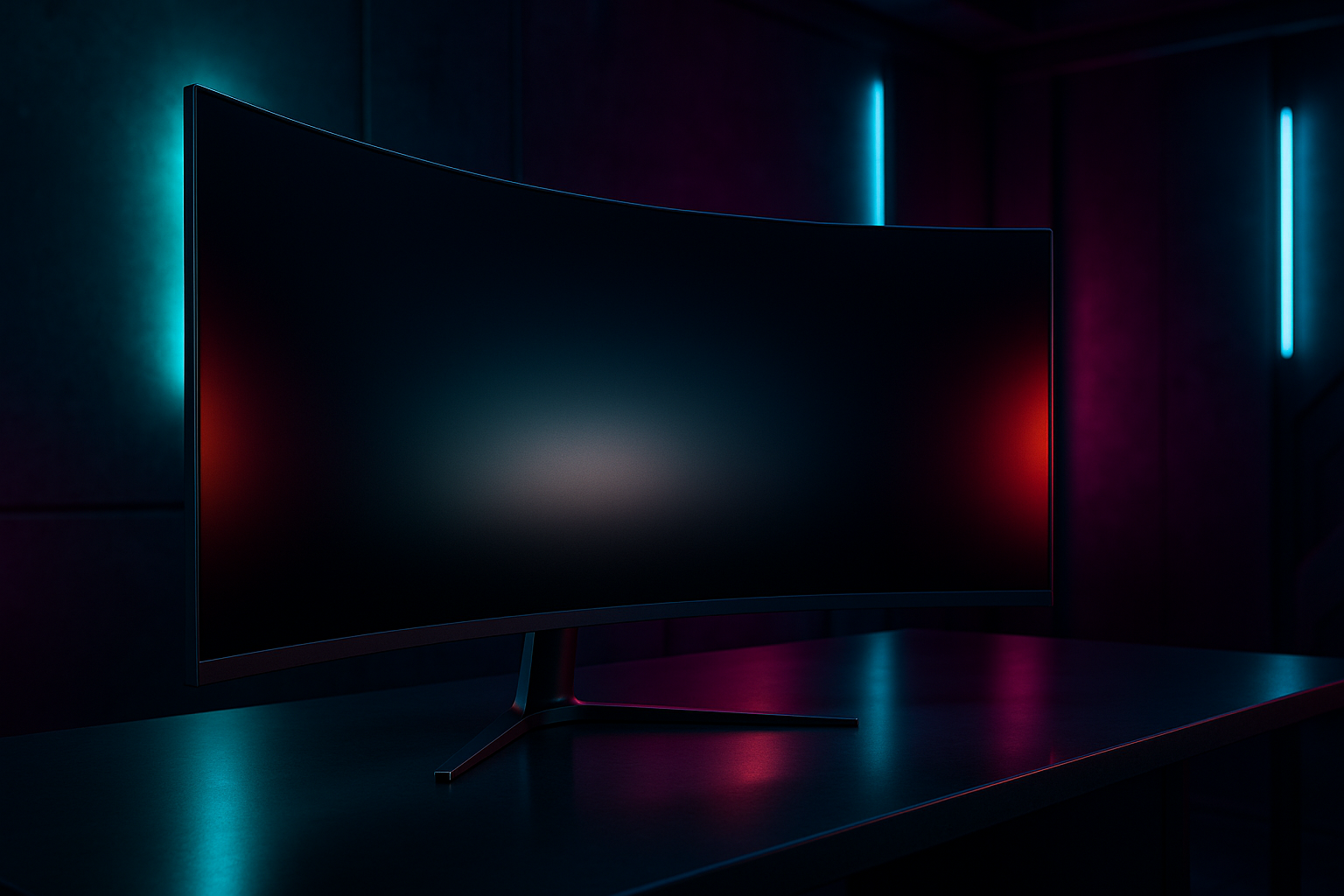
LG 45GX950A-B Review: Product Overview and Quick Take
A 45-inch OLED monitor priced at $1,279.99 has to do more than look impressive on a desk. The central question in this LG 45GX950A-B review is whether its 5K2K workspace and gaming flexibility justify choosing it over a smaller 4K OLED display. For the right buyer, the answer is yes: this is an unusually wide screen for cinematic games, serious desktop work, and fast competitive play.
The LG 45GX950A-B is a curved 21:9 OLED gaming monitor with a x resolution, a 165Hz refresh rate, and an advertised 0.03ms GtG response time. Its defining feature is Dual Mode. You can use the detailed native mode for visually rich games and productivity, then switch to WFHD at up to 330Hz when responsiveness matters more than resolution.
The listed price is currently $1,279.99, down from $1,999.99, and the product is shown as in stock. That sale position makes the monitor more compelling in 2026, although you should treat the reduction as current listing information rather than a permanent price promise.
This is not a sensible choice for every desk or every graphics card. It is a premium all-purpose display aimed at someone who wants one large OLED for immersive gaming, esports responsiveness, and demanding multitasking.

Key Specifications at a Glance
The figures below are the manufacturer-stated specifications. They describe what the display is designed to provide; they do not, by themselves, prove how bright it will look in your room or how clean text will appear in every operating system.
| Specification | Stated detail |
|---|---|
| Screen and panel | 45-inch curved OLED |
| Resolution and aspect ratio | 5120 x 2160, 21:9 |
| Pixel density and curve | 125 PPI, 800R |
| Refresh modes | 165Hz at 5K2K; 330Hz at WFHD |
| Peak brightness | Up to nits |
| Colour and contrast | Up to 98.5% DCI-P3; 1.5M:1 contrast ratio |
| HDR | DisplayHDR True Black 400 |
| Connections | DisplayPort 2.1, two HDMI 2.1 ports, USB Type-C |
| USB-C power delivery | Up to 90W |
| Sync support | NVIDIA G-SYNC compatible and AMD FreeSync Premium Pro |
Those specifications position the LG as a hybrid display rather than a conventional office monitor with gaming added as an afterthought. The native resolution is unusually high for an ultrawide, while the alternative refresh mode gives competitive players an option that a standard 4K screen may not offer.
5K2K OLED Image Quality and Text Clarity
The 5K2K panel places 11,059,200 pixels across the screen. Compared with a conventional 4K display, you gain substantial horizontal room without giving up the vertical detail that makes documents, timelines, and large application interfaces comfortable to use. That balance is the practical reason to choose 21:9 rather than simply stretching a lower-resolution ultrawide.
The stated PPI density should make text and fine interface elements look considerably more defined than they do on many large, lower-resolution ultrawide panels. LG also describes an updated subpixel layout intended to reduce the colour fringing that some OLED screens can show around text. This is encouraging, but text rendering remains sensitive to scaling, font choice, operating system, and application, so your own workflow matters more than the marketing sentence.
OLED’s appeal is easier to understand in a dark game: pixels can produce deep blacks without the grey lift associated with many backlit LCDs. The listed 1.5M:1 contrast ratio, up to 1300-nit peak brightness, 98.5% DCI-P3 coverage, and DisplayHDR True Black certification point toward strong contrast and saturated colour, especially in scenes with small bright highlights against dark surroundings.
For setup, select the native resolution first, then check operating-system scaling rather than assuming the default is ideal. Open the applications you use most, read ordinary text, and inspect thin lines before deciding whether the layout works for you. For games, remember that 5K2K is demanding: a powerful GPU may be needed to approach the panel’s maximum refresh rate, particularly in demanding new releases.
LG 45GX950A-B Review: Dual Mode at 165Hz or 330Hz
Dual Mode is the feature that gives this monitor its unusual personality. At the native setting, you get the detailed 5K2K image and the broad desktop area. At the faster setting, the display switches to WFHD and can reach 330Hz. Those are not two minor presets; they serve different kinds of play.
Use the high-resolution mode for visually rich RPGs, simulations, open-world adventures, and games where scenery, readable interfaces, and distant detail contribute to the experience. If you spend most of your time in a competitive FPS, MOBA, or racing title, the higher-refresh setting may make more sense, provided your computer can actually deliver the required frame rates.
The compromise is straightforward. WFHD is much less sharp than the native mode, so the 330Hz setting prioritises motion responsiveness over workspace and fine detail. A higher refresh ceiling cannot create extra frames when the graphics card is already struggling, and it won’t make every game feel dramatically different if your frame rate remains modest.
- Assign the monitor’s mode hotkey to a convenient keyboard key or control.
- Switch modes before launching a serious competitive session, then confirm the resolution and refresh rate in the operating system.
- Check the game’s own display menu, because some titles retain an old resolution after the monitor changes mode.
- Compare the mode using a game you know well rather than relying on a specification alone.
This flexibility is genuinely useful if your library ranges from cinematic single-player games to competitive matches. It is less valuable if you will use only one mode.
OLED Gaming Performance, HDR, and Sync
The advertised 0.03ms GtG response time is one of the monitor’s strongest gaming claims. OLED pixels can transition very quickly, which should reduce the trailing and smearing that can distract you during rapid camera movement. The number is measured under stated conditions, though, so perceived motion still depends on refresh rate, frame pacing, game settings, and the performance of your computer.
Variable-refresh support is intended to keep the display in step with fluctuating frame output. NVIDIA G-SYNC compatibility targets compatible GeForce systems, while AMD FreeSync Premium Pro is aimed at compatible Radeon hardware. These features are designed to reduce tearing and stutter, but they need to be enabled and configured correctly rather than assumed to work automatically.
For a sensible test, activate the relevant variable-refresh setting in your graphics software, then enable it in a compatible game. Cap the frame rate slightly below the display’s maximum for the selected mode and compare a busy scene with the feature on and off. If you are evaluating HDR, compare the same scene in HDR and SDR, paying attention to shadow detail, small highlights, and whether the room’s ambient light changes your impression.
HDR performance needs realistic expectations. The up-to-1300-nit figure refers to peak highlights, not necessarily sustained full-screen brightness. OLED black levels and wide-gamut colour can make HDR look dramatic even when a bright scene does not remain at peak luminance across the entire panel.
The 800R curve is equally central to the experience. On a 45-inch screen it can draw the edges into your peripheral vision and make games feel enveloping. If you normally use a flat display or a mild curve, however, the effect may initially feel conspicuous rather than natural.
Connectivity, USB-C Power Delivery, and Desk Setup
DisplayPort 2.1 is the natural connection for a compatible gaming PC because it is intended to carry high-resolution, high-refresh signals. The two HDMI 2.1 inputs make the monitor more practical for current consoles and secondary devices, so you do not have to keep swapping one cable whenever you change source.
USB Type-C adds a different kind of convenience. With up to 90W power delivery, a compatible laptop can potentially receive charging and display output over one cable. That depends on the laptop supporting video over USB-C and accepting the available charging power; the port should not be treated as a universal charging solution for every notebook.
- Use DisplayPort 2.1 for a gaming PC when both the graphics card and cable support the required signal.
- Connect a console or secondary video source through HDMI 2.1.
- Use USB-C for a compatible laptop, then confirm that the laptop is receiving video and charging.
- Check cable length and available GPU outputs before finalising the desk arrangement.
The physical planning deserves attention because a 45-inch 800R panel is not a small accessory that can be squeezed into any workstation. Check desk depth, your normal viewing distance, side clearance, and the position of speakers or a second screen. LG also lists glare-free, flicker-free, and low-blue-light certifications, but placement still matters: a window or lamp facing the screen can affect comfort even with anti-glare treatment.

What Customers Are Saying
The supplied product information does not include the listing’s live star rating or review count, so it would be misleading to assign a numerical customer score or claim a verified pattern of broad satisfaction. Those figures should be checked on the product page immediately before publication or purchase, since customer records and ratings can change.
That limitation also means the specific themes requested here—text fringing, ordinary-room brightness, reflections, firmware behaviour, dead pixels, cable problems, and service experiences—cannot be presented as established customer findings from the data supplied. Product specifications can describe the intended subpixel layout and anti-glare claims, but they cannot substitute for a verified review record.
When you inspect the listing yourself, start with recent detailed reviews marked as verified purchases. Look for repeated comments rather than one dramatic anecdote, and separate an issue affecting several systems from a complaint tied to one GPU, cable, game, or operating system. A single report of a dead pixel is evidence that such an experience occurred; it is not evidence of a widespread defect.
Give particular weight to reviews that explain how the owner used Dual Mode, whether native-resolution text was comfortable, how the curve worked at the stated seating position, and whether the buyer used DisplayPort, HDMI, or USB-C. Compare low-star complaints with the overall rating and review volume, then check whether the return policy would protect you if the panel arrives with a fault.
For this LG 45GX950A-B review, the honest conclusion is that customer sentiment remains unverified from the supplied record. That is preferable to inventing a rating, but it puts one extra task on you before purchase: read the current detailed reviews rather than relying only on the specification sheet.
LG 45GX950A-B Compared With Alternatives
The closest alternative depends on what you mean by “wide.” The Samsung Odyssey OLED G9 takes the broader 32:9 super-ultrawide route, while the LG uses a 21:9 layout with a taller, more conventional ultrawide proportion. Samsung can be attractive if your priority is maximum horizontal span; LG is the more obvious candidate if you want 5K2K detail and a desktop that feels wide without becoming extremely panoramic.
The LG UltraGear 39GS95QE-B is another relevant comparison. It represents the lower-resolution ultrawide OLED approach, which may be easier for a graphics card to drive and can cost less when discounted. The trade-off is reduced pixel density and less detailed desktop space than the newer 5K2K model.
| Model | Verified information available here | Best comparison question |
|---|---|---|
| LG 45GX950A-B | $1,279.99 listed price; in stock; live rating not supplied | Will you use 5K2K, USB-C charging, and both refresh modes? |
| Samsung Odyssey OLED G9 | Current price, rating, and exact variant specifications not supplied | Do you prefer a 32:9 super-ultrawide format? |
| LG UltraGear 39GS95QE-B | Current price, rating, and exact listing specifications not supplied | Would lower resolution and potentially lower cost suit your GPU and budget? |
Because prices, ratings, refresh rates, and included accessories vary by listing and region, do not treat an unverified comparison table as a buying decision. Check warranty terms, included cables, return conditions, and sale prices for all three products. The LG’s current price may change, and a cheaper alternative can be the better purchase if you will not use its extra resolution or connectivity.
Who Should Buy the LG 45GX950A-B?
You should consider the LG 45GX950A-B if you want a large OLED for high-resolution PC gaming and appreciate having a separate competitive mode. It is particularly well matched to someone whose game library includes both visually demanding adventures and fast multiplayer titles, rather than someone who plays only one type of game.
It can also suit productivity work. The wide layout leaves room for side-by-side windows, editing timelines, large spreadsheets, or a game and chat application. A compatible laptop user may gain extra convenience from USB-C display output and up to 90W charging, provided the computer supports both functions.
The fit questions are practical and personal:
- Do you actually want OLED contrast, or would a less expensive LCD meet your needs?
- Will you use WFHD at 330Hz, or would you stay at native resolution all the time?
- Is a 45-inch curved screen appropriate for your room and desk?
- Can your graphics card render the games you play at high resolution?
- Does $1,279.99 fit your budget without relying on a sale that may end?
Your decision path can be simple. Select this LG when 5K2K OLED detail and flexible refresh modes are the priority. Choose a smaller 4K display for a tighter desk, a 32:9 monitor for maximum horizontal width, or a lower-cost ultrawide when price matters more than pixel density and connection flexibility.
Price, Long-Term Value, and Buying Advice
At the listed $1,279.99, the monitor is $720 below its stated original price of $1,999.99. That is a meaningful listed reduction, but it should be understood as a current sale difference rather than proof that the product will remain at this level. Check the price again when you are ready to order.
You are paying for a combination that is unusual rather than merely large: a 5K2K OLED panel, native-resolution high-refresh gaming, a separate 330Hz mode, the advertised 0.03ms response, modern video inputs, and laptop-friendly 90W USB-C power delivery. The value is strongest when those features replace several separate needs in your setup.
Long-term OLED ownership also deserves a realistic plan. Use the monitor’s built-in protective functions, vary static desktop content, and avoid leaving the same bright interface visible for unnecessary hours. Before purchase, read the warranty carefully and confirm how it addresses panel-related issues; the presence of OLED is a reason to understand the coverage, not a reason to assume failure.
- Confirm that your GPU has the required output and that your DisplayPort or HDMI cable supports your intended mode.
- Check the desk position, seating distance, side clearance, and room lighting.
- Verify that your laptop supports display output over USB-C if you want one-cable connectivity.
- Decide whether you have games and hardware capable of making the 330Hz mode useful.
- Review the current customer rating, detailed reviews, warranty, and returns policy before ordering.
The discount strengthens the case if you will use both the 5K2K and high-refresh modes. If you need only an ordinary office display or only a single gaming resolution, a simpler monitor may deliver better value.
Pros and Cons
Pros
- Sharp 5K2K resolution with PPI on a very large OLED panel.
- 165Hz gaming at the native resolution plus a 330Hz WFHD Dual Mode.
- Advertised 0.03ms GtG response time with G-SYNC compatibility and FreeSync Premium Pro.
- USB Type-C connectivity with up to 90W power delivery.
- DisplayPort 2.1, two HDMI 2.1 ports, HDR True Black 400, and a pronounced 800R curve.
Cons
- The 330Hz option drops to WFHD, so it sacrifices the clarity and workspace of the native 5K2K mode.
- A 45-inch 800R OLED display needs more desk space and a viewing position that suits a pronounced curve.
- Driving 5K2K at high frame rates can demand a powerful graphics card, while OLED ownership still requires sensible care around static content.
Final Verdict
Key Takeaways
- The LG 45GX950A-B combines a large 5K2K OLED workspace with a separate high-refresh WFHD mode, making it more flexible than a single-purpose ultrawide.
- Its strongest appeal is the combination of OLED contrast, 21:9 immersion, 165Hz native-resolution gaming, and USB-C charging for compatible laptops.
- The 330Hz mode is useful for competitive gaming only if your system can produce very high frame rates, and its WFHD resolution is a clear visual compromise.
- At the listed $1,279.99 price, it makes the most sense when you will use both display modes rather than buying it solely for ordinary desktop work.
Frequently Asked Questions
Who is the LG 45GX950A-B best for?
It is best suited to PC gamers who want a large, highly immersive OLED display for story-driven games but also want a faster mode for competitive titles. It can also suit productivity users who value a wide desktop and compatible USB-C laptop charging.
Does Dual Mode keep 5K2K resolution at 330Hz?
The native mode provides the x workspace and detail. The 330Hz setting switches to WFHD, making it more appropriate for competitive games where motion responsiveness matters more than image sharpness.
Can USB-C charge a laptop?
The USB Type-C connection provides up to 90W power delivery for compatible laptops, while also carrying display output when the laptop supports video over USB-C. Charging performance depends on the laptop’s requirements and USB-C implementation.
How much does the LG 45GX950A-B cost?
The listed price is $1,279.99, reduced from $1,999.99. That is a substantial listed reduction, but sale pricing can change, so you should check the current listing before ordering.
Disclosure: As an Amazon Associate, I earn from qualifying purchases.
