

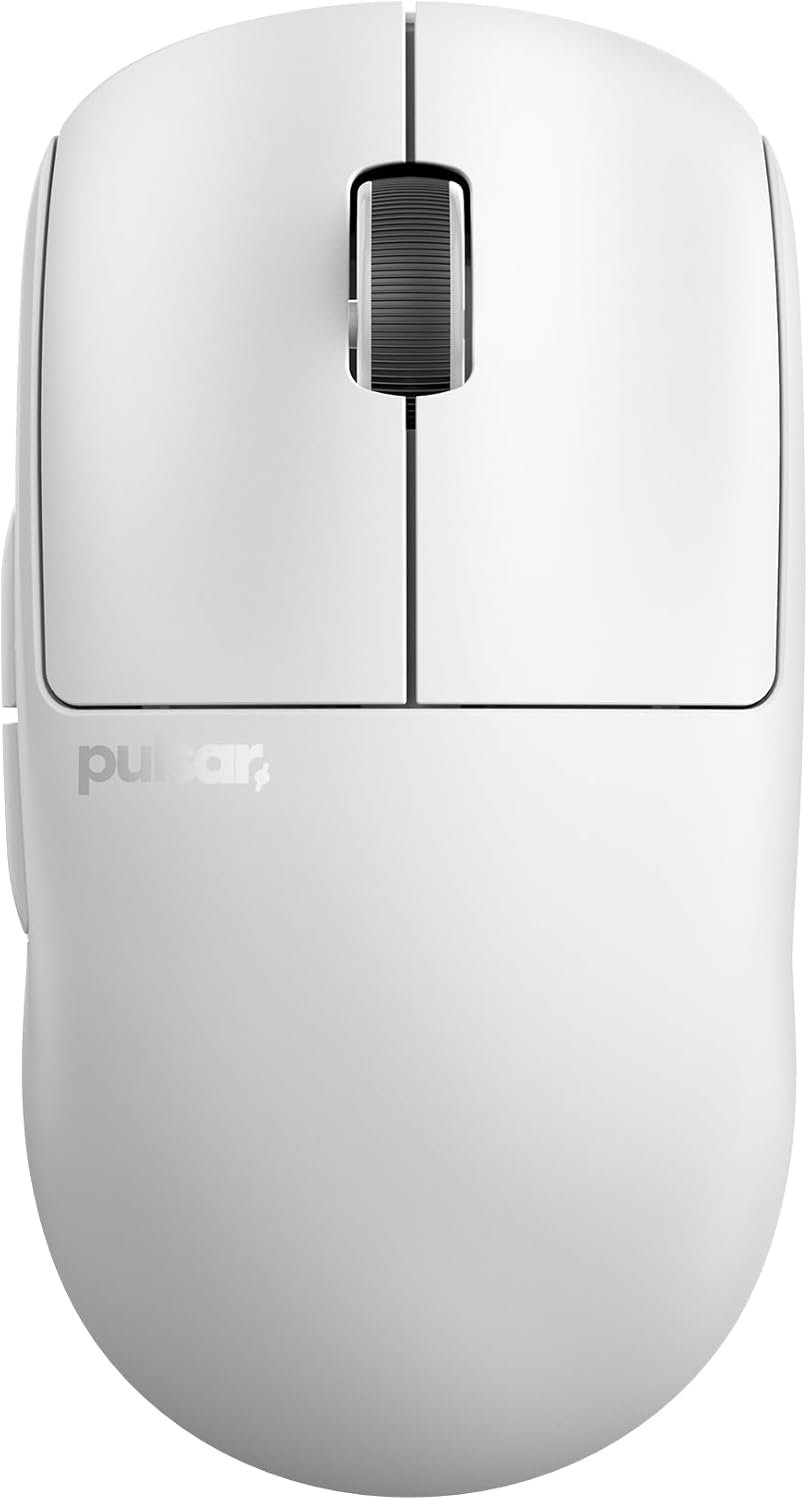
Pulsar Gaming Gears X2 v2 Wireless Gaming Mouse, Medium, White | Ultra Lightweight 1.87 oz (53 g), Symmetrical, Optical Switch, 2.4 Ghz ms, DPI, PAW3395 Sensor
A wireless mouse that weighs 53g sounds almost too light to be dependable. Can it still feel comfortable, track consistently, and last long enough that you aren’t reaching for the charging cable every other night? The Pulsar X2 v2 wireless mouse is a medium-sized symmetrical gaming mouse listed at $44.99, with only four units shown as available at the time of review.
On paper, it is most promising for FPS players and for anyone who likes a light, uncomplicated shell. It is less persuasive for palm-grip users who want a pronounced ergonomic contour, MMO players who need a bank of buttons, or buyers expecting RGB lighting and the newest high-polling specification. In 2026, 1,000Hz wireless is no longer the headline feature it once was, but it can still be a sensible value when tracking, shape, and connection stability matter more than marketing numbers.
This review assesses the listed specifications and the customer-feedback information supplied for the product. No overall rating, review count, quotations, or failure-rate data was provided, so none is invented here. That limitation matters: the hardware looks unusually capable for the price, but the long-term ownership picture needs checking on the live listing before you place an order.
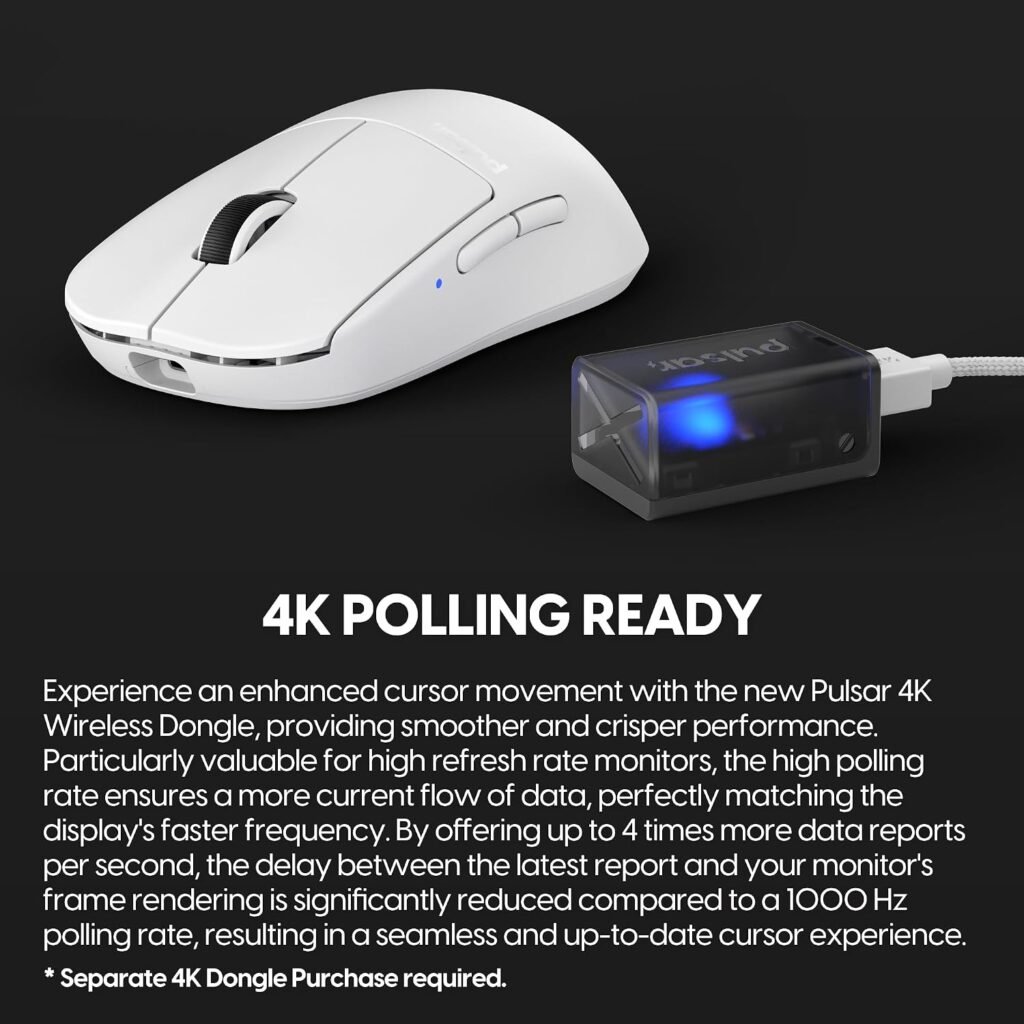

Pulsar X2 v2 Wireless Mouse: Product Overview
The Pulsar X2 v2 wireless mouse is designed for PC gaming where low mass and predictable cursor movement are more useful than a complicated control panel. Competitive shooters are the obvious use case: a lighter shell creates less inertia when you lift, flick, and correct your aim. That doesn’t automatically make you better, though. A mouse can be technically excellent and still feel wrong in your hand.
The body is medium-sized, white, and symmetrical in its shell design. Symmetrical describes the external form, not necessarily a fully mirrored button arrangement, so left-handed shoppers should confirm the control layout before buying. The listed connection is 2.4GHz wireless with a 1ms response specification, while the product description also identifies a Nordic MCU, a Pulsar Blue Encoder wheel, optical switches, and Motion-Sync sensor technology.
The product is described as 4K-polling ready and claims up to hours of use at its listed polling setting. Those are useful features to investigate, but “ready” is not the same as “4K included and active.” At $44.99, the notable combination is the low weight and premium-class sensor hardware rather than any single maximum number.
Key Features of the Pulsar X2 v2 Wireless Mouse
Each advertised component answers a different buying question. Weight affects how readily the shell changes direction; the sensor’s limits describe technical headroom; polling affects how often position data is reported; and switches influence click detection and feel. Comfort, wheel preference, and long-session fatigue are subjective matters that require your grip, your hand, and ideally a return option.
| Specification | Listed detail |
|---|---|
| Weight | 1.87 oz / 53g |
| Size and shape | Medium, symmetrical |
| Connection | 2.4GHz wireless |
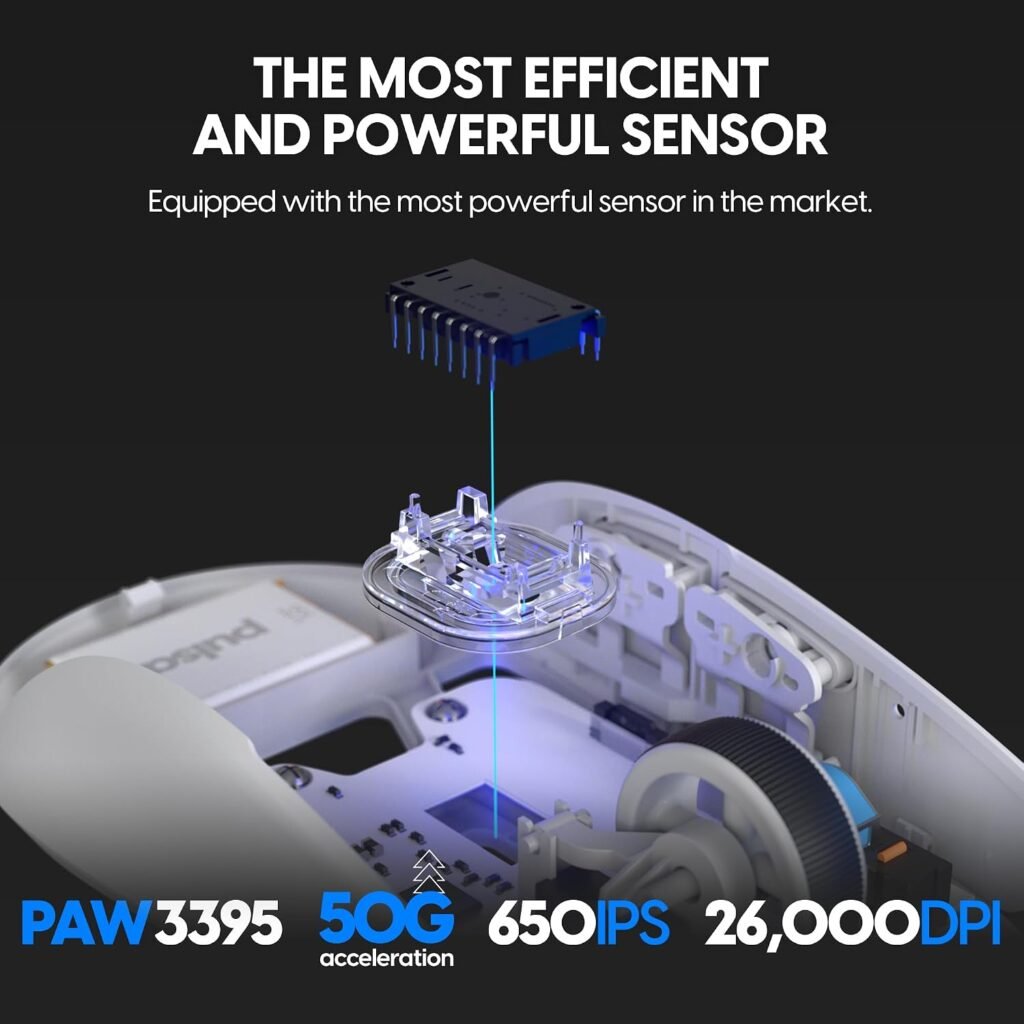
| Sensor | PixArt PAW3395 with Motion-Sync |
| Maximum DPI | 26,000 programmable DPI |
| Tracking speed | 650 IPS |
| Acceleration | 50g |
| Polling and response | 1,000Hz / 1ms; 4K-polling ready |
| Switches | Optical switches |
| Encoder | Pulsar Blue Encoder |
| Battery claim | Up to hours |
For FPS gaming, the most meaningful entries are the low weight, stable wireless connection, sensor consistency, and click behavior. A productivity user may care more about wheel tactility, middle-click registration, and software remapping. If you’re moving from a heavier wired mouse, the main adjustment will be physical: your familiar sensitivity may suddenly feel faster because less effort is needed to move the shell.
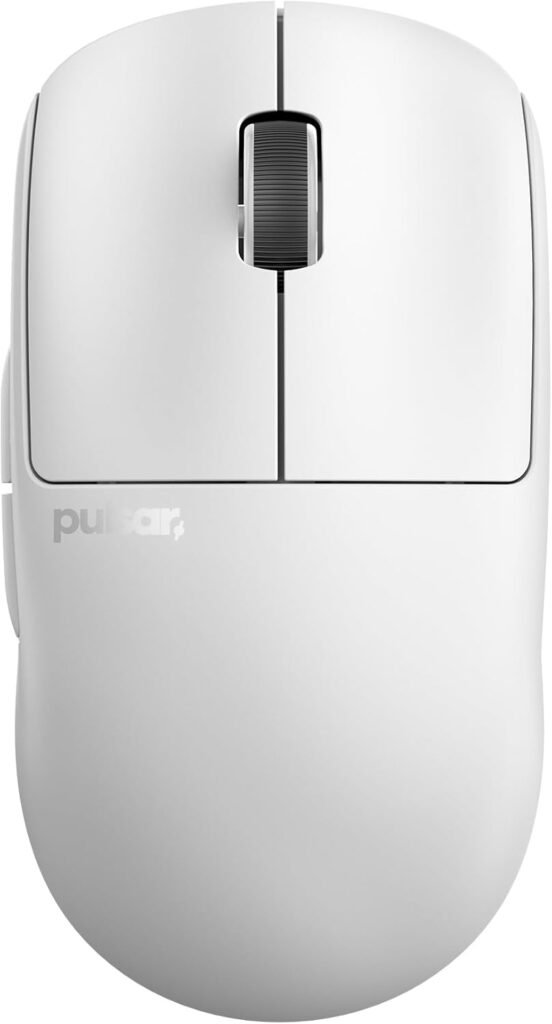

53g Lightweight Design and Symmetrical Medium Shape
At 53g, the mouse should have less inertia during fast flicks and repeated corrections. That can reduce the feeling that your hand is pushing against the mouse, particularly in low-sensitivity FPS play. The trade-off is equally real: some people prefer a heavier base because it feels calmer during slow, controlled movements.
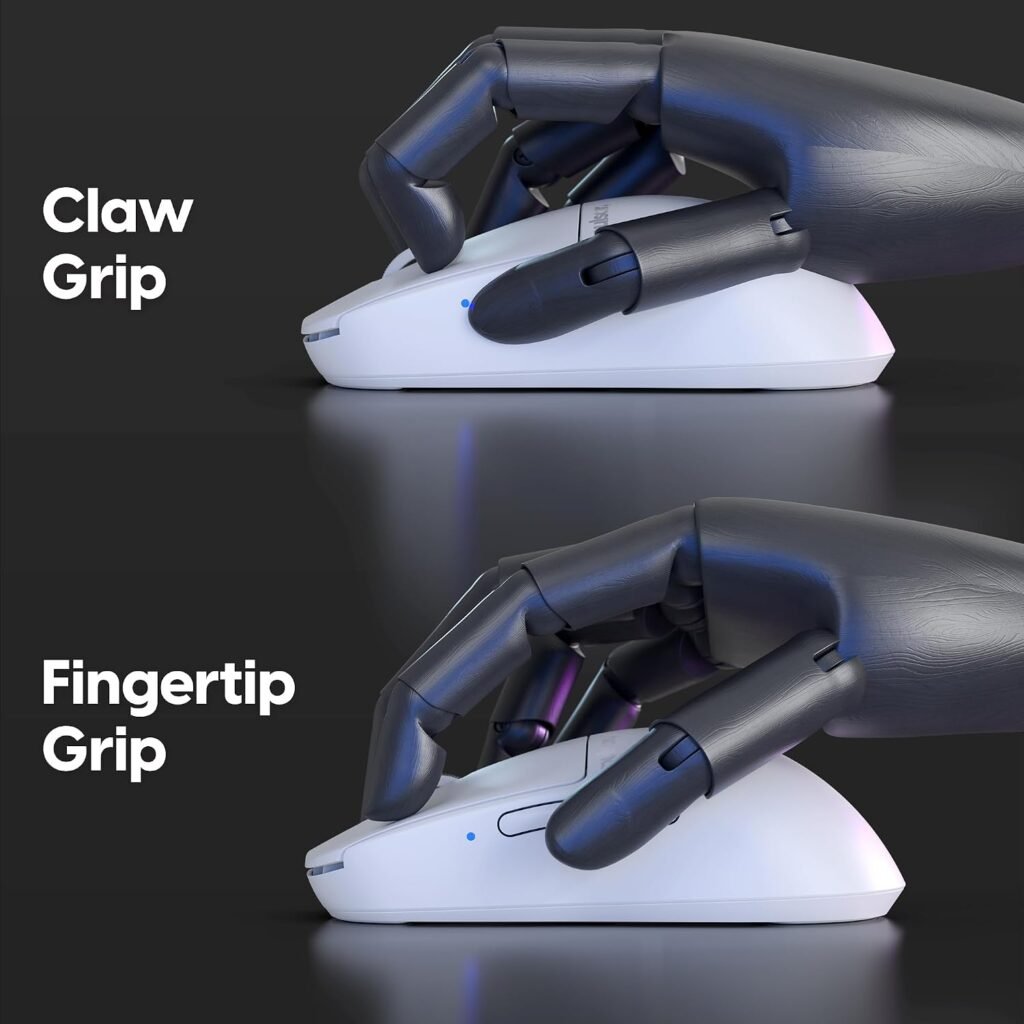
The medium symmetrical shell is most likely to appeal to claw, fingertip, and relaxed-claw users, but hand size changes the experience. A rear hump that supports one person’s palm may crowd another person’s fingers; a narrow-feeling front can be secure for claw grip and awkward for palm grip. The manufacturer’s internal redesign is intended to produce a sturdier structure, better shell rigidity, and more consistent clicks than the prior version. Those are design aims, not independent test results.
The indirect wheel-click construction is presented as a way to make rotation smoother and reduce rattling. Before opening the package, compare the proportions of this medium shell with your current mouse, then consider whether its rear section supports your normal grip without forcing your wrist into an unfamiliar angle. Check the seller’s return conditions first; fit is the one question a specification sheet cannot settle.
Pulsar X2 v2 Wireless Mouse Sensor and Wireless Performance
The PixArt PAW3395 is specified for programmable DPI up to 26,000, IPS tracking speed, and 50g acceleration. Those limits are far beyond what most players will use in ordinary desktop gaming, so the larger number should be read as technical headroom rather than a promise of improved aim. A comfortable sensitivity, predictable lift-off behavior, and sensible configuration controls matter more.
Motion-Sync is included as a sensor technology intended to coordinate sensor reporting. Without independent testing, you should not assume it produces a measurable competitive advantage in every game. The same practical caution applies to the 2.4GHz wireless system: a consistent connection and sensible receiver placement matter more to most players than maximum DPI.
The listed 1,000Hz polling and 1ms response specification should feel familiar to PC gamers and remains perfectly usable for many setups. The product is also described as 4K-polling ready, but you should verify whether that requires a separate receiver, firmware, or accessory. If you cannot confirm that detail, evaluate the mouse on its included 1,000Hz behavior rather than paying for an assumption.
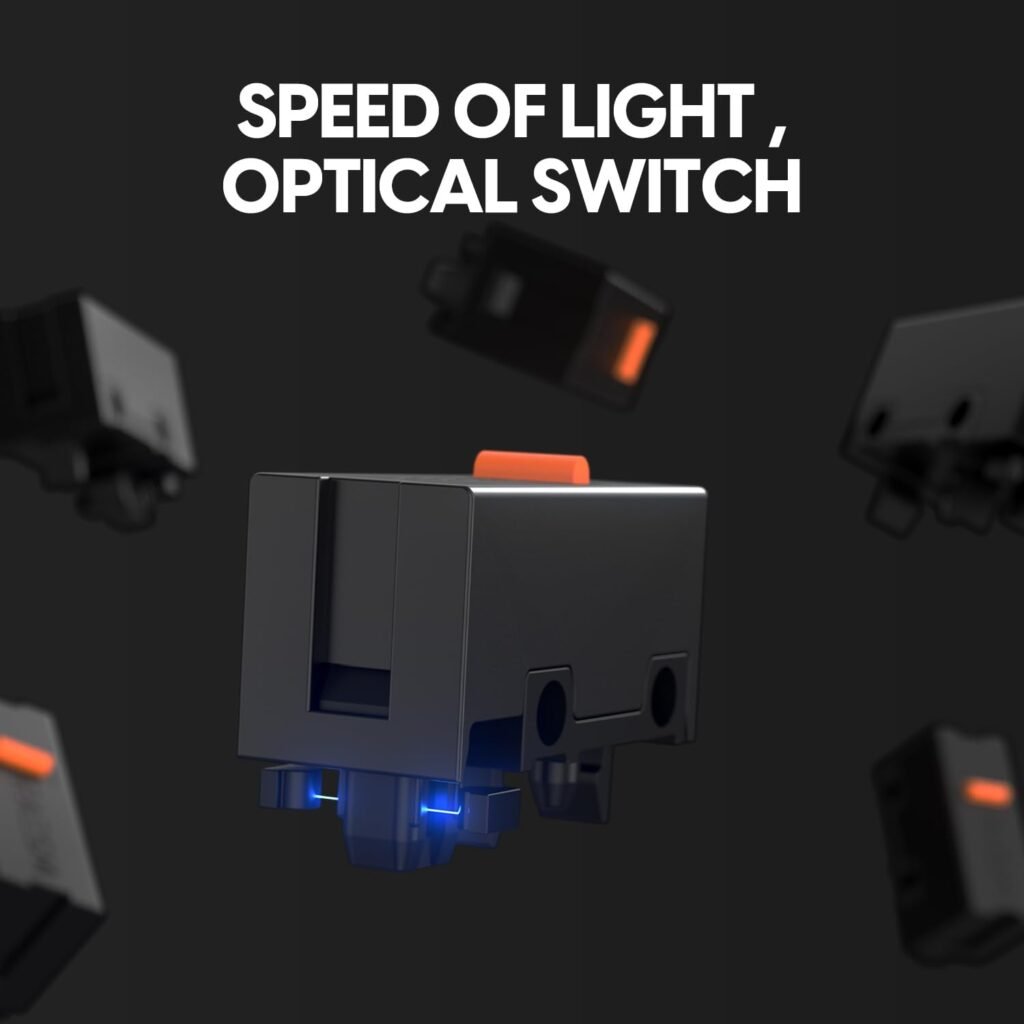
Optical Switches, Click Feel, and Scroll Wheel Construction
Optical switches detect a click through light rather than relying on the same mechanical contact method used by traditional switches. The advertised goal is swift actuation, pinpoint response, and a lower chance of unintended double-click behavior over time. That is a sensible reliability design choice, but it is not a guarantee that every unit will remain fault-free for years.
The Pulsar Blue Encoder is described as offering tactile wheel rotation inside a dust-proof structure. “Tactile” can mean reassuringly defined to one person and too resistant or noisy to another, particularly if you use the wheel heavily for documents. The indirect wheel-click design may appeal if wheel rattle and uneven scrolling are personal irritations, although the listing does not provide an independent durability test.
On the first day, check both primary clicks, hold-and-release behavior, middle-click registration, and scrolling in both directions. Then open the companion configuration software, if required, and confirm which buttons can be remapped. A few minutes of testing can distinguish a preference issue from a genuine defect while your return options are still available.
Battery Life, Nordic MCU, and Wireless Setup
The Nordic MCU is presented as an efficient processor that supports precise battery-status reporting, and the listed endurance is up to hours at the standard polling setting. Treat that as a stated maximum, not a guaranteed runtime. Usage pattern, firmware, battery condition, sleep behavior, and power settings can all change the result.
Set the mouse up in this order:
- Charge it fully before judging battery performance.
- Connect the wireless receiver and install the relevant configuration software if the listing requires it.
- Update firmware before changing sensitivity or polling settings.
- Select your DPI and polling preference, then test the connection where you actually play.
- Keep the receiver close to the mouse, ideally on the desk or via an extension, rather than hidden behind a metal desktop PC.
Receiver placement is easy to dismiss until a case, monitor, or computer chassis interrupts a marginal signal. Also confirm what is in the box, especially the receiver and charging cable, and establish whether the higher polling mode needs extra hardware. “Ready” should not be treated as proof that every accessory is included.

What Customers Are Saying About the Pulsar X2 v2 Wireless Mouse
No customer rating, review count, direct quotation, or live review record was supplied with the product data. That means it would be misleading to write that buyers broadly praise the battery, complain about the wheel, or report a particular failure rate. The honest conclusion is narrower: the design presents plausible strengths, but customer consensus cannot be established from the material available for this review.
When you inspect the live listing, sort feedback by recent reviews and read for recurring details rather than one dramatic story. Look for separate comments about lightweight handling, shell rigidity, click consistency, wheel resistance, wireless stability, battery reporting, software behavior, and quality control. Pay attention to whether a complaint appears immediately or only after months; an early comfort impression is not evidence of long-term reliability.
Interpret shape comments through grip and hand size. A medium shell may feel secure to a claw-grip user and too low or narrow to a palm-grip user. Similarly, optical switches may reduce the design risk of double clicks without proving that every individual unit will be trouble-free.
Before ordering, check the current rating context, review volume, seller, delivery estimate, warranty, and return window. Marketplace availability and feedback can change, and the supplied “four left” status is not a substitute for reading the current customer record.
Pulsar X2 v2 Wireless Mouse vs. Amazon Alternatives
The most useful comparison is not a simple winner. The Razer Viper V3 Pro SE Wireless Gaming Mouse and Logitech G PRO X2 SUPERSTRIKE Wireless Gaming Mouse pursue similar enthusiast buyers but make different choices around shape, weight, switches, software, and polling equipment. Current prices and complete alternative specifications were not supplied here, so the table avoids inventing figures.
| Category | Pulsar X2 v2 | Razer Viper V3 Pro SE | Logitech G PRO X2 SUPERSTRIKE |
|---|---|---|---|
| Weight | 53g listed | Verify current listing | 61g listed |
| Shape | Medium symmetrical shell | Verify current listing | Verify current listing |
| Connection | 2.4GHz wireless | Verify current listing | Wireless; verify current listing |
| Sensor and maximum DPI | PAW3395; 26,000 DPI | Verify current listing | Verify current listing |
| Polling rate | 1,000Hz listed; 4K ready | Check included polling equipment | Listed as under 8K; verify mode and equipment |
| Switch type | Optical | Verify current listing | Customizable rapid-trigger magnetic analog switches |
| Battery claim | Up to hours | Verify current listing | Verify current listing |
| Extra accessories and current price | Confirm box contents; $44.99 listed | Confirm accessories and current price | Confirm accessories and current price |
The Pulsar is the more compelling candidate if your priorities are low weight, a straightforward symmetrical form, and a modest price. The Logitech’s different switch technology and 61g listed weight may suit someone interested in adjustable actuation and a broader enthusiast feature set. Razer may be the better fit if its particular shape, software ecosystem, or polling accessories match your existing setup.
Choose conditionally: grip and button needs come before brand, and a polling mode matters only if your display, game, processor, and preferences justify it. A heavier alternative can be better value if it prevents hand strain caused by a shell you dislike.
Who Should Buy the Pulsar X2 v2 Wireless Mouse?
You are the strongest match for the Pulsar X2 v2 wireless mouse if you play FPS games, prefer fingertip or claw grip, and want a very light symmetrical shell without a complicated button layout. It also makes sense as an upgrade from a heavy wired mouse when freedom of movement matters, provided you are comfortable with the standard polling specification rather than assuming the 4K-ready label means 4K operation is included.
Use this decision process before ordering:
- Compare the shape of your current mouse with the listed medium symmetrical format.
- Identify whether you naturally use palm, claw, fingertip, or a hybrid grip.
- Decide whether two side-button positions are sufficient for your games and work.
- Choose a realistic DPI target instead of buying for the maximum number alone.
- Confirm your preferred charging method, receiver placement, software support, and return terms.
You are a weaker candidate if you need a pronounced right-handed contour, numerous MMO controls, silent clicks, or fully mirrored left-handed operation. The $44.99 price makes enthusiast-style weight and sensor hardware unusually accessible, but stock scarcity should never persuade you to skip the fit check.
$44.99 Value, Availability, and Buying Considerations
At $44.99, the value case rests on the combination of low weight, PAW3395 sensor hardware, optical switches, 2.4GHz wireless operation, and the stated battery claim. Those features address real gaming concerns: movement effort, tracking, click detection, connection freedom, and charging convenience. By contrast, 26,000 DPI and IPS are mostly headline limits for ordinary users; you are unlikely to approach either in normal play.
The listing showed only four units left at the time of review. Treat that as a temporary availability signal, not a reason to rush past basic checks. Before ordering, verify:
- That the listing is for the medium white version you want.
- That the receiver and charging cable are included.
- That the configuration software works with your operating system.
- What hardware or firmware is needed for 4K polling.
- The seller, warranty, delivery terms, return window, and current price.
The mouse is worth considering at $44.99 when its shape, grip fit, and limited-button layout suit you. If comfort, extra controls, or guaranteed higher polling matters more, a different model may be better value even if its specification sheet looks less impressive.
How to Set Up and Test the Pulsar X2 v2 Wireless Mouse
Use the first day as a test period, not as an excuse to play one match and declare the mouse perfect. Start by placing the receiver near the mouse, then test connection stability at your normal desk position. Move the cursor across the desktop at your chosen DPI and polling setting, and repeat the check in a familiar game where you know how aiming should feel.
Next, test every primary and side click, middle-click registration, wheel scrolling in both directions, charging behavior, battery reporting, sleep and wake behavior, and any firmware or configuration controls. Try the mouse with your ordinary grip across several short sessions rather than judging comfort after five minutes. Notice wrist tension, finger reach, and accidental button presses; those details usually matter more than a maximum DPI figure.
If you encounter intermittent disconnects, shell rattling, inconsistent clicks, or charging problems, record the date and circumstances. Save photographs or short videos when useful, and contact the seller promptly instead of waiting for a small issue to become a larger one. This process gives you practical evidence about your particular unit while the return period is still open.
Pros and Cons
Pros
- Very low 53g weight should suit fast FPS movements and repeated aim corrections.
- PAW3395 sensor offers programmable DPI up to 26,000, IPS tracking, and 50g acceleration.
- Optical switches are designed to reduce unintended double-click risk and provide fast actuation.
- 2.4GHz wireless is specified at 1ms and 1,000Hz, while the battery claim reaches up to hours.
- $44.99 is a strong listed price for this combination of sensor, switch technology, and weight.
Cons
- The 1,000Hz wireless specification is less ambitious than newer high-polling flagship mice, especially in 2026.
- The medium symmetrical shell may not suit palm-grip users, larger hands, or shoppers who need a pronounced right-handed contour.
- There are only two obvious side-button positions and no listed RGB lighting or extensive MMO-style controls.
- The supplied product information does not confirm whether 4K polling requires a separate receiver, firmware, or additional purchase.
- No customer rating, review count, or verified long-term ownership pattern was supplied, so marketplace reliability remains difficult to judge.
Final Verdict
Key Takeaways
- At $44.99, the mouse combines a 53g chassis, PAW3395 sensor, optical switches, and 2.4GHz wireless in an unusually inexpensive package.
- Its strongest match is an FPS player who prefers claw or fingertip grip and does not need a large button count.
- The 1,000Hz polling rate remains usable, but 4K readiness should not be confused with guaranteed 4K operation.
- Because no rating, review count, or live customer-review record was supplied, you should verify current feedback, seller information, warranty, and returns before ordering.
- Comfort is the deciding factor: the hardware is promising, but a medium symmetrical shell is not universally comfortable.
Frequently Asked Questions
Who is the Pulsar X2 v2 wireless mouse best for?
It is most appealing for FPS players and other users who prefer a light, symmetrical shell, claw or fingertip grip, and a simple control layout. You should look elsewhere if you need many programmable buttons, a strongly sculpted right-handed shape, or silent clicks.
Does the Pulsar X2 v2 wireless mouse support 4K polling?
The listed specification is 1,000Hz with a stated 1ms response rate. The product is described as 4K-polling ready, but you should confirm whether a separate receiver, firmware update, or accessory is needed before expecting 4K operation.
How long does the battery last?
The stated battery claim is up to hours at 1,000Hz. Actual runtime can vary with settings, firmware, battery condition, and use, so treat the figure as a ceiling rather than a guaranteed result.
Is the Pulsar X2 v2 suitable for left-handed users?
The shell is symmetrical, but that does not prove that the buttons are mirrored for left-handed use. Check the control layout and return terms before ordering if you use your left hand.
Disclosure: As an Amazon Associate, I earn from qualifying purchases.
