

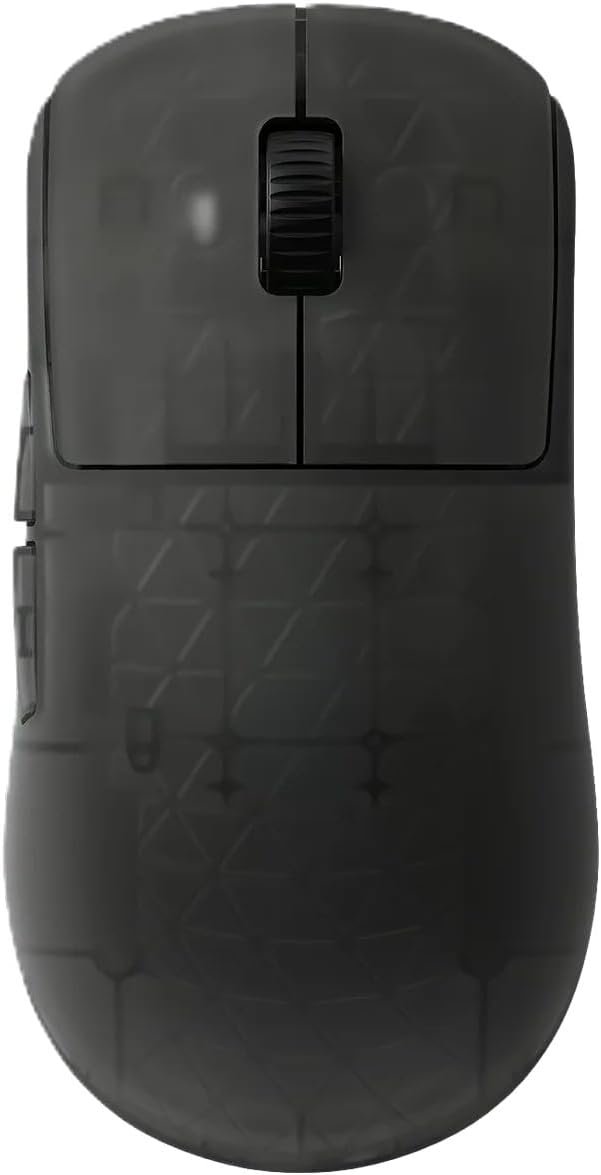
OP1w 4K v2 Wireless Gaming Mouse: Product Overview
A $150.44 wireless mouse has to do more than move a cursor smoothly. It has to make a convincing case through lower latency, reduced weight, and control that you can actually feel when a match becomes frantic. The OP1w 4K v2 wireless mouse is aimed at that narrow question rather than at everyone who needs a comfortable pointing device.
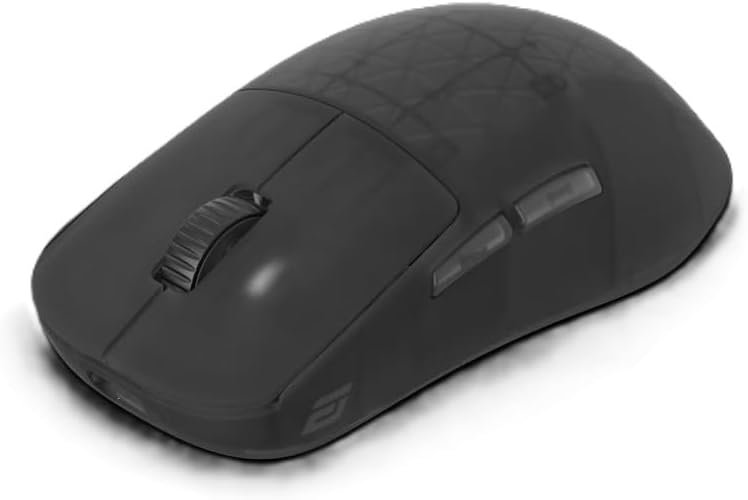
The Endgame Gear OP1w 4K v2 Wireless Gaming Mouse in Dark Frost is a right-handed model weighing 58.5g. It uses a 2.4GHz wireless connection, USB-C, and an included 4K dongle, with a custom PixArt PAW3950 U optical sensor rated to 30,000 DPI, IPS, and 50G acceleration.
That combination should interest competitive PC gamers who care about click response, motion tracking, claw-grip comfort, and a cable-free desk. In 2026, though, high polling rates are no longer rare enough to excuse every compromise. This review therefore looks closely at the shape, switch behavior, firmware requirements, customer evidence, alternatives, and whether the package earns its premium price.
Availability is also narrow in the supplied listing, with only units shown in stock. Check the live price and stock before ordering; the displayed $150.44 may change, and limited availability is not a reason to overlook a poor fit.

OP1w 4K v2 Wireless Mouse Specifications and First Impressions
The first impression is defined by the weight. At 58.5g, the OP1w 4K v2 wireless mouse has less inertia to overcome during a fast correction, which can make repeated flicks feel less physically demanding. The reverse is also true: if you like a mouse to stay planted when you release pressure, this shell may feel almost too easy to move.
| Specification | Listed detail |
|---|---|
| Weight | 58.5g |
| Hand orientation | Right-handed |
| Finish | Dark Frost |
| Connections | 2.4GHz wireless and USB-C |
| Wireless polling | Up to 4,000Hz |
| Sensor | PixArt PAW3950 U optical |
| Maximum resolution | 30,000 DPI |
| Tracking speed | 750 IPS |
| Acceleration | 50G |
| Included accessory | 4K dongle |
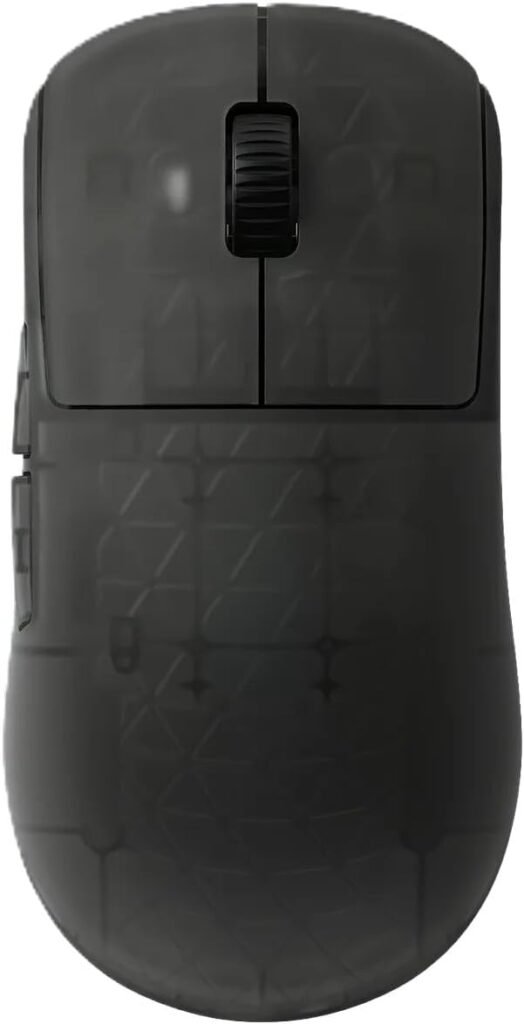
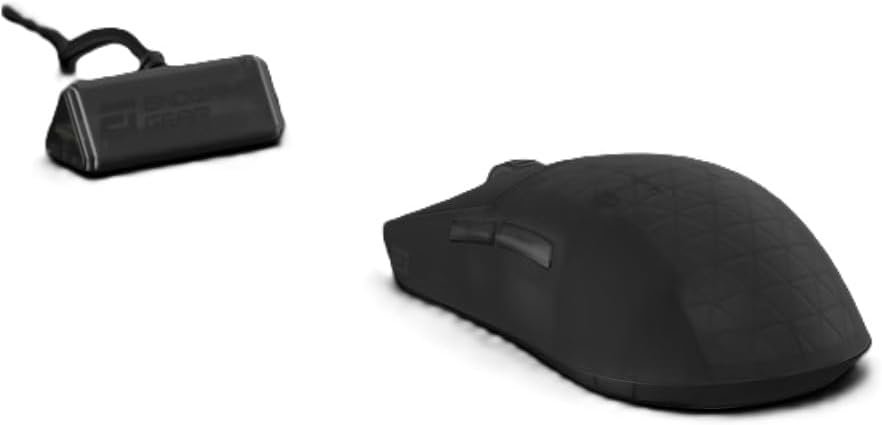
Dark Frost gives the mouse a restrained appearance, while the asymmetrical shell confirms that it is intended for right-handed use. The listed package includes the 4K dongle, not merely the mouse and a standard cable, which matters because the receiver is central to the advertised high-speed wireless mode.
Do not treat 30,000 DPI as a target. It is a ceiling, not a measure of aim quality; most players will choose a much lower setting based on the game, display, desk space, and personal sensitivity.
- Charge or connect the mouse through USB-C.
- Place the 4K receiver close to the mousepad and pair the 2.4GHz connection.
- Check for firmware updates, including the version needed for optional sensor settings.
- Test polling stability before using the mouse in a competitive match.
Wireless Performance and 4,000Hz Polling
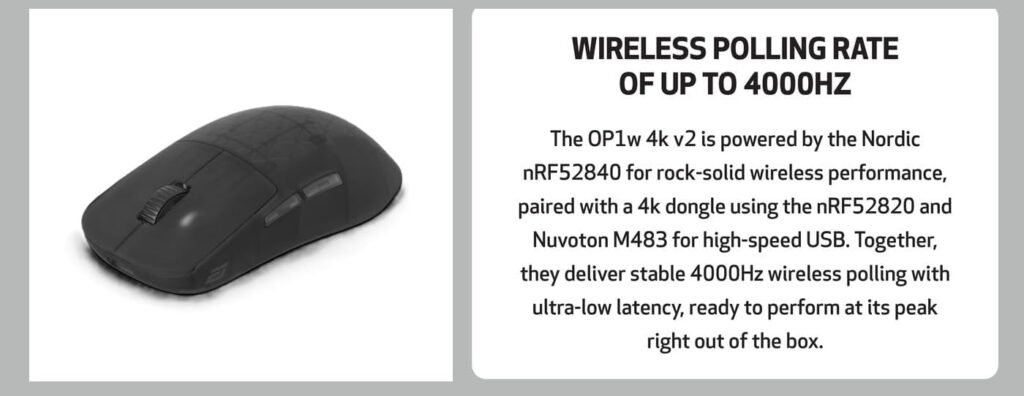
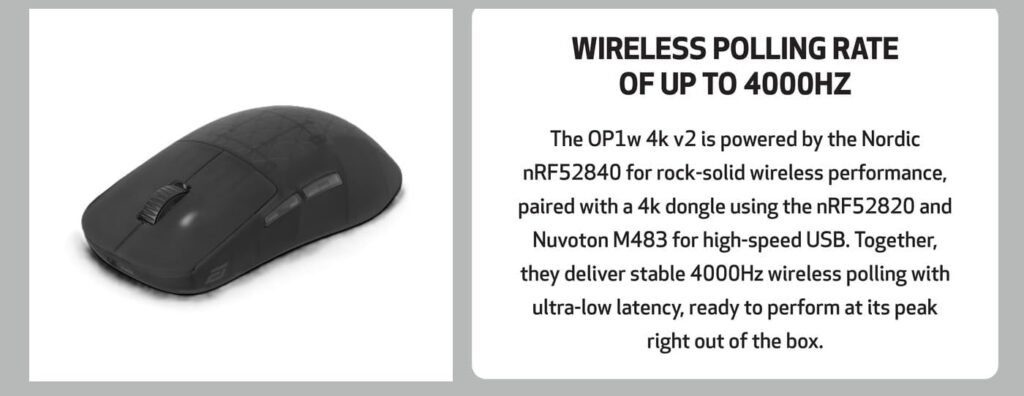
The wireless system is more elaborate than the product’s simple “wireless mouse” label suggests. A Nordic nRF52840 MCU powers the mouse, while the dongle uses a Nordic nRF52820 and a Nuvoton M483 MCU for high-speed USB communication. Those components are intended to maintain reliable data transmission while supporting polling of up to 4,000Hz.
Polling rate describes how often the mouse reports its position and button state. At 4,000Hz, the nominal reporting interval is shorter than at 1,000Hz, so movement data can appear more frequently. You are most likely to notice that advantage with a high-refresh-rate display and rapid movements; on a slower screen, the improvement may be subtle.
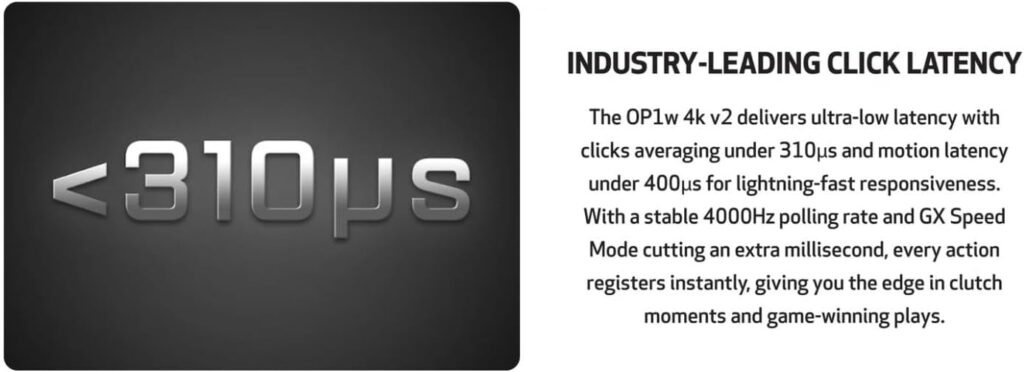
Endgame Gear publishes an average click latency below microseconds, based on 10,000 clicks tested with XLAT v1.4.0. It also reports average motion latency below microseconds, based on 10,000 motion data points. Those are manufacturer test results, not independent measurements supplied for this review, so they should be treated as performance claims rather than universal guarantees.
Receiver placement still matters. Put the dongle near the mousepad, avoid hiding it behind a metal PC case, and be cautious with a crowded USB hub. Firmware, USB interference, system load, and the game engine can all affect what you experience.
- Use the included receiver rather than judging wireless mode through an unrelated adapter.
- Keep the receiver close to the pad with a clear path to the mouse.
- Compare 1,000Hz and 4,000Hz in a polling-rate tester.
- Look for inconsistent reports or drops, not one unusually high peak.
The supplied information does not state battery runtime. That omission is significant: you should check the live listing or supporting documentation before treating the wireless arrangement as fully evaluated.

PAW3950 U Sensor Tracking and Precision
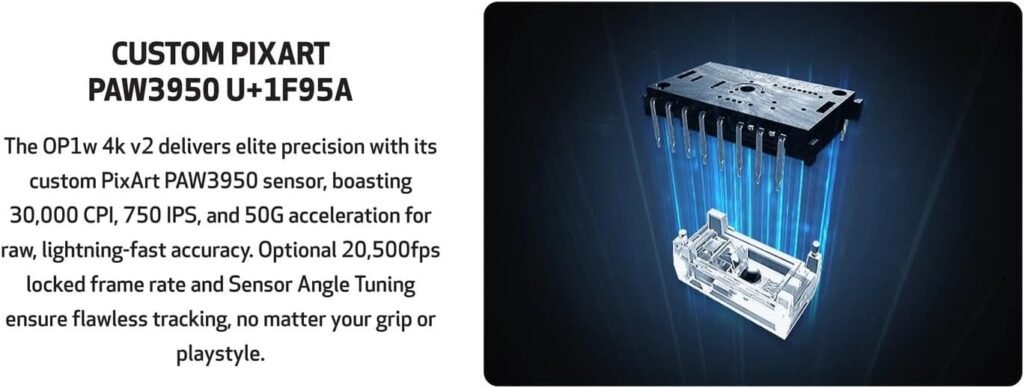
The custom PixArt PAW3950 U optical sensor supplies the headline numbers: up to 30,000 CPI, IPS, and 50G acceleration. CPI, often called DPI in shopping listings, controls how much cursor movement is reported for a given physical movement. It does not describe image quality, accuracy in a game, or a player’s mechanical skill.
IPS is the sensor’s stated maximum tracking speed. Acceleration indicates the movement force the sensor is designed to handle before tracking can fail. Impressive limits are useful headroom, but they do not automatically make a sensor feel better at ordinary sensitivity.
An optional locked sensor frame rate of 20,500fps is listed as another configuration choice, and the description says firmware 1.02 or newer is required. That makes firmware checking part of setup rather than a detail you can safely ignore.
For a fair personal test, choose a familiar CPI setting and keep it unchanged. Disable unwanted acceleration, use the same sensitivity in several games, and compare slow tracking, quick flicks, repeated reversals, and lift-off behavior. Give the mouse enough time for your hand to stop compensating for a new shape.
Judge the result by cursor consistency, controlled stopping, and the absence of unwanted spin-outs. The 30,000-DPI ceiling is interesting engineering context, but it is not evidence by itself that the OP1w 4K v2 wireless mouse will improve your aim.
Kailh GX Switches, Click Feel and Modes
The mouse uses mechanical Kailh GX switches developed with Endgame Gear. Their SPDT configuration has both top and bottom contacts, and the advertised purpose is reliable electrical contact across different operating modes.
You can choose GX Speed Mode for approximately 1ms lower click latency or GX Safe Mode for added contact security. The description characterizes the clicks as crisp and defined, with tactile feedback intended to support rapid-fire actions and repeated inputs. That should appeal to FPS players who want a clear actuation point rather than a muted, soft press.
There is a trade-off. A sharper click may feel precise during a duel, but players sensitive to noise, stiffness, or finger fatigue may prefer a gentler switch design. The right question is not whether one mode is objectively better; it is whether you value the last increment of speed or greater reassurance against contact problems.
When you receive the mouse, assess primary-click consistency, side-button access, scroll-wheel feel, and resistance to accidental presses over several sessions. Do not perform aggressive endurance testing simply to provoke a fault. Keep debris away from switch gaps, and record double-clicking or missed inputs promptly while the retailer’s return window still applies.
Because no hands-on switch measurements or customer review record were supplied, the published latency and tactile description should remain separate from any conclusion about long-term durability. The switch system is promising on paper, but longevity is something you should verify through current feedback and warranty terms.
Shape, Claw-Grip Comfort and Everyday Handling
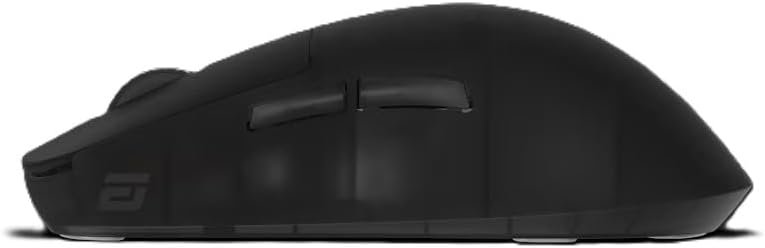
The redesigned shell draws inspiration from the XM design while placing claw grip at the center of its shape. Flatter sides are intended to give your fingers more placement freedom, and extended side walls let you rest fingers along the edge without unintentionally pressing the main buttons.
Endgame Gear also presents the shape as suitable for larger hands, but that is a design intention rather than a guarantee. Hand length, finger length, wrist position, and the way you curl your fingers can change the experience dramatically. A mouse that feels controlled in a compact claw grip may feel under-supported when you use a relaxed palm grip.
The strongest candidates are right-handed claw users, fingertip-to-claw hybrids, and players who want a low, light shell. Palm-grip users should be more cautious and may prefer an alternative with a taller contour or more deliberate ergonomic support.
Try the fit without squeezing. Check that your thumb reaches the side buttons naturally, your ring finger does not drag against the surface, and your wrist remains relaxed. Then play for to minutes rather than judging the shape in a brief desktop test; pressure that seems insignificant at first can become obvious once you repeat the same movement for a full match.
That test is especially valuable here because the mouse has a specific grip identity. It is not trying to be a universal office shape, and the fact that the manufacturer emphasizes claw comfort should guide your expectations.
What Customers Are Saying About the OP1w 4K v2 Wireless Mouse
The supplied product data does not include a displayed star rating, total review count, date distribution, or verified-purchase breakdown for the exact OP1w 4K v2 listing. That means a responsible review cannot say that “many buyers” praise its battery, clicks, or connection, and it cannot attach a percentage to complaints. Any article claiming a precise customer consensus from this record would be inventing evidence.
What you can assess is the difference between published design intent and customer proof. The listing presents light handling, responsive wireless behavior, crisp clicks, consistent tracking, build quality, and claw-grip suitability as the central selling points, but those are product claims rather than a review pattern established by a supplied sample.
Battery runtime, connection drops, software friction, firmware behavior, scroll-wheel faults, button feel, shape comfort, and price dissatisfaction therefore remain open questions. This is not proof that any of those problems exist. It is simply a warning that the available record does not establish how frequently they occur.
When you inspect the live listing, read the newest reviews first and filter for the exact OP1w 4K v2 version rather than an older OP1 or a different wireless configuration. Look for repeated reports instead of one dramatic anecdote, and check whether complaints refer to firmware that has since been updated.
Finally, confirm the return policy and warranty before committing $150.44. A claw shape can feel excellent to one person and awkward to another, while a firm click can feel controlled to one player and tiring to the next. Those conflicts are often differences in preference, not evidence that either reviewer is dishonest.
OP1w 4K v2 Wireless Mouse Compared With Alternatives
The Endgame Gear OP1w 4K v2 should be compared with alternatives by priorities, not by DPI alone. Logitech G PRO X2 SUPERSTRIKE Wireless Gaming Mouse is listed at 61g and emphasizes a magnetic-switch approach with adjustable click haptics. Against it, the Endgame Gear model focuses on its 58.5g weight, 4,000Hz wireless design, and mechanical Kailh GX switches.
Razer Viper V3 HyperSpeed Wireless PC Gaming Mouse takes another route. Its listing emphasizes a 30,000-DPI optical sensor, mechanical switches, and long battery life, while the Endgame Gear package emphasizes rechargeable USB-C connectivity, a supplied 4K dongle, and low-latency polling. The feature priorities are different enough that the better choice depends on what you value after the first week.
Before choosing, compare these details in the live listings:
- Actual weight and hand shape.
- Polling rate and whether the required receiver is included.
- Switch technology and adjustment options.
- Battery information and charging method.
- Software, firmware, and support expectations.
- Current price and recent review patterns.
The OP1w 4K v2 wireless mouse is the more obvious candidate if you specifically want a sub-60g right-handed claw-oriented model with 4K wireless performance included in the package. If maximum battery endurance, a different shell, or a lower price matters more, inspect the current Logitech and Razer configurations rather than assuming the Endgame Gear specification sheet settles the decision.
Who Should Buy the OP1w 4K v2—and Who Should Look Elsewhere
The strongest match is a competitive FPS player who uses a right-handed claw grip, owns a high-refresh-rate display, and actively values low weight and rapid reporting. The combination of the 58.5g shell, custom PAW3950 U sensor, published average click latency below microseconds, and published average motion latency below microseconds is clearly aimed at aim-focused play.
You are less likely to benefit if you are left-handed, prefer a heavy ergonomic mouse, need a clearly documented long battery runtime, or have no interest in firmware and polling settings. A casual player may not feel a meaningful difference between this mouse and a cheaper 1,000Hz wireless model, especially when the display and games do not make the higher reporting rate apparent.
Use this decision process:
- Confirm that the right-handed claw-oriented shape matches how you hold a mouse.
- Check your USB layout and plan receiver placement near the pad.
- Decide whether your display and games can make 4,000Hz worthwhile.
- Read current feedback for the exact version, paying attention to recent firmware reports.
- Compare the live $150.44 price with the Logitech and Razer alternatives.
This is a specialist purchase, not a universal upgrade. If you spend most of your time browsing, working, or playing slowly paced games, the premium is harder to defend. If small aiming corrections and wireless responsiveness dominate your day, the design is much easier to understand.
Price, Availability and Long-Term Value
At $150.44, the package asks you to pay for a tightly focused set of features: a 58.5g design, 4,000Hz wireless capability, an included 4K dongle, USB-C, the PAW3950 U sensor platform, and the Kailh GX switch system. That is a substantial package for an aim-focused mouse, but its value depends on whether you will use those features rather than merely admire them in the specification list.
If you run a lower-refresh display or mostly perform ordinary desktop work, 4,000Hz polling may add little that you can reliably perceive. In that situation, a cheaper 1,000Hz wireless mouse is probably the wiser use of $150.44.
The listing shows only units left in stock. Treat that as a reason to verify availability, delivery timing, warranty coverage, and return terms—not as a reason to rush into an unsuitable purchase. Stock messages change, and a premium mouse deserves a deliberate fit decision.
Long-term value also depends on information not supplied here. Before ordering, check firmware support, replacement feet and cable availability, battery serviceability, switch-longevity coverage, and the quality of the configuration software. The absence of a stated battery-runtime figure is the most immediate unresolved check.
The purchase is defensible if you prioritize a very light shell, claw comfort, and high-speed wireless responsiveness. If you mainly need dependable everyday pointing, investigate a less expensive model. The Endgame Gear OP1w 4K v2 is compelling for a particular player, but its premium only makes sense when that player is you.
Pros and Cons
Pros
- Very light 58.5g design for fast aim corrections.
- 4,000Hz wireless polling and an included 4K dongle.
- Custom PixArt PAW3950 U sensor rated up to 30,000 DPI, IPS, and 50G acceleration.
- USB-C connectivity and charging.
- Mechanical Kailh GX switches offer selectable GX Speed and GX Safe modes.
- Shape is purpose-built for right-handed claw-grip control.
Cons
- The $150.44 price is difficult to justify if you use a 60Hz display, play casually, or do not notice the difference between 1,000Hz and 4,000Hz polling.
- The supplied product information does not state battery runtime, which leaves an important ownership question unanswered.
- The right-handed, claw-oriented shape and crisp mechanical clicks may not suit left-handed users, palm-grip players, or people who prefer softer buttons.
- Firmware requirements and receiver placement may require more setup than a basic wireless mouse.
- The available product information includes no customer rating or review count, so long-term reliability and common fault patterns cannot be established confidently.
Final Verdict
Key Takeaways
- The Endgame Gear OP1w 4K v2 is a specialist performance mouse built around low weight, 4,000Hz wireless reporting, and a claw-focused right-handed shape.
- Its PAW3950 U sensor and Kailh GX switches offer an impressive specification package, but the supplied information does not independently verify the manufacturer’s latency claims.
- The missing battery-runtime figure is a meaningful drawback at this price, especially for buyers comparing rechargeable and long-life wireless designs.
- Competitive FPS players with high-refresh-rate displays are the strongest match; casual users, palm-grip players, and left-handed users should investigate alternatives.
- At $150.44, the mouse makes sense only if you will actually use its lightweight shell and high-speed wireless features.
Frequently Asked Questions
Is the Endgame Gear OP1w 4K v2 worth $150.44?
It can be, but only for the right buyer. You are paying for a 58.5g shell, 4,000Hz wireless capability, a supplied 4K receiver, a PAW3950 U sensor, and low published latency figures. If you play competitively on a high-refresh-rate display, those priorities may justify the price. For office work or casual gaming, a less expensive 1,000Hz wireless mouse will probably offer better value.
Does the OP1w 4K v2 include a 4K wireless dongle?
The mouse supports wireless operation through its 2.4GHz connection and wired connection or charging through USB-C. The advertised package includes the 4K dongle, so you do not need to assume that receiver is a separate purchase.
How long does the OP1w 4K v2 battery last?
The product description does not provide a battery-runtime figure. You should therefore treat battery endurance as an unresolved buying consideration and check the current listing, configuration software, or manufacturer documentation before ordering.
Is the OP1w 4K v2 suitable for large hands?
The shape is designed around claw grip, with flatter sides and extended side walls. That may work well for claw and fingertip-to-claw users, but palm-grip comfort depends on your hand and preferred support. A 20- to 30-minute test is a sensible way to check for pressure or fatigue.
Disclosure: As an Amazon Associate, I earn from qualifying purchases.
