

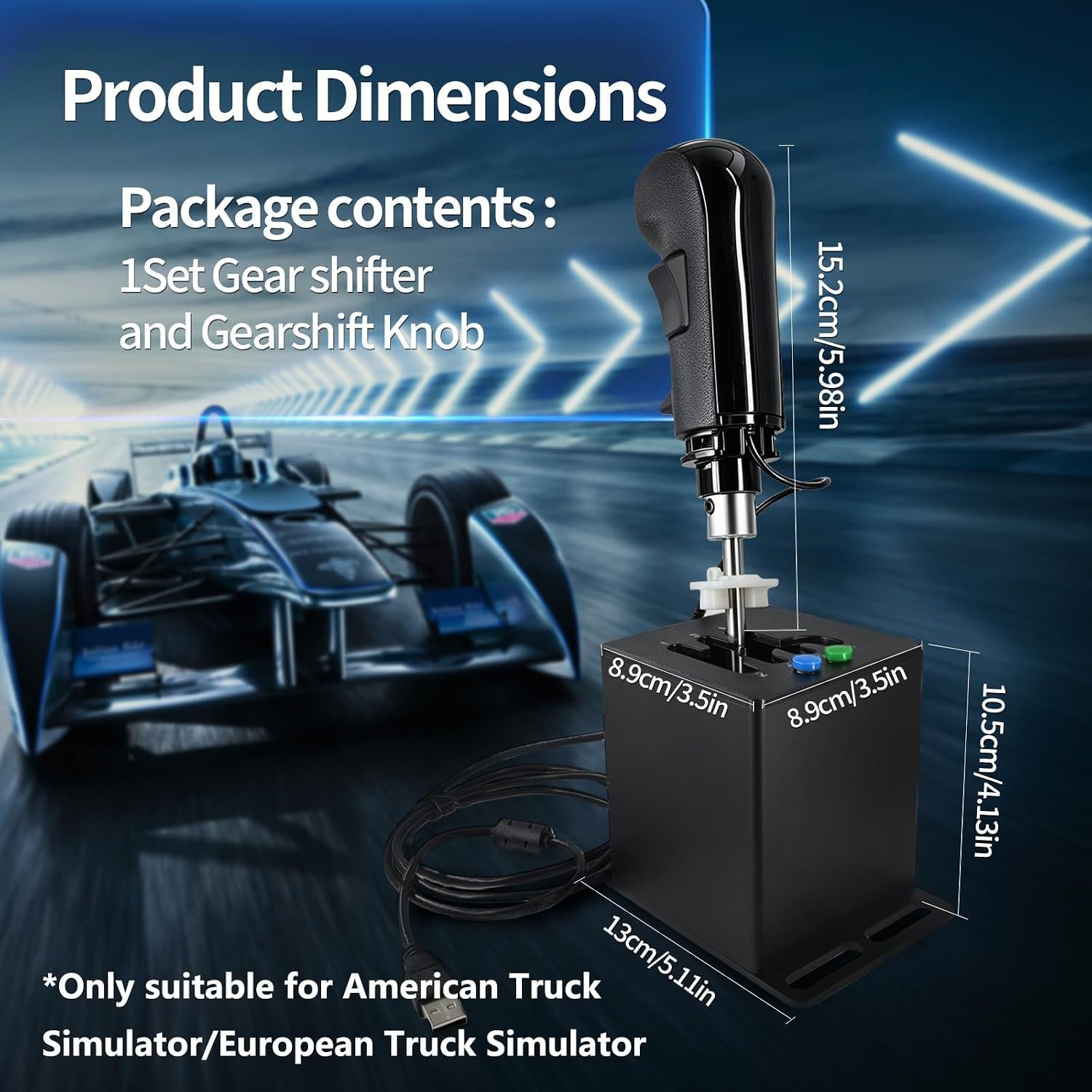
ZLiT PC USB Racing Game Truck Simulator Gear Shifter+Gearshift Knob for Logitech G923 G29 G27 G25 G92 for Tumaster Steering Wheel (Black)
A dedicated truck control can add more realism than another generic racing accessory, but the central question is whether this USB truck shifter adds enough control to justify $90.22 for American Truck Simulator or European Truck Simulator. For a PC player who already owns a compatible Logitech or Thrustmaster-style wheel, the idea is appealing: the ZLiT combines a truck-style shifter with separate range-oriented switches instead of asking you to make do with keyboard commands.
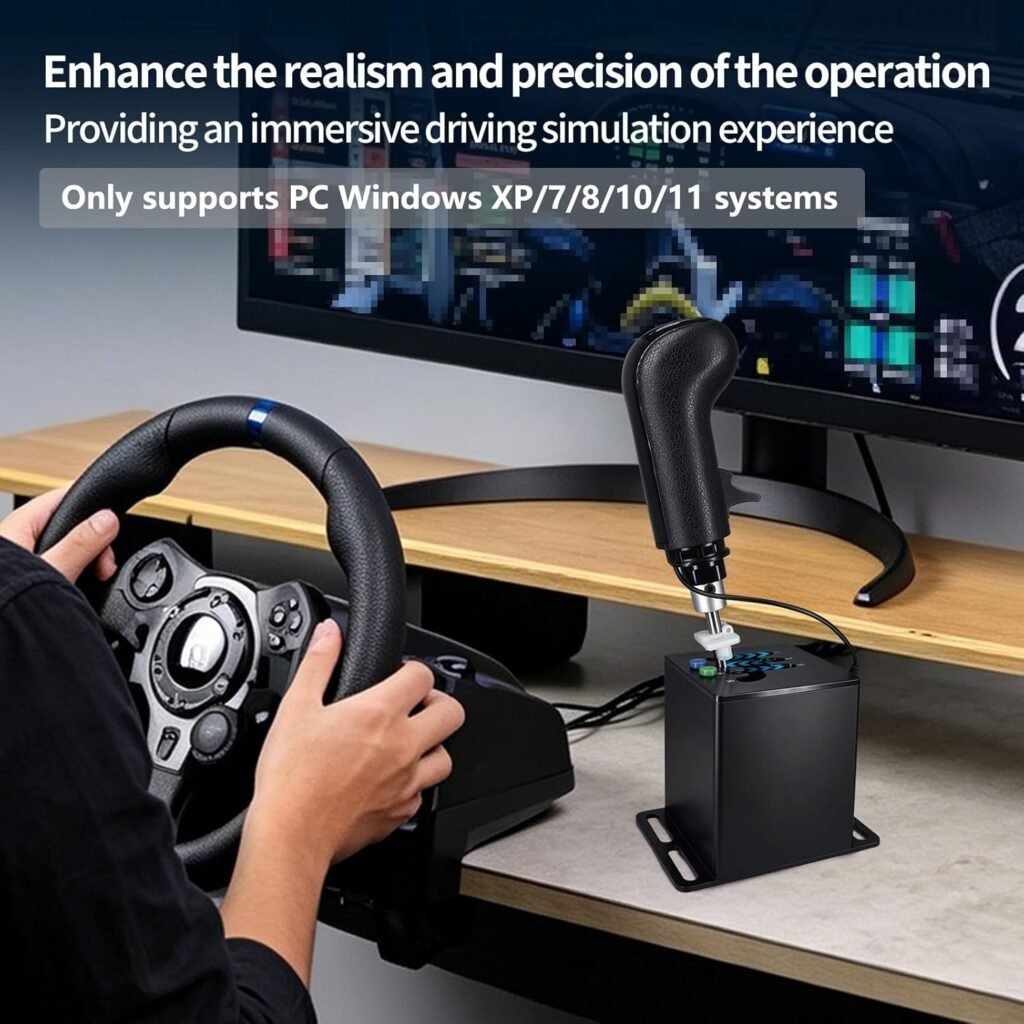
There is a catch, and it should come before the attractive feature list. The listing specifically limits the device to American Truck Simulator and European Truck Simulator and says it supports Windows XP, 7, 8, 10, and 11. It does not promise universal racing-game, Mac, Linux, PlayStation, or Xbox support.
For buyers, this is therefore a niche add-on rather than an obvious upgrade for every wheel owner. The listing shows only units available, but that figure should not make the decision for you; check the live price, stock, delivery estimate, and returns before ordering. If your wheel, Windows version, game, and available mounting position all match the description, the ZLiT is worth investigating. If any one of those does not, the $90.22 purchase becomes difficult to justify.

Product overview: what the ZLiT USB truck shifter includes
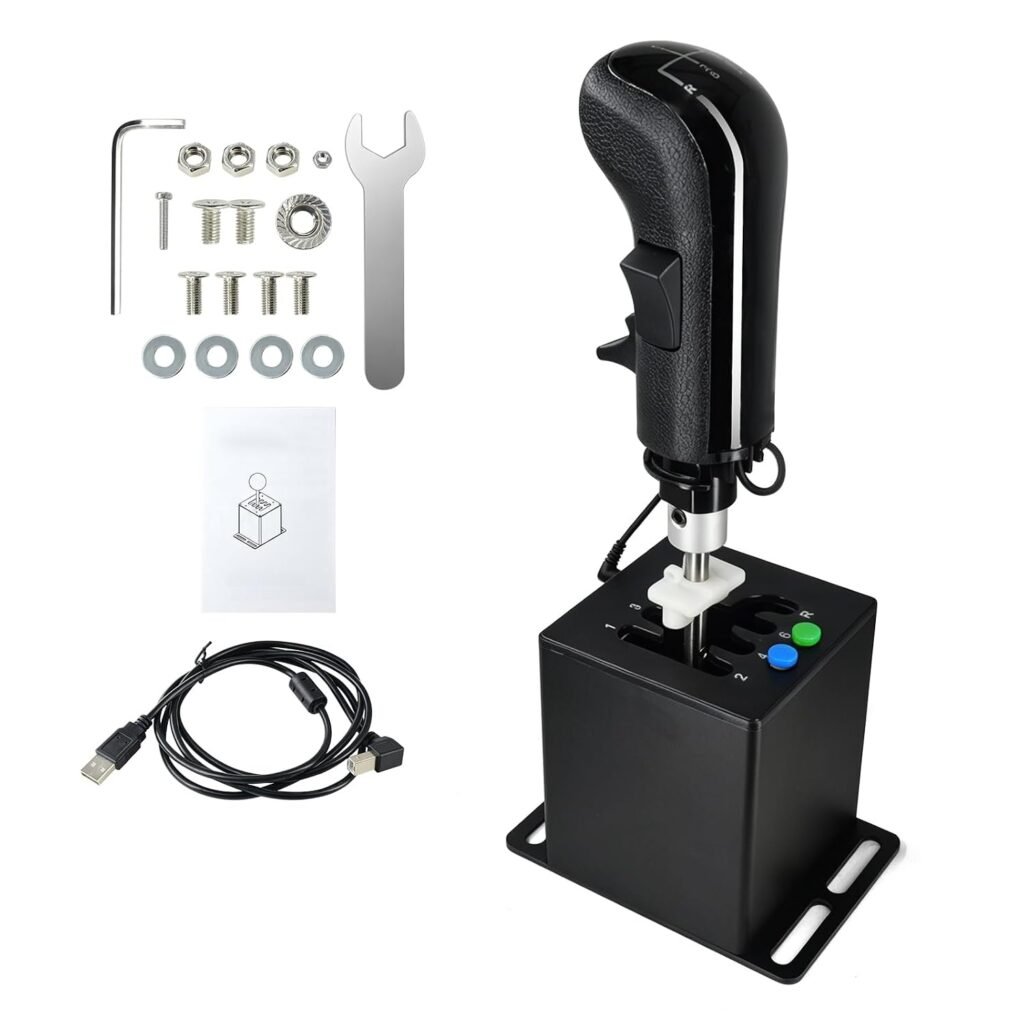
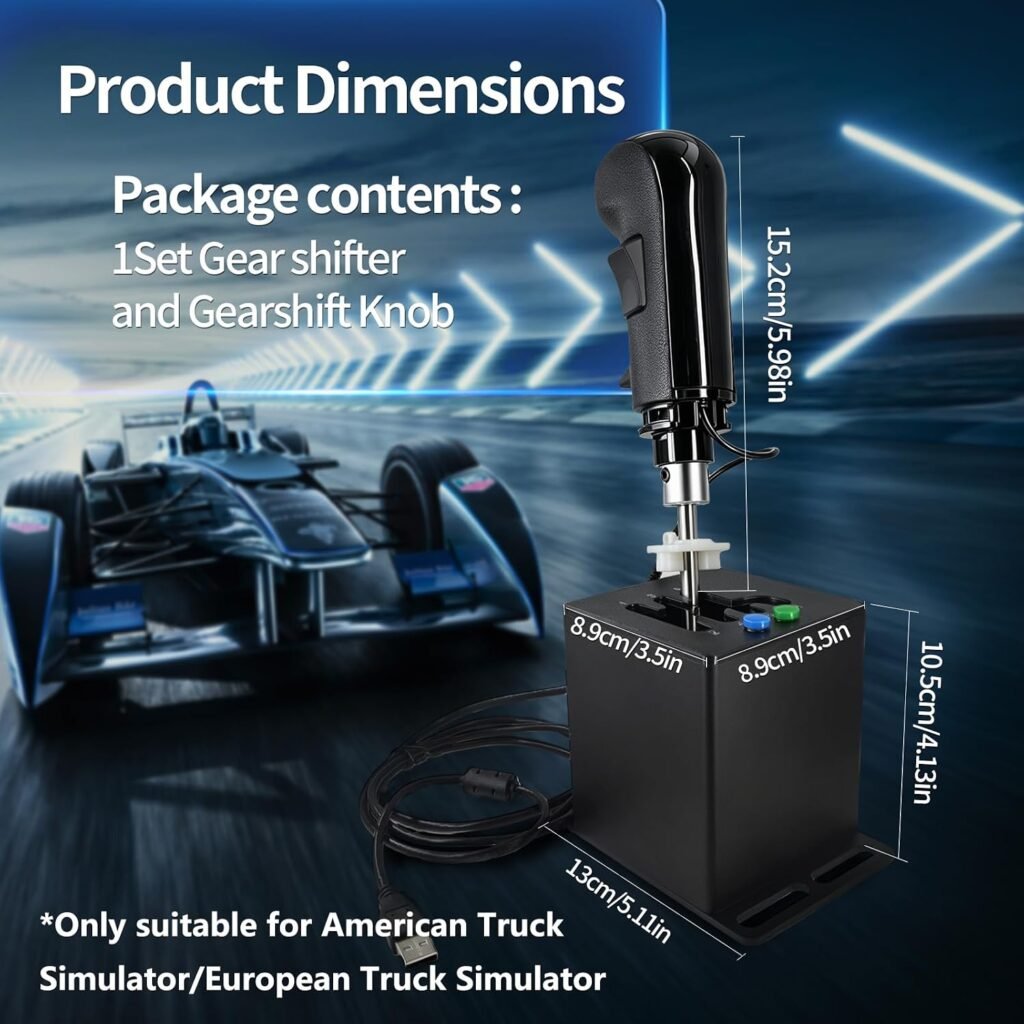
The package is described as containing one gearshift knob and one gear shifter, connected to a computer through an independent USB interface cable. That makes it an accessory, not a complete driving system. You supply the compatible steering wheel, pedals if you use them, Windows PC, simulator, and a secure place to mount or position the shifter.
The manufacturer presents the device as being made from high-quality materials with an optimised design, comfortable touch, high sensitivity, and a durable appearance. Those are product-page claims, not measured test results. The description does not provide a material breakdown, dimensions, weight, switch-life figure, cable length, or formal durability rating, so you should treat the finish and long-term feel as questions rather than established facts.
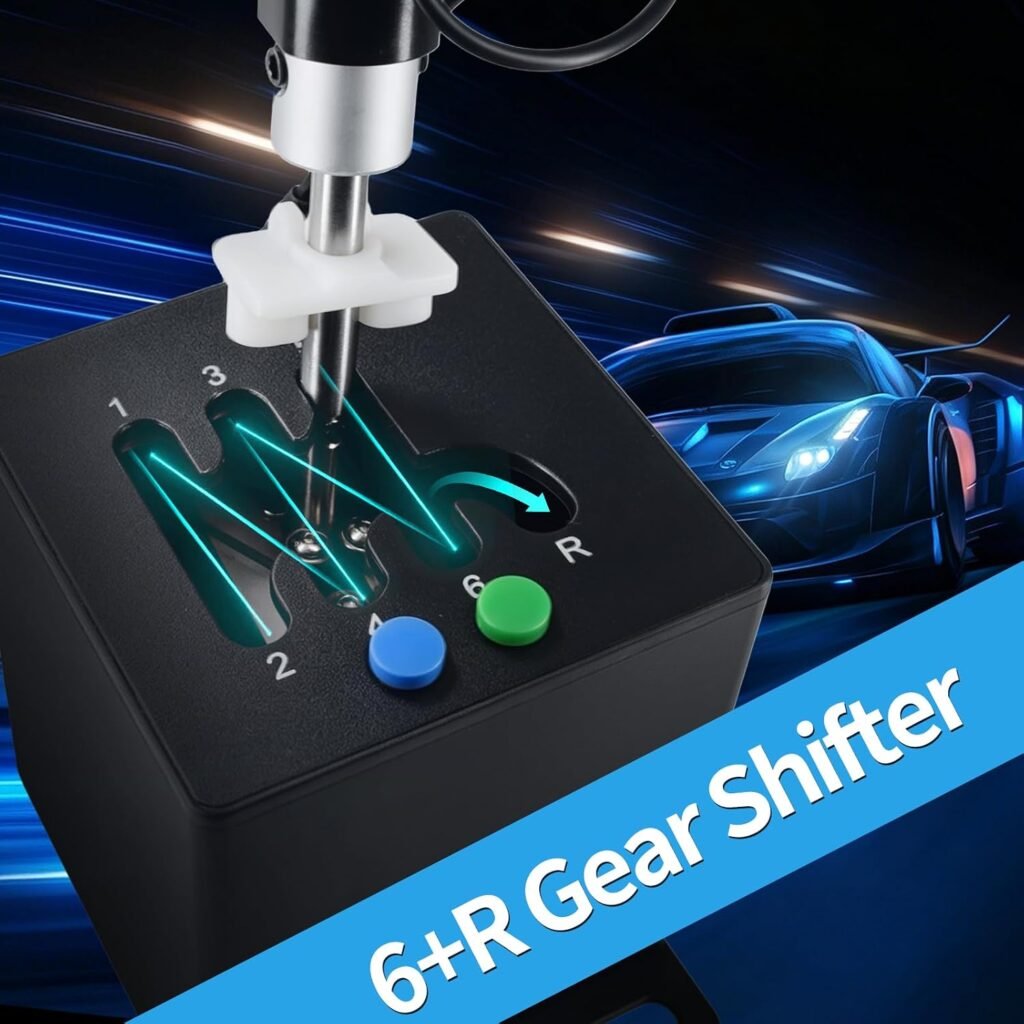
What you are paying for at $90.22 is not merely a basic manual shifter. The stated package adds a preselected valve, high/low-speed switch, and custom button intended to suit truck-simulation controls. That arrangement could be more useful than a conventional H-pattern unit if your driving routine involves range changes and auxiliary assignments. On the other hand, someone who only wants a standard gear lever may be paying for controls they rarely touch.
- Included: gearshift knob, gear shifter, and independent USB interface cable.
- Not specified: mounting hardware, a dedicated driver, mapping utility, calibration software, or detailed physical measurements.
- Role: a separate simulation control that complements, rather than replaces, a steering wheel setup.
USB truck shifter compatibility and system requirements
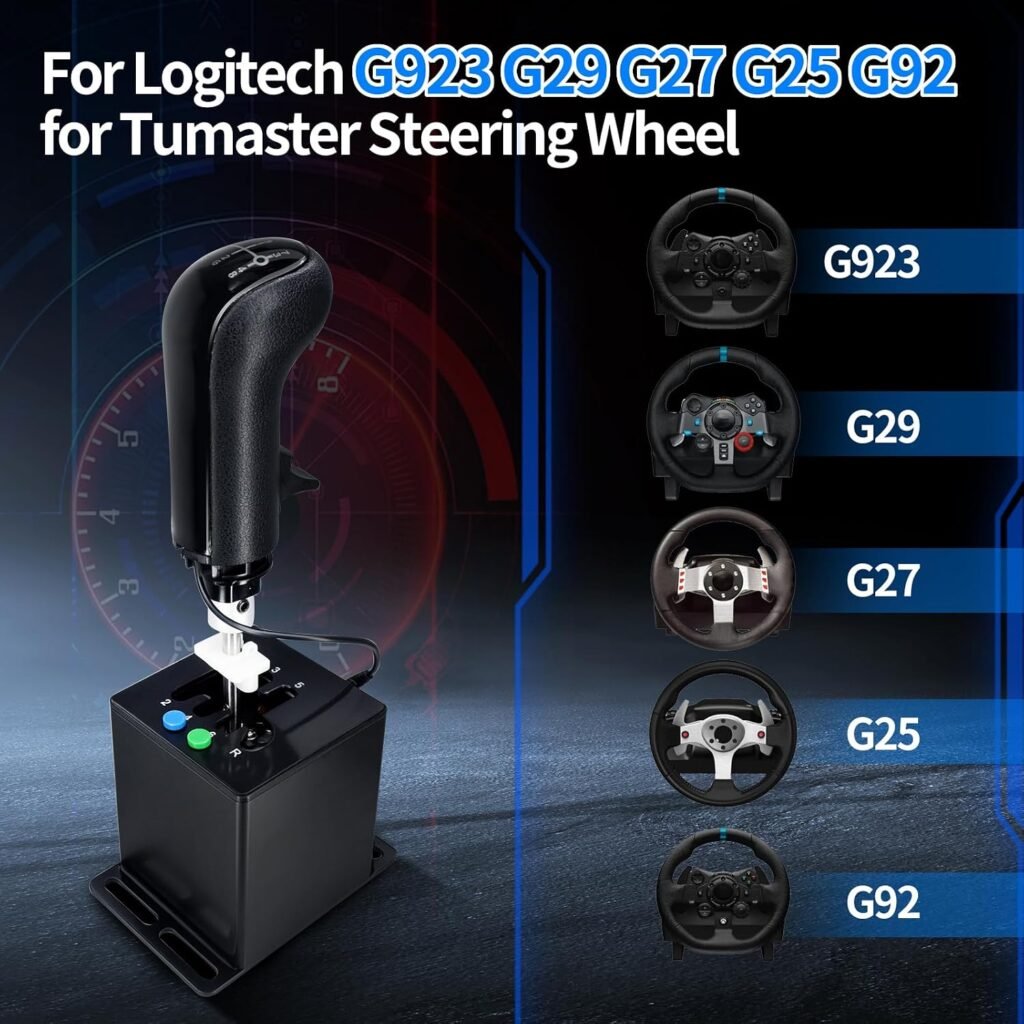
Compatibility is the make-or-break issue with this USB truck shifter. The listing names the following steering wheels, but it gives no detailed mechanical mounting diagram or button-mapping chart. The reference to “Tumaster” is also unclear and may be a misspelling or an imprecise product-family description, so do not treat it as proof that every Thrustmaster wheel will work.
| Wheel reference in listing | What the description establishes | What you should confirm |
|---|---|---|
| Logitech G923 | Named as compatible | Exact wheel version and game input recognition |
| Logitech G29 | Named as compatible | Physical setup and in-game assignments |
| Logitech G27 | Named as compatible | Wheel configuration and available mounting space |
| Logitech G25 | Named as compatible | Correct PC connection and simulator support |
| Logitech G92 | Named as compatible | Exact model identity, since the listing gives no further detail |
| “Tumaster” steering wheel | Reference appears in the listing | Ask the seller to clarify the intended brand and fit |
The game limitation is equally specific: American Truck Simulator and European Truck Simulator are the titles identified. Windows XP, 7, 8, 10, and are the stated operating systems. No macOS, Linux, PlayStation, Xbox, or general racing compatibility is claimed.
- Write down the exact wheel model, including any regional or revised version.
- Confirm that your PC runs one of the listed Windows versions.
- Check that your intended simulator is one of the two named games.
- Ask for clarification about “Tumaster” if that is the wheel you own.

Key features of the USB truck shifter: controls, switching, and tactile operation
The ZLiT’s appeal lies in its truck-oriented controls. The listing describes a preselected valve and a high/low-speed switch, controls that may feel more natural in a truck simulator than a short conventional racing shifter. A custom button is also provided for an assignment of your choice, potentially covering a function you would otherwise reach for on the keyboard.
There are limits to what can responsibly be inferred. The description does not say how many separate mappings the game exposes, what kind of switches are used, how far each control travels, how much resistance the lever provides, or whether the custom button is momentary or latching. “Comfortable touch” and “high sensitivity” describe the intended experience, but they are not published measurements.
During a long haul, the practical questions are simple: does the lever stay in its selected position, can you avoid accidental range changes, and does the grip remain comfortable after repeated use? The independent USB connection is helpful in principle because the unit appears to operate as a separate PC input rather than requiring a proprietary socket on the steering wheel.
- Connect the shifter and let Windows detect it.
- Open the simulator’s controls menu and assign each recognised input.
- Test the high/low and preselected functions at the parked-truck stage.
- Assign the custom button to a useful truck function.
- Save a dedicated profile so later experiments do not disturb your main controls.
Installing and using the ZLiT USB truck shifter on Windows
Installation should be approached as a controlled input test, not as a guaranteed one-click setup. First place the shifter where your hand can reach it without moving the wheel. Because the description does not specify included mounting hardware, use only a stable arrangement that prevents the unit from sliding or twisting while you operate the lever.
Next, connect the USB cable directly to the PC rather than beginning with a hub or adapter. Wait for Windows to recognise the device, then launch the simulator and open its control-assignment screen. Connecting before the game starts can make detection simpler, particularly when several USB gaming peripherals are already attached.
Before starting a long haul, test every input that the game exposes: gear positions, neutral or reverse if available, the preselected function, high/low switch, and custom button. If the device is not detected, work through the following order:
- Move the cable to another direct USB port.
- Restart the game after the shifter is connected.
- Check whether Windows recognises the device in its controller or input settings.
- Remove duplicate or conflicting bindings inside the simulator.
- Repeat the assignment process and save the profile after each confirmed control.
The listing calls the unit plug and play, but it does not list a dedicated driver, configuration utility, calibration tool, or included mounting kit. That wording may mean Windows can recognise the device without a special installation; it does not remove the need for manual game configuration.
What Customers Are Saying about the USB truck shifter
There is not enough dependable customer-review information in the supplied source data to report a rating, review count, or dated buyer-comment pattern for this product. That absence matters. It would be misleading to say that buyers broadly praise the USB setup, Logitech compatibility, construction, or switch response when no reliable numerical feedback or first-hand comments have been provided.
The product page’s phrases—“comfortable touch,” “high sensitivity,” and “durable”—should therefore remain manufacturer claims. They are not the same as verified purchasers reporting that the lever survived extended use, that the range switch avoided accidental inputs, or that the housing stayed secure on a rig.
Before buying, read the most recent review entries on the live listing and separate the evidence into specific categories:
- Setup: whether Windows recognised the independent USB device without unusual steps.
- Compatibility: whether buyers used the same Logitech wheel and one of the two named truck simulators.
- Controls: whether the high/low switch, preselected control, and custom button were responsive and assignable.
- Physical use: whether the shifter stayed stable and remained comfortable during longer sessions.
- Problems: whether complaints involved the hardware, unsupported games, Windows settings, an incompatible wheel, or unclear mapping.
Repeated observations from verified purchasers should carry more weight than one dramatic comment, while recent reviews are the best clue to current manufacturing consistency. With thin coverage, unanswered questions are themselves part of the buying risk.
Who should buy this USB truck shifter?
The best match is a PC player who spends most of their time in American Truck Simulator or European Truck Simulator and already owns one of the listed Logitech wheels or a setup the seller confirms as compatible. For that person, the ZLiT could add a separate truck-control layout instead of forcing every range-related function onto a wheel button or keyboard.
Beginners moving away from keyboard controls may appreciate having a physical lever, although they should remember that this is not a complete wheel-and-pedal package. An intermediate player building a budget rig may find the separate USB approach convenient, provided the desk or frame can hold it securely. An experienced simulator user is more likely to understand the benefit of dedicated high/low and preselected controls and to be comfortable assigning inputs manually.
The fit is poor for console owners, Mac and Linux users, players who want broad support across racing titles, and shoppers who still need a steering wheel, pedals, and mounting system. A circuit-racing enthusiast may prefer a conventional H-pattern or sequential shifter whose game support is wider.
Use this decision rule: choose the ZLiT only when your exact wheel, supported Windows PC, intended truck simulator, available mounting position, and preferred control layout all match the listing. If one remains uncertain, confirm it with the seller before spending $90.22.
Value at $90.22: what you receive for the price
At $90.22, the ZLiT sits in a price range where the extra controls need to earn their space. The listed package provides a gearshift knob, dedicated shifter, and USB interface, along with the preselected valve, high/low-speed switch, and custom button. Those additions are the basis of its value; the product description does not provide enough technical detail to justify paying for claims about durability or sensitivity alone.
A truck-simulation specialist may see the price differently from a casual racer. If you regularly drive vehicles that benefit from range-style controls, the dedicated layout could save repeated keyboard or wheel-button assignments. If you only need sequential or standard H-pattern shifting, a simpler unit may offer better value and fewer compatibility questions.
The listing currently shows only left in stock. That is a live commercial detail, not a reason to rush: check the latest $90.22 price, delivery estimate, return terms, and stock status when you are ready to decide.
For a sensible comparison, check the current prices of the Logitech Driving Force Shifter and Thrustmaster TH8A, then account for more than the sticker price:
- Confirm whether the alternative supports your platform and games.
- Compare its connection method with the ZLiT’s independent USB approach.
- Decide whether you need truck-specific range controls or only a conventional lever.
- Include any required adapter, mounting solution, or additional accessory in the total.
The ZLiT’s value is use-case dependent. Its specialised arrangement is the reason to consider it, and also the reason it may be excessive for a general racer.
ZLiT USB truck shifter compared with alternatives
The most useful comparison is not simply which shifter costs less. It is whether you want a narrow truck-simulation tool or a more established conventional racing control. Current competitor prices and availability can change, and the supplied source does not provide live figures for either alternative, so check those details on the relevant listings before comparing totals.
| Model | Supported platforms | Stated game focus | Connection approach | Special controls | Included contents | Current price |
|---|---|---|---|---|---|---|
| ZLiT USB truck shifter | PC; Windows XP, 7, 8, 10, stated | American Truck Simulator and European Truck Simulator | Independent PC USB interface | Preselected valve, high/low switch, custom button | Gearshift knob and gear shifter | $90.22 listed price |
| Logitech Driving Force Shifter | Check current platform and wheel requirements | Conventional racing and driving use | Check the current Logitech ecosystem requirements | Truck-specific high/low controls not stated here | Check current package contents | Check live listing |
| Thrustmaster TH8A | Check current multi-platform compatibility | Traditional racing-shifter use | Check current connection requirements | Conventional shifter functions; truck controls not stated here | Check current package contents | Check live listing |
The Logitech is the logical comparison if you want a simpler ecosystem match and conventional shifting around a compatible Logitech setup. The TH8A is the more natural direction if broad traditional racing use and established multi-platform positioning matter more than truck-specific switches.
Choose the ZLiT for its listed truck controls, Logitech for a straightforward ecosystem pairing, or Thrustmaster for conventional racing-shifter use—after checking each model’s current specifications, required connections, and price.
Before ordering: a practical compatibility checklist
Before ordering, turn the product description into a short compatibility check rather than relying on a similar-looking model name. This is especially important because the listing includes the unclear “Tumaster” reference and gives only a narrow statement about supported games.
- Identify your wheel exactly. Write down the full model and confirm it is G923, G29, G27, G25, G92, or a model the seller explicitly confirms.
- Confirm the computer. The stated systems are Windows XP, 7, 8, 10, and 11. The listing makes no claim for macOS, Linux, PlayStation, or Xbox.
- Confirm the game. The named titles are American Truck Simulator and European Truck Simulator. Do not assume that a recognised USB input will work automatically in another game.
- Check the physical setup. Measure the intended mounting area and ensure your desk or rig can hold a separate shifter securely. The description does not say that mounting hardware is included.
- Review live buying details. Check the current $90.22 price, the displayed “only left in stock” notice, delivery estimate, return terms, and newest customer comments.
- Expect some configuration. Plug and play may simplify Windows recognition, but you may still need to assign buttons, resolve duplicate bindings, and save a game profile.
If every answer is clear, the ZLiT has a sensible case as a specialised truck-sim add-on. If you need general racing compatibility or a complete driving setup, keep looking.
Pros and Cons
Pros
- Truck-focused layout includes a gearshift knob, dedicated shifter, preselected valve control, high/low-speed switch, and custom button.
- Independent USB connection should offer more setup flexibility than a shifter that depends on a proprietary wheel connection.
- The listing names several Logitech wheel models and supports Windows XP, 7, 8, 10, and 11.
- The plug-and-play claim suggests a relatively straightforward starting point for a compatible PC simulator.
Cons
- The listing limits stated compatibility to American Truck Simulator and European Truck Simulator on Windows PCs, rather than promising broad racing-game support.
- The description does not specify a driver, calibration utility, mounting hardware, switch type, button-mapping software, or detailed dimensions.
- The “Tumaster” compatibility reference is unclear, and no reliable rating, review count, or dated customer-comment sample was supplied for independent validation.
Final Verdict
Key Takeaways
- The ZLiT is a specialised add-on for PC truck simulation, not a complete wheel-and-pedal system or a broadly compatible console accessory.
- Its strongest reason to buy is the truck-oriented control layout with preselected and high/low functions connected through an independent USB interface.
- At $90.22, the value depends on whether you will use those extra controls; a simpler conventional shifter may suit occasional or general racing better.
- The listing provides no dependable rating, review count, or dated customer-comment sample, so compatibility and return terms deserve particular attention before checkout.
Frequently Asked Questions
Which steering wheels and games does the ZLiT USB truck shifter support?
The listing describes the unit as an independent PC USB device and names Logitech G923, G29, G27, G25, G92, and a “Tumaster” steering wheel. It specifically identifies American Truck Simulator and European Truck Simulator, but does not claim support for every racing title. Confirm your exact wheel and game before ordering.
Will this USB truck shifter work with Mac, Linux, or consoles?
The product description says it supports Windows XP, 7, 8, 10, and 11. It does not claim compatibility with macOS, Linux, PlayStation, Xbox, or other consoles.
Does the ZLiT shifter need special software or drivers?
The listing says plug and play, but it does not list a dedicated driver, configuration program, calibration tool, or included mounting hardware. You should expect to connect it, let Windows recognise it, and assign its controls inside the simulator.
Is this shifter suitable for normal racing games?
It can make sense if you mainly play American Truck Simulator or European Truck Simulator and want the listed preselected, high/low, and custom-button controls. A conventional Logitech or Thrustmaster shifter may be a better fit for general racing games.
Disclosure: As an Amazon Associate, I earn from qualifying purchases.
