Laptop Cooling Pad: Product Overview and Buying Context
A cooling stand claiming two 9,500 RPM fans is either unusually ambitious or unusually loud; at $41.99, the ALYNIC Laptop Cooling Pad asks you to take a closer look before assuming it will transform a hot gaming laptop. The design combines two large turbofans, an enclosed airflow channel, speed levels, and an LCD display rather than offering only a simple on/off switch.
For 2026, that combination gives the stand a credible reason to be considered. You get five height positions, RGB lighting, a foldable phone holder, and a stated two-year warranty, but the supplied listing does not include a verified star rating, review count, independent temperature testing, or measured noise figures. That distinction matters: the feature list is detailed, while the evidence for real-world cooling remains incomplete.
The package includes the stand, a 1-meter USB-A-to-USB-C cable, and a user manual. It is designed for 12- to 21-inch laptops, tablets, and other compatible devices. The real buying question is therefore not whether the ALYNIC Laptop Cooling Pad has features; it clearly does. The question is whether the controls and airflow design deliver enough practical benefit to justify $41.99 for your particular laptop.

Key Features of the Laptop Cooling Pad Explained
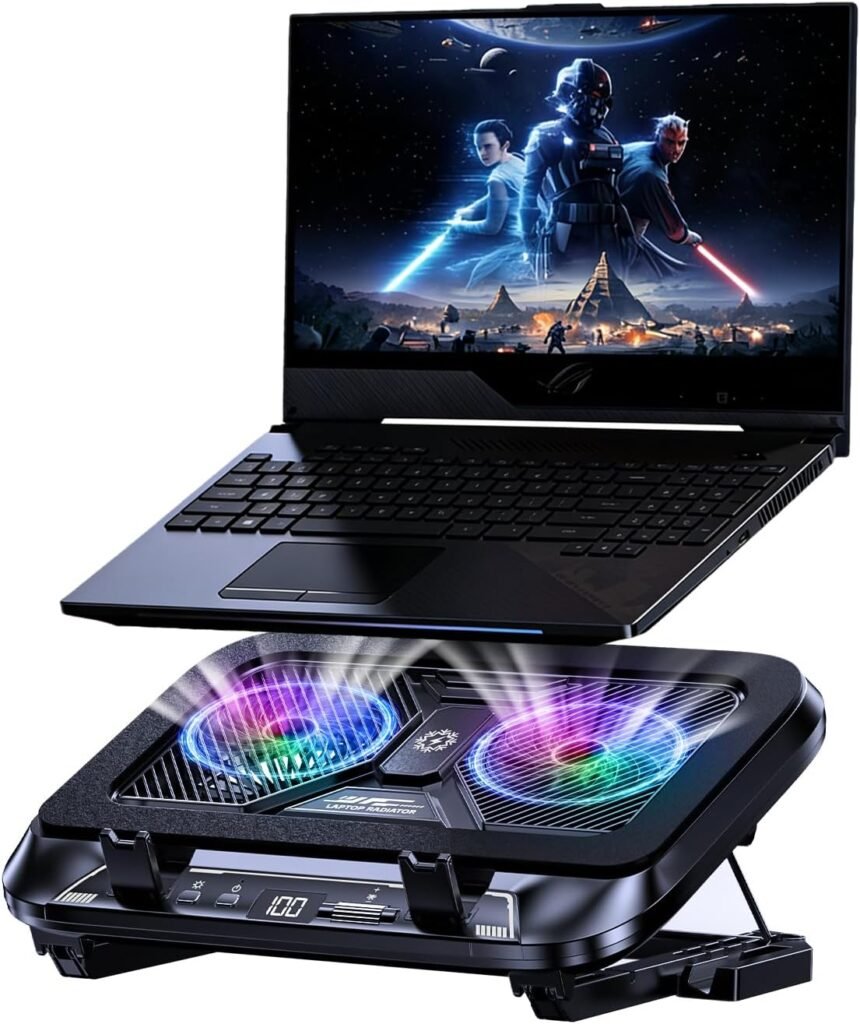
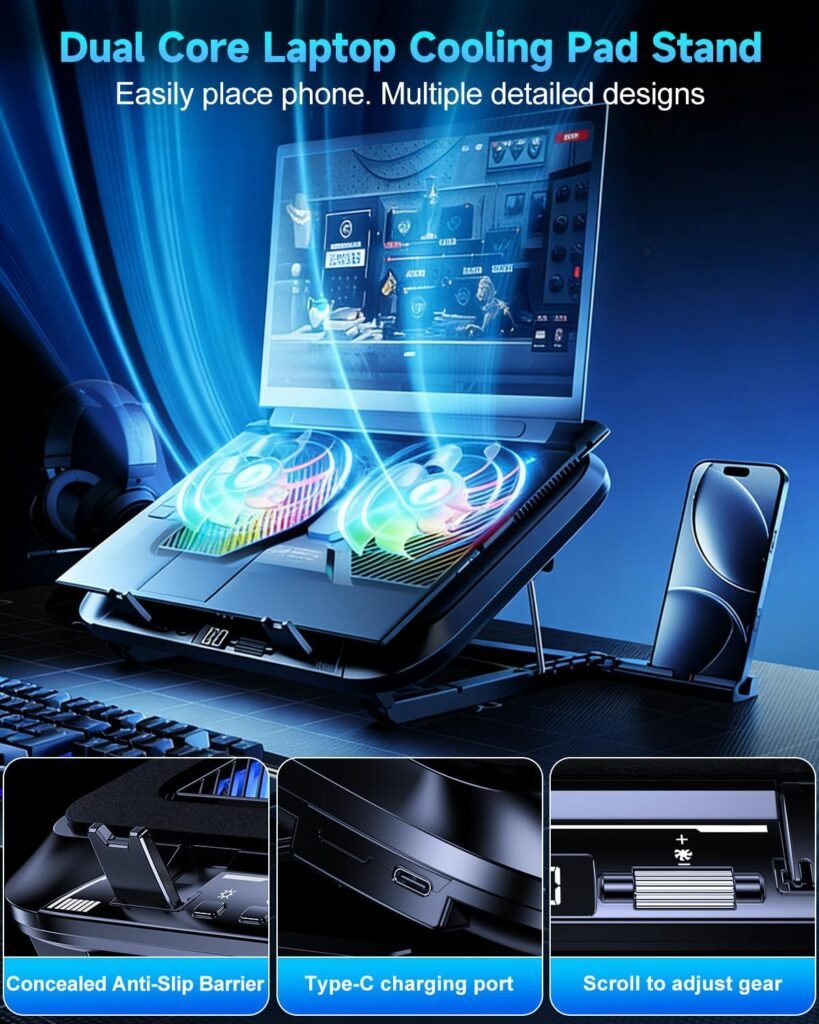
The central cooling design uses two 5.5-inch fans inside what the listing calls a fully enclosed wind-gathering structure. Foam seals are intended to reduce air leakage and direct pressure toward the laptop’s underside. In theory, that should make the airflow more focused than an open stand, though the result will depend on whether the laptop’s intake vents sit over the active cooling area.
Each fan is advertised at up to 9,500 RPM. That is a capacity claim, not a measured cooling result, and the listing supplies neither decibel figures nor a specific temperature reduction. You should treat the enclosed structure as a design intention rather than proof that CPU, GPU, or surface temperatures will fall by a particular amount.
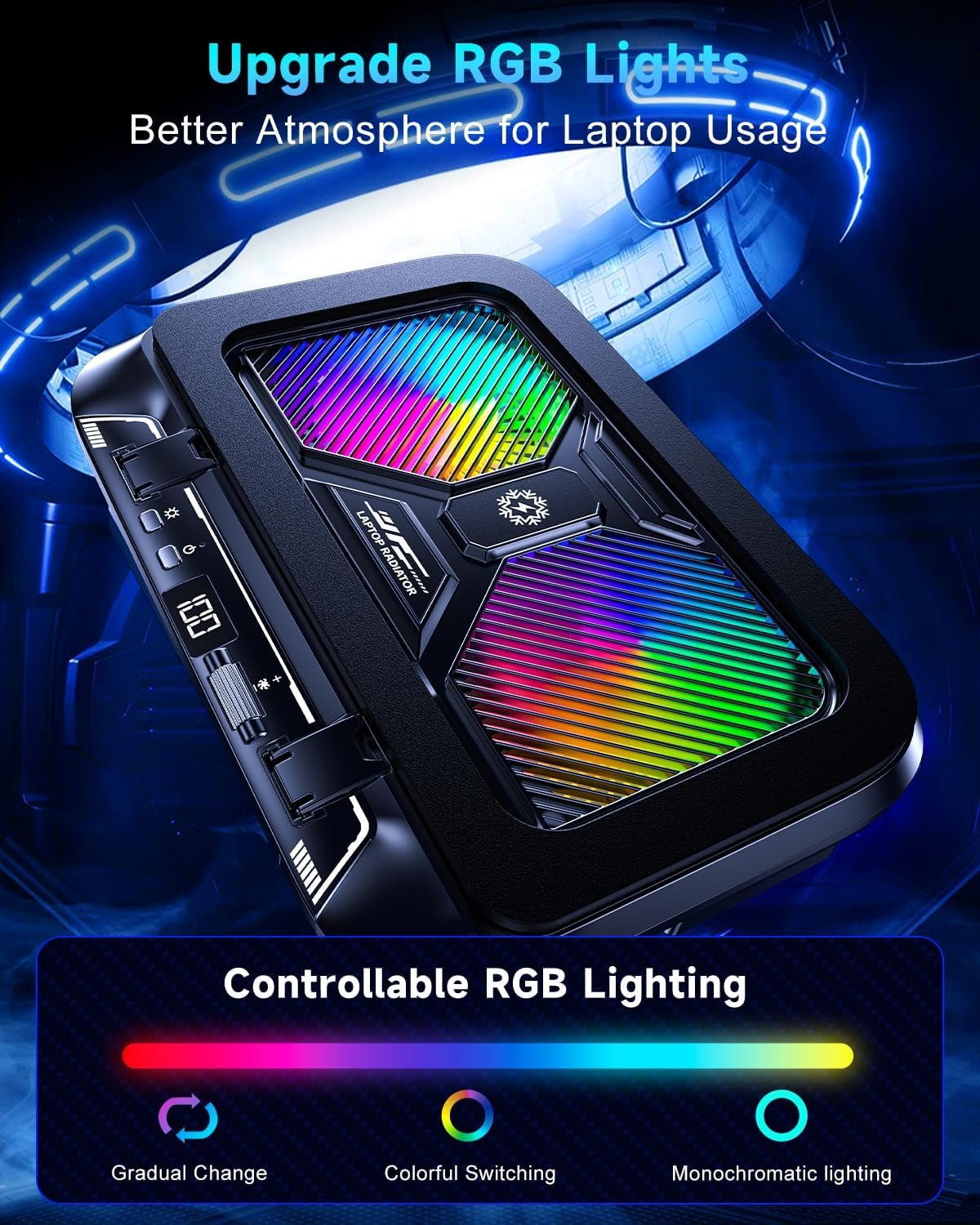
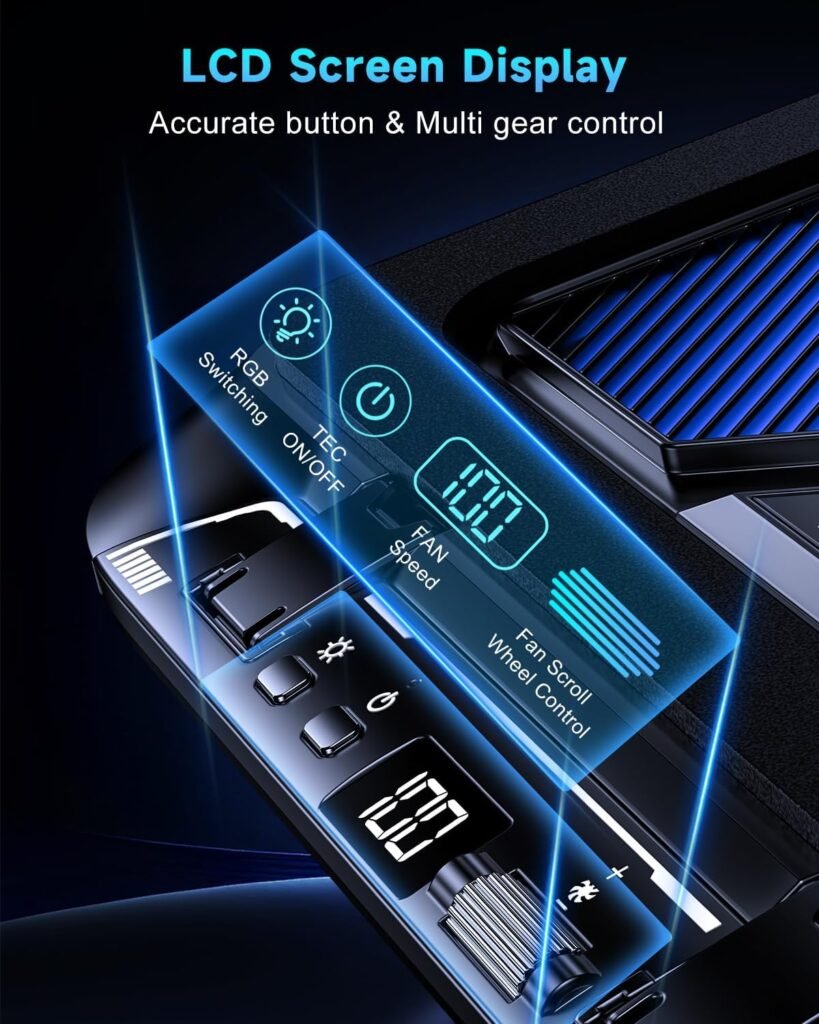
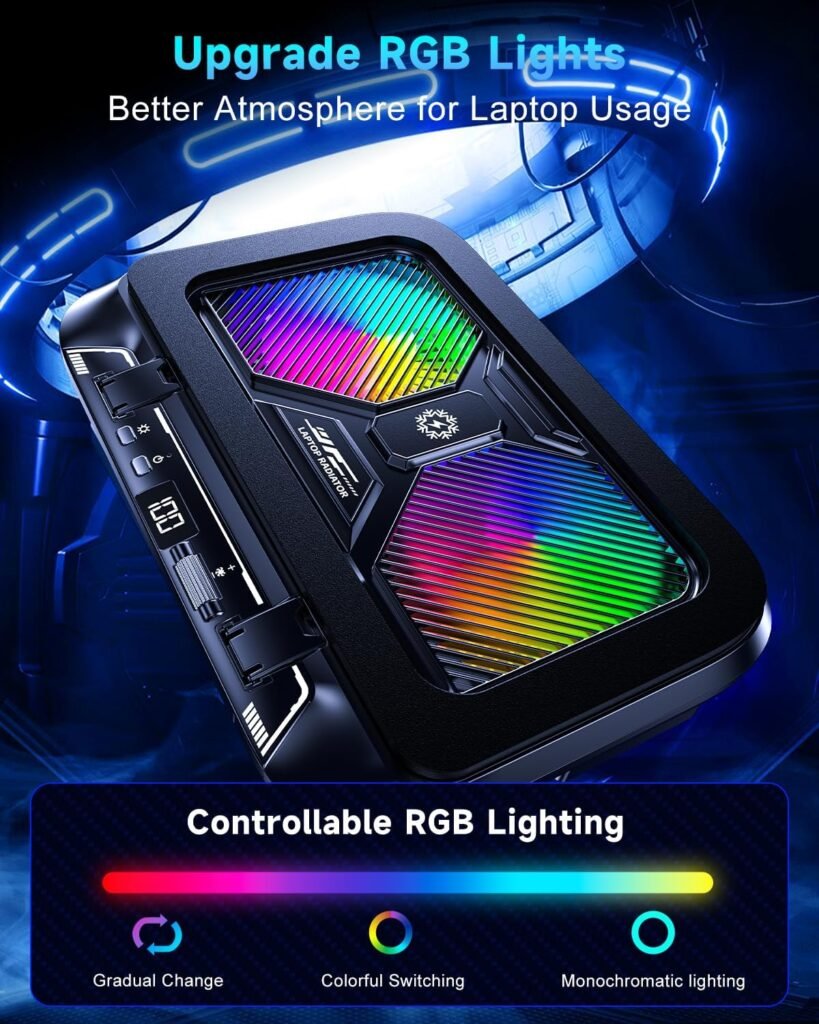
The scroll wheel provides speed levels, while the LCD screen shows the selected fan speed in real time. That is more useful than it may sound: you can begin at a moderate setting, increase airflow gradually, and return to a known level without guessing. Ten RGB modes are controlled by a dedicated button; a three-second press switches the lighting off. The lighting changes the desk atmosphere, not the cooling performance.
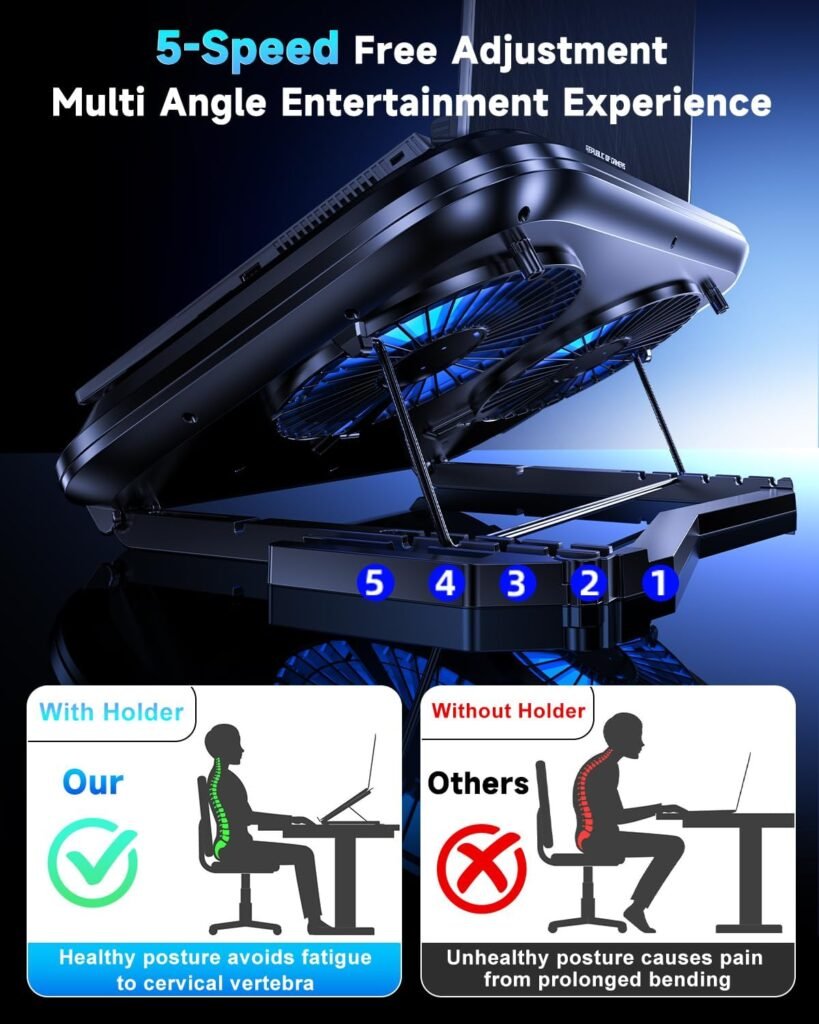
Five height positions let you adjust the screen and keyboard angle. Non-slip baffles and padded contact points are meant to keep different laptop thicknesses secure, especially when the stand is tilted. A hidden foldable phone holder adds a small convenience for notifications, timers, or reference material without requiring another desk accessory.
Cooling Performance, Noise, and Everyday Usability
The sensible way to judge this Laptop Cooling Pad is to separate advertised airflow capacity from proven thermal performance. No independent test results were supplied, so it would be misleading to promise a particular CPU or GPU temperature drop. A powerful fan can help, but a laptop with blocked internal heatsinks, failing fans, or dried thermal paste needs maintenance rather than an external stand alone.
You can test the result at home with a repeatable comparison:
- Record idle temperatures after the laptop has settled for several minutes.
- Run the same game, render, benchmark, or demanding application for the same length of time with and without the stand.
- Repeat the test at low, medium, and high fan settings, recording both temperature and perceived noise.
- Compare sustained clock speeds and performance, not just one brief peak reading.
The 9,500 RPM claim suggests a possible trade-off. High airflow may suit a gaming laptop or workstation during a demanding session, while office work may be more comfortable at a lower setting. The foam-sealed structure could make airflow more directed, but a tight contact area may not suit every chassis. Large bottom panels, raised feet, or vents positioned away from the fans can reduce the practical advantage.
For setup, connect the cable, place the laptop against the front baffles, choose a comfortable height, and start at a moderate speed. Increase airflow only when your temperature or performance comparison justifies it. Keep the laptop’s own vents clean and unobstructed; a cooling pad cannot replace internal cleaning, functioning fans, adequate ventilation, or thermal-paste service.

Ergonomics, Stability, and Desk Setup
The five height positions are primarily an ergonomic feature. Raising the screen can reduce the amount of downward neck angle required during prolonged typing or gaming, while changing the keyboard slope may suit a particular desk and chair. It is not a medical device or a guarantee against discomfort; your chair height, external keyboard, and viewing distance still matter.
Stability comes from the front baffles, non-slip surfaces, and padded contact areas. Before a long session, place the stand on a flat, hard surface, set the laptop in its normal position, and test the keyboard at every height. Check that the computer does not shift when you type firmly or move a gaming mouse.
Although the stated range reaches inches, a very large gaming laptop may cover some of the active cooling surface or extend beyond the supported area. The result can be less stable than the size label suggests. The phone holder folds away behind the stand, which is tidy, but check that it does not interfere with a cable, mouse movement, or your preferred screen position.
Portability is difficult to assess from the supplied information because the product weight and folded dimensions are not given. The listing also does not specify USB pass-through ports or power requirements beyond the supplied cable. That makes this more suitable for a known desk setup than for someone choosing a travel accessory solely on the basis of its feature list.
Compatibility and What Comes in the Box
The stated compatibility covers most 12- to 21-inch laptops, with Dell, HP, Lenovo, ASUS, and Apple MacBook named as examples. Tablets and other devices are also listed as supported. Brand names should not be read as a universal-fit guarantee: two laptops from the same manufacturer can have very different feet, vents, port placement, and hinge shapes.
Before ordering, compare the underside of your device with the support layout. Look at where the intake vents sit, whether the feet create a stable contact pattern, and whether a rear power or display cable will be pressed against the stand. For a tablet, confirm that the device is secure and that its own vents align sensibly with the airflow area rather than assuming the laptop-oriented design will suit it perfectly.
Inside the package, the listing identifies one cooling pad, one 1-meter USB-A-to-USB-C charging cable, and one user manual. The cable tells you the connection type, but the supplied information does not say whether a wall charger is included. Confirm that your laptop, desktop, hub, or separate charger provides a suitable USB-A power source.
The stated warranty lasts two years. Keep the order details and manual somewhere accessible, since those records may be useful if the controls, fan connection, lighting, or mechanical supports need attention later.
What Customers Are Saying About the Laptop Cooling Pad
No verified buyer rating or review total was included in the supplied product data, so there is no responsible way to claim that customers broadly praise its cooling, noise level, display, or reliability. I also can’t turn the specification sheet into customer evidence. That means questions about high-speed vibration, USB behavior, LCD readability, wheel precision, foam-seal durability, and phone-holder retention remain unanswered here.
When current buyer feedback is available on the listing, give the most weight to reviews that identify a laptop model, workload, fan setting, temperature comparison, or period of ownership. A statement such as “my 16-inch gaming laptop ran cooler during a one-hour game” is more useful than an isolated claim that the stand is simply “powerful.” Repeated comments about vibration or controls deserve attention even if they conflict with a handful of enthusiastic first impressions.
Look specifically for recurring themes:
- Whether temperatures improve during sustained gaming, rendering, or video work.
- Whether noise becomes intrusive at the upper settings.
- Whether the LCD remains readable and the scroll wheel responds predictably.
- Whether different laptop sizes stay stable and whether the phone holder holds a device securely.
- Whether the fans, cable, lighting, and seals continue working after extended use.
Until those reports can be checked against a current rating and review count, the ALYNIC Laptop Cooling Pad is a specification-led purchase with performance uncertainty. Owners of a similarly sized laptop should be your most relevant comparison group, not a single dramatic temperature claim from an unrelated machine.
ALYNIC Laptop Cooling Pad Compared With Alternatives
Kootek Laptop Cooling Pad and TopMate C5 Laptop Cooling Pad are two sensible names to investigate alongside ALYNIC. However, the supplied product data does not provide current prices, ratings, review counts, or confirmed specifications for either alternative. I won’t invent those figures or assume that older listings still use the same fan arrangement, controls, lighting, or size range.
The practical comparison should focus on what each current listing actually confirms. Check fan layout and stated laptop range first, then look at height adjustment, speed-control method, lighting, noise reports, and whether a USB hub or pass-through connection is present. Those details matter more than a generic “gaming cooler” label, particularly if you have limited desk space or need a quiet stand for office work.
ALYNIC’s differentiators are its claimed 9,500 RPM rating per fan, enclosed airflow structure, LCD display, five height positions, and hidden phone holder. TopMate C5 may appeal if its current listing offers a more established review history or a control arrangement you prefer, while Kootek deserves consideration if its present configuration better suits your laptop’s size and support needs. Neither should be declared the winner without checking the live listing.
For any comparison, look for independent thermal testing, measured acoustics, product weight, folded dimensions, and USB connectivity. If those facts are missing from all three products, choose based on fit, warranty, control preference, and the quality of relevant buyer reports rather than assuming the highest fan-speed number will produce the best result.
Who Should Buy This Laptop Cooling Pad?
The best match is someone with a compatible laptop that becomes hot during gaming, rendering, video work, or another sustained workload and wants adjustable cooling rather than one fixed fan setting. The 100-level control is particularly appealing if you want to tune airflow gradually: perhaps quiet operation during writing, then stronger cooling when a game or render pushes the system harder.
The LCD gives you a repeatable reference for that adjustment. Instead of relying on an imprecise dial position, you can remember a setting that balances fan noise and cooling for a particular task. Five angle positions also suit people who spend long periods typing or gaming, provided the laptop remains stable and the chosen height feels comfortable.
RGB lighting will appeal to buyers building a coordinated gaming desk, while the foldable phone holder is useful if you keep a phone visible during work. Neither feature should influence a thermal decision, but both can make the stand more convenient than a plain cooling base.
You are probably a poor match if you need independently verified temperature reductions, silent operation at maximum output, battery power, compact travel dimensions, or documented weight and noise figures. Your decision can be short: confirm the laptop’s physical fit and vent placement, verify a USB-A power source, decide whether fine airflow adjustment matters, and then compare current ratings and prices before ordering.
Price, Warranty, and Overall Value at $41.99
At $41.99, the feature package is substantial on paper: two 5.5-inch fans, a claimed 9,500 RPM maximum per fan, speed levels, an LCD readout, RGB modes, five height positions, a phone holder, and a stated two-year warranty. That makes the price easier to understand than a basic stand with a single fixed-speed fan.
Feature value and proven performance value are different things. Without independent thermal data, measured noise, or a supplied customer rating and review count, you cannot know from the listing alone whether this Laptop Cooling Pad will outperform every cheaper design. The purchase becomes good value if it supports your laptop securely, produces a meaningful improvement under sustained load, remains tolerable at your preferred speed, and keeps its controls working over time.
A cheaper basic stand may be wiser for light office work, where extra fan capacity, RGB lighting, and an LCD add little practical benefit. Spending more on a better-documented competitor may also make sense if you prioritise measured acoustics, verified cooling tests, stronger construction details, or a longer-established review record.
My view is cautious but favourable toward the concept. At $41.99, the ALYNIC Laptop Cooling Pad is worth considering for a hot, compatible laptop and a buyer who values precise adjustment. It is not a proven thermal solution yet; the unresolved questions around real cooling and high-speed noise should remain part of your buying decision.
Pros and Cons
Pros
- Two large 5.5-inch turbofans with a claimed maximum speed of 9,500 RPM per fan.
- 100-step fan adjustment with an LCD screen showing the selected speed.
- Five height positions, non-slip baffles, padded contact points, RGB lighting, and a foldable phone holder.
- Stated support for 12- to 21-inch laptops, tablets, and other compatible devices.
- A stated two-year warranty and included 1-meter USB-A-to-USB-C cable.
Cons
- No verified star rating, review count, independent temperature tests, or measured noise figures were supplied.
- The advertised 9,500 RPM-per-fan performance may produce noticeable noise at high settings.
- Weight, folded dimensions, USB pass-through ports, and power-adapter requirements are not specified.
- Fit and airflow may depend heavily on the laptop’s underside vents, feet, and chassis shape.
- A 21-inch gaming laptop may cover part of the cooling surface or extend beyond the supported area.
Final Verdict
Key Takeaways
- The ALYNIC Laptop Cooling Pad offers an unusually detailed control system for $41.99, including fan-speed levels and an LCD readout.
- Its most distinctive cooling claims are the enclosed airflow structure and two 5.5-inch fans rated at up to 9,500 RPM each, but those claims are not supported by independent test results here.
- Five height positions, padded supports, RGB lighting, and a hidden phone holder make it more versatile than a basic fixed-angle stand.
- The purchase makes the most sense for a compatible laptop that runs hot under sustained workloads, provided you accept uncertainty around noise and measured cooling.
- Check the laptop’s vent layout and USB-A power options before buying, then compare current ratings and prices with Kootek and TopMate C5.
Frequently Asked Questions
What laptop sizes does the ALYNIC Laptop Cooling Pad support?
The listing states compatibility with most laptops from to inches, including Dell, HP, Lenovo, ASUS, and Apple MacBook models. That does not guarantee an ideal fit, so compare your laptop’s underside vents, feet, hinge position, and cable ports with the stand’s support layout before ordering.
Does the cooling stand include a power adapter?
It is powered through the included 1-meter USB-A-to-USB-C cable. The supplied information does not confirm that a wall adapter is included, so you should have a suitable USB-A power source available.
How effective is the ALYNIC Laptop Cooling Pad?
The listing describes two 5.5-inch turbofans with a claimed maximum speed of 9,500 RPM each, but it provides no independent temperature results or measured noise level. Its actual benefit will depend on your laptop’s cooling design and vent placement.
What extra features does this laptop cooler have?
The stand has five height positions, non-slip baffles, padded contact points, a foldable phone holder, an LCD speed display, and RGB lighting with modes. The phone holder folds behind the pad when not needed.
Disclosure: As an Amazon Associate, I earn from qualifying purchases.