

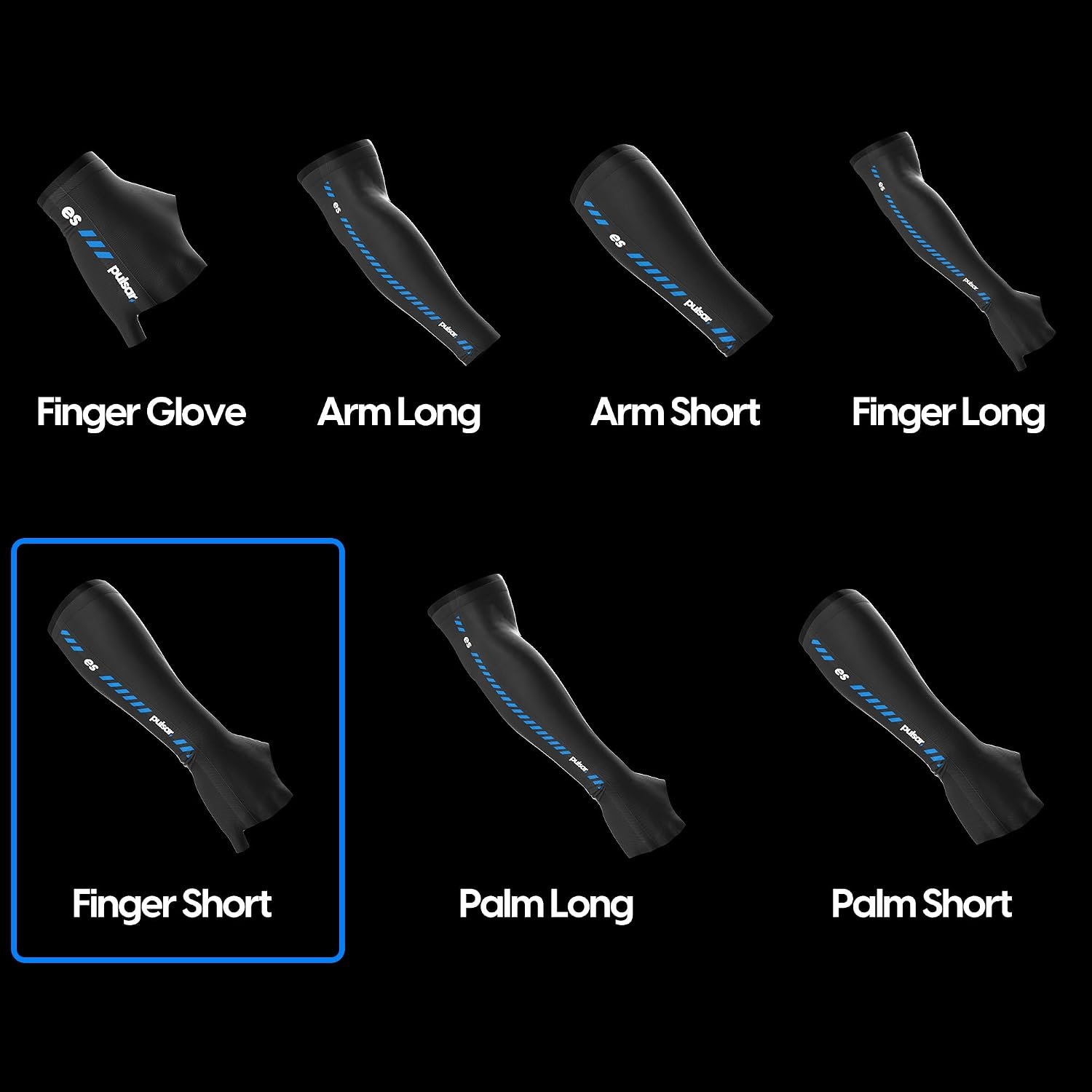
Pulsar Gaming Gears Finger Short Gaming Arm Sleeve: Quick Overview
Arm friction, sweat, and a forearm that sticks to the desk can turn an otherwise controlled mouse movement into a small act of correction. That matters most when you play at low sensitivity, make broad swipes, or sit through a long competitive session. The Pulsar Gaming Gears Finger Short Gaming Arm Sleeve is built to place a smoother fabric layer between your skin and the desk or mouse pad, and its finger-short format keeps the hand largely free.
The listing gives the sleeve a current price of $19.95 and shows it as In Stock. No rating or review count is supplied in the available product data, so there is no responsible way to claim a customer consensus, quote buyers, or attach a star score to the product.
On paper, this gaming arm sleeve is most appealing if forearm drag and perspiration regularly disturb your aim, but you don’t want a full-length sleeve or a glove covering your fingers. The assessment below uses the published specifications and the available customer evidence as of 2026. The feature list is plausible; the open question is whether the fit stays unobtrusive after several hours.
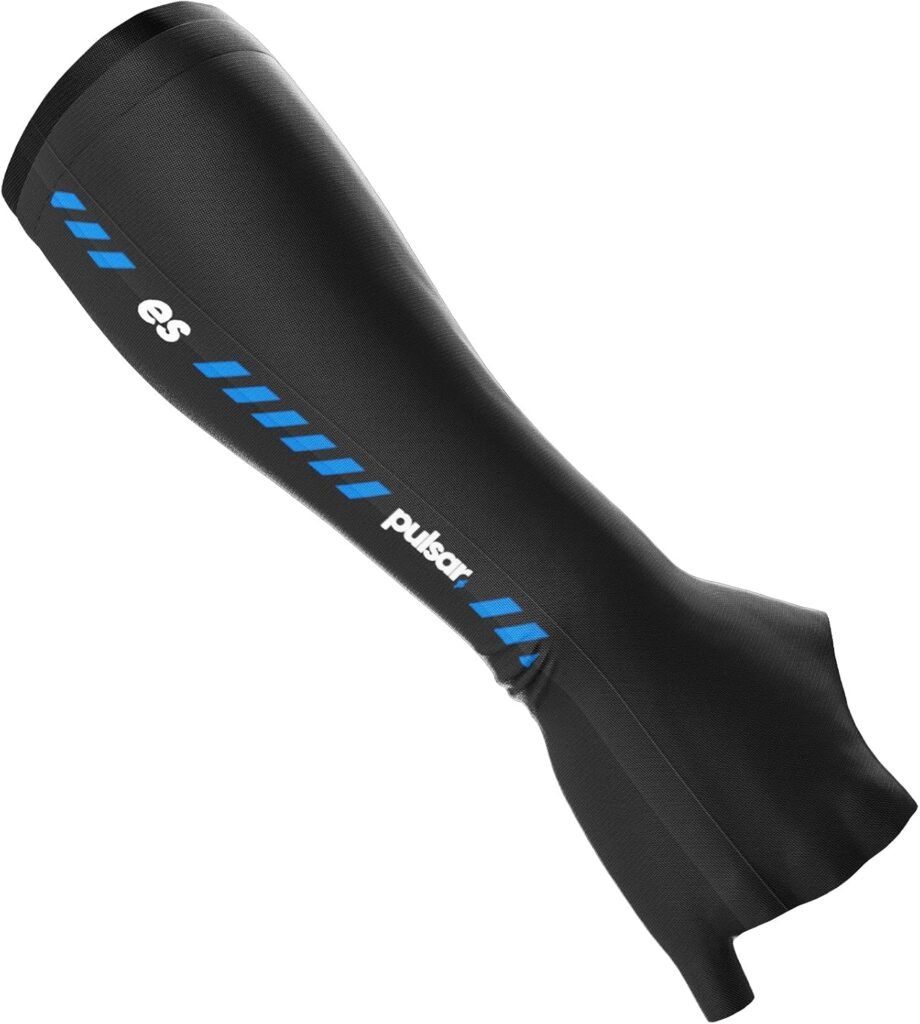

What Is the Pulsar Gaming Gears Finger Short Gaming Arm Sleeve?
An arm sleeve works as an interface between your skin and the surface beneath it. Instead of bare forearm skin repeatedly contacting a desk edge or cloth mouse pad, the sleeve provides a consistent layer intended to reduce drag. That can be useful in tactical shooters, aim trainers, and other games where a large horizontal movement is followed by a rapid stop.
The intended audience is fairly clear: PC gamers, eSports competitors, streamers, and anyone whose arm becomes warm, damp, or sticky during extended play. If your forearm often catches on the table when you move the mouse, a sleeve can remove one physical distraction. It won’t correct poor posture, an unsuitable sensitivity setting, a rough surface, or inconsistent mouse control.
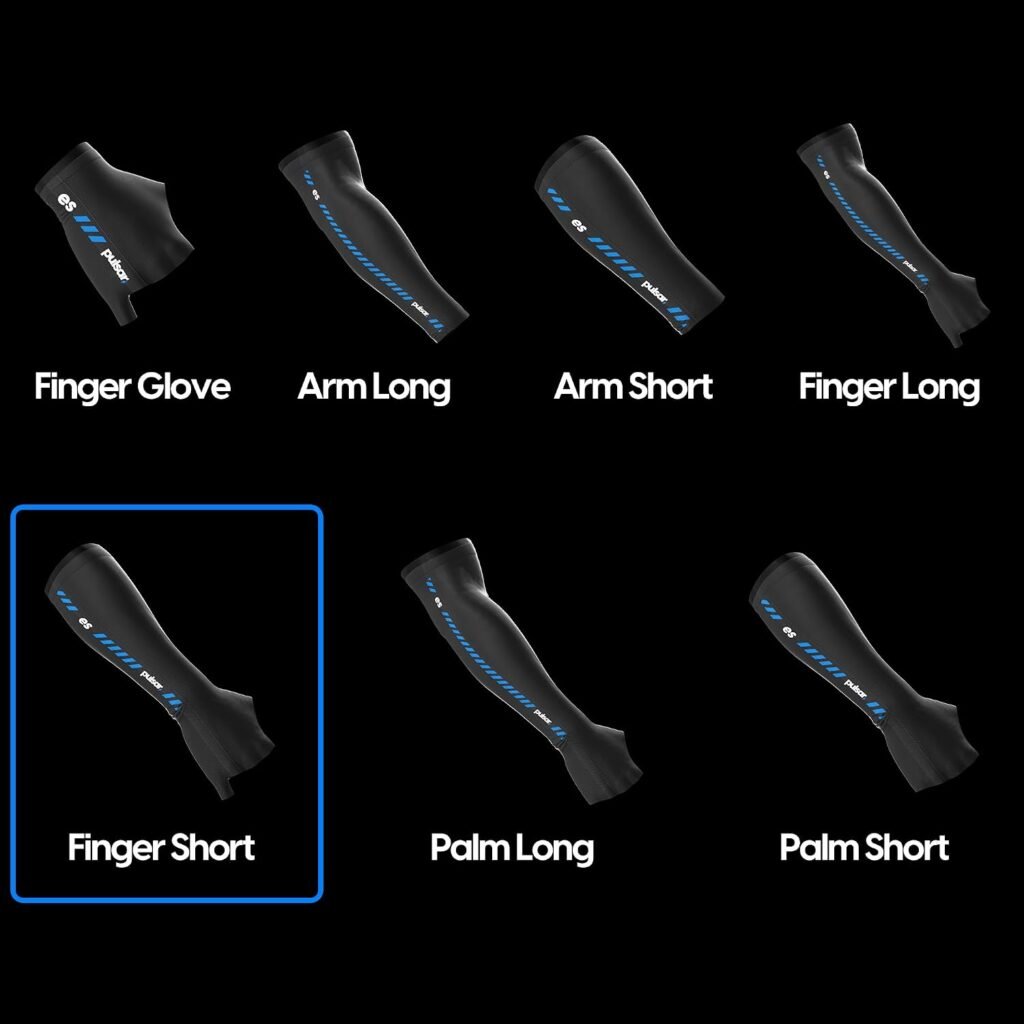
The finger-short design covers the wrist and forearm while leaving the hand and fingertips mostly unrestricted. That is a useful middle ground for players who dislike full gaming gloves or sleeves that extend over the fingers. The supplied information does not state the fabric composition, available sizes, colors, sleeve weight, or washing instructions, so those details should not be assumed.
Key Features of This Gaming Arm Sleeve
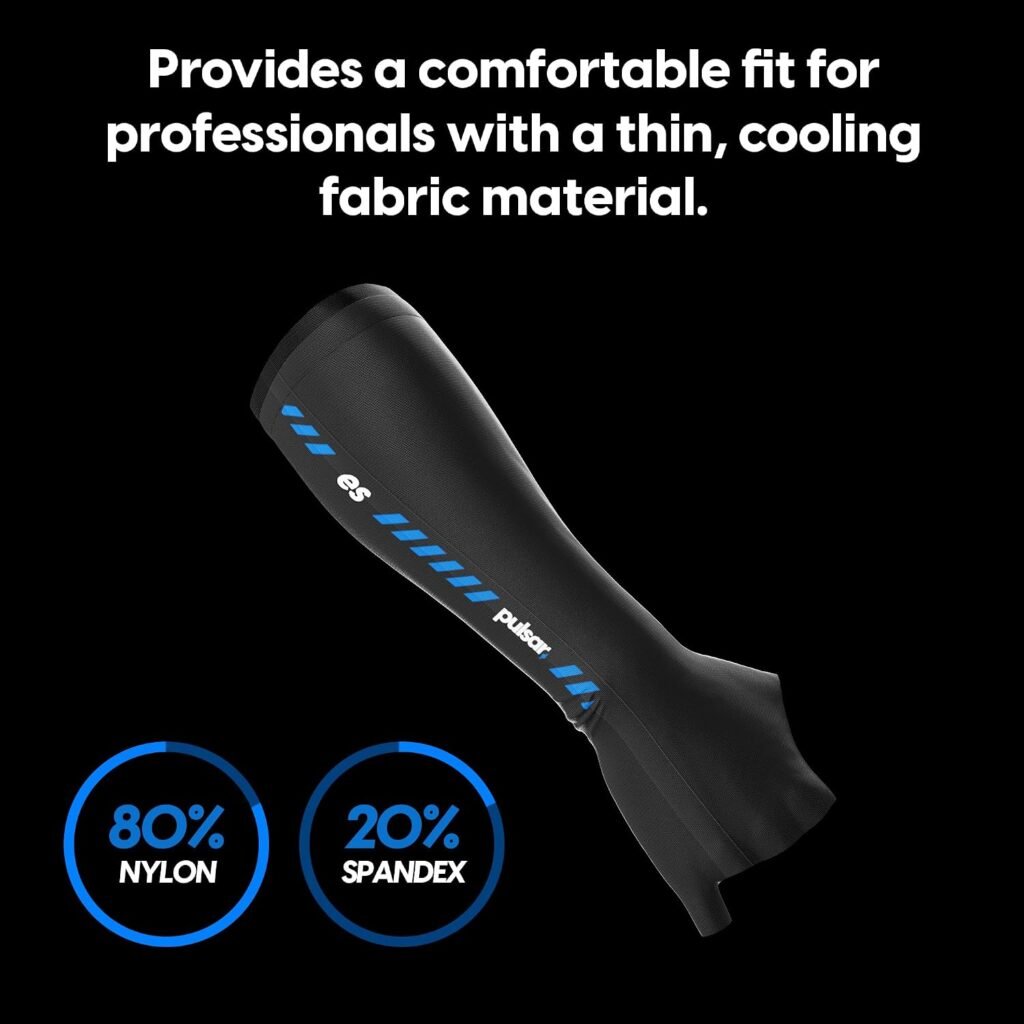
The product description presents five main design claims: cooling fabric, elasticity, a high-strength band, seamless construction, and sweat absorption with quick drying. Each addresses a familiar annoyance rather than promising a magic improvement in aim. The sensible question is not whether a feature sounds competitive, but whether it removes a distraction you actually experience.
Cooling fabric is meant to make the forearm feel less hot. Elasticity should help the sleeve follow repeated arm movements without obvious bunching, while the high-strength band is intended to keep it positioned. The seamless design targets comfort and reduced surface friction, and the moisture claims address the dampness that can alter how skin moves across a desk.
At $19.95, the combination is reasonable to examine as a purpose-built accessory, particularly if you play several times a week. Still, the price does not turn design claims into measured results. The information provided includes no material percentages, dimensions, compression level, or other measurements, so this gaming arm sleeve should be judged by fit, contact consistency, and long-session comfort rather than by invented technical precision.

Cooling Fabric and Sweat Management
The listed cooling-fabric benefit is primarily about perceived comfort. During a long session, warm skin pressed against a desk can feel unpleasant even before it becomes visibly sweaty. A fabric layer that feels less heat-trapping may help your forearm remain comfortable, but “cooling” should not be read as proof of a measurable temperature reduction.
The sleeve is also described as absorbing sweat and drying quickly. That matters because moisture changes friction: a damp arm may glide differently from a dry one, while a clammy fabric can become its own distraction. A fair assessment would look at whether the forearm stays comfortable and whether movement feels less variable, not whether the sleeve delivers a medical or laboratory cooling effect.
Test it in stages:
- Wear it for a short session and check how the fabric feels against the skin.
- Continue into a longer session and note dampness, comfort, and any clammy feeling after repeated swipes.
- Repeat in a warmer room and on your normal mouse pad, since both conditions can change the result.
Breathability and drying speed will vary with room temperature, how much you sweat, and whether the surface is cloth, hard, or coated. Those variables are part of the experience, not evidence that the gaming arm sleeve has failed.
Elasticity, Fit, and the High-Strength Band
Elasticity is supposed to keep the sleeve close to your arm while allowing repeated aiming movements. In practice, that means it should follow the forearm rather than form distracting folds as you flick, swipe, or reposition the mouse. The high-strength band has a separate job: it is the retention point intended to prevent the sleeve from sliding during fast movements and low-sensitivity play.
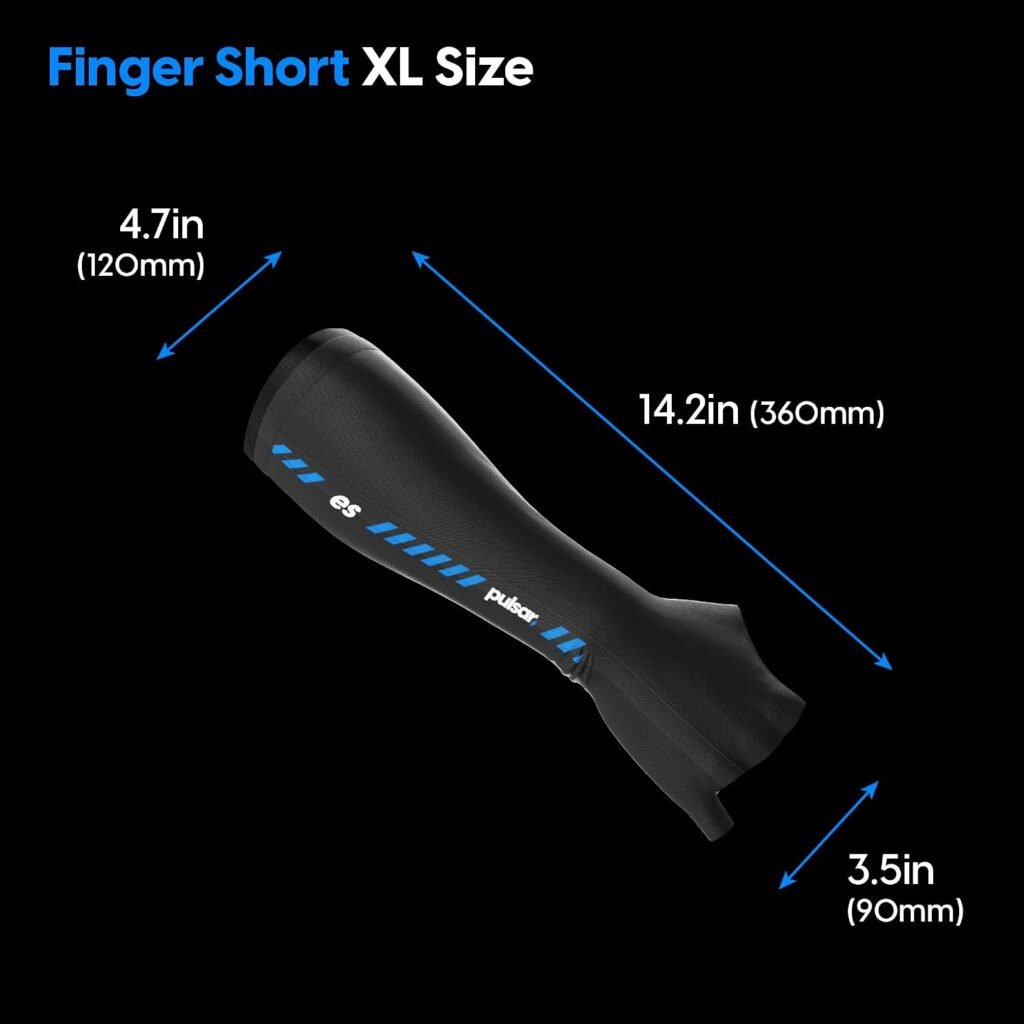
There is an unavoidable trade-off. A band that is too loose may move and require constant adjustment; one that is too tight may leave pressure or marks and become more irritating as the session continues. Because the supplied listing does not include sizing information, you should check the seller’s current size chart and compare it with your forearm measurement before ordering.
After receiving it, use the sleeve through at least one uninterrupted gaming session. Check whether the edge rolls, whether the fabric bunches near the elbow or wrist, and whether the band restricts movement. A close fit is useful only when you stop thinking about it. If you keep noticing pressure, sliding, or the need to pull the sleeve back into position, the retention design is not serving its purpose for your arm shape.
Seamless Construction and Reduced Friction
A seamless construction can reduce raised seams and pressure points where the forearm repeatedly meets the desk or mouse pad. That is especially relevant when your arm travels across the same area hundreds of times in a match. Fewer obvious interruptions may make the contact feel smoother, although the sleeve’s actual glide still depends heavily on the surface underneath.
For a fair comparison, keep the variables fixed. Use the same mouse, sensitivity, desk position, and mouse pad first with a bare arm and then with the sleeve. Pay attention to drag, stickiness, noise, and consistency rather than simply asking whether one setup feels faster. A fast initial glide may not be preferable if stopping the mouse becomes less controlled.
Seamless construction also shouldn’t be treated as a durability guarantee. Repeated movement, washing, and tension at the band are separate stresses. Inspect the edges and contact areas over time, looking for discomfort or visible changes rather than assuming that a seamless finish will remain perfect indefinitely.
Comfort During Extended Gaming Sessions
Extended-session comfort is where the product’s separate claims either become useful or fade into marketing language. A comfortable gaming arm sleeve should stay flat against the arm, avoid bunching near the wrist or elbow, and remain unobtrusive while your forearm rests on the desk. The short profile may be an advantage if you want coverage around the contact area without feeling enclosed through the hand.
Use a simple sequence to judge it. Wear the sleeve for 30 minutes, continue for two hours, and then inspect your skin and the fabric. Note moisture, pressure from the band, irritation, and whether the arm feels more or less restricted after repeated swipes. The point isn’t to manufacture a score; it is to see whether comfort survives the novelty of the first few minutes.
That distinction matters. A sleeve that feels unusually smooth at first but becomes irritating later is a poor companion for ranked play. The better result is quieter: you stop noticing the sleeve, your arm rests naturally, and you don’t have to interrupt a match to reposition it.
What Customers Are Saying About the Gaming Arm Sleeve
No rating, review count, quotations, or dated customer-review record was supplied for this listing. That means the available evidence cannot establish whether buyers consistently praise the fit, report sliding, enjoy the glide, or experience problems after washing. Any article claiming a broad customer consensus here would be inventing information.
The most useful published feedback, if it becomes available during production, should be organized around practical themes rather than one-line reactions:
- whether the band remains secure during wide swipes;
- whether comfort holds up over a long session;
- whether the sleeve feels smooth on the buyer’s specific mouse-pad material;
- how well it manages sweat and how quickly it dries;
- whether edges, fabric, or retention areas change after washing.
A single report of sliding, tightness, pilling, or sizing difficulty would be an individual experience, not proof of a widespread defect. When review records are available, check the exact star rating and review count, then look for dates and context. Prioritize buyers who mention session length, forearm measurements, surface type, washing, and long-term use. Those details tell you considerably more than “great sleeve” or “didn’t like it.”
How It Compares With Other Gaming Sleeves
The closest alternative depends on what you want the sleeve to do. The Skypad Gaming Sleeve is a natural comparison for shoppers focused on mouse-pad glide, but current listing information for its coverage, fit design, and price was not supplied here. You should verify those points directly on the current listing before treating it as a cheaper or more expensive rival.
The Aegend Compression Arm Sleeves serve a different potential purpose. A general compression sleeve may be aimed more at exercise, sun protection, or everyday arm coverage than at reducing mouse-pad friction for competitive play. That doesn’t make it unsuitable, but you would need to compare its hand coverage, compression feel, retention, and surface interaction with the Pulsar model rather than assuming the word “sleeve” means identical use.
Use this framework when comparing the three:
| Question | Why it matters |
|---|---|
| Coverage | Decides how much of your hand and forearm remains free. |
| Moisture and cooling claims | Shows whether the design addresses sweaty sessions. |
| Retention and fit | Determines whether the sleeve stays put without pressure. |
| Customer evidence and price | Indicates how much confidence you can place in the purchase. |
The Pulsar model is the more natural candidate when your priority is a short gaming-specific format. Another option may be better if you need broader coverage, exercise-oriented compression, or more thoroughly documented sizing.
Who Should Buy the Pulsar Gaming Gears Finger Short Gaming Arm Sleeve?
You should consider the Pulsar Gaming Gears Finger Short Gaming Arm Sleeve if your forearm sticks to the desk or mouse pad, if perspiration changes the feel of your movement, or if you make frequent wide mouse sweeps. Those problems are particularly familiar to low-sensitivity FPS players, whose forearms travel farther for each turn and correction.
The finger-short format may also suit eSports-focused users who want a consistent contact surface without covering the entire hand. If you dislike full gloves, finger coverings, or fabric over your fingertips, this design addresses that preference directly. It could appeal to streamers and office users as well, provided the fit remains comfortable while switching between gaming and ordinary desk work.
Before ordering, confirm three practical details on the current listing: size availability, return terms, and care instructions. None of those details is included in the supplied product information, and they can matter more than a feature phrase if you are uncertain about the fit or expect to wear the sleeve frequently.
Who May Want a Different Option?
A bare-arm feel may be preferable if you rarely sweat, never notice forearm drag, or dislike close-fitting clothing. In that case, $19.95 may be hard to justify because the sleeve is solving a problem you don’t really have. A larger mouse pad, a different desk position, or simply changing how your arm rests could offer more benefit.
You should also look elsewhere if you need medical-grade compression, a defined level of compression, a verified fabric composition, or a specific amount of coverage. The supplied information does not document those specifications. Buyers with unusually small or large forearms face additional uncertainty until the current size chart and detailed fit reports can be checked.
Finally, a gaming arm sleeve cannot fix every tracking problem. If your mouse pad is inconsistent, your sensitivity doesn’t suit your movement, your posture is poor, or your chair leaves your shoulder and wrist strained, another adjustment may deliver greater value. The sleeve is an interface accessory, not a complete answer to ergonomics or aim.
Is the $19.95 Price Good Value?
At $19.95, the sleeve asks you to pay for a focused combination of movement assistance, sweat management, comfort, and retention. That can be a sensible price for a competitive player who wears it several times a week and regularly notices a sticky forearm. It is less compelling for someone who plays occasionally and has never considered arm friction a problem.
Break the value decision into three questions:
- Does the sleeve stay in place without repeated adjustment?
- Does it remain comfortable through a long session?
- Does mouse movement feel more consistent on your existing surface?
If the answer to all three is yes, the accessory is doing a job you can feel rather than merely listing features you might use. If one answer is no, especially the fit question, the price becomes harder to defend. Competitor prices should be checked at the time of purchase because current listing information for the named alternatives was not supplied. The Pulsar listing is currently shown as In Stock, but both price and availability can change.
How to Test and Care for the Sleeve After Buying
Start by inspecting the sleeve before a serious gaming session. Check the edges and band, confirm that the fabric lies flat, and look for anything that could rub during repeated movement. Use it during ordinary desktop work first; that gives you a low-pressure way to notice discomfort before a competitive match demands your attention.
For a movement comparison, keep your mouse sensitivity and mouse pad unchanged. Try several familiar swipes with and without the sleeve, then record whether you notice sliding, bunching, moisture, pressure, noise, or a change in how restricted the arm feels. Changing the mouse pad or sensitivity at the same time would make the result impossible to interpret.
Follow the manufacturer’s current care instructions rather than assuming a wash temperature, dryer setting, or detergent. The supplied product data provides no washing directions. After care, reassess the band, edges, and surface feel; keep the sleeve only if it remains secure and comfortable without creating irritation or requiring constant adjustment.
Pulsar Gaming Gears Finger Short Gaming Arm Sleeve: Buying Assessment
The Pulsar Gaming Gears Finger Short Gaming Arm Sleeve is a purpose-built short gaming sleeve listed at $19.95, aimed at reducing forearm friction while managing sweat and keeping the contact area comfortable. Its finger-short format is the clearest reason to choose it over a full glove or a general-purpose arm covering.
The feature list is promising: cooling fabric, elasticity, a high-strength band, seamless construction, sweat absorption, and quick drying all address real annoyances during long play. But the supplied product data includes no star rating, review count, sizing details, fabric composition, care instructions, or verified customer pattern. Fit, long-session comfort, and durability therefore need confirmation through the current listing and your own practical testing.
Consider this gaming arm sleeve if forearm drag or perspiration regularly interferes with mouse movement and the current size chart matches your measurements. If your arm rarely sticks, you dislike close-fitting fabric, or your main problem lies with posture, sensitivity, or the mouse pad itself, the $19.95 may be better spent elsewhere.
Pros and Cons
Pros
- Finger-short format leaves most of the hand and fingertips unrestricted
- Designed to reduce friction on a desk or mouse pad during broad mouse movements
- Published feature set includes cooling fabric, sweat absorption, quick drying, elasticity, and a high-strength band
- Seamless construction is intended to reduce rubbing and pressure points
- Current listed price is $19.95 and availability is shown as In Stock
Cons
- No supplied fabric composition, sizing details, care instructions, weight, or color information
- No rating, review count, or verified customer-review patterns are included in the available product data
- Fit remains the main uncertainty because an overly tight or loose retention band can become distracting
- The $19.95 cost may be difficult to justify if you rarely experience forearm sweat or desk friction
Final Verdict
Key Takeaways
- The Pulsar Gaming Gears Finger Short Gaming Arm Sleeve targets forearm drag, sweat, and inconsistent contact with the desk or mouse pad.
- Its finger-short format should appeal to players who want forearm coverage without covering most of the hand.
- Cooling fabric, elasticity, a high-strength band, seamless construction, and quick-drying sweat management are promising claims, but supplied data does not confirm real-world consistency.
- At $19.95, the sleeve makes the most sense for frequent players who regularly notice friction or moisture during wide mouse movements.
- Because no rating, review count, sizing information, or care instructions were supplied, fit and long-term durability need careful checking before purchase.
Frequently Asked Questions
What is the Pulsar Gaming Gears Finger Short Gaming Arm Sleeve for?
The sleeve is designed to reduce forearm friction against a desk or mouse pad, manage sweat, and keep the arm feeling more comfortable during extended gaming. It may make movement feel more consistent, but it cannot replace a suitable mouse pad, correct posture, appropriate sensitivity, or aim practice.
How do you choose the right size?
The supplied product information identifies it as a finger-short sleeve with a high-strength band and elastic construction, but it does not provide a size chart or measurements. Check the seller’s current sizing information and compare it with your forearm measurement before ordering.
Is the sleeve worth $19.95?
The listed price is $19.95 and the product is currently shown as In Stock. Whether that is good value depends on how often forearm friction, sweat, or sticking interferes with your mouse movement and whether the sleeve remains comfortable during long sessions.
Disclosure: As an Amazon Associate, I earn from qualifying purchases.
