

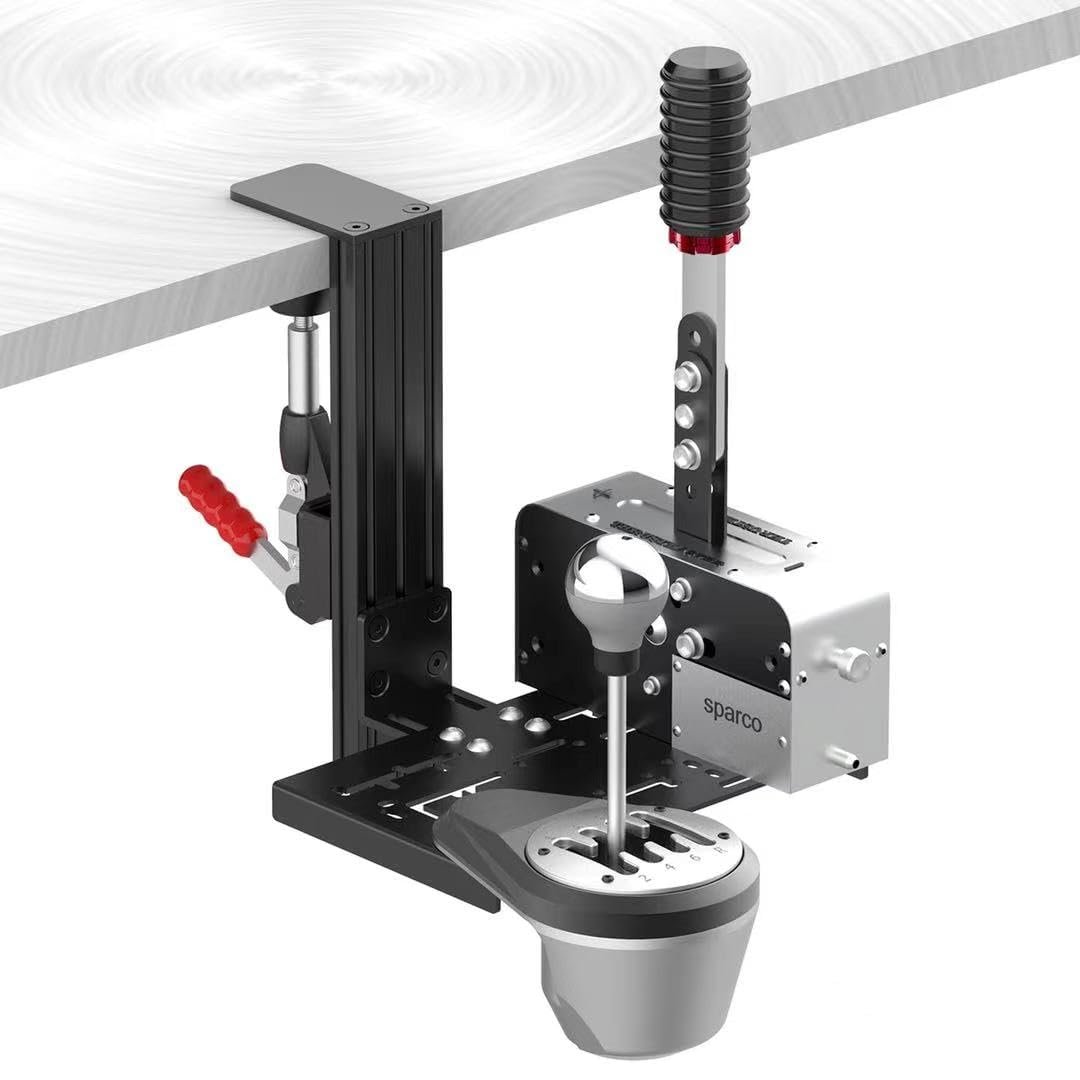
BUJ Racing Simulator Mount: Product Overview
A racing desk becomes crowded quickly when the wheel, keyboard, shifter, and handbrake all compete for the same few inches. The BUJ racing simulator mount addresses that problem by giving one or two controls a separate attachment point beside the wheel, so you don’t have to treat the desktop itself as the cockpit.
The product is the BUJ Universal Racing Simulator Desk Mount, advertised for Logitech, Thrustmaster, Fanatec, and USB handbrake setups. It is listed at $48.99 and shown as In Stock. In 2026, the central question is fairly simple: does broad compatibility and adjustable positioning justify paying entry-level accessory money for a bracket whose exact load rating is not stated?
Based on the supplied specifications alone, this mount looks most appealing if you already own a desk and want to consolidate separate controls without committing to a full racing cockpit. It is less obviously suited to someone who wants a complete wheel, pedal, and seat platform. This review examines the advertised controller combinations, construction, height range, desk fit, installation, removal, stability considerations, available customer evidence, and the difference between this compact design and larger stands such as the Marada Racing Wheel Stand and VEVOR Racing Wheel Stand.

What the BUJ Racing Simulator Mount Includes and How Its Design Works
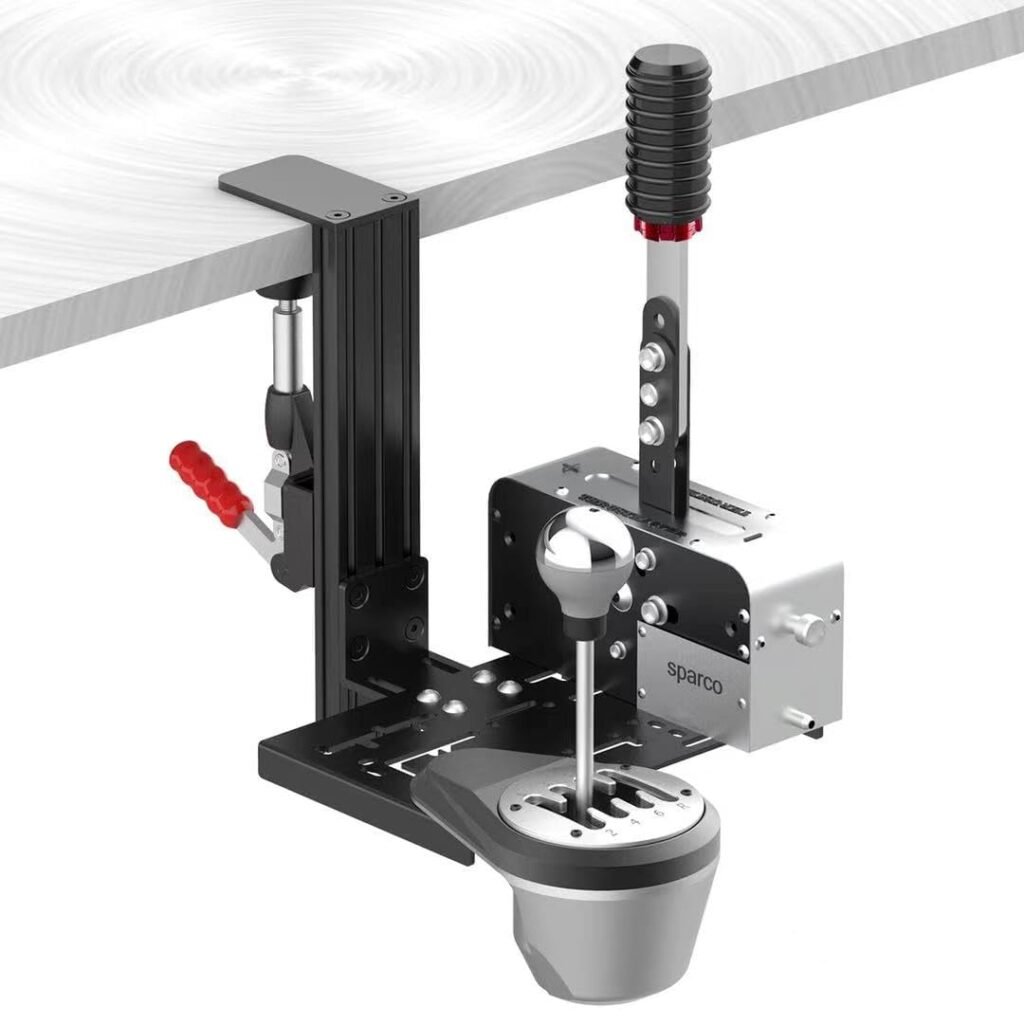
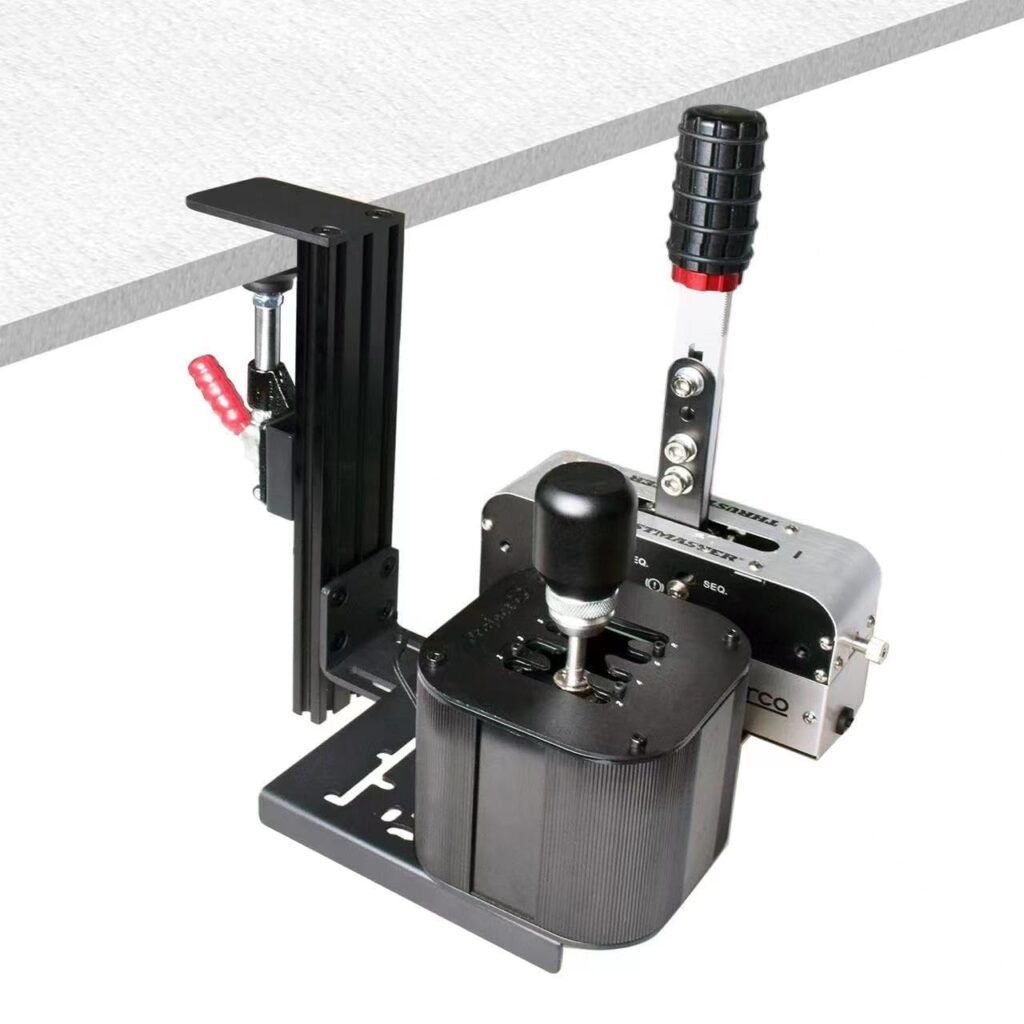
The BUJ racing simulator mount is a desk-mounted bracket made from what the listing describes as heavy-duty aluminum and metal. Its main portion reportedly arrives preassembled, while the remaining parts can be fitted according to your preferred arrangement. That should make it less intimidating than a kit that arrives as a collection of unrelated plates and fasteners, although the supplied information does not confirm the exact hardware included in the box.
The structure consists of a main mounting body, an adjustable quick-release clamp, leveling feet, and a non-slip silicone pad. The listing also calls out an added 0.8-inch-wide metal reinforcement piece between the push-pull clamp and the main body. In theory, that extra piece gives the clamp-to-bracket connection more support; in practice, its effect will depend on the desk and the force applied to the controller.
The intended benefit is straightforward. You can place shifters and handbrakes near the wheel without using the central desktop for every control, leaving room for a keyboard or other gaming equipment. However, the product description does not state a maximum supported weight, total footprint, or complete package contents.
Before ordering, compare your controller’s mounting surface and bolt pattern with the listing images and current details. This matters especially when combining brands: a bracket can be broadly advertised as universal while still requiring a particular hole arrangement, bolt size, or adapter for an individual model.
BUJ Racing Simulator Mount Compatibility: Logitech, Thrustmaster, Fanatec, and USB Controls
The advertised compatibility is unusually broad for a compact desk bracket. The listing says you can mount two TSS handbrakes or USB handbrakes, two TH8A shifters, Logitech Driving Force shifters, or Fanatec shifters, or one handbrake paired with one shifter. That mixed-brand promise is the main reason to look closely at the BUJ racing simulator mount rather than assuming a single-brand accessory will do the job.
For example, you might have a Logitech Driving Force shifter but prefer a Thrustmaster or USB handbrake. A mounting solution that accepts both physical units could save you from arranging two separate stands. The word physical is doing a lot of work here, though. The bracket provides a place to attach the hardware; USB controls still need suitable ports, cables, drivers, and game support.
There is also a naming problem. The listing refers to “Tss,” “G Driving Force,” and “Fana tec,” rather than presenting a clean model-by-model compatibility table. Those abbreviations may be understandable to an experienced sim racer, but they aren’t enough to guarantee that every revision or mounting plate will fit.
Use this practical check before you commit:
- Write down the exact model names of both controls.
- Inspect their underside mounting holes and the supplied screws.
- Compare the control bases with the available mounting surface shown in the listing.
- Confirm that both controls can sit on the bracket without one obstructing the other.
The Marada Racing Wheel Stand and VEVOR Racing Wheel Stand are useful comparison points because they belong more clearly to the larger wheel-stand category. Check their current prices, ratings, dimensions, included hardware, and stated controller support separately; neither should be treated as a direct substitute until you decide whether you need only a desk bracket or an entire stand.

Height Adjustment and Desk-Space Benefits
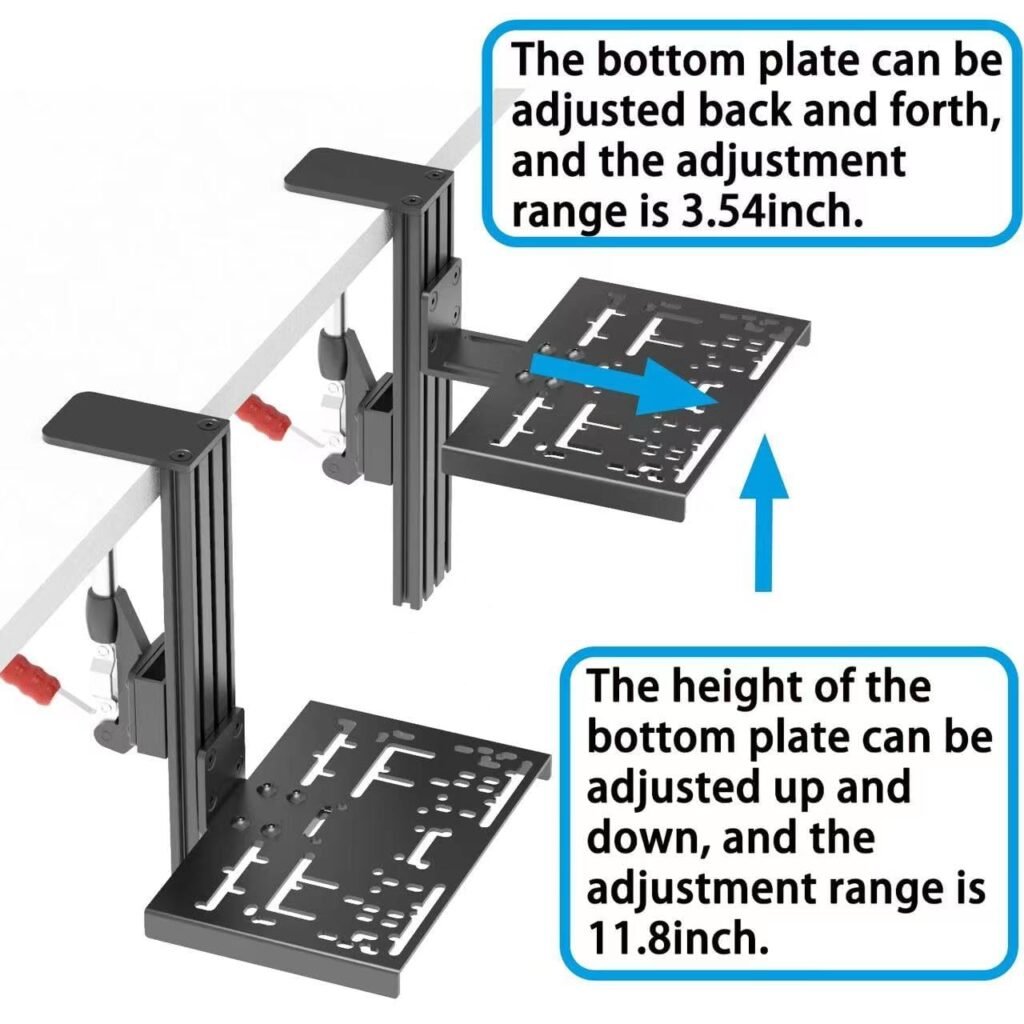
Height is one of the more useful specifications here. The BUJ racing simulator mount adjusts from 0 to 11.8 inches, or mm. That gives you room to bring a shifter or handbrake into line with the wheel, your chair, and the arm position that feels natural during a long session.
Raising the control may help it clear a keyboard, desk edge, or other equipment. A lower position can make more sense on a compact desk or when you prefer the control close to the wheel base. More adjustment is helpful, but it isn’t automatically better: a tall extension can create more leverage, which may make movement easier to notice if the desk or clamp is not rigid.
Set the height in this order:
- Position the wheel and chair where you normally drive.
- Sit down rather than adjusting from a standing position.
- Raise or lower the bracket until your elbow remains comfortably bent.
- Move the control through its full operating motion.
- Check that it doesn’t block the keyboard or interfere with the wheel.
That final movement check matters more than finding a visually symmetrical setup. A handbrake that looks perfectly aligned but forces your shoulder upward will become tiring; a shifter that is comfortable at rest may still collide with the wheel during rapid shifts.
Clamp Range, Desk Protection, and Stability
The adjustable clamp is listed for table boards up to 5.9 inches, or mm, thick, which is a very broad stated range for a desk-mounted sim accessory. The number tells you what the clamp is intended to accommodate, not that every desk within that range will produce the same result.
Actual usability depends on whether you can reach beneath the desktop, whether the edge is straight enough for the clamp to sit flat, and whether there is sufficient underside clearance. A cable channel, drawer, crossbar, or unusually shaped edge can be more limiting than thickness. Desk rigidity matters too: a metal mount cannot stop a thin or hollow desk from moving.
The contact points are designed with protection in mind. The non-slip silicone pad should increase grip at the desk surface, while the plastic-topped leveling feet are intended to reduce scratches and concentrated pressure marks. Position them so they contact a solid, clean area rather than a decorative lip or irregular edge.
The extra metal reinforcement is presented as a stability improvement, but the listing provides neither a maximum load rating nor a measured flex test. After installation, tighten the clamp by hand, apply moderate side-to-side pressure to the mounted control, and watch both the bracket and desk. If either moves, reposition or retighten before attempting forceful handbrake pulls. Don’t use the metal construction as a substitute for checking the whole desk assembly.
Installation, Adjustment, and Quick Removal
The main section is reportedly already assembled, and the listing claims the remaining assembly takes only a few minutes. That should appeal to anyone who dislikes building a complete simulator frame, but you still need to choose the control arrangement before tightening everything permanently.
A sensible installation sequence is:
- Decide whether the plate will carry two handbrakes, two shifters, or one of each.
- Attach the remaining bracket components in that configuration.
- Fit the silicone pad and leveling feet so the intended contact points meet the desk correctly.
- Place the clamp on the chosen desk edge and tighten it evenly.
- Mount the shifter or handbrake, then connect and route its cable.
The quick-release design is particularly useful on a shared desk or for a racer who stores equipment after each session. Once the clamp has been adjusted for the same desktop, the listing says removal or reinstallation can take only a few seconds. That is a meaningful convenience compared with leaving a permanent stand in front of a keyboard.
There are practical limits. You may need to preserve the clamp setting, reconnect cables every time, and reach awkwardly beneath a tight desk edge. Test the controls at the force you actually use before starting a race; a visual inspection won’t reveal movement that appears only when you pull the handbrake hard.
What Customers Are Saying
The supplied product data does not include the current star rating or review count, so it would be misleading to present a numerical customer consensus. It also does not include the individual review text needed to count how often buyers mention assembly, mixed-brand fit, desk protection, cable routing, or movement during aggressive use.
That evidence limitation is significant for this type of accessory. Customer reviews are often where you discover whether a specific TH8A, Logitech Driving Force, Fanatec, TSS, or USB handbrake actually lines up with the holes. They can also reveal whether a thick desk is easy to clamp, whether the quick-release mechanism remains convenient after adjustment, and whether a lightweight desk moves under repeated input.
When the live product page is available, give the most weight to reviews from shoppers who match your setup. Look for the same controller model, similar desk construction, and comparable driving style. A buyer using gentle sequential shifts on a solid wooden desk is not a reliable reference for someone repeatedly yanking a handbrake on a thin hollow desktop.
Also separate an isolated complaint from a repeated pattern. One report of missing hardware may indicate a packing error; several similar reports deserve more attention. Conversely, a single successful installation doesn’t establish universal compatibility. Reviews can show real-world fit and stability, but they cannot replace an official load rating or a complete compatibility chart.
Who Should Consider the BUJ Racing Simulator Mount?
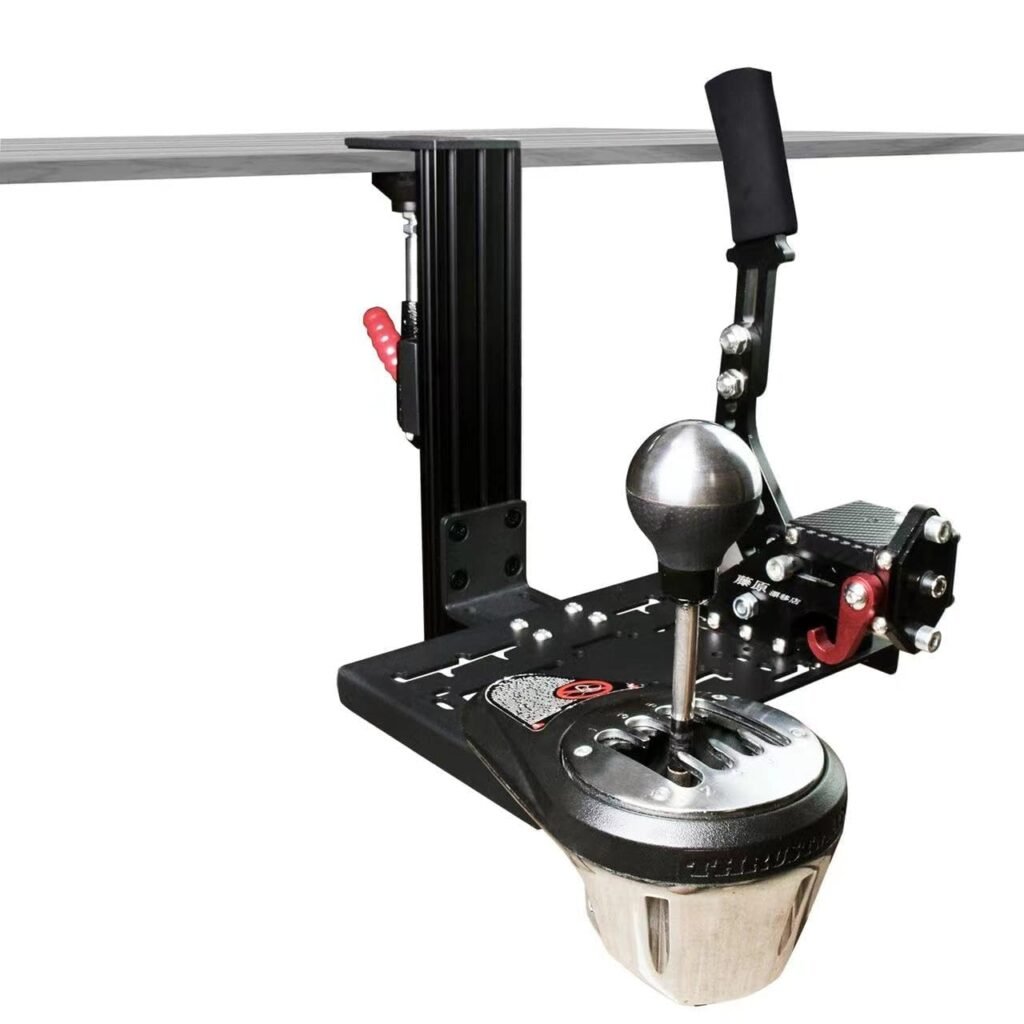
The strongest case for the BUJ racing simulator mount is the existing-desk setup. If you already own a wheel and pedals but have nowhere sensible to put one or two shifters or handbrakes, this bracket may add the missing control position without asking you to rearrange the whole room.
It could also suit renters, shared-office users, and casual racers who cannot leave a cockpit assembled. The quick-release concept lets you reclaim the desk after driving, while the adjustable design gives mixed ecosystems a chance to coexist. A Logitech Driving Force shifter beside a TSS or USB handbrake is exactly the kind of arrangement the listing is trying to serve, provided the physical holes align.
You should be more cautious if you need a guaranteed load rating, own an unusually shaped desk, or use very hard handbrake pulls. The same caution applies if what you really want is a complete wheel stand with a dedicated wheel plate, pedal base, and floor-supported frame. A desk bracket is a narrower solution.
Make the decision in this order: list the exact controls, inspect their mounting holes, check the desk edge and underside access, judge the desk’s rigidity, and then decide whether quick storage and compactness matter more than the stiffness of a dedicated cockpit. That process is more reliable than choosing on the word “universal” alone.
Value at $48.99 Compared With Larger Racing Stands
At $48.99, this is an entry-level accessory purchase, not a complete simulator frame. The value is strongest when it replaces the need for a separate shifter or handbrake stand while allowing you to keep using a desk you already own. If you need several additional components to make it fit, the apparent saving becomes less convincing.
The Marada Racing Wheel Stand represents a different category if its current listing confirms a larger wheel-stand frame. A frame may provide a more complete platform, but it also takes floor space and solves a broader problem than mounting a pair of controls. Compare its live price, rating, dimensions, adjustment range, included hardware, and shifter support before drawing a price or rigidity conclusion.
The VEVOR Racing Wheel Stand is another useful alternative to investigate for the same reason. Compare footprint, storage, wheel-and-pedal support, shifter positioning, and adjustability. If you need only a control bracket, buying a full stand may be unnecessary; if you need a stable foundation for the entire wheel system, the BUJ bracket may be too limited.
Calculate the total setup cost, not just the advertised bracket price. Include bolts, adapters, USB cables, desk reinforcement, or replacement mounting hardware if your controls require them. The BUJ racing simulator mount makes the most financial sense when your desk is already sturdy and your existing controls fit without additional purchases.
How to Decide Before Buying the BUJ Racing Simulator Mount
Before ordering, treat compatibility as a short engineering check rather than a guess. The BUJ racing simulator mount is easiest to justify when you value flexible positioning and quick storage more than a permanently installed, full-frame simulator.
- Confirm the exact model of every shifter and handbrake you plan to use.
- Check each controller’s mounting pattern and whether the two bases can occupy the bracket together.
- Inspect the desk construction, edge shape, underside clearance, and access for the clamp.
- Choose the desired control height while seated in your normal driving position.
- Confirm that the clamp can sit flat and that the silicone pad and leveling feet will contact solid surfaces.
- Review the current listing for updated compatibility details, included hardware, rating, review count, price, and stock status.
The product is currently listed as In Stock at $48.99, but listing information can change. Read the latest buyer feedback for your exact hardware before placing the order, especially because the supplied description does not state a load rating or provide a complete model-specific chart.
BUJ Universal Racing Simulator Desk Mount: a compact, highly adjustable option worth considering for compatible mixed-brand desk setups, with stability and exact fit requiring careful verification.
Pros and Cons
Pros
- Advertised support for mixed-brand shifter and handbrake combinations
- 0-to-11.8-inch height adjustment for flexible positioning
- Quick-release clamp intended for fast removal and storage
- Silicone pad and plastic-topped leveling feet are designed to protect the desk
- Listed price of $48.99 is reasonable for a dedicated desk accessory if your existing controls fit
Cons
- No stated maximum supported weight or measured flex performance is provided.
- The listing does not supply a complete compatibility chart, exact package contents, or a confirmed mounting-hole pattern for every advertised controller.
- A tall extension or forceful handbrake use may expose movement if the desk is lightweight or the clamp is not positioned securely.
- The product listing uses inconsistent abbreviated names such as “Tss,” “G Driving Force,” and “Fana tec,” which makes model verification more difficult.
- USB controls still require compatible cables, ports, drivers, and game support; the bracket alone does not provide electronic compatibility.
Final Verdict
Key Takeaways
- The BUJ Universal Racing Simulator Desk Mount is a compact desk bracket aimed at mixed-brand shifter and handbrake arrangements rather than a complete cockpit.
- Its strongest listed features are the 0-to-11.8-inch height adjustment, quick-release clamp, silicone protection, and advertised support for several Logitech, Thrustmaster, Fanatec, and USB combinations.
- At $48.99 and In Stock, it is potentially good value for a buyer with a sturdy desk, but the absence of a load rating and complete mounting chart makes exact-fit checking essential.
- The practical buying decision comes down to whether compact storage matters more to you than the rigidity and completeness of a larger racing stand.
Frequently Asked Questions
Which shifters and handbrakes fit the BUJ Universal Racing Simulator Desk Mount?
The listing advertises support for two TSS or USB handbrakes, two TH8A, Logitech Driving Force, or Fanatec shifters, or one handbrake combined with one shifter. Because the naming is inconsistent and no complete hole-pattern chart is supplied, check your exact model before ordering.
How much height adjustment does the BUJ racing simulator mount offer?
The listed adjustment range is to 11.8 inches, or mm. You can use that range to position a shifter or handbrake relative to your wheel, chair, keyboard, and preferred arm angle.
What desk thickness can the clamp accommodate?
The clamp is listed for table boards up to 5.9 inches, or mm, thick. Actual fit also depends on whether the clamp can reach the underside, whether the desk edge is regular, and whether the desk itself is rigid enough for forceful inputs.
Is this mount suitable for a full racing simulator setup?
It is most suitable when you already have a sturdy desk and need a compact place for one or two compatible controls. A larger wheel stand is a better match if you need a complete wheel-and-pedal platform or a guaranteed dedicated frame.
Disclosure: As an Amazon Associate, I earn from qualifying purchases.
