

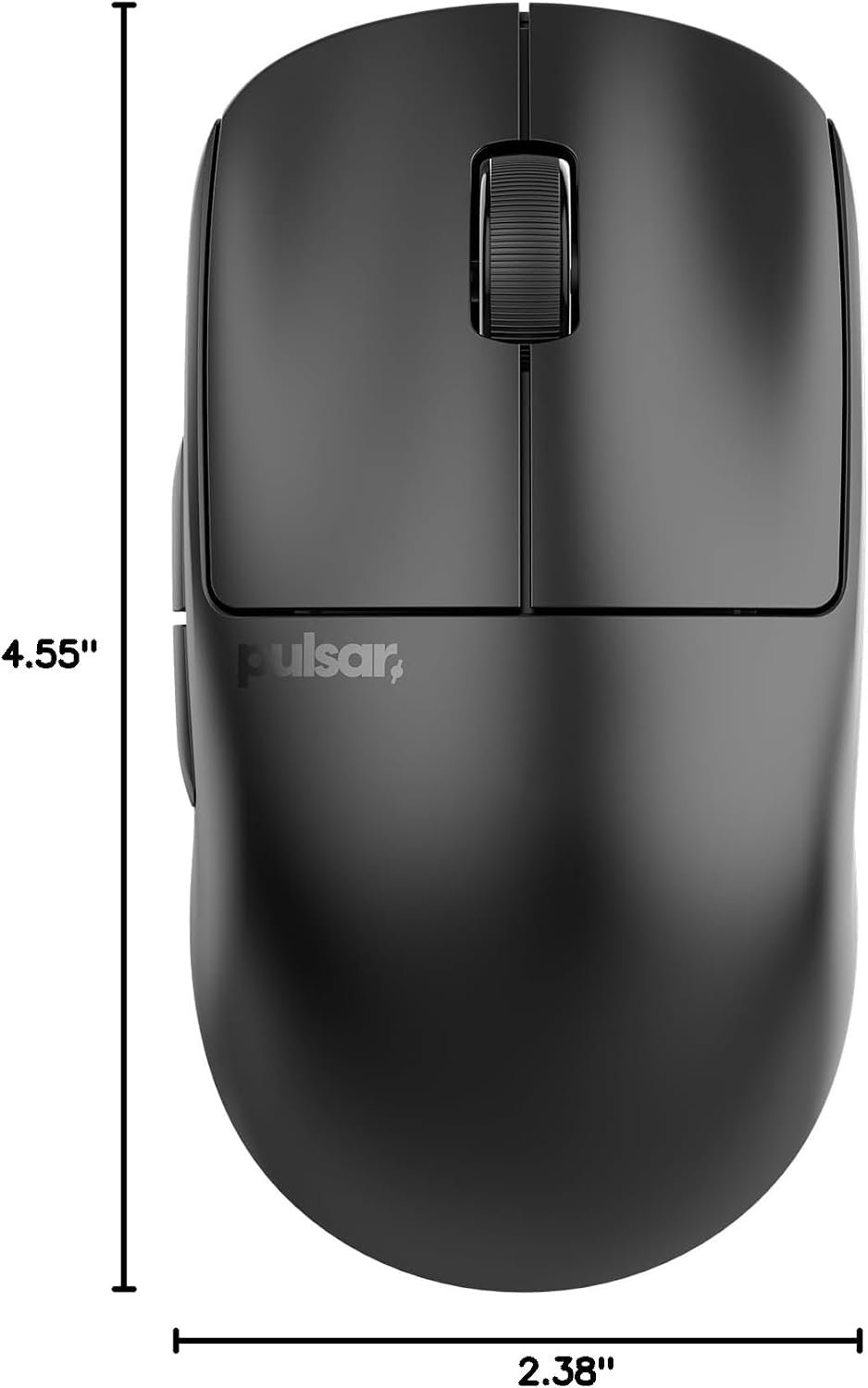
Product overview: Pulsar Gaming Gears X2 v2 Wireless Gaming Mouse, Mini, Black
A wireless gaming mouse that weighs g and costs $39.99 has to answer a fairly specific question: can it feel like a serious competitive tool rather than an inexpensive compromise? The Pulsar X2 v2 Mini is a strong candidate in if you want a small, lightweight shape and specifications usually associated with more expensive mice. It is listed as in stock at $39.99.
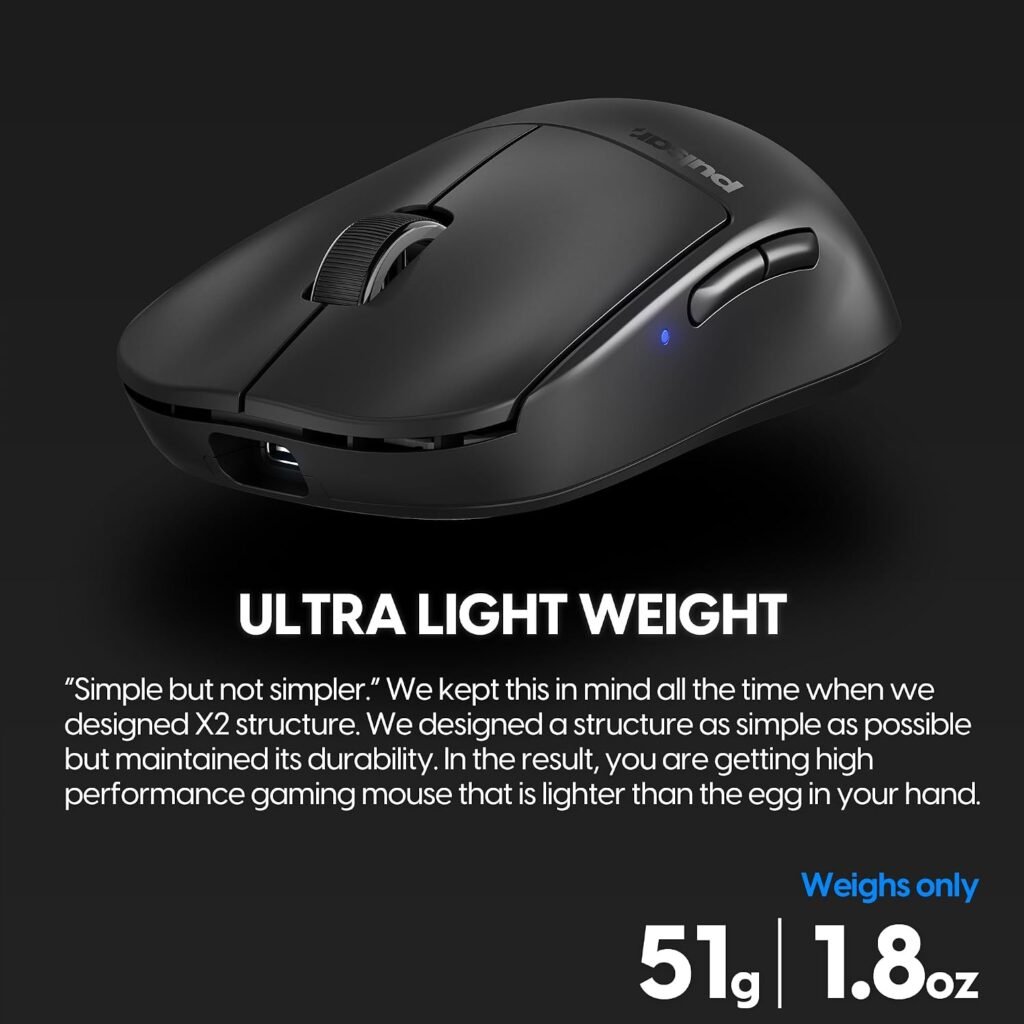
The appeal is not only the number on the scale. Pulsar retains the original X2 Mini shape while revising the internal structure, with the stated goals of improving rigidity, click consistency, wheel stability, and overall weight. That makes this a design-focused update rather than a simple colour or sensor refresh.
You should consider it if you use a fingertip or claw grip, have smaller or medium-sized hands, play competitive PC games, or are tired of steering a heavier mouse through repeated aim corrections. If you prefer a large, palm-filling shell, the same compactness that makes the mouse agile may become its main weakness.
This review examines the shape, weight, wireless response, sensor, optical switches, battery claim, configuration questions, customer evidence, alternatives, and value. The early conclusion is straightforward: the Pulsar X2 v2 Mini is compelling when low weight and compact ergonomics matter more to you than a broad software ecosystem.
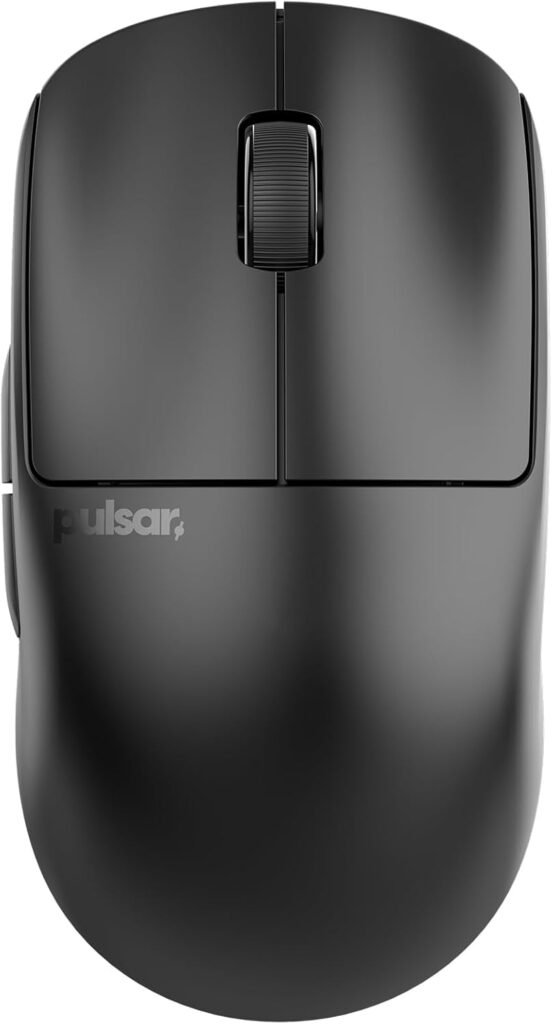

Pulsar X2 v2 Mini specifications and design
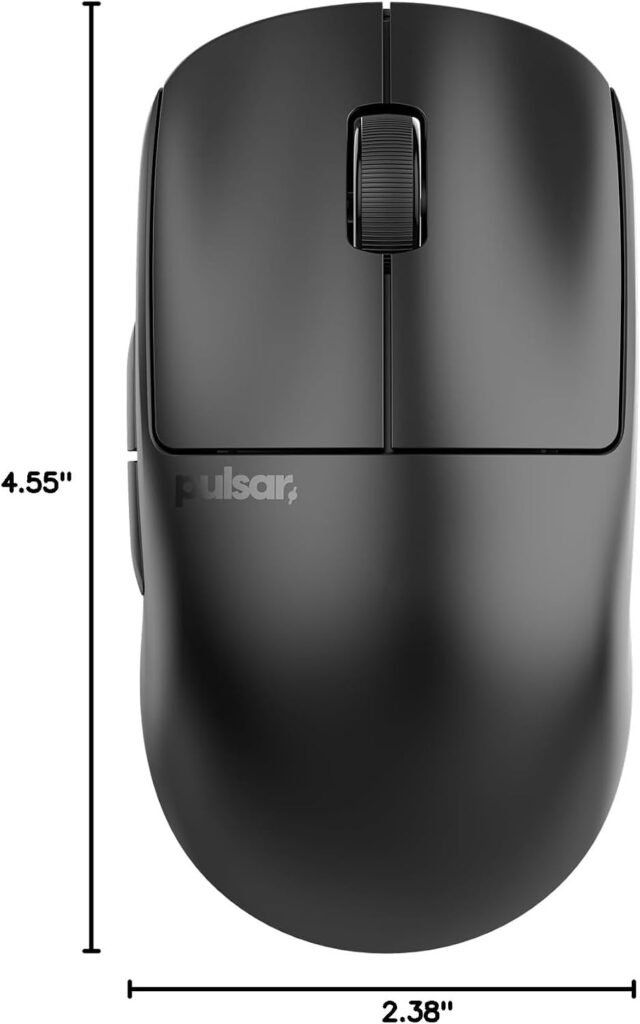
The word Mini describes the most consequential part of this mouse. The compact body is intended to give fingertip and claw users controlled movement without forcing the hand to cover a large shell. It can also make lift-offs and quick repositioning feel less cumbersome. Those advantages are highly personal, though; a small mouse can feel precise to one player and cramped to another.
| Specification | Listed detail |
|---|---|
| Weight | 51 g / 1.80 oz |
| Shape and finish | Symmetrical shell, black finish |
| Wireless connection | 2.4 GHz |
| Polling and response | 1000 Hz / ms |
| Sensor | PixArt PAW3395 with Motion-Sync |
| Maximum DPI | 26,000 |
| Tracking and acceleration | 650 IPS and g |
| Advertised battery life | Up to hours at Hz |
Symmetrical does not necessarily mean ambidextrous. It describes the shell’s left-to-right balance, but you should confirm the button layout and intended hand before assuming both hands are equally supported. In practice, the shape can work across several grip styles while still favouring the hand orientation for which its controls were designed.
The g construction should help with rapid direction changes and repeated low-sensitivity aiming, and it may reduce fatigue over a long session. Lighter is not automatically better: some players prefer the planted feel and momentum of a heavier mouse.
- Measure your current mouse’s length, width, and height.
- Compare its grip area and rear shape with the X2 v2 Mini listing or a store display.
- Identify whether your fingers rest in a claw, fingertip, or palm position.
- Only then decide whether the compact shell is likely to support your hand.
The supplied information confirms the weight but does not provide shell dimensions, so this comparison is more reliable than guessing from the word “Mini.”
Key features deep-dive: what the Pulsar X2 v2 Mini does differently
The internal revision is meant to address the parts of a lightweight mouse that can suffer when material is removed. Pulsar describes a sturdier structure intended to improve shell rigidity and deliver more consistent clicks than the previous version. That is a useful distinction: weight reduction is attractive, but it should not come at the cost of flex, wobble, or an uneven primary-button feel.
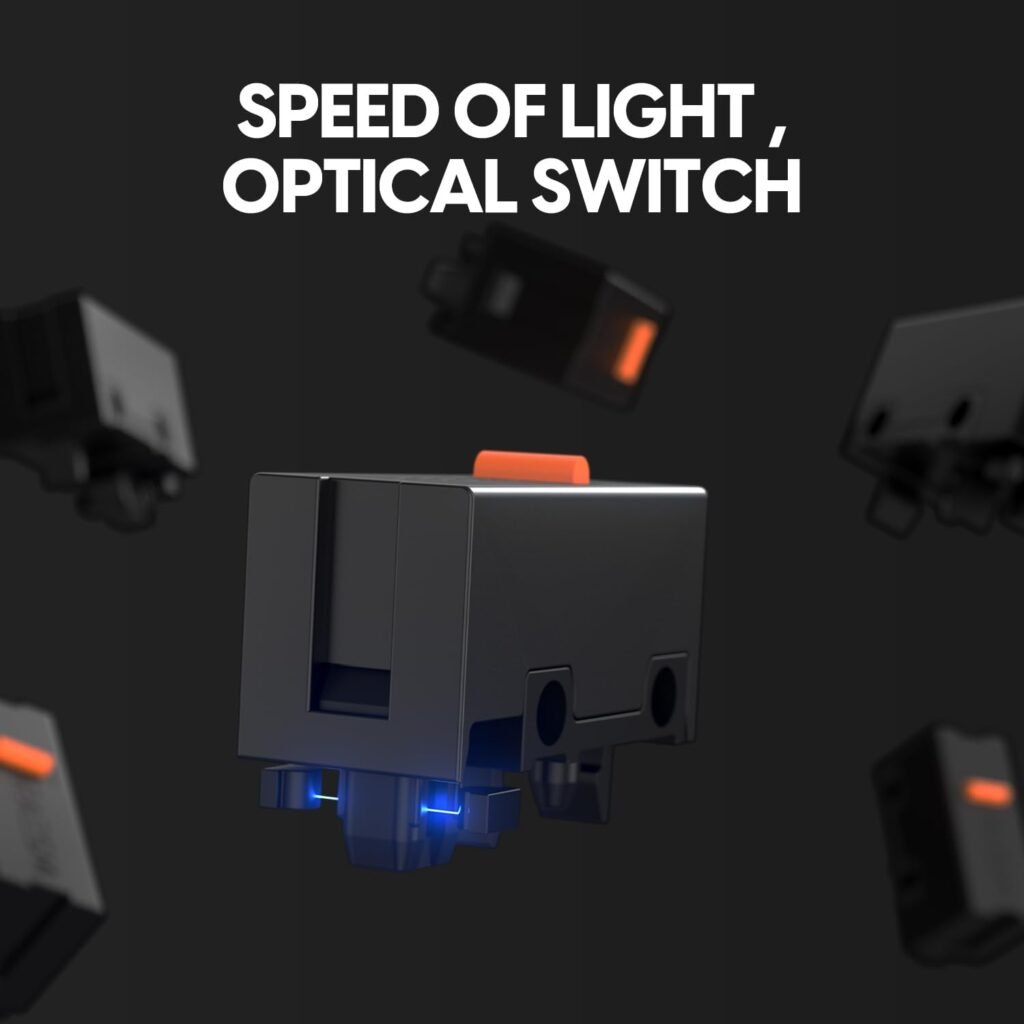
The optical switches are designed to minimise unintended double-clicking while retaining fast, precise actuation. Optical operation is not a promise that every unit will feel identical forever, but it addresses a familiar mechanical-switch concern and fits the mouse’s competitive focus. You should expect a direct click rather than choosing this model for a soft, muted office-mouse sensation.
The scroll-wheel design also receives attention. An indirect wheel-click mechanism is described as reducing rattling and supporting smoother rotation, while the Pulsar Blue Encoder is intended to provide tactile scrolling inside a dust-resistant structure. That combination matters in games where a wheel input needs to be deliberate rather than accidentally triggered by a loose or noisy wheel.
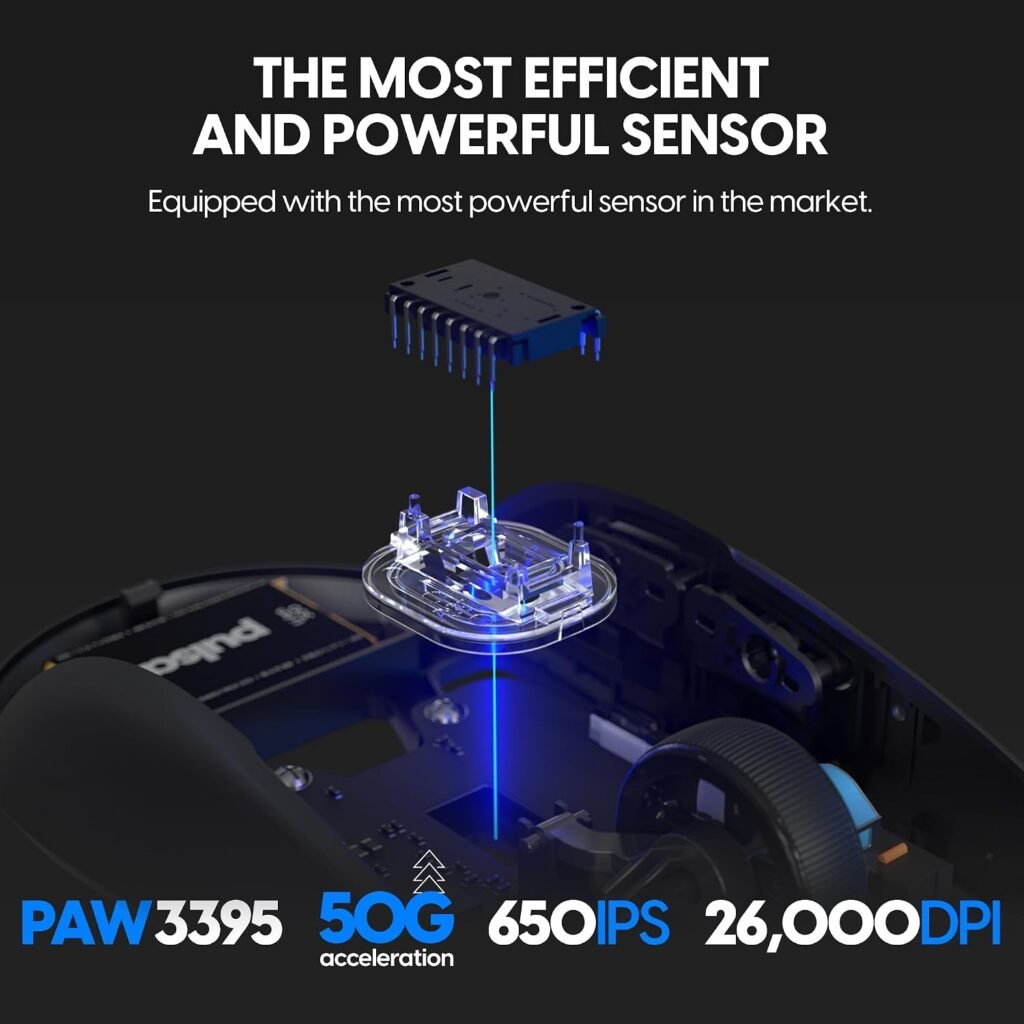
Its PAW3395 sensor offers programmable DPI up to 26,000, IPS tracking speed, g acceleration, and Motion-Sync technology. These are more than most players need. Start around 800 or 1,600 DPI, adjust your game sensitivity, and change only one setting at a time; maximum DPI is a ceiling, not a measure of aim quality.
The Nordic MCU is described as handling efficient processing, wireless operation, and more precise battery-status reporting. Those are documented design intentions, not independent test results. Treat the claims about click feel, wireless stability, and endurance as things to confirm through use rather than assuming that the component names guarantee a perfect experience.

Wireless performance, polling rate, and battery life
The 2.4 GHz wireless connection is the relevant mode for competitive play. The listing states a ms response or Hz polling target, which means the mouse is designed to report its position frequently enough for low-delay PC gaming. You do not need to translate that into a dramatic on-screen advantage; the practical goal is to avoid the sluggishness associated with poorly implemented wireless hardware.
The product is described as 4K Polling Ready, but the supplied listing does not confirm that a 4K receiver is in the box. That distinction could affect the real cost of ownership. Before ordering, check the package contents and determine whether a separate receiver is required, especially if 4K polling is central to your decision.
The battery claim is up to hours while operating at Hz. “Up to” leaves room for variation caused by polling settings, firmware, usage patterns, wireless conditions, and battery age. You should regard the figure as an advertised maximum, not as a session timer that every buyer will reproduce.
For a practical check, fully charge the mouse, record the starting battery reading if the software provides one, and use it at Hz across several normal gaming sessions. Record when the warning appears and compare that result with the advertised maximum. This gives you a useful personal baseline instead of assuming that a laboratory-style maximum describes your brightness, polling, and usage settings.
The supplied data does not confirm cable length, connector type, charging-dock support, console compatibility, or specific charging behaviour. Those details should be checked in the current listing or package documentation rather than inferred from the wireless specification.
What Customers Are Saying About the Pulsar X2 v2 Mini
There is a limit to what can responsibly be said about customer opinion here. The supplied product data does not include a displayed star rating, review count, dated review sample, or verified quotations. I therefore cannot claim that buyers have repeatedly praised the battery, wheel, clicks, or fit, and I won’t substitute general gaming-mouse sentiment for product-specific evidence.
Before publication, the useful record to capture is the current rating, total review count, and the newest written reviews. Look for repeated comments about the g weight, compact symmetrical shell, wireless response, optical-click feel, wheel smoothness, and tracking accuracy. A single enthusiastic statement is an anecdote; a pattern across numerous independently written reviews is stronger evidence.
Criticism deserves the same discipline. Sort for comments about cramped dimensions, larger-hand comfort, battery expectations, software or firmware setup, pairing, shell flex, button feel, and quality-control variation. Pay attention to whether complaints are concentrated in early reviews or continue in later ones. Early posts often describe first impressions, while later reviews can reveal durability and whether the revised internal structure has addressed older complaints.
When you inspect the listing, use this process:
- Record the displayed star rating and review total on the day you shop.
- Read recent one-, three-, and five-star reviews rather than relying on the headline score.
- Separate fit complaints from hardware faults; a small shell can be the wrong shape without being defective.
- Check whether repeated issues mention the same firmware, receiver, or batch concern.
For now, the honest assessment is that customer sentiment remains unverified from the supplied record. That uncertainty should make you more careful about the return policy, not automatically more negative about the mouse.
How the Pulsar X2 v2 Mini compares with alternatives
The most useful comparison is not a race to the highest DPI number. It is a decision about shell size, weight, wireless implementation, software, and price. The Pulsar X2 v2 Mini costs $39.99 and pairs a compact symmetrical design with a g body, optical switches, a PAW3395 sensor, and a stated Hz wireless target.
The Logitech G PRO X SUPERLIGHT 2 is the more mainstream choice for shoppers who value an established ecosystem, broad familiarity, and a shape that may suit people wanting something less compact. The trade-off is the premium positioning: you are paying for the overall platform and brand support, not simply for a maximum DPI figure. Exact price, dimensions, rating, and included accessories should be checked at the time you compare them.
The Razer Viper V3 Pro is another relevant alternative for buyers weighing shape, weight, sensor behaviour, polling options, and software preferences. It may appeal if Razer’s configuration environment or its particular ergonomics fit you better. Again, the sensible comparison is the full ownership package rather than whichever product advertises the larger number.
Choose the Pulsar when the compact shell and low purchase price are your priorities. Choose a competitor when you need a larger body, established software support, broader accessory availability, or a different ergonomic profile. The Pulsar X2 v2 Mini’s strongest differentiator is the unusual combination of a small shell, low weight, optical switches, 2.4 GHz wireless, Hz polling, and a high-spec sensor at $39.99.
Put another way, the alternatives may be safer ecosystem purchases, while the Pulsar is the sharper value proposition for someone who already knows they like small mice.
Who should buy the Pulsar X2 v2 Mini?
You should buy the Pulsar X2 v2 Mini if you play competitive FPS games and prefer a light mouse that can be lifted and redirected quickly. It is especially plausible for fingertip and claw-grip users whose hands do not need a large palm rest. The compact rear can leave your fingers more active around the controls, although comfort will depend on your hand proportions and how tightly you grip.
It can also serve general PC gaming and everyday work. A light wireless mouse is convenient when you move between games, browsing, and ordinary desktop tasks. However, users who want a relaxed palm posture may find the body less supportive than a fuller ergonomic or larger symmetrical design.
The likely mismatches are clear: large-handed shoppers, palm-grip users seeking substantial rear support, and buyers who require a confirmed 4K receiver in the package should pause. You may also prefer another model if extensive software controls, established firmware support, or a larger ecosystem matters more than the physical design.
Use this checklist before you commit:
- Compare the current mouse’s shell proportions and grip area.
- Identify your usual grip and whether your fingers feel crowded.
- Confirm the receiver and charging accessories included with the current listing.
- Check the live rating and recent reviews because those figures were not supplied here.
- Decide whether the stated Hz polling target is enough for your system and games.
If those answers line up, the Pulsar X2 v2 Mini makes sense as a focused competitive mouse rather than an all-purpose, palm-supporting model.
Pulsar X2 v2 Mini value assessment at $39.99
At $39.99, the listing is unusually aggressive for a wireless mouse offering a PAW3395 sensor, optical switches, Hz polling, and an advertised battery life of up to hours. On specification value alone, the Pulsar X2 v2 Mini looks strong. The more meaningful question is whether those specifications translate into reliable ownership for you.
High DPI, IPS, and acceleration figures are easy to advertise, but they matter less than a stable connection, predictable clicks, a comfortable shell, consistent battery behaviour, and support when setup goes wrong. A mouse that fits badly is not a bargain, no matter how impressive its sensor ceiling looks.
Before ordering, verify the included wireless receiver, charging cable, available configuration software, firmware support, warranty terms, and return policy. Confirm whether 4K polling requires an additional purchase. These points are not established by the supplied data, and they can change the practical value of a low headline price.
The missing customer rating and review count also prevent a final claim that the price has been validated by a broad ownership record. Once you can inspect current reviews, give greater weight to recurring reports about fit, shell rigidity, click consistency, wireless pairing, and battery performance than to isolated comments about a single unit.
The buying summary is simple: the Pulsar X2 v2 Mini is most compelling when its compact shape is exactly what you want and low weight matters more than a larger, more feature-heavy ecosystem. At $39.99, it deserves consideration; just make sure the ergonomics and receiver arrangements suit you before treating the specification sheet as the whole story.
Pros and Cons
Pros
- Very light g design for rapid repositioning and reduced wrist movement.
- Compact symmetrical shape that should suit many fingertip and claw-grip players.
- PAW3395 sensor with programmable DPI up to 26,000, IPS tracking, g acceleration, and Motion-Sync.
- Optical switches designed to reduce unintended double-clicking while providing fast actuation.
- 2.4 GHz wireless connection with a stated ms/1000 Hz polling target.
- $39.99 price is aggressive for the listed sensor, switches, wireless connection, and advertised battery capacity.
Cons
- The Mini shell may feel cramped for large hands or relaxed palm grips.
- The listing confirms 4K Polling Ready status but does not confirm that a 4K receiver is included.
- The supplied product data does not provide a verified customer rating, review count, dimensions, warranty details, or confirmed software and accessory information.
- High-end sensor figures matter less if the compact shape does not suit your hand.
Final Verdict
Key Takeaways
- At $39.99, the Pulsar X2 v2 Mini offers an unusually strong specification list for a lightweight wireless mouse.
- Its compact symmetrical shell is the central buying decision: excellent for suitable fingertip and claw users, less convincing for large hands or palm grips.
- The PAW3395 sensor, optical switches, Hz polling, and 2.4 GHz connection target serious PC gaming without flagship pricing.
- The listing does not confirm a supplied 4K receiver, dimensions, customer-rating figures, or several ownership details, so verify those points before ordering.
Frequently Asked Questions
Is the Pulsar X2 v2 Mini good for competitive FPS gaming?
Yes, based on the listed specifications. It combines a g body, 2.4 GHz wireless connectivity, a stated ms/1000 Hz polling rate, optical switches, and a PAW3395 sensor. Competitive performance will still depend on grip comfort, settings, and reliable setup.
What hand size and grip suit the Pulsar X2 v2 Mini?
It is best suited to fingertip and claw grips, particularly for smaller or medium-sized hands. Large-handed users and people who prefer full palm support should compare the shell with their current mouse before ordering.
Does the Pulsar X2 v2 Mini include a 4K polling receiver?
The product listing says it is 4K Polling Ready, but the supplied information does not confirm that a 4K receiver is included. Check the package contents and receiver requirements before paying extra for higher polling.
How long does the battery last?
The listing advertises up to hours at Hz. Actual runtime can change with polling settings, usage, firmware, and battery condition, so treat hours as a maximum rather than a guaranteed result.
What DPI should you use with this mouse?
A starting setting around or 1,600 DPI is more practical for most players. You can then adjust in-game sensitivity to achieve the aim speed you want; 26,000 DPI is an available ceiling, not a requirement.
Disclosure: As an Amazon Associate, I earn from qualifying purchases.
