Pulsar Gaming Gears X2 Crazylight Wireless Gaming Mouse, Mini, T1 (Red)
At 36g, the Pulsar X2 Crazylight is not trying to be an all-purpose office mouse with a few gaming details added. It is a deliberately stripped-back wireless design for players who want fast, low-effort movement, and that narrow purpose is both its appeal and its central trade-off. The listed price is $139.95, so you are paying for an unusually light competitive mouse rather than a long list of buttons or productivity extras.
This is the Mini, T1 Red edition of the Pulsar Gaming Gears X2 Crazylight Wireless Gaming Mouse. In this review, the useful questions are practical ones: does the compact shell support your grip, does the XS-1 sensor offer meaningful tracking consistency, do the optical switches and Blue Encoder feel dependable, and can the included Dot Skates work with your surface? The product is currently shown as in stock.
The likely audience is clear. Competitive FPS players, fingertip and claw-grip users, and shoppers seeking a compact symmetrical mouse should take a close look. If you want a large ergonomic contour, substantial palm support, or a heavily featured software ecosystem, this is probably the wrong starting point.

Pulsar X2 Crazylight: Product Overview and First Impressions
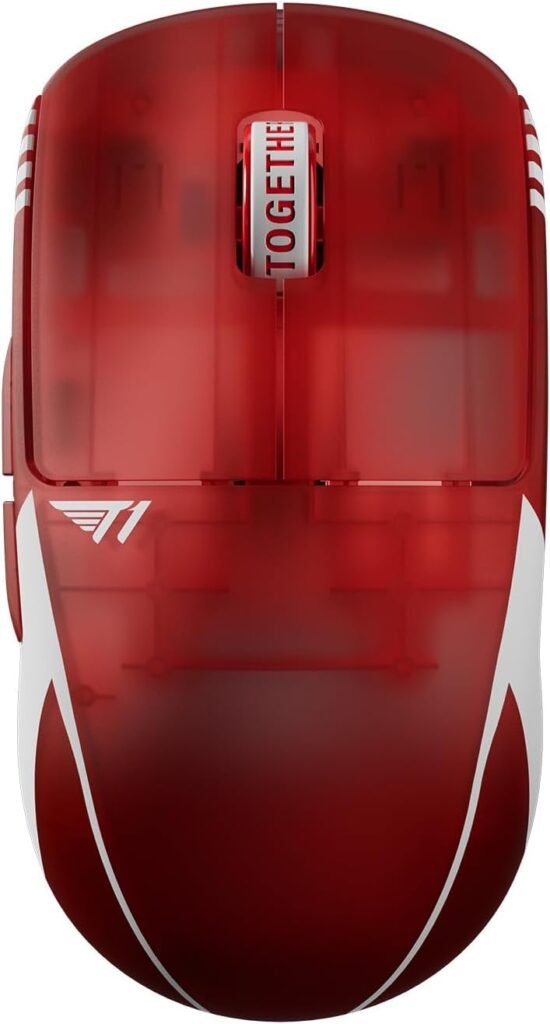
The Pulsar X2 Crazylight follows a simple design philosophy: remove as much mass as possible while keeping the familiar controls of a gaming mouse. The manufacturer describes the 36g body as lighter than an egg. That comparison is marketing language, but the underlying specification is meaningful; a mouse this light can feel immediately different when you make repeated swipes in an FPS.
The shell is described as low-profile, wide, and symmetrical. Its Mini format should make it easier for smaller hands to reach the controls without stretching, while players who keep most of the palm off the shell may appreciate the unobstructed fingertip movement. The T1 Red finish gives the otherwise restrained design a more distinctive appearance. It does not change the sensor, click response, or glide.
| Specification | Listed detail |
|---|---|
| Listed price | $139.95 |
| Availability | In stock |
| Weight | 36g |
| Size and shape | Mini, symmetrical, low-profile and wide |
| Sensor | Pulsar XS-1 |
| Switches | Speed of Light optical switches |
| Encoder | Pulsar Blue Encoder |
| Included skates | Dot Skates |
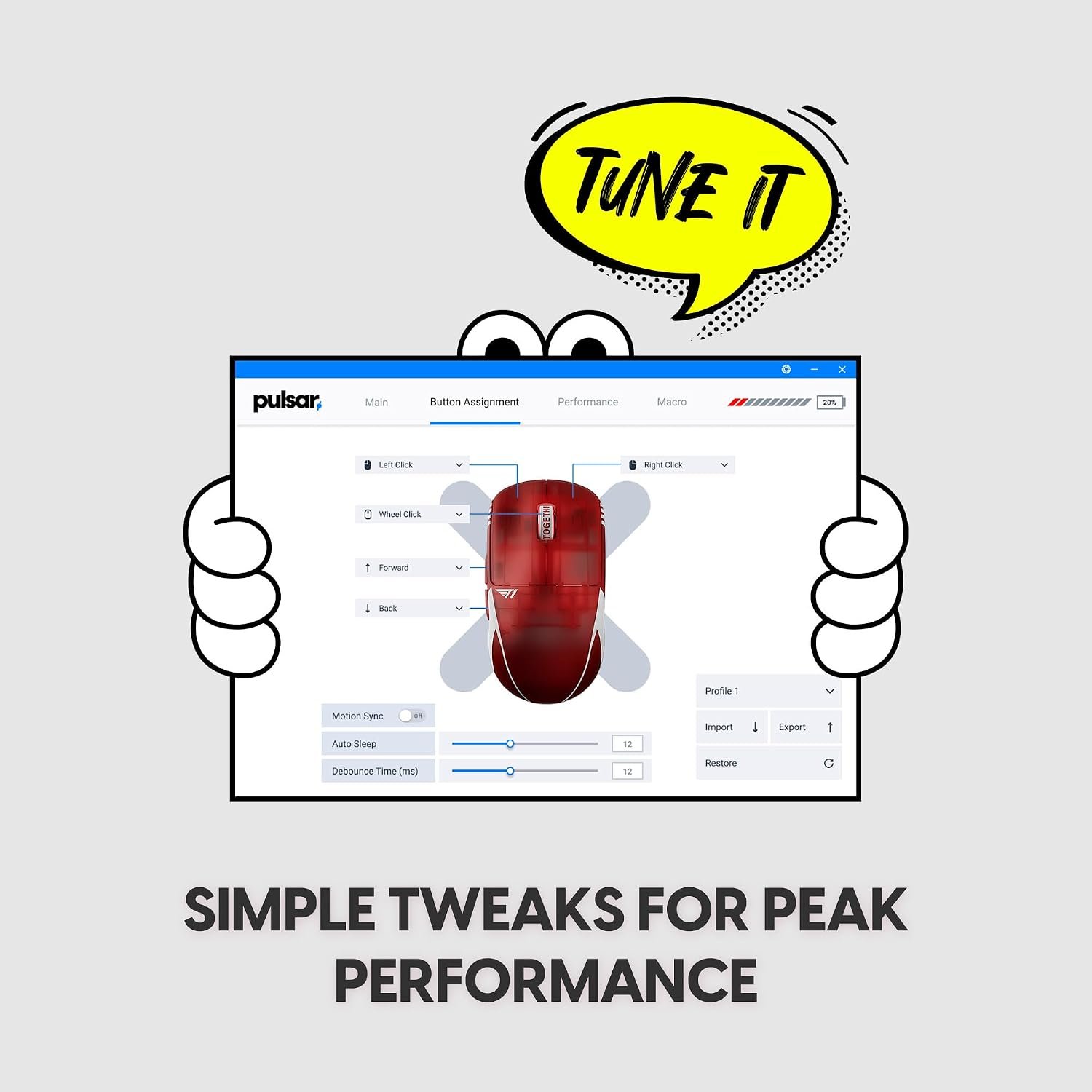
Several purchase-critical details are not established by that list: battery life, wireless polling rate, physical dimensions, charging connector, software compatibility, button count, and warranty coverage. Check the current listing for each one before ordering rather than treating an omitted specification as a confirmed feature.
How the Pulsar X2 Crazylight Shape Affects Grip and Control
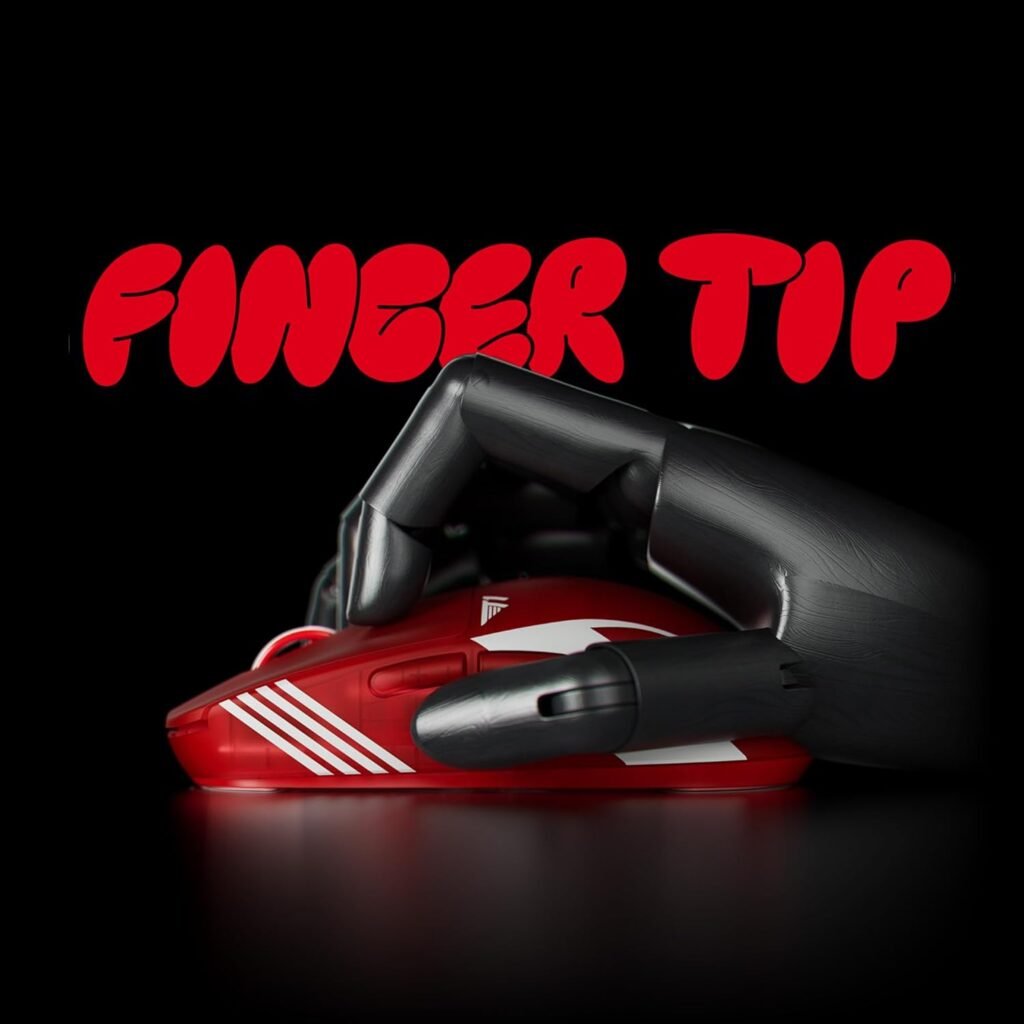
The shape deserves as much attention as the headline weight. A low-profile, wide symmetrical shell can give claw grip a stable rear contact point while keeping the fingertips raised over the buttons. That arrangement may feel secure during controlled aiming without forcing the entire palm into a fixed position. With fingertip grip, the short physical contact area can also make rapid directional changes feel less demanding, although the sensation will depend on your mousepad and sensitivity.
The Mini designation is where fit becomes personal. A compact mouse may feel agile in smaller hands but cramped in larger ones, particularly when the ring and pinky fingers have nowhere comfortable to settle during a long session. A mouse can be perfectly well-sized for one grip and tiring for another; low weight does not erase pressure points.
- Measure your hand from the wrist crease to the tip of your middle finger.
- Compare the current published dimensions with a mouse you already use comfortably.
- Place your ring and pinky fingers beside the shell and check that they remain supported without squeezing inward.
- Test your usual claw or fingertip posture for several minutes, not just a quick pickup.
Symmetrical does not automatically mean ambidextrous. Before buying as a left-handed user, verify the position and availability of side buttons and confirm that the current listing describes left-handed usability. Finally, separate shape comfort from surface control: the shell may fit well while the very low mass still takes time to control.

XS-1 Sensor Performance and Speed of Light Optical Switches
The XS-1 sensor is specified at up to 32,000 DPI, with a maximum tracking speed of 750 IPS and acceleration of 50g. Those figures provide considerable technical headroom for rapid swipes, especially for players who use a large arm movement at low sensitivity. They do not mean you need to play at 32,000 DPI. Most people will gain more from consistent tracking at a comfortable setting than from the maximum number in the specification sheet.
High IPS and acceleration ratings are relevant when you flick quickly and lift or reposition the mouse repeatedly. They are not the entire performance story, though. Firmware tuning, lift-off behavior, surface compatibility, and the quality of the wireless implementation can affect what you actually feel in a match. The supplied information does not confirm those behaviors, so they should be tested or checked in current owner reports.
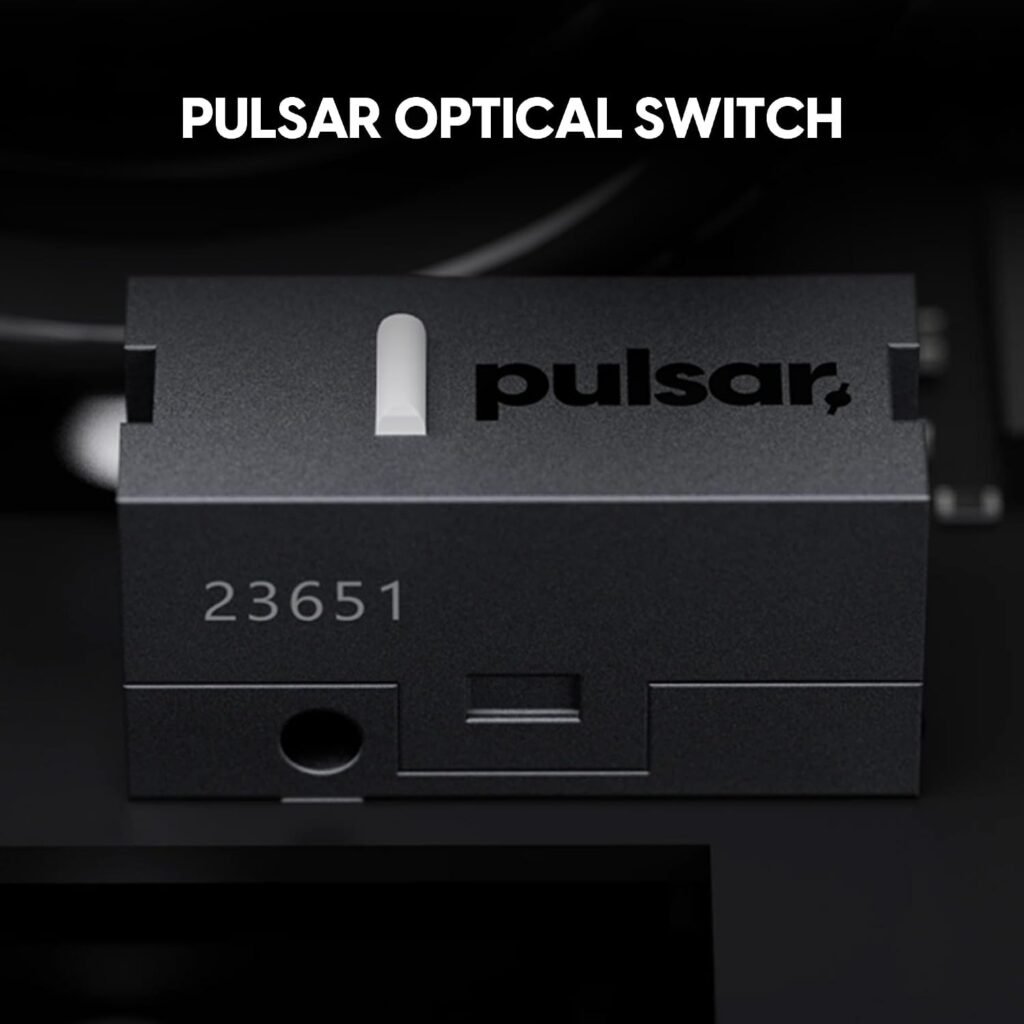
The Speed of Light optical switches are intended to provide fast actuation while reducing the chance of unintended double clicks. Optical actuation can feel different from traditional mechanical switches, and the meaningful details are click force, sound, crispness, and fatigue over time. Without direct testing or verified customer comments, it would be misleading to describe those sensations as settled facts.
The Pulsar Blue Encoder adds a tactile rotational feel to the scroll wheel. That matters when selecting weapons, moving through inventory, or browsing long pages, where vague notches can become irritating. Whether its resistance and sound suit you is a hands-on preference rather than something the name alone can prove.
Pulsar Dot Skates and Surface Compatibility
The package description includes 16 UHMW-PE Dot Skates measuring 6.6mm. That is more useful than a disposable pre-fitted set because it gives you replacement pieces and some freedom to tune how much of the base contacts the pad. Dot skates are designed to reduce friction, helping the mouse start and stop quickly, though the result is not automatically better for every player.
Pulsar states that the skates are suitable for glass and hard mousepads. In practice, glide depends on the pad texture, dust, pressure, skate placement, and your own stopping preference. A very fast surface may reward low-sensitivity aim and broad flicks, but it can feel less predictable if you are used to the braking sensation of cloth.
- Clean the mouse base and the pad before applying anything.
- Place the dots symmetrically, beginning with the recommended layout.
- Test slow tracking first, then perform fast flicks and repeated stops.
- Change only one variable at a time: placement, number of dots, or surface.
- Keep unused dots as replacements rather than changing the setup after every match.
This tuning option is valuable for enthusiasts, but it also creates another setup decision. If you prefer to unpack a mouse and use it without experimentation, a conventional full-length skate design may be less demanding.
Wireless Use, Build Quality, and Everyday Handling
A 36g wireless mouse should be easy to reposition across a desk because there is no cable dragging behind your hand and very little mass to overcome at the start of a swipe. That can reduce the physical effort of repeated aim corrections and make travel between a laptop and desktop less awkward. The benefit is most obvious in games that require frequent, wide movements rather than small pointer adjustments.
Extreme lightness also raises a build-quality question. The description promises exceptional durability, but durability is not confirmed merely by a product claim. Repeated owner comments about shell flex, button wobble, creaking, coating wear, or scroll-wheel reliability would be more useful evidence. With less mass, tiny vibrations or movement may also be easier to notice because there is less weight to mask them.
For everyday use, consider more than a short competitive match. You will browse, select text, drag windows, charge the mouse, and perhaps carry it between locations. The compact shell may remain comfortable during those tasks if your fingers are supported, but it may feel less natural if you rely on a full palm rest.
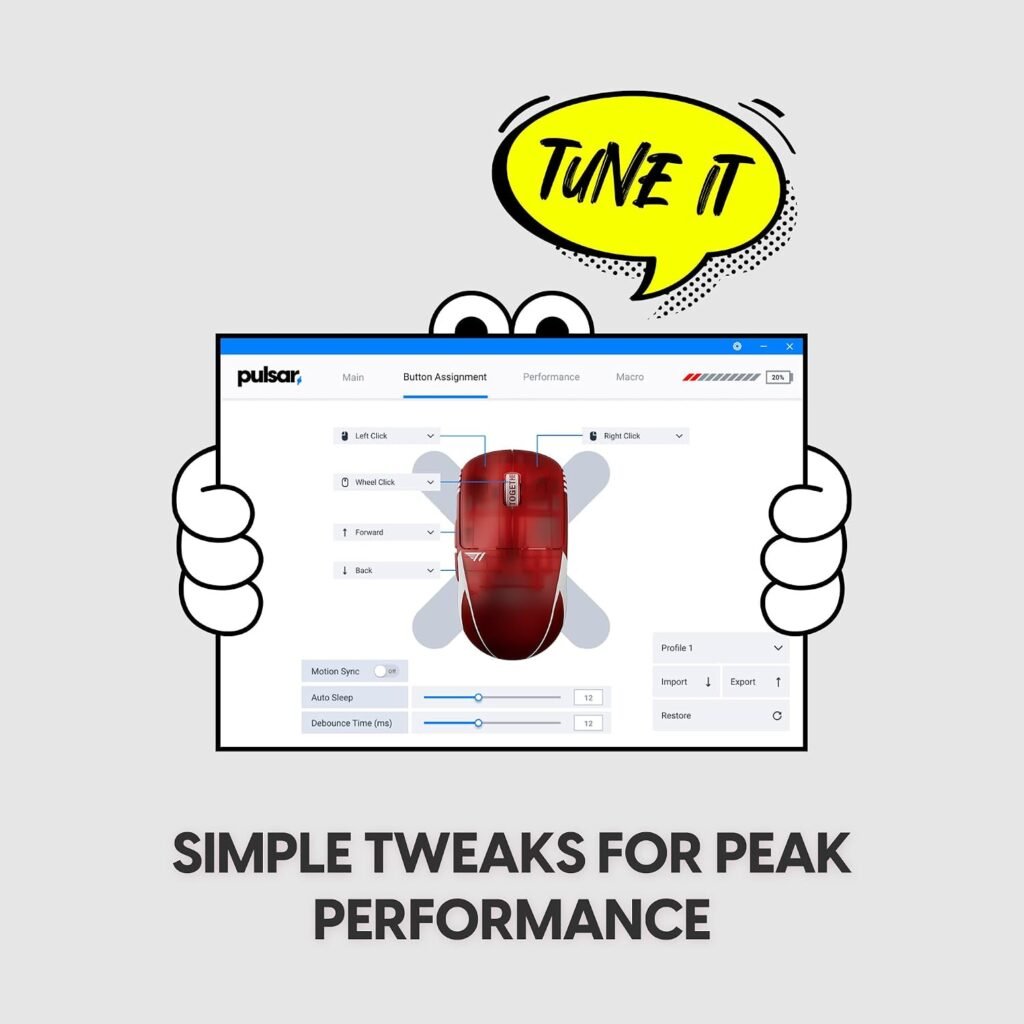
Do not assume missing features. The supplied data does not confirm battery capacity, runtime, charging time, connection modes, receiver storage, RGB lighting, software features, or included accessories beyond the Dot Skates. Since the listing currently shows the product in stock, check its latest package contents and connection information before placing an order.
What Customers Are Saying About the Pulsar X2 Crazylight
The customer-review record supplied for this review does not include a verifiable star rating or review count. That limitation matters: it would be irresponsible to say that buyers broadly praise the mouse, or to attach a numerical rating, without seeing the current listing at publication time.
For this product, the most useful review themes would be perceived lightness, shape comfort, click responsiveness, tracking consistency, wireless stability, scroll-wheel feel, skate performance, battery experience, and durability. Early owners may describe effortless flicks during the first week. Longer-term reports are more valuable for identifying double-click prevention, coating wear, battery decline, shell integrity, and scroll reliability.
Fit disagreement should not be averaged away. A smaller-handed claw or fingertip user may find the Mini shell stable and quick, while a larger-handed buyer may report cramped finger placement or pressure after an extended session. Those are not contradictory reviews; they describe different hands.
When you inspect the live review record, use a simple filter:
- Prioritize comments spread across several months rather than a single unboxing reaction.
- Give more weight to verified-purchase reviews that identify a specific use case.
- Separate repeated failures from isolated complaints.
- Look for detail about settings, hand size, grip, surface, and hours of use.
Until those figures and patterns are verified, the sensible conclusion is that the hardware specification is clearer than the ownership record.
Pulsar X2 Crazylight Compared With Alternatives
The closest alternatives named for this comparison are the Logitech G PRO X Superlight and Lamzu Atlantis Mini. Both deserve consideration, but the supplied product data does not provide verified current prices or complete specifications for either model. Prices and package contents change, so filling the gaps from memory would create a misleading comparison.
| Category | Pulsar X2 Crazylight | Logitech G PRO X Superlight 2 | Lamzu Atlantis Mini |
|---|---|---|---|
| Listed price | $139.95 | Not verified | Not verified |
| Weight | 36g listed | Not verified | Not verified |
| Shape | Mini, low-profile, wide, symmetrical | Verify current listing | Verify current listing |
| Sensor | XS-1 | Verify current listing | Verify current listing |
| Switch type | Optical | Verify current listing | Verify current listing |
| Grip suitability | Claw and fingertip focus | Verify current listing | Compare compact-shell support |
| Surface accessories | 16 Dot Skates included | Verify current listing | Verify current listing |
| Wireless details | Not fully specified | Verify current listing | Verify current listing |
| Warranty | Not specified | Verify current listing | Verify current listing |
Choose the Pulsar if the supplied 36g design, XS-1 headroom, optical switches, and Dot Skates address a real need. Consider Logitech if an established software ecosystem or longer documented battery information matters more, and investigate Lamzu if you want another compact symmetrical option. The right choice depends on hand size, grip, comfort with an ultra-light shell, and how much ecosystem support you value.
Who Should Buy the Pulsar X2 Crazylight?
The Pulsar X2 Crazylight is most convincing for competitive FPS players and aim-focused users who use claw or fingertip grip. Its design aims to reduce the effort required for fast movement, while the compact symmetrical shell avoids committing you to a pronounced right-handed contour. Players with smaller or medium-sized hands are the most plausible fit, especially if they use a hard or glass pad and enjoy adjusting skate placement.
The 32,000 DPI ceiling should not be your reason for buying. Stable low-sensitivity tracking, predictable lift-off behavior, wireless consistency, and physical fit matter much more during ordinary play. The sensor figures are useful headroom; they are not a substitute for a comfortable grip.
Work through this decision in order:
- Identify whether you naturally use palm, claw, fingertip, or a mixture.
- Measure your hand and compare the current shell dimensions with a familiar mouse.
- Check current battery, software, wireless, and warranty information.
- Read recent durability reviews, looking specifically for repeated failures.
- Decide whether $139.95 fits your performance budget after considering any pad or accessory changes.
Skip it if you need a full palm rest, prefer a substantial mouse, want an ergonomic right-handed contour, or need many buttons for MMO play. The T1 Red finish is an aesthetic choice, not a performance upgrade, so color alone should not justify a higher price.
Is the Pulsar X2 Crazylight Good Value at $139.95?
At $139.95, the Pulsar X2 Crazylight asks you to pay for a focused collection of hardware: a listed 36g construction, XS-1 sensor rated to 32,000 DPI and IPS, optical switches, a tactile Blue Encoder, and included Dot Skates. Those are tangible design choices, but they do not benefit every player equally.
The weight and skate system can change daily handling directly. The 32,000 DPI ceiling is mostly specification headroom for ordinary users, who will generally operate far below it. If you use a standard cloth pad and palm grip, you may notice the shell’s comfort limits before you notice any advantage from the sensor’s maximum resolution.
Price comparisons with the Logitech G PRO X Superlight and Lamzu Atlantis Mini should use the current listings at the time you shop; their prices were not supplied here and should not be presented as permanent figures. Add a total-cost check as well. A replacement mousepad, spare skates, charging accessories, or a return and warranty issue can change the real cost if those items are not included or documented.
The premium is easiest to defend if current ownership evidence shows stable wireless use, durable clicks, reliable scrolling, and sustained comfort for the intended grip. Without a verified rating, review count, battery record, or warranty detail, the value case remains conditional rather than automatic.
Pros and Cons
Pros
- Exceptionally light listed 36g construction should make rapid repositioning and low-effort swipes easier.
- Compact low-profile symmetrical design is suited to fingertip and claw-grip users, particularly those with smaller or medium-sized hands.
- XS-1 sensor is specified at up to 32,000 DPI, IPS, and 50g acceleration.
- Optical switches are designed to reduce the chance of unintended double clicks.
- Sixteen included 6.6mm UHMW-PE Dot Skates provide replacement pieces and glide-tuning flexibility.
- Pulsar Blue Encoder is intended to provide tactile scroll-wheel rotation.
Cons
- The Mini shell may feel cramped for larger hands or full-palm users.
- Battery capacity, runtime, polling rate, charging time, software support, and warranty details are not confirmed in the supplied listing data.
- The $139.95 price is difficult to justify if you do not specifically benefit from an ultra-light mouse and adjustable dot-skate setup.
- Symmetrical styling does not by itself confirm comfortable left-handed use or true ambidextrous button placement.
- Customer rating and review-count information was not available for verification, so long-term reliability remains uncertain.
Final Verdict
Key Takeaways
- The Pulsar X2 Crazylight Mini T1 Red is built around a listed 36g weight, compact symmetrical shell, XS-1 sensor, optical switches, and replaceable dot skates.
- Its shape should appeal most to smaller-handed fingertip and claw-grip players, not shoppers seeking a broad palm rest or ergonomic right-handed contour.
- The XS-1’s 32,000 DPI, IPS, and 50g figures provide substantial headroom, but they matter less than fit, firmware behavior, surface compatibility, and wireless reliability.
- The supplied data does not verify battery life, polling rate, dimensions, software, warranty, or customer rating, so those details should be checked on the current listing before purchase.
- At $139.95, the mouse makes the most sense for aim-focused players who will genuinely use its low weight and skate-tuning options.
Frequently Asked Questions
What are the key specifications of the Pulsar X2 Crazylight Mini?
The listed product data confirms the mouse weighs 36g, uses Pulsar’s XS-1 sensor, reaches up to 32,000 DPI, tracks at up to IPS, and includes optical switches. It does not provide confirmed battery runtime, polling rate, charging time, or software details.
Who is the Pulsar X2 Crazylight Mini best for?
The compact, low-profile shell is most likely to suit fingertip and claw-grip users with smaller or medium-sized hands. Larger hands and palm-grip users should compare the current published dimensions with a familiar mouse before ordering.
Is the Pulsar X2 Crazylight worth $139.95?
It can be good value if you want an exceptionally light wireless mouse, optical switches, and the ability to tune glide with included dot skates. At $139.95, it is less compelling for shoppers who prefer a heavier ergonomic shape, extensive software features, or documented long battery life.
Disclosure: As an Amazon Associate, I earn from qualifying purchases.