

DIGSOM Gaming Mouse Pad: Product Overview
A small mouse mat can make a desk feel oddly divided: the keyboard sits on one surface, the mouse crosses onto another, and every wide movement ends at the edge. The DIGSOM Gaming Mouse Pad addresses that problem with an extended 31.5 x 11.8-inch layout, giving you a single area for both devices. At $12.99 and listed as in stock when checked, it is clearly aimed at shoppers who want useful coverage without paying for a specialist pad.
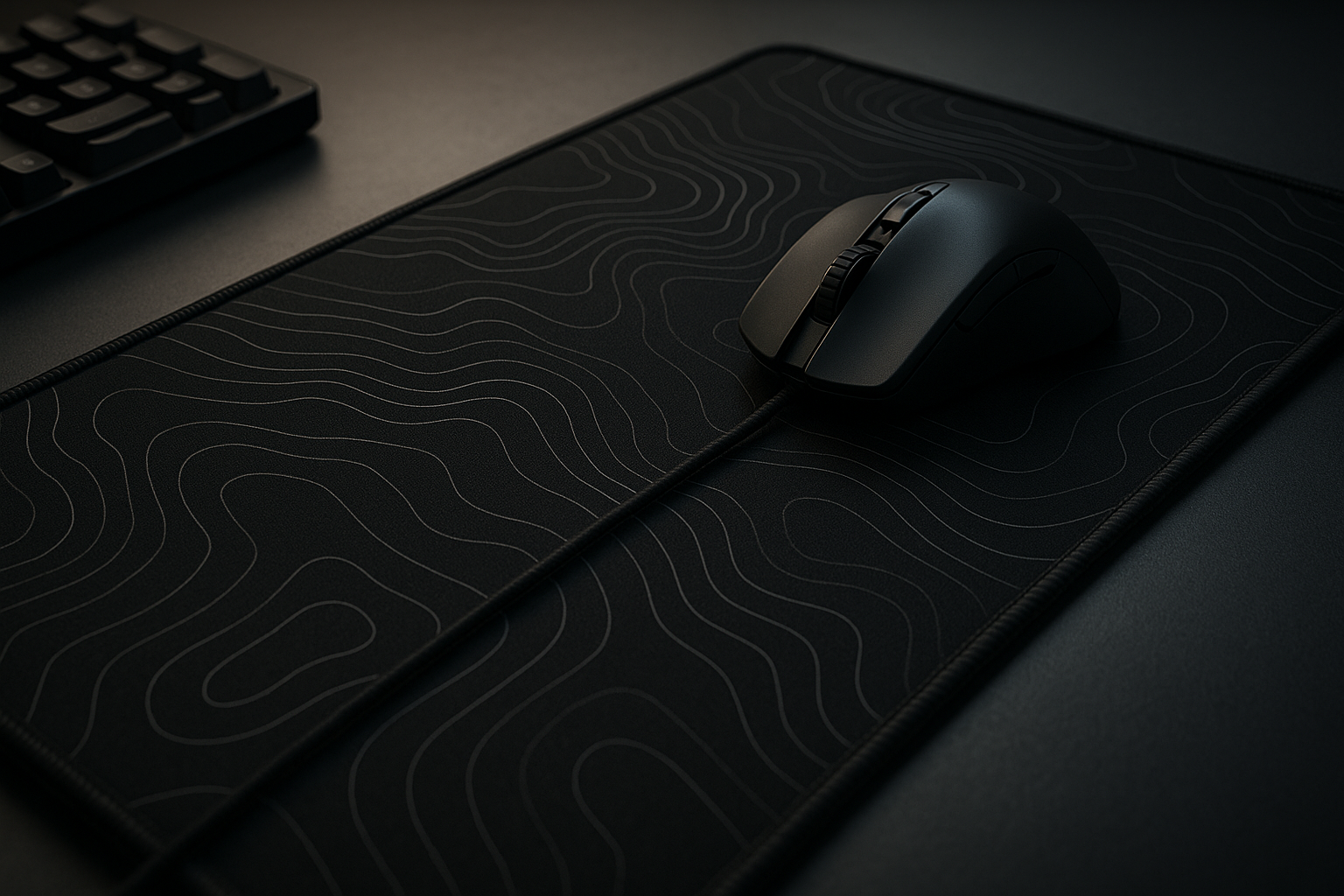
The black surface and white topographic-line pattern keep the appearance quieter than an RGB desk mat, while the stated mm soft fabric, stitched edges, spill-resistant coating, and rubber anti-slip base give it more practical substance than a bare fabric sheet. It is also intended to protect part of your desk from ordinary scratches, stains, and scuffs. That combination makes the DIGSOM Gaming Mouse Pad worth considering for gaming, home-office work, and study in 2026.
The qualification is just as important as the attraction. A low price does not establish premium glide, perfect edge finishing, or proven long-term durability. Your decision should turn on four things: whether the mat fits your desk, how you like your mouse to move, whether the border feels comfortable, and what the current customer feedback actually says.

DIGSOM Gaming Mouse Pad Specifications and Design
| Specification | Listed detail |
|---|---|
| Footprint | 31.5 x 11.8 inches (80 x cm) |
| Thickness | 3 mm |
| Construction | Soft fabric |
| Design | Black with white topographic lines |
| Edge treatment | Smooth stitched edges |
| Surface protection | Fine spill-proof or water-resistant coating |
| Underside | Non-slip rubber base |
The x cm footprint should accommodate a full-size keyboard while leaving horizontal room for the mouse. It is an extended keyboard mat, not a cover for every inch of a deep desk. Monitor stands, front lips, desk shelving, and limited side-to-side clearance can all change how comfortably it sits.
The visual design is practical rather than theatrical. Black fabric with white contour-like lines can sit beside a gaming setup, a work laptop, or a student desk without requiring matching lighting. The pattern is also a matter of taste: it adds character, but anyone wanting a completely plain surface may prefer an all-black alternative.
The supplied details do not establish the exact weight, the keyboard sizes it officially supports, the edge height, machine-wash instructions, warranty length, or whether the coating is fully waterproof. Before ordering, check the current listing photographs and measurements against the clear area of your desk, especially if the surface has an irregular texture or a raised front edge.
DIGSOM Gaming Mouse Pad Features: Coverage, Surface, and Control
The extended layout changes the feel of a workstation more than its modest price might suggest. You can place the keyboard on the mat and keep the mouse at the same level, avoiding the abrupt transition from cloth to bare desk during a long sweep. That is particularly useful for low-sensitivity gaming or for anyone who makes broad horizontal movements rather than short fingertip adjustments.
The listed smooth cloth top sounds like a middle-ground choice. It should allow easy movement while retaining enough contact for ordinary control, making it plausible for spreadsheets and browsing as well as games. Still, the description is a manufacturer claim, not independent evidence of how the glide will feel after months of use. Your mouse sensor, feet material, sensitivity setting, and preference matter more than the word “smooth” by itself.
At mm, the soft construction may take the edge off a hard desk beneath your wrists and conform to minor surface irregularities. A thicker mat could provide more cushioning and a more substantial transition at the border, though it might also be more noticeable under the forearm. The stitched perimeter should give the outline a cleaner finish and may reduce fraying, but the supplied information cannot confirm how the stitching performs after prolonged rubbing.
Set it up methodically:
- Unroll it on a clean, dry desk and allow the material to settle flat.
- Flatten the corners with your hands rather than bending the stitched border sharply.
- Position the keyboard centrally, leaving the mouse side unobstructed.
- Test several slow and fast mouse movements before deciding whether tracking and comfort suit you.
Water-Resistant Coating and Everyday Maintenance
The fine spill-proof coating is best understood as a short-reaction barrier, not a promise that the mat can be soaked or placed in a washing machine. It is intended to slow absorption when a coffee or drink is knocked over, giving you time to respond. The description says a damp cloth can keep it clean and dry; it does not say that the coating is fully waterproof, washable, or permanently unchanged after repeated spills.
If liquid reaches the mat, move nearby electronics first. Then blot the affected area instead of scrubbing it, wipe gently with a lightly dampened cloth, and leave the surface fully dry before putting the keyboard and mouse back. This approach deals with a surface spill; it cannot protect fabric from a sharp object, grit beneath the mat, or an abrasive desk accessory dragged across it.
Routine care is simple but worth doing. Keep crumbs away from the cloth, use a clean dampened cloth for ordinary marks, and avoid harsh chemicals unless the manufacturer specifically approves them. The white lines may make dust or dark smudges easier to see than they would be on a solid black mat, although the pattern can disguise small visual irregularities better than a plain pale surface.
When reading later customer comments, look for concrete reports about odor after unpacking, corners that remain curled, fading, coating wear, and whether cleaning actually removed marks. Those details will tell you more about everyday maintenance than the phrase “water-resistant” alone.
DIGSOM Gaming Mouse Pad: Smooth Surface and Anti-Slip Base in Real Use
There are two separate surfaces to judge here. The cloth top determines how the mouse glides and tracks; the rubber underside determines whether the mat and keyboard stay where you put them. Treating those as one performance claim can lead to the wrong conclusion, because a pleasant surface can still move on a dusty desk, while a grippy base cannot make a texture feel faster.
The manufacturer describes the rubber bottom as providing strong grip. In practice, contact will depend on a clean, dry desk and the finish beneath it. Smooth laminate or finished wood may behave differently from a textured, dusty, or slightly uneven surface. Before installation, clean the desk and let it dry. Press the mat flat from the center outward so the underside makes even contact; there is no reason to add tape or adhesive before trying that basic setup.
For normal browsing and gaming, the rubber base should reduce unwanted movement. It cannot guarantee that the mat will never shift during unusually forceful or rapid mouse actions. Pay attention to the border too. Stitched edges may help the mat retain a neat outline, but the mm profile could feel like a small rise beneath your wrist or at the keyboard’s front edge.
The useful customer observations are specific ones: whether the mouse feels smooth, whether the keyboard stays put, whether corners lift, and whether curling settles after unpacking. A general claim that the pad feels stable is less informative than those separate experiences.

What Customers Are Saying About the DIGSOM Gaming Mouse Pad
The current product information supplied for this review does not include the Amazon star rating, total review count, publication date of recent written reviews, or the individual comments needed to identify recurring buyer experiences. I therefore cannot honestly report that customers rate the DIGSOM Gaming Mouse Pad at a particular score or claim that many buyers praised a specific feature. Inventing those figures would make the review sound more certain while giving you less useful information.
For a reliable assessment, check the live listing at the time you buy and record the displayed rating, total review volume, and date of the check. Then separate repeated observations from isolated comments. Useful themes include whether buyers like the overall size and topographic pattern, how the mouse glides, whether a keyboard fits comfortably, how well the underside grips, whether cleaning is easy, and whether the $12.99 price feels justified.
Give extra attention to mixed or negative reports about rolled edges, initial odor, surface texture, fraying, fading, insufficient depth, and movement on particular desk materials. One complaint should remain a one-buyer report unless several people describe the same problem. Verified-purchase labels and a high star rating can add context, but neither proves every performance claim.
Also notice how people use it. Comments from gamers may focus on sensitivity and glide; office and school users may care more about keyboard stability, appearance, and cleanup. Until the live rating and review count are available, the fairest conclusion is that customer evidence is currently insufficient to confirm long-term durability or to rule out those concerns.
How the DIGSOM Gaming Mouse Pad Compares With Alternatives
The most obvious comparison is the SteelSeries QcK Gaming Mouse Pad in an XXL or extended format. SteelSeries has stronger brand recognition and a longer-established reputation around cloth gaming surfaces, with size and thickness choices that can appeal to buyers who already know the feel they want. The trade-off is usually a higher price, while the exact current dimensions, edge treatment, and price vary by QcK version and should be checked on the live listing.
The Amazon Basics Large Extended Gaming Mouse Pad is another sensible name to compare because it targets the same broad keyboard-and-mouse use case. Its current material details, dimensions, border construction, rubber backing, spill resistance, design, and price should not be assumed to match this product. The point of comparison is not that similarly named desk mats are identical; it is that a competing model may offer a different cloth feel or a more familiar return and support experience.
| Model | Approx. dimensions | Thickness | Surface and edge | Underside | Design | Observed price | Best use |
|---|---|---|---|---|---|---|---|
| DIGSOM Gaming Mouse Pad | 31.5 x 11.8 in | 3 mm | Soft fabric; stitched edges | Rubber | Black with white topographic lines | $12.99 | Budget keyboard-and-mouse coverage |
| SteelSeries QcK XXL | Version-dependent | Version-dependent | Version-dependent | Version-dependent | Usually restrained gaming styling | Not verified | Brand-led cloth-pad choice |
| Amazon Basics Large Extended Gaming Mouse Pad | Listing-dependent | Listing-dependent | Listing-dependent | Listing-dependent | Listing-dependent | Not verified | Direct budget comparison |
This comparison was prepared with the DIGSOM price observed at $12.99; competitor prices and availability need a same-day check because listings change. You gain low-cost coverage and a distinctive pattern with the DIGSOM, but you may give up the stronger track record, extra size choices, or more clearly documented surface options associated with a better-established alternative.
Who Should Buy the DIGSOM Gaming Mouse Pad?
This is a good candidate if you want one surface for a keyboard and mouse, prefer a black-and-white design, and want to spend about $12.99. The extended format can make an office or study area feel more organized, while the topographic pattern functions as quiet desk decoration rather than gaming-only branding. The stated coating may also make minor drink spills less stressful during ordinary work.
Gamers who use low or medium sensitivity may appreciate the broad side-to-side area. The depth is a different matter: people who want generous front-to-back travel, especially with a large arm movement, may find the available room less comfortable. A mat can be wide enough for a keyboard and still feel shallow for a particular mouse technique.
Choose another direction if you want a premium competitive surface with a specifically calibrated speed or control texture, RGB lighting, a full-desk format, or extra-thick wrist cushioning. The DIGSOM Gaming Mouse Pad is better matched to a practical mixed-use setup than to a buyer seeking a carefully tuned specialist accessory.
Before purchasing, follow this checklist:
- Confirm the clear desk area and the intended keyboard position.
- Check the newest listing photos for the actual pattern and border appearance.
- Read recent comments specifically for curling, odor, surface feel, and base movement.
- Compare the final delivered price with the current SteelSeries QcK and Amazon Basics alternatives.
DIGSOM Gaming Mouse Pad Value Assessment at $12.99
At $12.99, the value case depends on the bundle rather than on any single feature. You are paying for an x cm keyboard-and-mouse surface, mm soft fabric, stitched edges, a stated spill-resistant coating, and a rubber anti-slip base. If your goal is to keep both input devices on one level and protect part of the desk, that combination may be more useful than paying extra for a specialist surface whose advantages you will not notice.
The price is less compelling if the mat does not suit your desk or mouse. A persistent curl, unpleasant odor, fading, frayed seams, weak underside grip, or an uncomfortable texture can erase the apparent saving. Because the supplied material does not include a current rating or review count, those risks need to be checked directly in the live customer feedback rather than treated as resolved.
Use three questions to make the decision:
- Does it fit? The keyboard, mouse, desk edge, and nearby accessories must coexist comfortably.
- Does the surface feel right? Your mouse feet and sensitivity settings will determine whether the cloth feels controlled or too slow.
- Does the feedback support durability? Look for repeated comments about the edges, underside, odor, and cleaning rather than relying on a single rating.
The checked listing showed $12.99 and in-stock availability in 2026, but neither price nor stock is permanent. On the available evidence, the DIGSOM Gaming Mouse Pad is a reasonable value-oriented option when coverage and restrained styling matter more than premium, independently documented performance.
Pros and Cons
Pros
- Generous keyboard-and-mouse coverage for the $12.99 asking price.
- Soft mm fabric, stitched edges, and a water-resistant coating offer practical everyday features.
- Black fabric with white topographic lines works for gaming, office, and study setups without RGB lighting.
- Rubber anti-slip underside is designed to help keep the mat and keyboard positioned.
Cons
- The 11.8-inch depth may feel restrictive for very broad front-to-back mouse movements.
- The supplied information does not confirm the exact weight, warranty length, washable-care instructions, or long-term coating durability.
- There is no provided rating, review count, or recent written-customer evidence to verify concerns such as odor, curling, fading, or fraying.
- The surface may not suit buyers who want a specifically calibrated speed-or-control texture, RGB lighting, or a thicker wrist cushion.
Final Verdict
Key Takeaways
- The x cm extended layout is the main attraction, giving a keyboard and mouse one shared working surface.
- Its mm cloth build, stitched border, spill-resistant coating, and rubber underside create a useful feature bundle for $12.99.
- The surface should appeal to general work and gaming, but glide is personal and long-term performance is not established by the supplied information.
- Customer-rating and review-count details were not provided, so durability concerns such as curling, odor, fading, and fraying remain unverified.
- It is a sensible conditional choice for a desk with adequate depth, not a proven premium esports pad.
Frequently Asked Questions
How large is the DIGSOM Gaming Mouse Pad?
The product description lists a 31.5 x 11.8-inch footprint, equal to x cm. That should fit a full-size keyboard with additional mouse space, although the 11.8-inch depth is not generous for every desk or playing style.
Is the DIGSOM Gaming Mouse Pad waterproof?
It has a mm soft fabric construction, stitched edges, a water-resistant or spill-proof coating, and a non-slip rubber underside. The description does not establish that it is washable or fully waterproof.
Is this mouse pad suitable for office use?
It can suit ordinary office work, study, and gaming because the extended surface keeps the keyboard and mouse on one level and the black-and-white pattern is relatively restrained. Your desk still needs enough clear width and depth for the mat.
Is the DIGSOM Gaming Mouse Pad good value?
At the checked price of $12.99, it is most appealing if you need a keyboard-and-mouse mat with desk-protection features rather than a specialist competitive gaming surface. Check the latest listing and customer comments before ordering because price, stock, and feedback can change.
Disclosure: As an Amazon Associate, I earn from qualifying purchases.
