

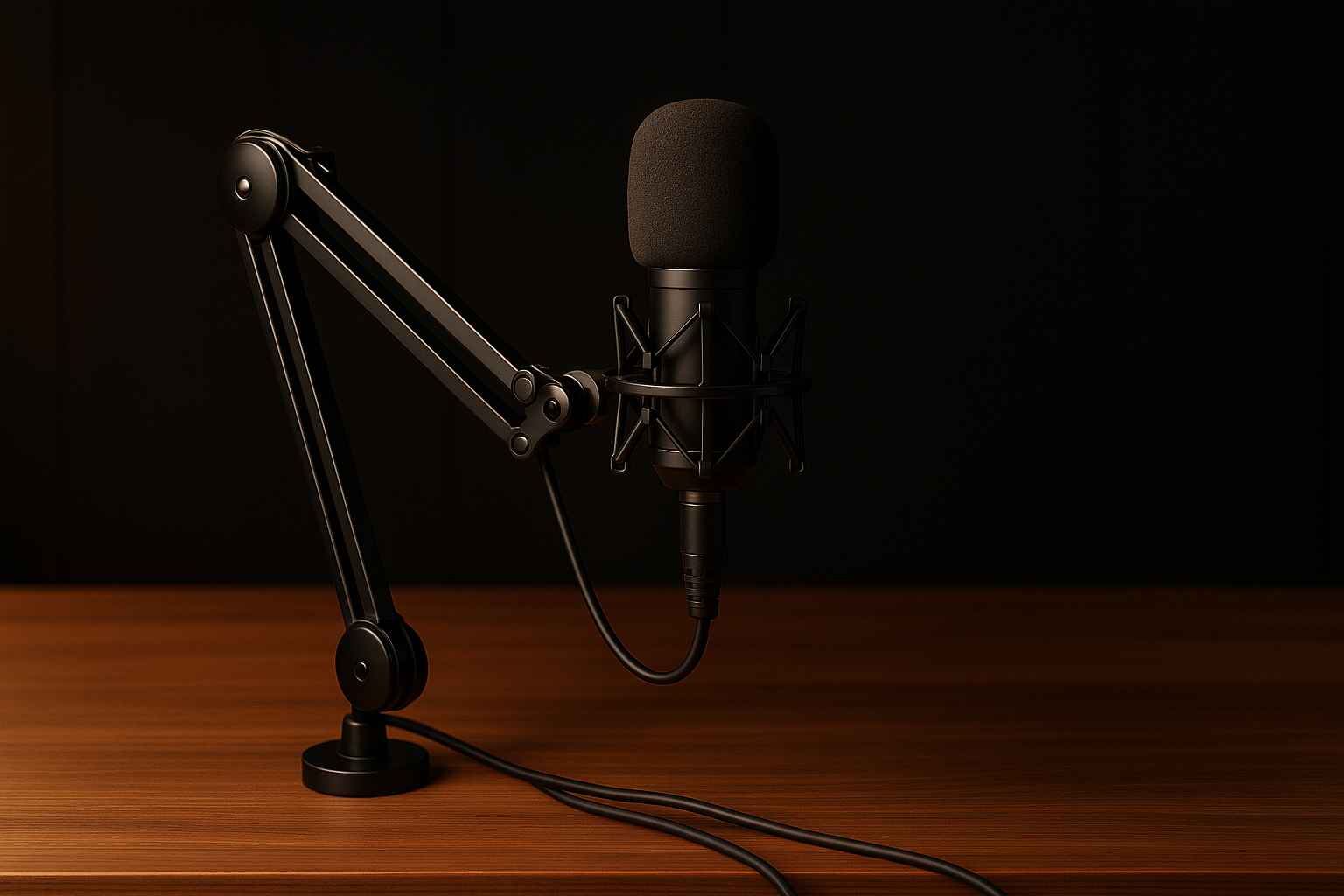
FIFINE AmpliTank K688CT Podcast Microphone Kit: Full Review
A $79.99 microphone kit has to solve more than one problem: it needs to sound clear, connect without drama, and include enough hardware that you aren’t immediately shopping for a stand. The FIFINE AmpliTank K688CT makes a fairly persuasive case on those terms in 2026, though it is not designed to be everything to everyone.
This is a wired dynamic microphone with a cardioid pickup pattern, USB and XLR connectivity, a metal boom arm, C-clamp, shock mount, windscreen, and headphone monitoring. The listing shows it as $79.99 and In Stock at the time of writing, although retail pricing and availability can change.
Can a $79.99 USB/XLR kit provide a worthwhile starting point for podcasting, streaming, gaming, and voice-over work? Yes—especially if you value plug-and-play USB now but may want an audio interface later. Buyers seeking wireless operation or advanced onboard processing should look elsewhere.

What You Get for $79.99
The price makes more sense when you view the FIFINE AmpliTank K688CT as a desk setup rather than a bare microphone. Alongside the dynamic mic, you get a metal boom arm and C-clamp, a shock mount, a windscreen, USB/XLR connection options, and a headphone monitoring output. Each item addresses a small but real setup problem.
The boom arm keeps the microphone off the desk, which gives you more freedom to position it near your mouth and can reduce knocks transmitted through the desktop. The shock mount is intended to lessen the effect of handling and low-frequency vibration, while the windscreen helps manage breath blasts. The C-clamp is designed for desks under inches thick, so desk compatibility is a purchase check, not a minor detail.
USB lets you connect directly to a computer without buying an interface first. XLR gives you another connection path if you later add a mixer or audio interface. At the listed $79.99, the practical attraction is the collection of mounting and isolation hardware; whether it beats buying parts separately depends on the current price of a compatible arm and stand in your market.
Before ordering, check the live listing for the current price and package contents. If you already own a stable arm and shock mount, a standalone microphone may offer better economy; if you own neither, this bundle reduces the number of separate decisions.
FIFINE AmpliTank K688CT Sound and Recording Performance
The FIFINE AmpliTank K688CT uses a dynamic capsule aimed at spoken-word recording, streaming, gaming chat, voice-over, and vocals in rooms that have not been acoustically treated. Dynamic microphones generally reward close, deliberate technique: your voice provides the main signal, while the room has less opportunity to dominate than it might with a more distant placement.
Its cardioid pattern is designed to prioritize sound arriving from in front of the microphone and reduce some ambient sound from the sides and rear. That can help when your computer, keyboard, or a reflective wall is not perfectly positioned, but it is not active noise cancellation and it cannot make an untreated room silent.
The stated 130 dB SPL capability is relevant if you record loud vocals or stronger sound sources. It does not guarantee that every recording will be distortion-free: excessive gain, poor placement, a clipped interface, or a loud room can still create problems.
For a practical test, record the same 30-second passage at several distances within the manufacturer’s recommended range of 2 to inches. Listen for bass buildup, changes in volume, breath noise, and consonant sharpness, then choose the clearest position you can repeat comfortably. The windscreen can reduce explosive “P” and “B” sounds, but it does not provide room treatment.
USB and XLR Connectivity Explained
USB and XLR are not two versions of the same workflow. USB is the direct route to a computer, making it useful for a first podcast, remote meetings, gaming, and quick streaming because you can begin without purchasing a separate interface. XLR is the conventional route into a mixer or audio interface, where you can use that hardware’s gain controls and build a more expandable recording system.
For USB, connect the microphone, open your computer’s sound settings, select it as the recording input, select the preferred output for monitoring, and make a short test. Adjust the microphone gain gradually rather than starting at maximum. For XLR, connect the microphone to an interface or mixer, select the corresponding input in your recording software, and set gain on the external device.
The distinction matters because the microphone’s onboard function keys work only in USB mode. Through XLR, the gain knob, tap-to-mute button, and headphone controls are unavailable; equivalent adjustments must be made on the mixer or interface. Treating those controls as interchangeable is a common source of confusion when a user changes connection methods.
If you are unsure which path suits you, start with USB unless you already own an interface or need several hardware inputs. Choose XLR immediately when your recording setup is already built around a mixer, interface, or hardware monitoring routine.
Controls, Monitoring, and Everyday Usability
The USB controls are useful because they address interruptions and monitoring without requiring you to reach for software. A tap-to-mute button can silence a cough, keyboard burst, or unexpected conversation quickly. The gain knob changes the microphone’s USB input level, while the headphone jack and headphone volume knob let you listen to the signal during recording.
Direct monitoring is particularly helpful before an important session. Put on headphones and check that you are hearing the intended microphone rather than a laptop mic, that the voice is not clipping, and that the room is not louder than expected. It is a small routine, but it can prevent discovering an input mistake after recording an entire episode.
Use this USB workflow:
- Set the computer’s input level conservatively.
- Adjust the microphone gain while speaking at your normal volume.
- Monitor through headphones and listen for distortion, fan noise, and desk movement.
- Leave headroom for louder words, laughter, and sudden emphasis.
- Use tap-to-mute only when you intend to silence the microphone.
These features improve basic workflow, but they do not replace editing, compression, equalization, or acoustic treatment. They also do nothing in XLR mode, where your interface or mixer becomes the control center.
Boom Arm, Shock Mount, and Noise Isolation
The metal boom arm is one of the bundle’s more practical inclusions. It lets you place the microphone beside or in front of your monitor without occupying the centre of the desk, and keeping the microphone suspended can reduce direct contact with knocks and collisions. The arm is most useful when you position it once, secure it properly, and route the cable without pulling against the joints.
Install it in this order: confirm that your desk meets the clamp requirement, attach the C-clamp, secure the arm, fit the shock mount, attach the microphone, and route the cable with enough slack for normal movement. When changing the microphone or stand angle, tighten the adjustment knob, but do not force it. Excessive pressure can damage a fitting without making the arm safer.
The shock mount is intended to reduce low-frequency vibration and handling movement. The windscreen has a different job: it helps soften breath blasts and plosives. Neither accessory can remove room echo, computer-fan noise, keyboard sounds, or vibration travelling through a desk that is loose or poorly supported.
Arrange the arm so the microphone sits close enough for a strong voice signal while leaving your monitor visible and your shoulders relaxed. If reaching the microphone makes you hunch or twist, the placement is wrong even if the recording level looks acceptable.

What Customers Are Saying About the FIFINE AmpliTank K688CT
The supplied product information does not include a verified customer rating or review count at publication time, so it would be misleading to quote a numerical score or claim that a majority of buyers prefer one feature. That limitation matters: customer feedback is often valuable for judging arm stability, packaging, and long-term reliability, but those details cannot be responsibly inferred from the specification sheet.
When the live listing is available to you, look for repeated comments about vocal clarity, straightforward USB setup, the usefulness of the boom arm, the mute and headphone controls, and the flexibility of USB/XLR. Then look separately for criticism involving clamp fit, cable management, gain level, background noise, XLR operation, defects, or missing components. A single report is a signal to investigate; a repeated pattern is stronger evidence.
Read recent verified-purchase comments first, and distinguish the microphone from its accessories. A complaint about a clamp that does not fit a thick desk is different from a complaint about capsule performance. Likewise, reports of low volume or excessive noise may come from speaking too far away, setting gain incorrectly, or expecting active noise cancellation from a passive dynamic microphone.
Also check whether reviewers describe the K688CT as stronger for spoken voice than music recording, and whether people moving from laptop or headset microphones hear a meaningful improvement. Those comparisons are more useful than vague praise because they reveal the starting point and the type of work being tested.
FIFINE AmpliTank K688CT vs. Comparable USB/XLR Microphones
The most practical comparison is between the FIFINE AmpliTank K688CT and other beginner-friendly dynamic microphones with USB/XLR flexibility. The Samson Q2U shares that broad concept: a dynamic format, direct USB use, and an XLR path for an interface. The buying question is not simply which microphone name is more familiar; it is whether the competing listing includes the stand, mount, controls, and accessories you actually need.
The Audio-Technica ATR2100x-USB is another relevant alternative for spoken-word users who want USB/XLR flexibility. Its appeal may be strongest if you already have a suitable stand, prefer its vocal character, or want to remain within Audio-Technica’s accessory ecosystem. The FIFINE bundle is more compelling when a complete desk-mounted package is part of the requirement.
Verify the live prices, ratings, included accessories, and current package details for both alternatives before publication or purchase. Those details change, and unsupported price comparisons can turn a useful recommendation into a stale one. In particular, compare the total cost of adding a boom arm and shock mount, not just the microphone-only price.
Choose the FIFINE kit if you want bundled mounting hardware, onboard USB controls, and an XLR upgrade path. Prefer an alternative if you already own the accessories, want a different vocal presentation, or place more value on a competitor’s established support and accessory range.
Who Should Buy the FIFINE AmpliTank K688CT?
The strongest audience is the person building a first desk-based recording setup: a podcaster, streamer, gamer, remote worker, or voice-over beginner who wants fewer separate purchases. USB simplicity removes the immediate need for an interface, while tap-to-mute and headphone monitoring make everyday calls and recordings easier to manage. The included boom arm also keeps the microphone from becoming another object competing for desk space.
The XLR connection gives you room to change your setup later. You can begin with USB, learn microphone technique, and move to an interface when you need hardware gain control or a broader recording system. That flexibility is more useful than a long list of features you may never touch.
You should be more cautious if you need multiple microphone patterns for different recording situations, wireless operation, or advanced onboard processing. Creators working in a particularly noisy room should also understand that close placement and a cardioid pattern can help, but they cannot overcome every mechanical noise or reflective surface.
Your decision path is simple:
- Choose this bundle if you need a dynamic USB/XLR microphone and mounting hardware.
- Choose a standalone microphone if you already own a reliable arm and shock mount.
- Choose an interface-centred package if XLR recording is your immediate priority.
Whichever route you take, reduce nearby reflective and mechanical noise, keep the microphone close to the speaker, and avoid treating the accessory package as a substitute for a quiet recording position.
Setup Guide for Better Results
Set up the kit before recording an important meeting or episode, not five minutes before it begins. Use this sequence:
- Check that the desk is compatible with the supplied clamp.
- Attach and secure the C-clamp, then assemble the boom arm.
- Fit the shock mount and attach the microphone without forcing the adjustment hardware.
- Place the windscreen securely and route the cable with enough slack to prevent tension.
- Connect by USB to a computer, or by XLR to an audio interface or mixer.
- Select the FIFINE microphone as the recording input in your software when using USB.
- Set the gain conservatively, connect headphones, and check the monitoring signal.
- Record a short test before starting the full session.
For USB recording, use the gain knob for level adjustment and tap mute only when you need silence. For XLR recording, make gain and monitoring adjustments on the interface or mixer because the microphone’s onboard controls are inactive on that connection.
Speak toward the front of the cardioid microphone from a steady, close position rather than drifting around the desk. A short test should confirm input selection, monitoring, clipping, cable security, and unwanted desk noise. The setup can improve clarity and isolation, but it cannot replace sensible technique or a quieter environment.
Is the FIFINE AmpliTank K688CT Good Value in 2026?
At the listed $79.99, the FIFINE AmpliTank K688CT’s value comes from the total package: microphone, metal boom arm, C-clamp, shock mount, windscreen, USB/XLR flexibility, mute control, gain control, and headphone monitoring. If you need all of those pieces, the bundle may be more economical and less frustrating than buying a microphone first and discovering that the correct arm or mount costs extra.
The strongest argument is convenience with an upgrade path. USB makes the first setup approachable, while XLR means the microphone does not become useless if you later build an interface-based system. The dB SPL specification and dynamic cardioid design also fit the product’s intended spoken-word and home-recording role, though they should not be mistaken for a promise of professional studio performance in every room.
The value calculation changes if you already own a stand, shock mount, interface, and monitoring solution. In that case, compare the live listing price with microphone-only alternatives such as the Samson Q2U and Audio-Technica ATR2100x-USB, checking their current prices and included accessories rather than relying on old listings. Stock and pricing can change; this product is shown as In Stock at the stated price when reviewed.
For beginners and flexible home setups, the FIFINE AmpliTank K688CT is worth considering at $79.99, especially when the included mounting and isolation accessories would otherwise require separate purchases.
Pros and Cons
Pros
- USB and XLR connectivity provides an easy starting point and a future interface upgrade path.
- The bundle includes a metal boom arm, C-clamp, shock mount, and windscreen rather than only the microphone.
- USB mode offers tap-to-mute, gain adjustment, headphone monitoring, and headphone volume control.
- The dynamic cardioid design is suited to spoken voice and ordinary home recording spaces.
- A listed dB SPL capability gives the microphone useful headroom for louder vocals and sound sources.
Cons
- The microphone’s tap-to-mute, gain, and headphone controls work only in USB mode.
- The included C-clamp is limited to desks under inches thick.
- A dynamic cardioid microphone can reduce some surrounding sound, but it cannot replace acoustic treatment or remove every keyboard, fan, or room-echo problem.
- The kit is wired, so it won’t suit buyers who specifically need wireless operation or advanced onboard processing.
- The available product information does not include a verified customer rating or review count, so current buyer satisfaction cannot be quantified responsibly.
Final Verdict
Key Takeaways
- The $79.99 bundle combines a USB/XLR dynamic microphone with a boom arm, shock mount, windscreen, and headphone monitoring, making it a practical first setup.
- USB is the easiest route for beginners, while XLR gives you a path toward an interface or mixer later.
- The dB SPL specification suits louder sources, but microphone placement and sensible gain remain essential for clean recordings.
- The kit is best for spoken voice, streaming, gaming, and home voice-over—not for buyers needing wireless use or sophisticated onboard processing.
- Because no verified rating or review count was supplied, check the live listing for current customer feedback before purchasing.
Frequently Asked Questions
Is the FIFINE AmpliTank K688CT worth buying for podcasting?
Yes, if you want a complete wired desk setup with both USB and XLR connectivity. The $79.99 listing includes the microphone, metal boom arm, C-clamp, shock mount, windscreen, and USB/XLR connection options, which can cost more when purchased separately. Its value is strongest for beginners and home creators rather than professionals expecting studio-grade results in every room.
What is the difference between USB and XLR on this microphone?
USB is the simpler option: connect the microphone directly to your computer, select it as the input, and use its onboard gain, mute, and headphone controls. XLR connects the microphone to a mixer or audio interface. In XLR mode, the microphone’s function keys are unavailable, so gain and monitoring must be managed through the connected hardware.
Is the FIFINE AmpliTank K688CT good for a noisy room?
It can be a sensible choice for streaming, gaming chat, voice-over, and spoken-word work in an ordinary room. The dynamic capsule and cardioid pattern are designed to focus on sound from in front while reducing some sound from the sides and rear. However, the microphone won’t eliminate fan noise, keyboard noise, room echo, or other unwanted sound by itself.
Does the FIFINE AmpliTank K688CT work wirelessly?
No. The kit is wired and offers USB and XLR connections rather than wireless operation. If you need a cable-free microphone for presentations, mobile recording, or a particularly uncluttered desk, you should look at a wireless system instead.
Disclosure: As an Amazon Associate, I earn from qualifying purchases.
