

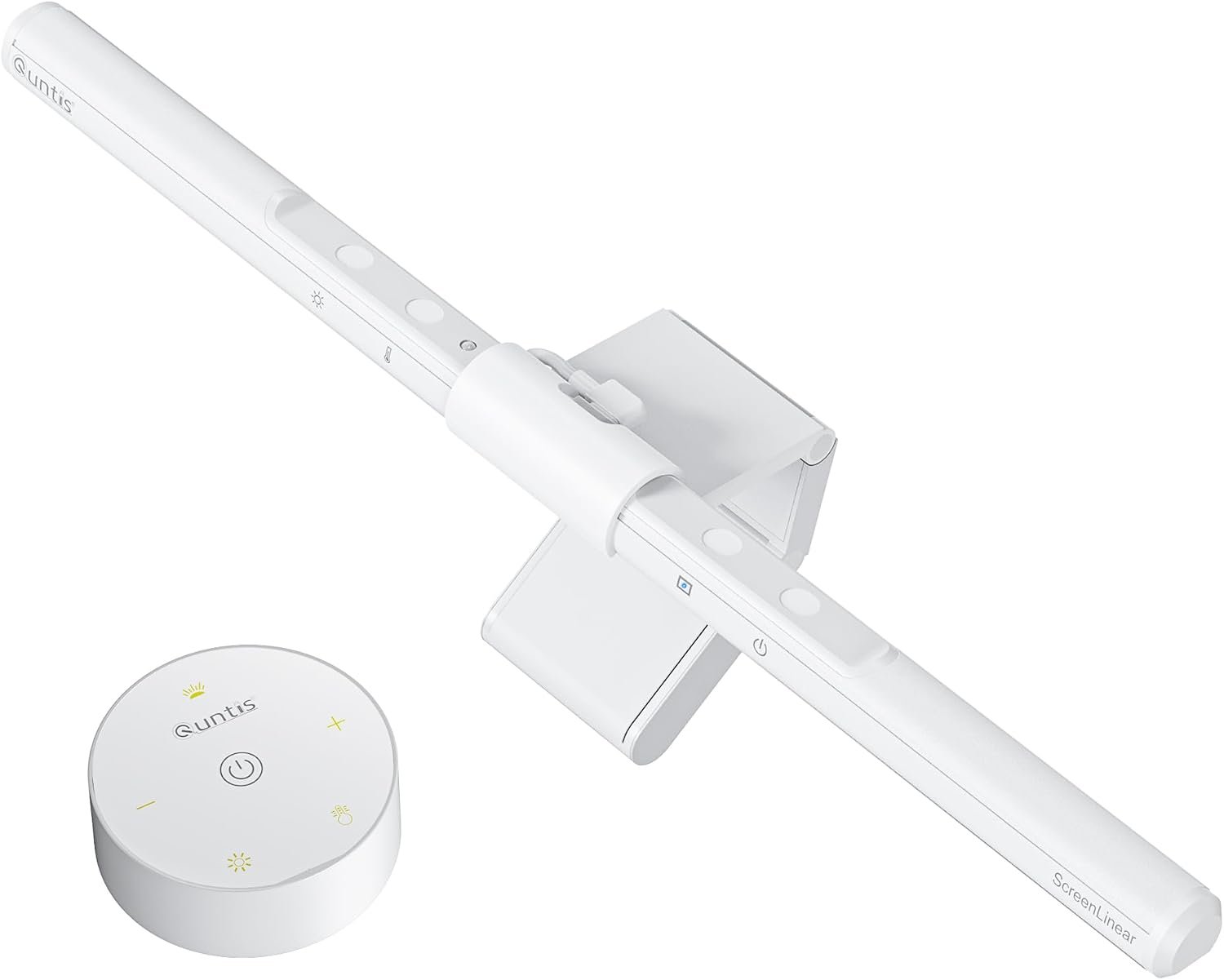
Quntis Computer Monitor Lamp: Quick Overview
The Quntis Monitor Light Bar is a USB-powered computer monitor lamp designed to illuminate your desk without taking up valuable workspace. Whether you’re gaming, working late or studying, having suitable lighting around your monitor can make your setup more comfortable and practical.
Featuring adjustable brightness, colour temperature settings, touch controls and automatic dimming, the Quntis monitor lamp offers more flexibility than a traditional desk light.
In this Quntis Monitor Light Bar review, we’ll explore its features, design, lighting options, ease of installation and overall value to help you decide whether it’s a worthwhile addition to your gaming or home office setup.

Key Specifications and What You Get
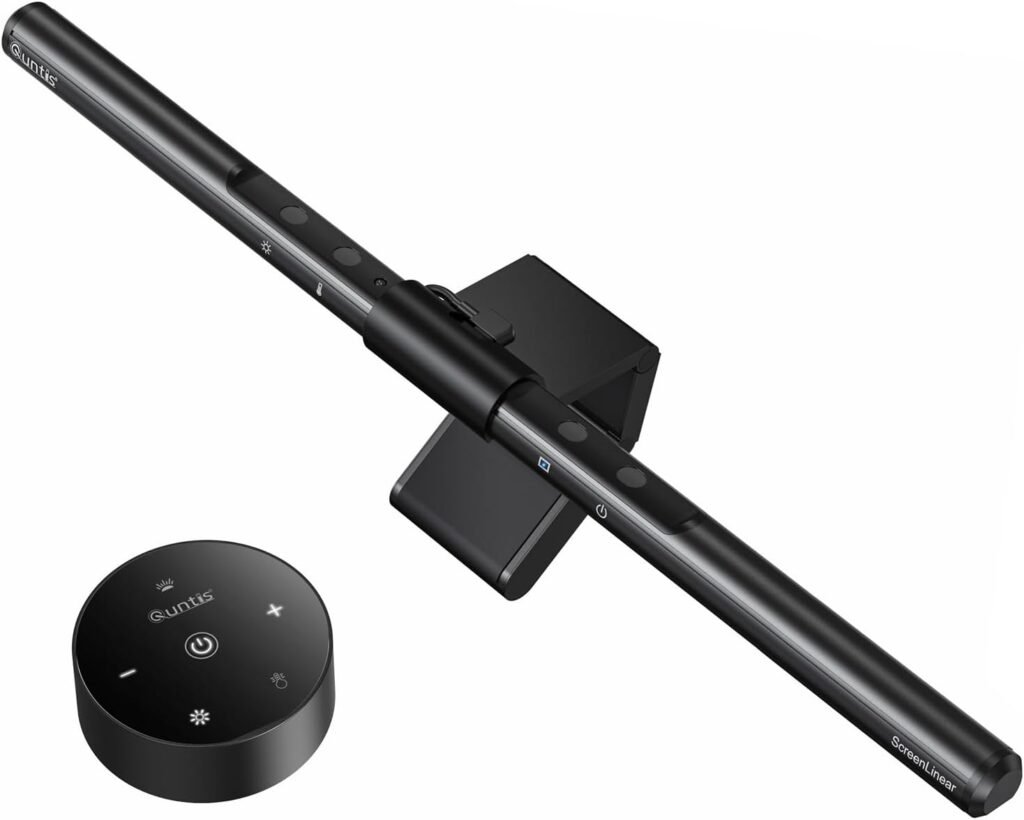
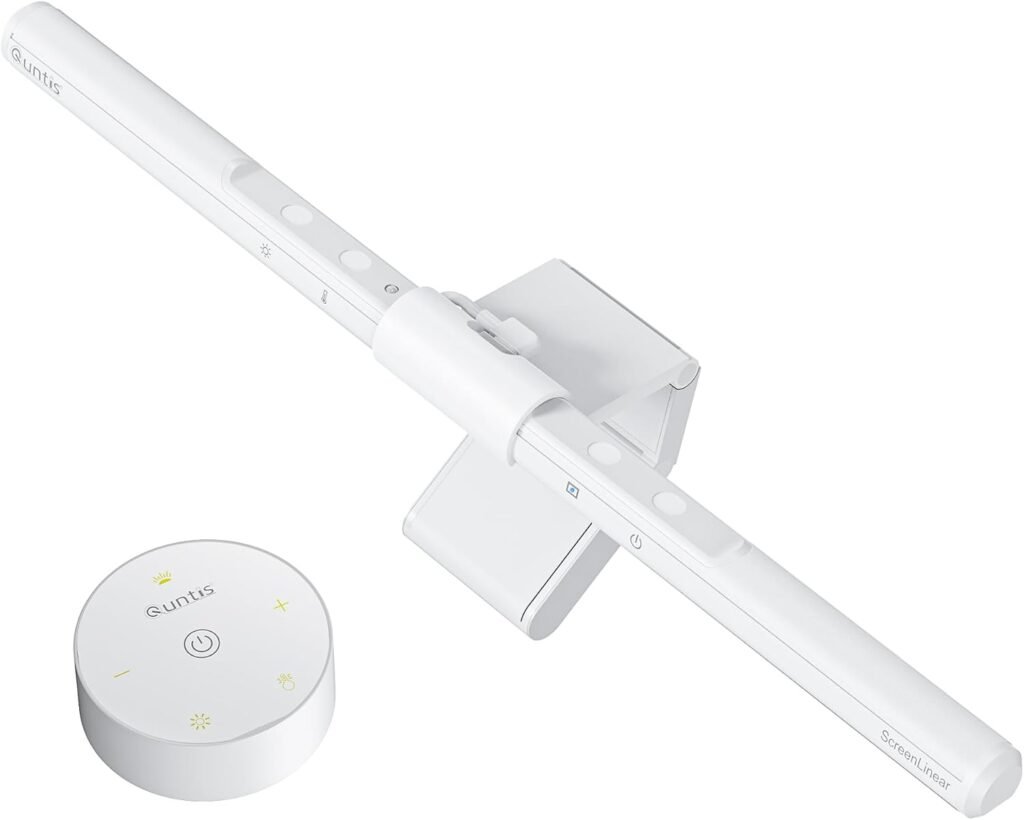
The lamp uses a stated 78-LED-bead design, a weighted monitor clip, USB power, and touch controls. That combination tells you what kind of product this is: a compact task light designed to sit above the display rather than a freestanding fixture with a base, shade, and separate footprint. The clip supports the bar on the monitor, while the USB connection supplies power from a computer, hub, dock, or adapter.
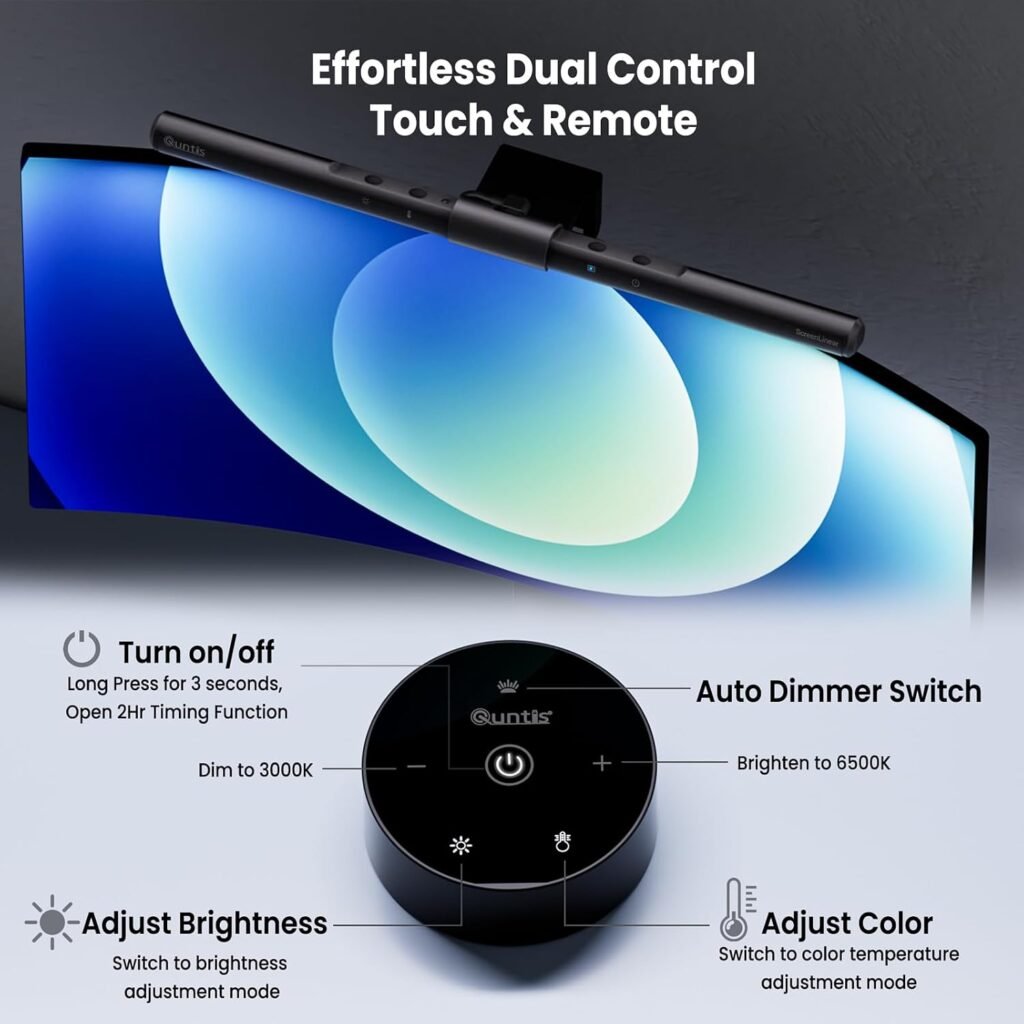
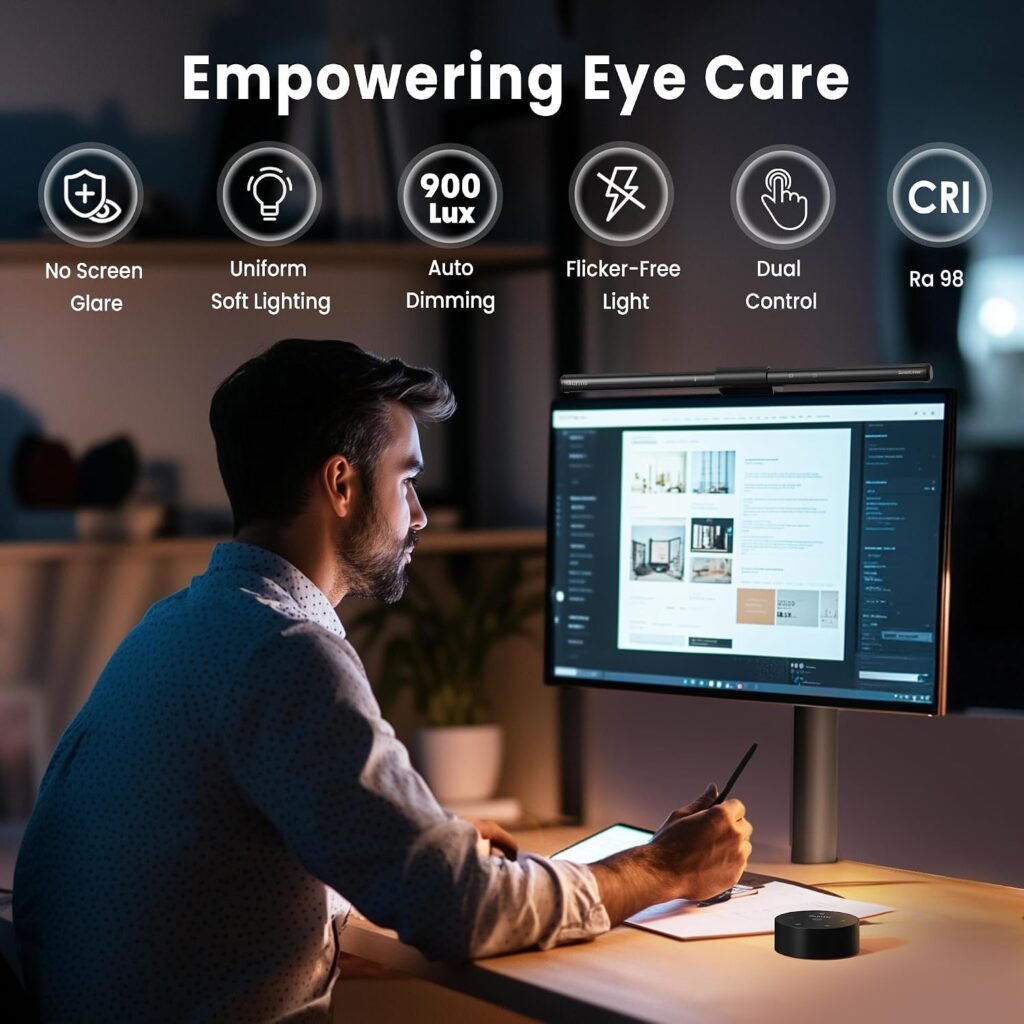
There are several separate lighting adjustments. Color temperature runs from 3000K to 6500K, allowing warmer light for evening reading and cooler light for a more daylight-like working environment. Manual brightness is stepless, so you can make smaller adjustments than you would with fixed low, medium, and high settings. Auto-dimming is a different function: the product description says its ambient-light sensor adjusts illumination toward a 900-lux target.
The stated Ra98 color-rendering rating is potentially useful for designers, photographers, artists, and anyone judging physical colors at the desk. High color rendering means objects should appear more naturally colored under the lamp; it does not prove that the light is perfectly calibrated for professional color work. The description also cites IEC/TR and IEC/EN for blue-light hazard assessment and describes the output as flicker-free. Those are manufacturer-provided specifications, not independent test results supplied with this review, and they should not be treated as medical guarantees.
Quntis Monitor Light Bar Lighting Performance
The Quntis monitor light bar uses an asymmetrical optical design. In practical terms, the intended beam direction favors the desk area rather than sending the strongest light straight back toward the monitor panel. That is the central reason to choose a screen-mounted bar over a small lamp placed beside the display: the light can reach your keys, notebook, or book without automatically shining at your eyes or creating a bright reflection.
That design should be useful for keyboard work, paperwork, reading, and late-night desk sessions. It cannot control every source of glare, though. A monitor tilted toward a ceiling light, a glossy desk, a nearby window, or a bright wall can still create reflections. The bar’s position and angle matter as much as the optical design.
The LEDs are intended to spread light more evenly than a small single-point source, reducing the hard shadows that can appear beside a narrow lamp. The color range gives you practical choices: warmer settings can feel gentler for evening reading, cooler settings can suit concentrated daytime work, and a middle position is sensible for ordinary office tasks.
- Install the bar and reduce the room lighting enough to reveal reflections.
- Sit in your normal position and inspect the screen, not just the desk.
- Adjust the bar angle and brightness until the keyboard and work surface are clear.
- Change the color temperature and keep the setting that feels comfortable without a visible reflection.
This test takes only a few minutes and is more meaningful than assuming any “no glare” claim will behave identically on every desk.

Auto-Dimming, Touch Controls, and Everyday Use
The ambient-light sensor is meant to watch the brightness around your workstation and adjust the lamp toward the stated 900-lux level. That can be convenient when daylight fades or a room light switches on, because you don’t have to keep reaching for a control. It is also a preference rather than a universal ideal: a sensor can react to the room differently from the way your eyes experience the screen and desk together.
Manual stepless dimming serves a separate purpose. It lets you choose the output yourself when you want a consistent level, while auto-dimming is designed to respond to changing surroundings. Someone working beside a window may appreciate automatic adjustment; someone recording video, editing photographs, or keeping a fixed evening routine may prefer manual consistency.
Touch controls remove the need to reach behind the display or move a desk lamp across the work surface. Their success depends on sensitivity and placement, so you should test whether a light tap is registered reliably and whether the controls are easy to find in a dark room. Convenience is real only when the controls respond predictably.
- Connect the USB cable to your chosen power source.
- Center the weighted clip on the monitor’s top edge.
- Aim the bar toward the desk, then try several brightness levels.
- Leave auto-dimming enabled if room light changes; disable it if you want a fixed manual setting.
Installation, Monitor Compatibility, and Desk-Space Benefits
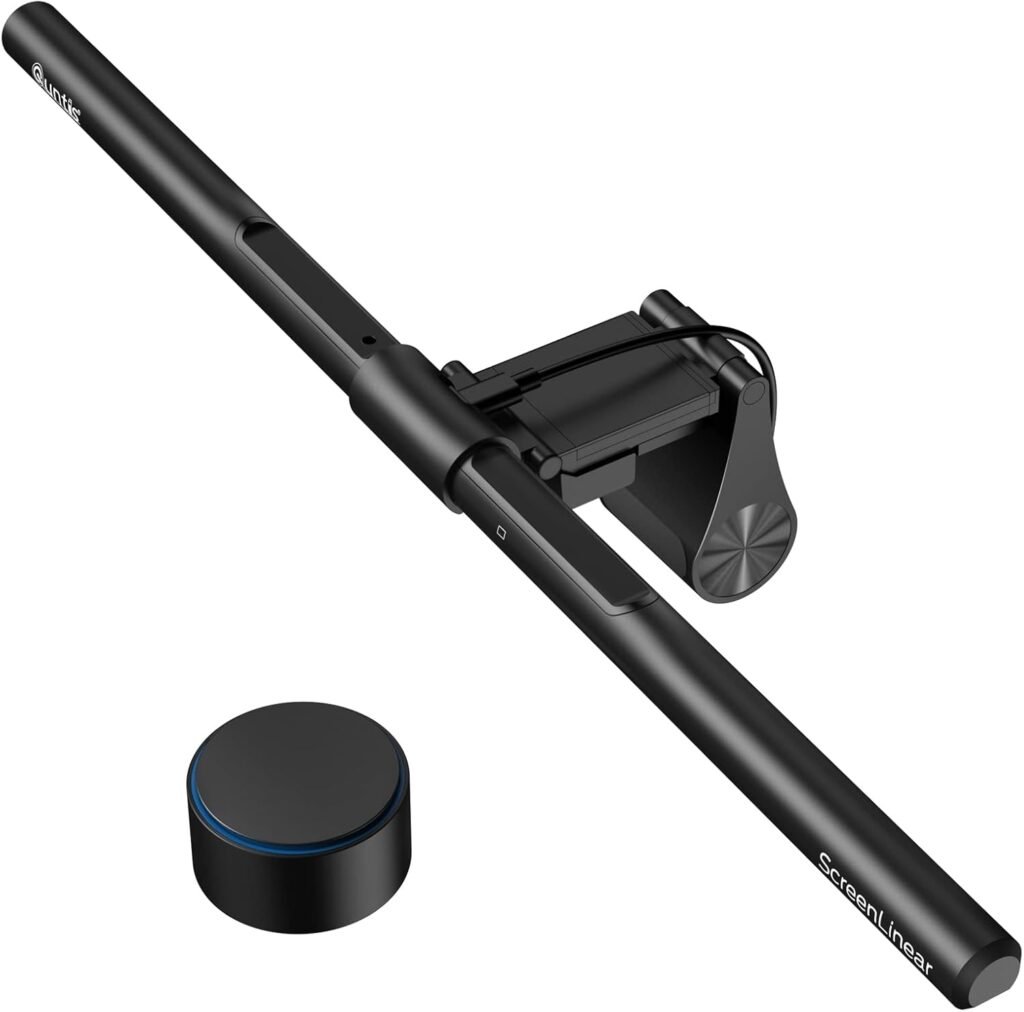
The weighted clip is designed to rest on top of the monitor, placing the light above the display and leaving the surface below available for your keyboard, mouse, books, or paperwork. On a small desk, that arrangement can matter more than the lamp’s maximum output. You gain task illumination without sacrificing a corner of the worktop to a base.
Compatibility is the part to investigate before purchase. Check the thickness and shape of the monitor’s top edge, the size of its bezel, and whether a curved panel gives the clip a stable resting point. Also look at any webcam, privacy cover, microphone, or rear cable arrangement already occupying that area. A screen may physically support the lamp while still leaving too little space for a camera or causing the bar to shift when the display is adjusted.
USB makes the power requirement familiar, but it does not turn the lamp into a data accessory. You can use a computer port, monitor hub, laptop dock, or USB adapter, provided the connection supplies suitable power. Route the cable along the rear of the monitor and leave enough slack for angle or height adjustments; pulling it tight can make an otherwise stable installation awkward.
- Place the clip centrally and check that it sits flat.
- Gently tap the desk and adjust the monitor as you normally would.
- Confirm that the clip remains centered rather than sliding toward an edge.
- Check that the bar does not block the display border or your webcam’s view.
What Customers Are Saying
The supplied product information does not include a verified star rating, review count, or a review-record extract. That means a responsible assessment cannot say that a particular number of buyers rated the lamp highly, nor can it attribute specific complaints to verified purchasers. Treat any retailer rating you see at the time of ordering as a separate, current check rather than assuming it matches an older listing.
When you inspect customer reviews, look for repeated observations about installation, desk clutter, brightness adjustment, color-temperature control, glare, sensor behavior, and comfort during long sessions. Several independent comments describing the same behavior carry more weight than one dramatic success or failure. A review saying the lamp does not illuminate a whole room is also describing an expectation mismatch if the product is presented as a focused monitor task light.
Pay particular attention to reservations that could affect your setup: reports of weak brightness, over-sensitive touch controls, an inconvenient cable, or a clip that does not suit a particular monitor profile. Those details are more useful than a generic statement that the lamp is “good.” A flat-monitor owner with a clear top edge may value the compact installation, while a curved-screen user with a large top-mounted camera may face a different outcome.
- Give priority to repeated, detailed observations rather than isolated comments.
- Separate a defective unit from a limitation shared by the whole design.
- Match reviewers’ monitor types and desk arrangements to your own.
- Check the latest rating, review total, and return policy before ordering.
Eye-Care Claims: What the Specifications Do and Do Not Mean
The product description says the lamp is certified to meet IEC/TR and IEC/EN requirements and describes the light as blue-light-hazard controlled and flicker-free. In plain language, those references concern how light-related hazards are assessed; they do not establish that every user will experience less discomfort. The wording should be read as a product specification, not a clinical result.
Ra98 has a different meaning. It describes how accurately the light renders colors compared with a reference source. That can be valuable when you are sorting materials, drawing, photographing objects, or checking colors beside the screen, but it does not guarantee reduced eye strain, sharper vision, or protection from myopia.
Your comfort also depends on brightness, screen distance, text size, breaks, and the balance between the display and the room. A bright screen in an otherwise dark room may remain uncomfortable even with a monitor bar. Conversely, maximum lamp brightness is not automatically better.
- Begin at moderate brightness rather than maximum output.
- Use a warmer color setting in the evening if it feels more comfortable to you.
- Remove direct reflections from the display by adjusting the bar, screen, or room light.
- Increase text size and take regular breaks instead of relying on the lamp alone.
If you have persistent headaches, eye pain, blurred vision, or other ongoing symptoms, seek professional advice. A desk lamp cannot diagnose or resolve those problems.
Quntis Monitor Light Bar Compared With Alternatives
Compared with BenQ ScreenBar, the broad buying distinction is positioning. Quntis emphasizes a $39.95 price, touch controls, LEDs, Ra98 color rendering, adjustable color temperature, and a stated 900-lux auto-dimming target. BenQ ScreenBar is generally positioned as a more premium monitor-light option. That does not establish that one produces better light in every room; it tells you where the purchase priorities differ.
Xiaomi Mi Computer Monitor Light Bar is another screen-mounted alternative. Compare its control method, lighting adjustments, monitor fit, USB arrangement, warranty terms, and current local price against the exact version available to you. Product names can cover different regional versions, so a comparison based on an old specification or an unavailable price may mislead you.
Do not choose a winner without checking verified ratings, review counts, warranty coverage, brightness behavior, and compatibility with your display. The useful decision rule is simple: choose Quntis when the listed controls and lower price matter most; consider BenQ ScreenBar when premium construction or a preferred brand ecosystem carries more weight; investigate Xiaomi when its controls and local availability suit you better.
Before comparing listings, write down your monitor type, USB location, webcam arrangement, and preferred lighting style. Then compare like for like. A cheaper lamp that cannot sit securely on your display is not cheaper in any practical sense.
Who Should Buy the Quntis Computer Monitor Lamp?
The strongest use cases are ordinary, specific ones. If you work from home and want to see the keyboard without placing a lamp beside the monitor, this design addresses the problem directly. If you study from printed pages near your screen, the directed desk light may be useful. Gamers may appreciate the uncluttered surface, while designers and artists may value adjustable color temperature and the stated high color-rendering specification.
Small desks are where the design makes the most sense. Because the bar uses the monitor’s top edge, it avoids consuming the separate patch of desk required by a traditional lamp. That benefit disappears if your display cannot hold the clip securely or if a large webcam must share the same space.
You should be cautious if you need whole-room illumination, have an unusual monitor profile, depend on a top-mounted camera, or specifically want a cordless lamp. Color-critical professionals should also treat Ra98 as promising rather than as a substitute for calibrated ambient lighting and a calibrated display.
Run through this suitability check before ordering: confirm that the monitor can accept a weighted clip, identify a convenient USB power source, decide whether touch controls will be accessible, and ask whether focused desk light is sufficient for the intended task. If the answer to the last question is no, you need room lighting as well.
Is the $39.95 Quntis Monitor Light Bar Good Value?
At $39.95, the Quntis Computer Monitor Lamp concentrates a substantial control set into a small monitor-mounted product: auto-dimming, stepless brightness adjustment, 3000K–6500K color adjustment, touch control, asymmetrical optics, LEDs, and a claimed Ra98 rendering level. The value is not just the LEDs. You are paying for a way to place task light above the screen, preserve desk space, and adjust the output without adding a conventional lamp.
Compared with a basic USB desk lamp, the Quntis monitor light bar offers a more specialized arrangement. Its potential advantages are the monitor clip, directed illumination, sensor-based adjustment, and finer control over the appearance of the light. Those advantages matter when your desk is crowded or when a lamp beside the monitor creates shadows and reflections.
Value falls quickly if the clip does not fit, the USB cable is inconvenient, the light is insufficient for the surrounding room, or the controls behave inconsistently in your setup. Since the supplied information contains no verified rating or review total, you should check the current listing price, availability, return terms, warranty information, and latest detailed buyer feedback before ordering. Retail details can change during 2026.
The buying framework is straightforward: choose it for focused personal lighting at a monitor, especially on a small desk, but do not expect it to replace general room illumination. At $39.95, it is a sensible feature-to-price proposition when your monitor and working habits match what the design is built to do.
Pros and Cons
Pros
- $39.95 price combines monitor mounting, touch controls, auto-dimming, and adjustable color temperature.
- Asymmetrical optical design is intended to light the desk without directing the main beam back toward the screen.
- Compact weighted clip saves the desk footprint occupied by a conventional lamp.
- Stated 78-LED design and Ra98 color rendering should appeal to users who care about even, natural-looking task light.
- USB power works with common computer, dock, hub, and adapter setups.
Cons
- The product’s fit may vary with monitor thickness, curved screens, bezels, and top-mounted webcams.
- USB power adds a cable, and the cable-routing experience depends on your desk and monitor setup.
- It is designed for focused desk illumination, not for lighting an entire room.
- The supplied information does not include a verified star rating or review count, so customer sentiment cannot be quantified here.
- The eye-care wording should not be treated as a medical guarantee or a substitute for good screen habits.
Final Verdict
Key Takeaways
- The Quntis Computer Monitor Lamp is a focused monitor-mounted light for reading, keyboard work, studying, and gaming rather than a replacement for room lighting.
- Its $39.95 feature set includes touch controls, auto-dimming, adjustable color temperature, asymmetrical optics, and a claimed Ra98 color-rendering rating.
- Compatibility deserves careful attention, especially if your display is curved, unusually thick, or already carries a webcam.
- The stated blue-light and flicker-free claims describe product specifications, not medical outcomes.
- It is strongest when you want to reclaim desk space and tailor light around one monitor.
Frequently Asked Questions
Will the Quntis monitor light bar fit every monitor?
Yes, provided your monitor has a suitable top edge for the weighted clip and you have an accessible USB power source. Check the monitor profile, webcam position, and available clearance before ordering.
Does the Quntis monitor light bar eliminate screen glare?
The light bar is intended to illuminate the desk while reducing direct reflection toward the display through its asymmetrical optical design. Actual glare also depends on screen angle, room lighting, and nearby reflective surfaces.
Can I power the lamp from a laptop or monitor?
It uses USB for power, so it can generally be connected to a computer, monitor hub, laptop dock, or USB adapter with a suitable port. USB power does not mean the lamp provides data connectivity.
Is auto-dimming better than manual brightness control?
Use auto-dimming if your room brightness changes and you want the lamp to respond automatically. Manual stepless dimming is better when you want the same brightness to remain consistent throughout a task.
Does Ra98 guarantee better eye comfort?
A CRI rating describes how naturally colors appear under the light. It does not prove that the lamp prevents eye strain, improves vision, or prevents myopia.
Disclosure: As an Amazon Associate, I earn from qualifying purchases.