

Product Overview: End Game Gear OP1
A $140 wired mouse weighing 49.5g has to offer more than a dramatic specification sheet. The real question is whether the End Game Gear OP1 earns its premium over less expensive competitive mice once you account for grip, cable tolerance, and the limited situations where 8,000Hz polling is visible.
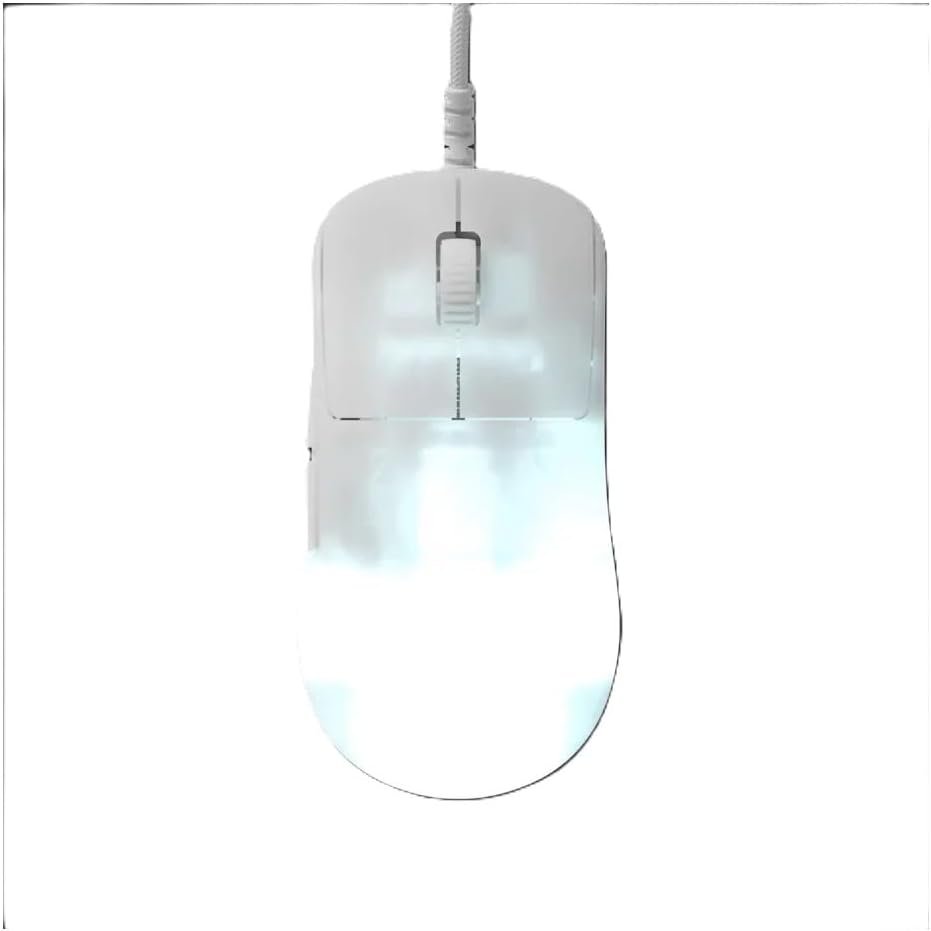
The short answer is that this is a focused rather than universal choice. The End Game Gear OP1 8K v2 is a black, right-handed gaming mouse aimed primarily at fast PC games and claw-oriented grips. Its appeal comes from the combination of low weight, high polling, configurable main switches, and two skate configurations—not from wireless freedom or broad ergonomic support.
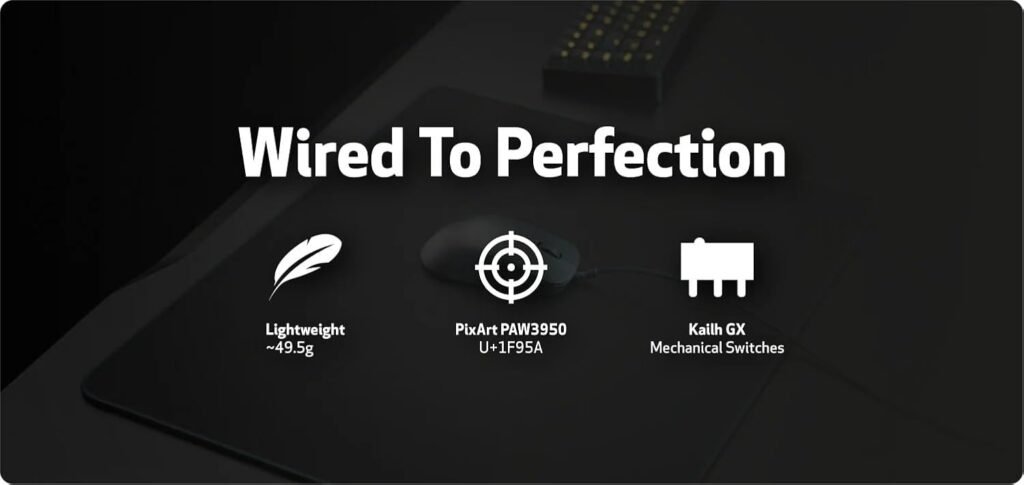
Headline specifications include a 49.5g weight, up to 8,000Hz polling, a maximum 30,000 DPI/CPI setting, IPS tracking, 50G acceleration, a Flex Cord 5.0 cable, interchangeable main switches, and a hybrid skate design. It has no battery and must remain connected to the PC.
There is one detail you should verify before ordering in 2026: the retail title names a PixArt PAW3395U sensor, while the description calls it a custom PAW3950 sensor. The published listing should confirm which exact sensor designation applies to the unit being sold.
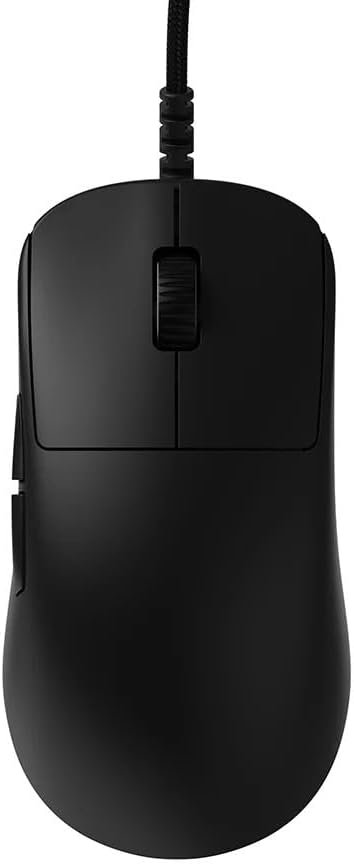

Key Features of the End Game Gear OP1 8K v2
The headline feature is the 8,000Hz polling rate. At that setting, the mouse can send up to 8,000 reports per second instead of the 1,000 reports associated with a common default. That shortens the theoretical interval between reports, but it doesn’t erase game-engine processing, monitor limitations, USB behavior, or network latency.
A Nuvoton M483 microcontroller supports the high reporting rate, while the description claims average click latency below microseconds, or 0.070ms. GX Speed mode is said to reduce click latency by about a further 1.4ms. Those are controlled performance measurements, not a promise that every shot will register faster in a real match.
The sensor specification is ambitious: up to 30,000 CPI/DPI, ten-step adjustment below 10,000 CPI, and 50-CPI increments above that point. The description also states a 20,500-fps sensor frame rate, IPS maximum tracking speed, and 50G acceleration. Most players will use a small fraction of the CPI ceiling; stable tracking and predictable lift-off behavior matter more than an enormous number.
The Kailh GX switches use an SPDT design with top and bottom contacts. GX Speed prioritizes the lowest click latency, while GX Safe Mode favors additional contact security. The main buttons can be changed, but treat optional switch packs as a separate purchase unless the live listing explicitly confirms they are included.
End Game Gear OP1 Shape, Weight, Cable, and Grip Comfort
The redesigned shape takes inspiration from the XM-style approach but makes it smaller and flatter, with side panels intended to allow several finger positions. That matters because a light mouse can feel immediately right in a Claw Grip and oddly insubstantial in a full palm grip. Your hand, rather than the specification sheet, decides which experience you get.
Claw users generally anchor the rear portion in the palm while keeping the fingers arched over the buttons. The OP1’s stated emphasis on claw handling should suit players who make rapid wrist movements and reposition frequently. Fingertip-leaning users may appreciate the flatter sides, although the product remains explicitly right-handed; left-handed users should rule it out before weighing any other feature.
At 49.5g, the construction should make repeated lifts and lateral repositioning easier for some players. The trade-off is that a very light mouse can feel less planted than a heavier model when you make slow, controlled movements. Neither sensation is automatically superior.
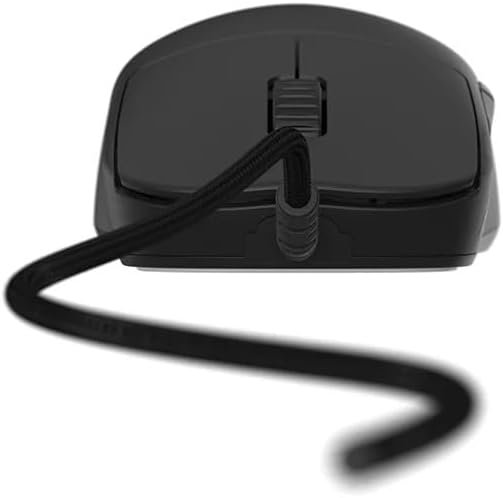
The Flex Cord 5.0 keeps the mouse permanently connected. Route it toward the rear or side of the desk, leave enough slack for full arm movement, and avoid letting the cable catch on a monitor stand or desk edge. For a fit check, compare its silhouette with your current mouse, assess whether your ring and pinky fingers feel supported, and ask whether your natural grip is genuinely claw-like rather than forced. Dimensions were not supplied, so verify the retailer’s measurements if hand-size compatibility is uncertain.
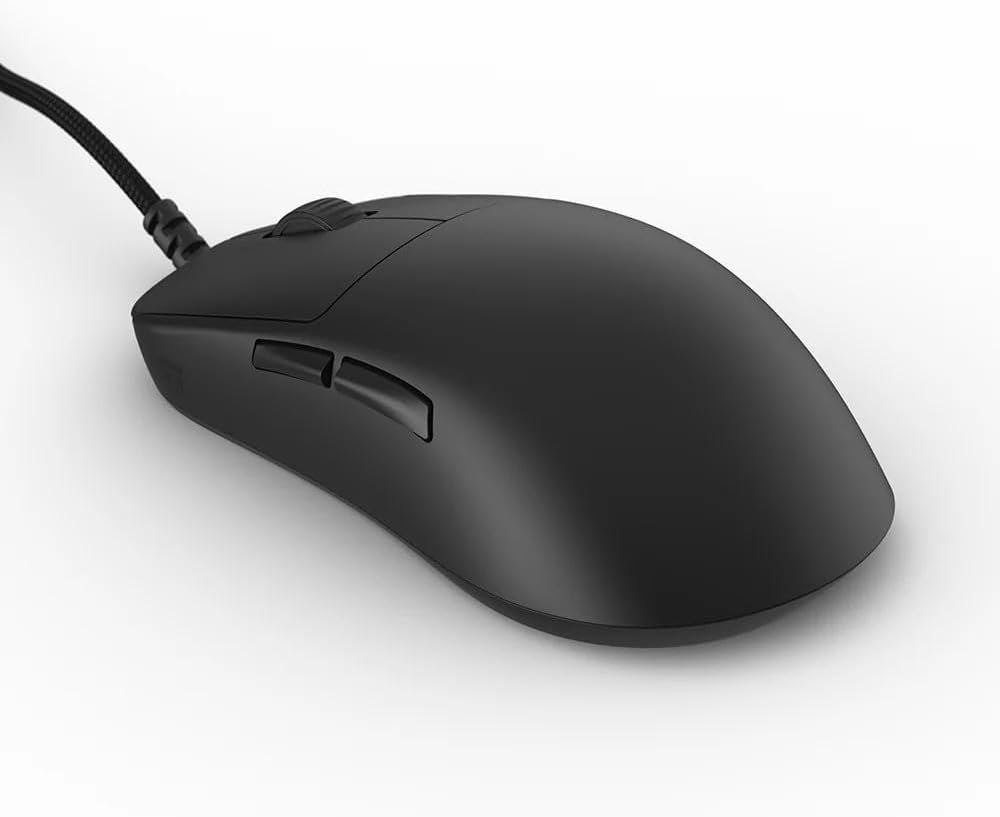

End Game Gear OP1 Tracking Performance and 8,000Hz Polling
Sensor capability and useful performance are separate things. The End Game Gear OP1 can report at 8,000Hz, but the benefit is most likely to appear on a high-refresh display paired with a PC that can sustain the additional processing. On a modest system or a 60Hz screen, the setting may be technically impressive without changing how aiming feels.
The stated 20,500-fps sensor frame-rate lock is intended to make tracking behavior consistent rather than simply inflate a maximum figure. Likewise, IPS and 50G acceleration offer headroom well beyond the movement range most players can physically produce. They are reassuring limits, not instructions to use extreme CPI.
Set the mouse up methodically:
- Connect it directly to the PC rather than beginning with a hub or adapter.
- Install the manufacturer’s configuration software if the listing requires it.
- Start at 1,000Hz and establish a baseline in your usual game.
- Test 2,000Hz, 4,000Hz, and 8,000Hz separately while watching frame-time consistency and system behavior.
- Keep the highest stable setting, not automatically the largest one.
High polling can increase CPU activity on some computers. If a game stutters, a laptop becomes unusually hot, or desktop performance changes, use the lower stable setting. For CPI, begin with a sensitivity you can repeat consistently—often a moderate setting rather than the 30,000 maximum—and adjust only after you can track targets reliably.
Click Feel and Interchangeable Switches
The Kailh GX mechanical main switches are designed around a short internal stroke, a clear actuation point, and rapid repeated clicking. That description will appeal to players who dislike mushy buttons, but click feel is personal: a crisp switch can feel precise to one person and tiring or noisy to another.
GX Speed mode is the latency-focused option. GX Safe Mode puts more emphasis on secure electrical contact. The advertised sub-70-microsecond average click latency and the approximately 1.4ms reduction in Speed mode are laboratory-style figures. They help explain the engineering goal, but they cannot guarantee better game outcomes when reaction time, display latency, frame rate, and network conditions remain in the chain.
Use the return period as a practical test rather than trusting the claim alone. Perform single clicks, rapid clicks, click-and-drag actions, and long holds in the games and applications you actually use. Test both primary buttons, because a comfortable left click does not prove that the right click has the same resistance or sound.
Replaceable main switches are valuable if you have strong preferences about click force or want to address switch wear without replacing the entire mouse. The process may involve tools, tiny parts, and careful handling. Confirm whether the specific $140 package includes extra switch packs; the supplied description mentions optional packs but does not establish the contents of every retail bundle.
Hybrid Skates and Surface Compatibility
The hybrid skate system gives you two ways to tune surface contact. The smaller skates arrive pre-installed, and the package includes a larger skate set plus a sensor pad. The smaller footprint reduces contact area and is intended to feel quicker, while the larger arrangement can provide a steadier glide, particularly on softer mouse-pad surfaces.
Start with the factory configuration. Clean the mouse feet and pad, play several familiar games, and pay attention to stopping control, diagonal movement, and whether the mouse feels stable during low-speed corrections. Change to the larger set only if the initial glide feels too fast, inconsistent, or difficult to control.
Make the swap carefully and reassess sensitivity afterward. Changing the skate footprint alters friction and can change mouse height slightly, so the same in-game setting may not feel identical. Give the new arrangement enough play time to separate first impressions from a genuine improvement.
Broad, soft pads and slower aim styles may benefit from the larger contact area. Fast competitive movement may favor the smaller pre-installed configuration. The point is not that one set is universally better; it is that End Game Gear has supplied a useful adjustment for different surfaces and movement preferences.
What Customers Are Saying About the End Game Gear OP1
The supplied listing data does not include a displayed star rating or review count, so a numerical customer consensus cannot be reported without inventing evidence. That limitation matters: specifications can describe the intended design, but only a sufficiently documented review sample can show whether the shape, cable, software, and switches hold up across different hands and systems.
When the live listing provides customer reviews, sort recent comments first and favor verified-purchase reports that identify hand size, grip, mouse pad, game, monitor refresh rate, and polling setting. A comment saying “8,000Hz feels better” is more useful when it explains the test conditions than when it simply repeats the product description.
Pay particular attention to repeated themes rather than isolated complaints:
- Whether several owners praise the low weight without describing the mouse as unstable.
- Whether click comments distinguish crisp actuation from excessive noise or unwanted resistance.
- Whether cable flexibility, shape comfort, software setup, or switch reliability appear repeatedly.
- Whether users with high-refresh displays can identify a difference between 1,000Hz and 8,000Hz.
Customer comments should assess ownership experience and quality control, not prove the IPS or 50G specifications. Until a rating and review count are visible, the responsible conclusion is that the product’s customer track record remains unverified from the supplied record.
End Game Gear OP1 8K v2 Compared With Alternatives
The main comparison is not simply which mouse has the largest number. It is whether you want a very light wired design with switch customization or a more established wireless routine. The Logitech G PRO X Superlight is the obvious alternative for shoppers prioritizing wireless use and a mature mainstream ecosystem, while the Razer Viper V3 Pro belongs in the comparison for buyers weighing a lightweight shape, wireless connection, polling options, software, and price.
| Mouse | Connection | Weight | Polling rate | Switch system | Grip emphasis | Current price |
|---|---|---|---|---|---|---|
| End Game Gear OP1 8K v2 | Wired | 49.5g | Up to 8,000Hz | Interchangeable Kailh GX main switches | Right-handed claw and fingertip-leaning | $140 |
| Logitech G PRO X Superlight 2 | Verify current listing | Verify current listing | Verify current listing | Verify current listing | Verify current listing | Verify current price |
| Razer Viper V3 Pro | Verify current listing | Verify current listing | Verify current listing | Verify current listing | Verify current listing | Verify current price |
The table deliberately marks unconfirmed competitor details because no current competitor data was supplied. Check each live listing before publication or purchase. In use-case terms, the OP1 favors a fixed desktop setup, while the Logitech and Razer options may offer wireless freedom, broader buying familiarity, or different shape choices. Large-handed shoppers should compare the actual outlines rather than assume any lightweight mouse will fit.
Who Should Buy the End Game Gear OP1 8K v2?
You are the strongest candidate for the End Game Gear OP1 if you are right-handed, naturally use a claw or fingertip-leaning grip, and want a mouse that feels easy to lift and redirect. The design is especially coherent for a competitive PC setup where a permanent cable is acceptable and your monitor and computer can make sensible use of elevated polling.
It also suits enthusiasts who enjoy tuning equipment. The interchangeable main-button system lets you experiment with click behavior, and the hybrid skates let you change the balance between quick movement and surface control. Those features are meaningful if you adjust peripherals regularly; they are less valuable if you want to plug in a mouse and never open it again.
Use this decision sequence before spending $140:
- Confirm that you need a right-handed mouse.
- Identify your natural grip without trying to imitate the product photographs.
- Compare its shape with your present mouse and check support for your ring and pinky fingers.
- Decide whether a cable across your desk is acceptable.
- Test whether your PC remains stable as polling rises.
- Compare $140 with a less expensive 1,000Hz mouse and a similarly priced wireless alternative.
Left-handed users, committed wireless players, full-palm users wanting more rear support, and shoppers with systems that cannot benefit from high polling should look elsewhere first.
Price, Ownership Costs, and Overall Value
At $140, the End Game Gear OP1 8K v2 is expensive for a wired gaming mouse. You are paying for the 49.5g construction, up-to-8,000Hz polling, Nuvoton controller, high-spec sensor claims, interchangeable main switches, and extra skate options. The question is whether those are features you will use or simply numbers that look persuasive on a product page.
Its measurable value is strongest for a competitive desktop player who specifically wants a very light wired mouse and enjoys changing click feel. Someone who primarily wants wireless convenience receives less practical value from a permanently connected design, even if the latency figures are excellent.
Budget for possible extras. Optional switch packs and replacement skates may cost more, while a mouse bungee could improve cable handling. If your computer or display cannot comfortably sustain high polling, upgrading that equipment would change the total cost of benefiting from the headline feature.
For a simple value test, write down the three features you would use every week. Mark each one essential or merely attractive, then compare the result with a cheaper 1,000Hz model and a similarly priced wireless mouse. In this pricing snapshot, the End Game Gear OP1 8K v2 is a premium specialist purchase: defensible for the right grip and setup, but not an automatic value winner. Check the live $140 listing before purchase because retail pricing can change.
End Game Gear OP1 8K v2 is best for right-handed competitive PC players who want a sub-50g wired mouse with configurable switches and are willing to trade wireless convenience for tuning flexibility.
Pros and Cons
Pros
- 49.5g construction supports rapid repositioning and can reduce fatigue during long sessions.
- Up to 8,000Hz polling, a 20,500-fps sensor frame-rate lock, IPS, and 50G acceleration provide substantial tracking headroom.
- Interchangeable Kailh GX main switches offer GX Speed and GX Safe Mode options.
- Small skates are pre-installed, with a larger skate set and sensor pad supplied for alternative glide characteristics.
- The Flex Cord 5.0 cable avoids battery charging and wireless power-saving behavior.
Cons
- $140 is a premium price for a wired mouse, especially when many players will notice little practical difference between 1,000Hz and 8,000Hz polling.
- The right-handed shape and claw-oriented design won’t suit every hand or palm-grip preference.
- A permanently wired connection removes wireless convenience and adds cable-management requirements.
- The listing contains a sensor-name discrepancy: the title says PixArt PAW3395U, while the description says custom PAW3950.
- Optional switch packs, replacement skates, and a mouse bungee may add to the ownership cost.
Final Verdict
Key Takeaways
- The End Game Gear OP1 8K v2 is a specialist wired mouse for right-handed claw or fingertip-leaning players who value very low weight and switch tuning.
- Its 8,000Hz polling, 30,000 CPI ceiling, IPS tracking, and 50G acceleration provide considerable technical headroom, though most users will operate far below those limits.
- The interchangeable Kailh GX system and two skate configurations give enthusiasts more control than a fixed, conventional gaming mouse.
- At $140, its value depends on whether you specifically want a sub-50g wired design; wireless buyers and palm-grip users have stronger reasons to look elsewhere.
Frequently Asked Questions
What is the current price and rating of the End Game Gear OP1 8K v2?
The product listing gives a price of $140. No separate customer rating or review count was supplied with the listing data provided for this review, so a precise rating cannot be reported responsibly.
Is the End Game Gear OP1 8K v2 wireless?
Yes. It is a permanently wired USB gaming mouse with no battery or wireless operating mode. That keeps the mouse powered and connected, but you must be comfortable routing a cable across your desk.
Which grip is best for the End Game Gear OP1 8K v2?
It is designed for right-handed use and is particularly aimed at claw-oriented grips. Fingertip-leaning users may also like the flatter sides, while palm-grip players should check whether the rear support feels sufficient before buying.
Does 8,000Hz polling make a noticeable difference?
The mouse can report at up to 8,000Hz, but the useful setting depends on your game, monitor refresh rate, processor workload, and sensitivity. Start at 1,000Hz and increase polling gradually while checking for stutter or frame-time changes.
Are extra switches included?
The listing describes interchangeable main-button switches and optional switch packs, but it does not clearly confirm whether every alternative switch pack is included in the $140 package. Check the live listing for the exact contents before purchase.
Disclosure: As an Amazon Associate, I earn from qualifying purchases.
