

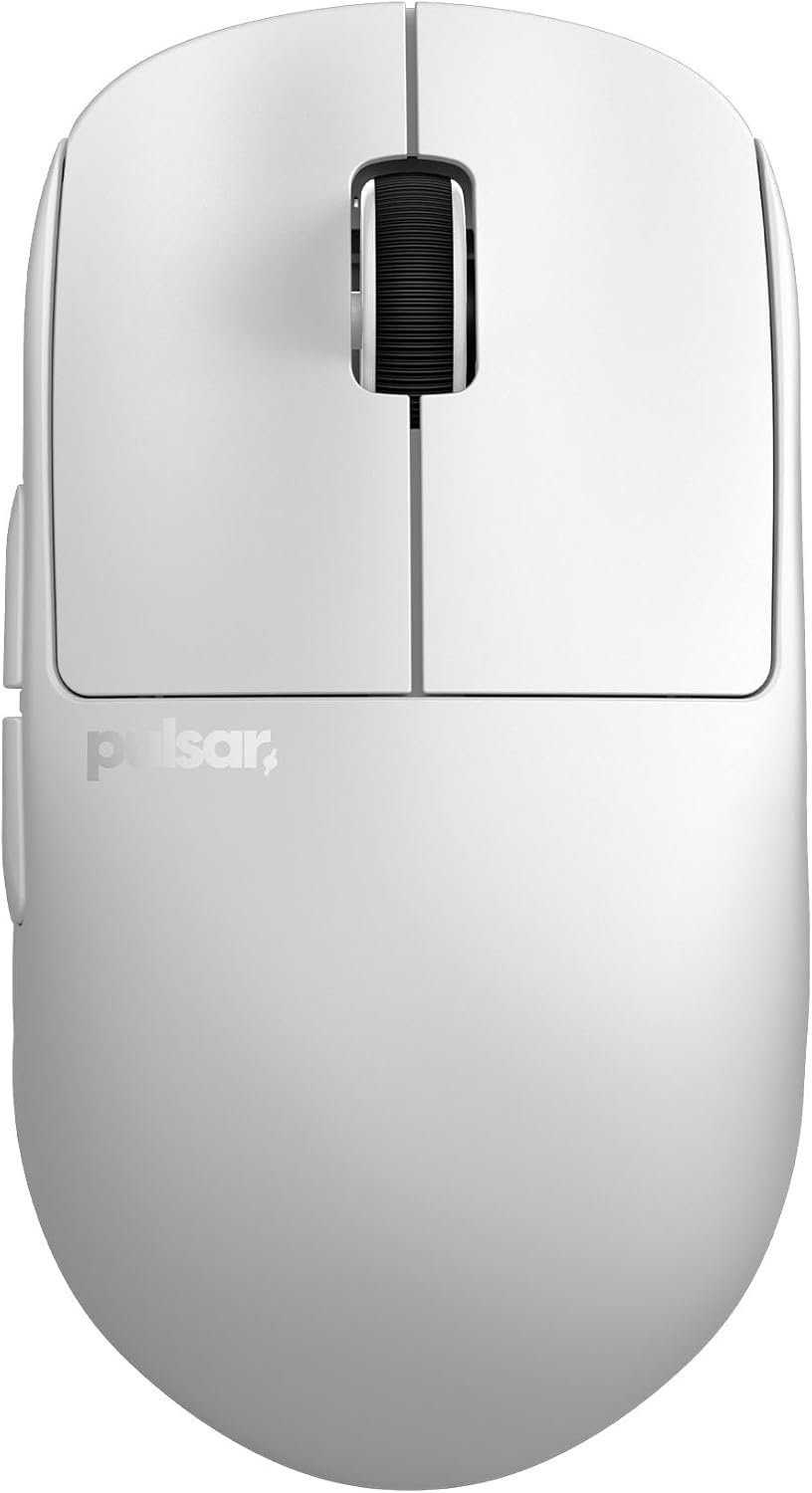
Pulsar Gaming Gears X2H Wireless Gaming Mouse, Ultra Lightweight 1.90 oz (54 g), Symmetrical, Optical Switch, 2.4 Ghz ms, DPI, PAW3395 Sensor (Medium, Wireless, White)
A g wireless mouse sounds appealing until you ask the more consequential question: does the elevated hump and narrow waist actually help your hand, or does it simply make the shell feel unfamiliar? The Pulsar Gaming Gears X2H Wireless Gaming Mouse, Ultra Lightweight 1.90 oz (54 g), Symmetrical, Optical Switch, 2.4 Ghz ms, DPI, PAW3395 Sensor (Medium, Wireless, White) is designed for the player who wants an aggressive claw position and some rear-of-hand support rather than a flat, neutral shell.
At $49.99 and listed in stock, the Pulsar X2H wireless mouse is worth considering in if your priorities are low weight, fast wireless operation, optical switches, and a pronounced rear hump. The supplied specifications make that case clearly. They don’t, by themselves, prove long-term comfort, shell durability, or better aim, so the final decision should turn on grip compatibility as much as performance numbers.
In short, this is a focused mouse rather than an attempt to suit every hand. If you naturally arch your fingers over the buttons and want the rear of the shell to meet the back of your hand, the design has a coherent purpose. If you prefer broad palm support or a shallow profile, the same contour could become the reason you return it.
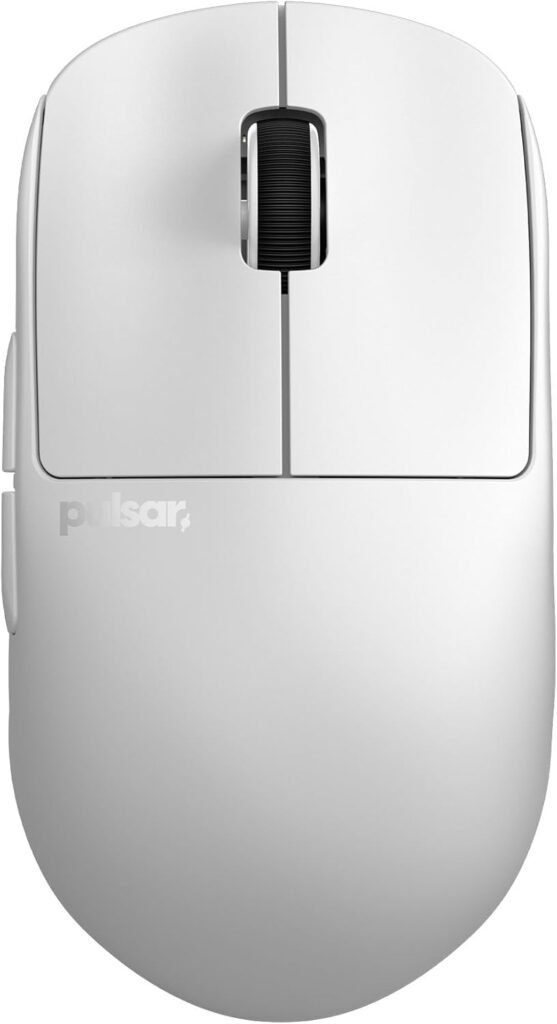

Pulsar X2H Wireless Mouse: What You Get for $49.99
The Pulsar X2H wireless mouse is positioned as a medium wireless gaming mouse with a symmetrical white shell and 2.4 GHz connectivity. Its $49.99 price is directed at buyers who want performance-oriented internals without paying for extensive lighting, adjustable ergonomics, or a large software ecosystem. The package’s appeal is concentrated in the things that affect movement and input: a light shell, optical main switches, a PAW3395 sensor, and a Nordic MCU.
| Specification | Listed detail |
|---|---|
| Weight | 1.90 oz (54 g) |
| Sensor | PixArt PAW3395 with Motion-Sync |
| Maximum DPI | 26,000 programmable DPI |
| Tracking speed | 650 IPS |
| Acceleration | 50 g |
| Polling and response | 1000 Hz / ms |
| Switch type | Optical |
| Battery claim | Up to hours at Hz |
| 4K status | 4K Polling Ready |
The Hz polling rate and advertised ms response target are aimed at competitive PC gaming, where consistent reporting matters more than decorative features. The 26,000 DPI maximum is a ceiling, not a recommendation; most players will choose a considerably lower setting that matches their game sensitivity and mousepad space.
That distinction matters when judging value. You are paying for a compact performance specification, not broad adjustability. The listed components look strong at this price, but the specifications remain supplied claims rather than hands-on test results.
Pulsar X2H Wireless Mouse Design and Ergonomics: The Higher Hump and Narrower Waist
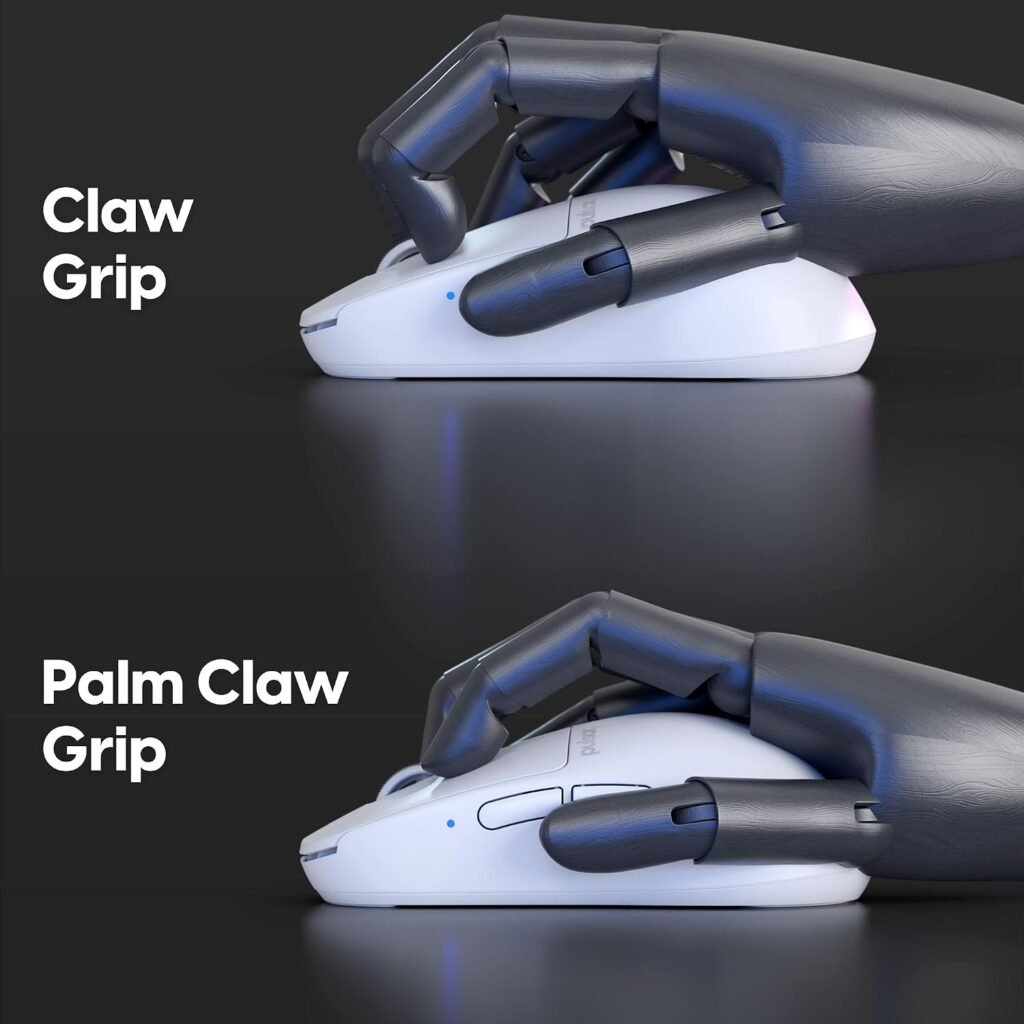
The defining physical change is the higher rear hump and slimmer waist compared with the standard X2 shape. Instead of allowing the hand to lie relatively flat, this contour gives the rear of the shell a more obvious meeting point with the back of your hand. Your fingers can remain arched over the buttons while the shell helps keep the hand from drifting backward during quick movements.
That is why the Pulsar X2H wireless mouse makes the most sense for an aggressive claw grip. In that position, the fingertips do much of the button work, the knuckles are raised, and the rear shell can provide a small but meaningful anchor. A user with a partial palm contact may also appreciate the extra support, though that does not turn the mouse into a full palm-grip ergonomic model.
The symmetrical shell broadens its potential audience for right- and left-handed users, at least in physical form. Symmetry does not automatically mean identical side-button placement, operating-system behavior, or software support on both sides, so left-handed buyers should confirm those details before ordering.
To judge the fit, compare your hand with the stated medium form factor and think about where your palm normally touches a mouse. Then ask a less technical question: do you want the rear of the shell to rise into your hand, or would a flatter shape feel less restrictive? That answer will predict satisfaction more reliably than the DPI maximum.

Build Quality, Click Feel, and Scroll Wheel Engineering
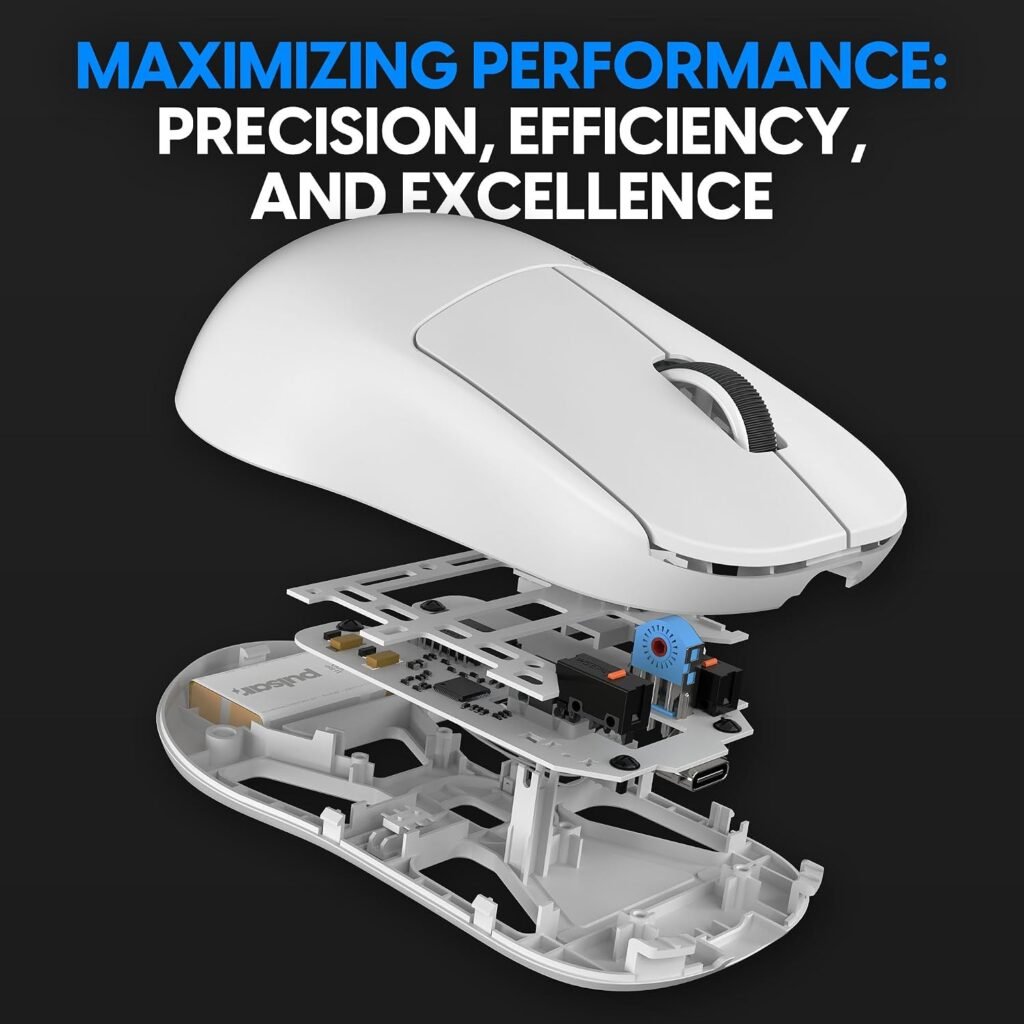
Pulsar describes the internal structure as an upgrade informed by the standard X2, with the goal of improving shell rigidity and click consistency. A sturdier shell can make rapid presses feel more predictable because the housing is less likely to move under finger pressure. That is a sensible engineering target, but a specification or design claim cannot establish how the mouse will age after months of use.
The optical main switches are intended to minimize the chance of unintended double-clicking while keeping actuation quick for gaming inputs. That combination is attractive if you have previously had trouble with conventional switch behavior, although it should not be read as a guarantee that every unit will remain fault-free indefinitely.
The wheel uses a Pulsar Blue Encoder and an indirect wheel-click design. The stated benefits are tactile rotation, smoother movement, and less rattling inside a dust-proof structure. These details should make the wheel more interesting to productivity users than a purely gaming-first specification sheet might suggest, but the feel remains personal: some people like pronounced tactile steps, while others want a nearly silent, loose wheel.
After unboxing, run a simple inspection:
- Press around the shell and check for unexpected flex or creaking.
- Test both main clicks at the center and near the edges.
- Rotate the wheel slowly, then quickly, listening for irregular noise.
- Click the wheel repeatedly and confirm that each deliberate press registers.
Those checks separate the product’s engineering intentions from the condition of your individual unit.
Pulsar X2H Wireless Mouse Sensor and Wireless Performance for Competitive Gaming
The PAW3395 is specified with programmable resolution up to 26,000 DPI, IPS tracking speed, g acceleration, and integrated Motion-Sync Technology. In practical terms, IPS and g are far beyond what ordinary desktop pointing requires; they are most relevant to extremely fast swipes in competitive play. A high ceiling is reassuring, but it won’t automatically make your crosshair more accurate.
Motion-Sync is intended to keep sensor reporting orderly by coordinating sensor data with the mouse’s reporting cycle. That may support consistent behavior, but the supplied information does not provide a controlled measurement showing a particular improvement in aim, latency, or accuracy. Treat it as an implementation feature rather than a promise of better results.
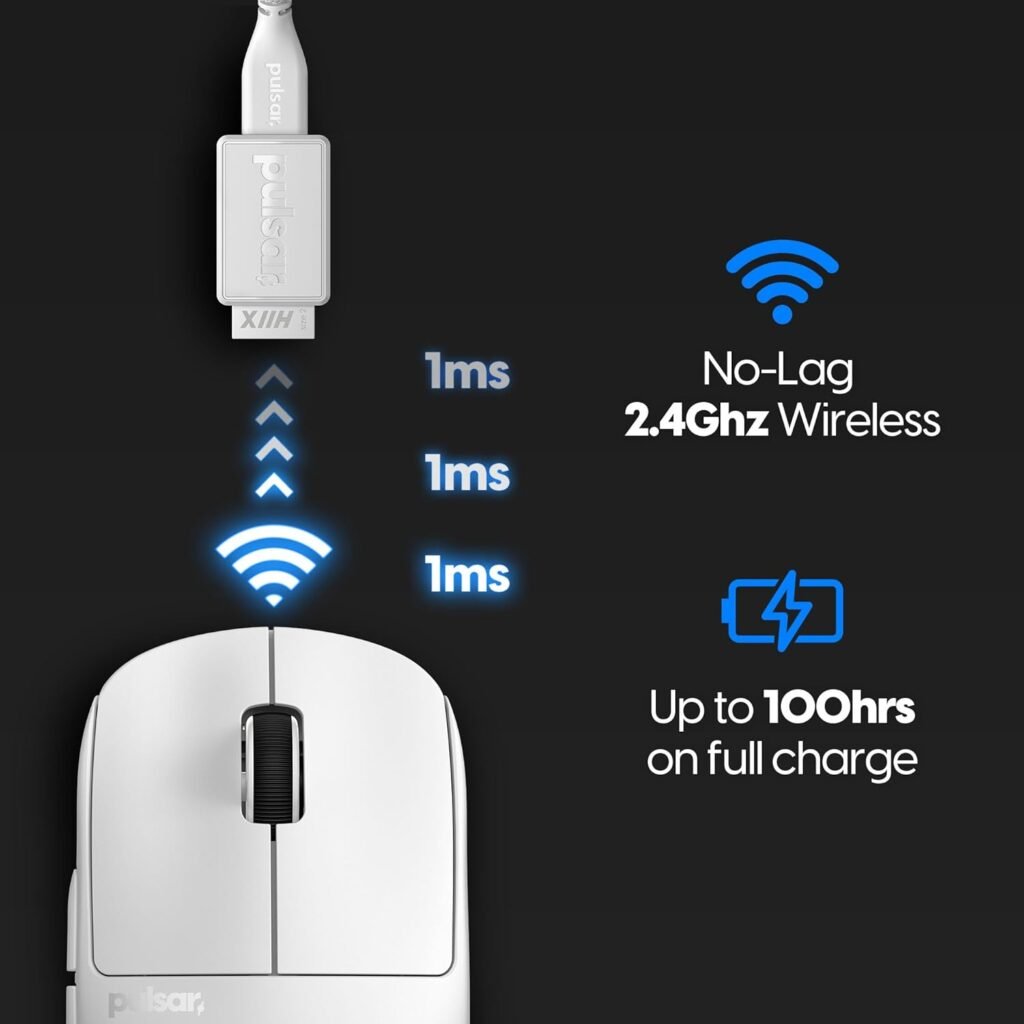
The listed wireless target is a 2.4 GHz connection with ms response, while the polling specification is Hz. Real responsiveness can still be affected by receiver placement, nearby interference, firmware, USB behavior, and the computer’s settings. A direct receiver connection or supplied adapter positioned close to the mouse is preferable to hiding the receiver behind a desktop tower.
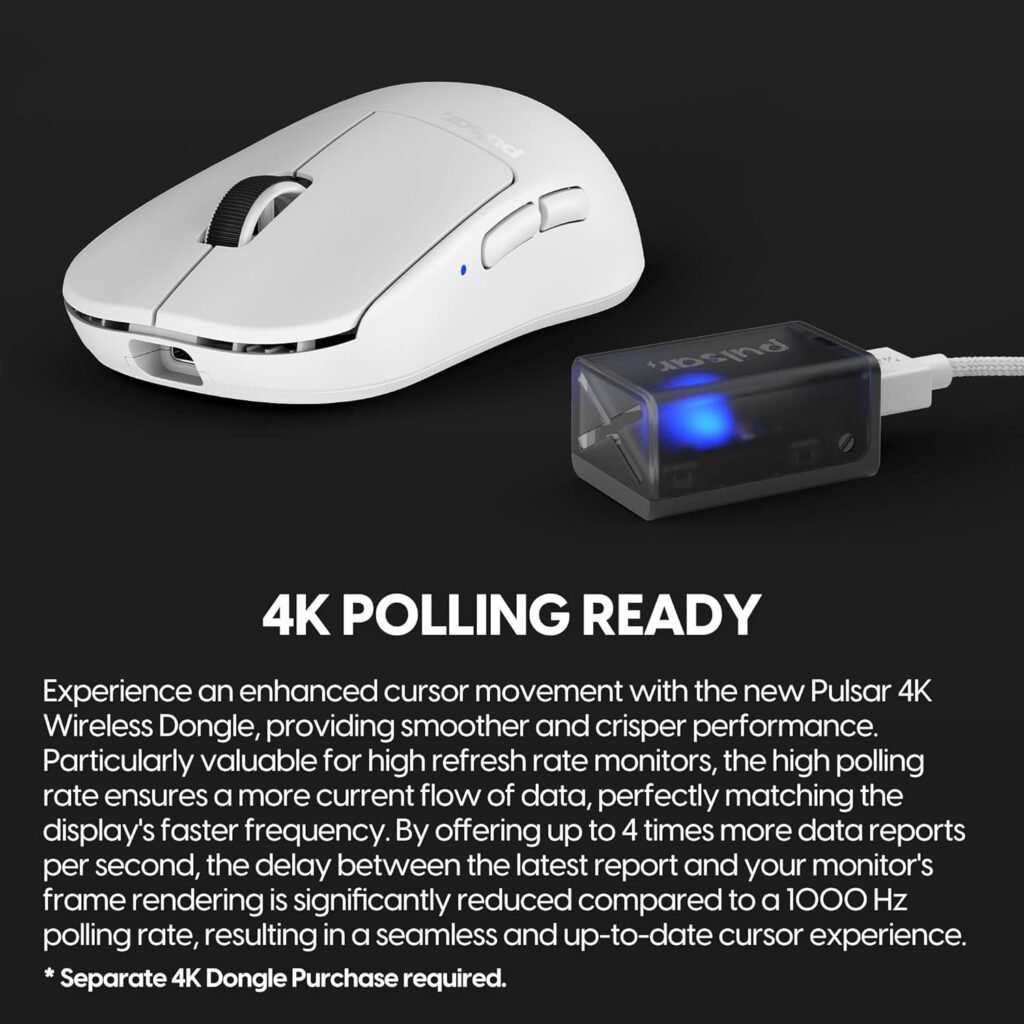
The mouse is described as 4K Polling Ready. Ready does not necessarily mean included or active. Before buying, check whether a separate receiver or accessory is required, whether software enables the mode, and whether the current package contains that hardware.
- Charge the mouse before making performance judgments.
- Connect the receiver directly, or use its adapter if the package supplies one.
- Keep the receiver near the mouse and away from crowded USB equipment.
- Select a sensible DPI rather than defaulting to the maximum.
- Test tracking with broad and short swipes before competitive play.
Pulsar X2H Wireless Mouse Battery Life and Everyday Wireless Use
The stated endurance is up to hours at a Hz polling rate. That is a useful figure for a wireless gaming mouse because it suggests that many owners should not need to think about charging every day. Still, “up to” describes a maximum under stated conditions, not a guaranteed runtime for every session or battery after extended ageing.
Runtime can change with polling settings, intensity of use, firmware, and battery condition. A player who uses the mouse heavily every day may see a different charging rhythm from someone who uses it for occasional matches and office work. The Nordic MCU is credited with efficient processing and more precise battery-status readings, which should make planning easier if the software reports the charge accurately.
Your simplest maintenance routine is practical rather than elaborate:
- Charge before a tournament, ranked session, or long trip.
- Watch the reported battery status instead of waiting for a total shutdown.
- Keep a wired fallback available for unusually long sessions.
- Confirm the charging cable, charging method, and receiver-storage arrangement in the live listing.
The wireless trade-off is familiar. Removing the cable reduces drag and makes desk movement cleaner, but it adds a battery to monitor and a receiver to place correctly. Software behavior also matters: before purchase, confirm that the expected battery indicator and configuration tools work with your operating system.
What Customers Are Saying About the Pulsar X2H Wireless Mouse
No customer star rating, total review count, review dates, or review-text export was included in the supplied publication data. That means a responsible review cannot claim that buyers consistently praise the hump, report a particular click sound, or identify a recurring charging fault. It also cannot honestly confirm whether recent reviews show improvement or continuing quality-control issues.
This missing record matters because several of the X2H’s most important questions are experiential rather than numerical. Shell rigidity, wheel rattle, coating feel, fit for small or large hands, software behavior, receiver placement, firmware, and battery reporting all need buyer evidence or hands-on testing. The product description presents intended benefits such as fewer double-click concerns and smoother wheel rotation, but those are not the same as verified customer outcomes.
When review data becomes available, read it by pattern rather than by the most dramatic individual story. A repeated complaint from similarly sized claw-grip users deserves more attention than one isolated comment from someone who prefers a broad palm shell. Give extra weight to recent reviews if they describe a firmware change, packaging change, or a revised accessory bundle.
For now, you should use the return period as your evidence-gathering window. Check comfort over a full session, test both clicks and the wheel, monitor wireless stability, and compare the battery indicator with actual use. Without a supplied rating record, that direct inspection is more dependable than pretending a consensus exists.
Pulsar X2H Wireless Mouse Compared With Alternatives
The two obvious alternatives are the Logitech G PRO X Superlight and the Razer Viper V3 Pro, but the supplied data does not provide their current prices or verified specifications. Rather than inventing a comparison table, the responsible comparison is to show what remains unconfirmed and explain the decision around shape and priorities.
| Model | Shape emphasis | Verified price in supplied data | Other comparison details supplied |
|---|---|---|---|
| Pulsar X2H | Medium symmetrical shell with elevated rear hump and narrower waist | $49.99 | 54 g, PAW3395, optical switches, up to hours, Hz / ms, 4K Polling Ready |
| Logitech G PRO X Superlight 2 | Not supplied | Not supplied | Not supplied |
| Razer Viper V3 Pro | Not supplied | Not supplied | Not supplied |
At its listed price, the X2H stands out for combining a very light body, optical switches, the PAW3395 sensor, and a stated endurance figure. Its raised rear support gives it a different purpose from a flatter symmetrical profile: choose it when claw stability is the priority, not because a higher DPI number sounds impressive.
For the Logitech, compare the actual shell shape, switch system, battery claim, software, support, and live price before deciding. For the Razer, pay particular attention to whether its flatter contact profile suits you better. Also verify whether the X2H’s 4K readiness needs separate hardware; headline polling figures are not equivalent when one package requires an additional purchase.
Who Should Buy the Pulsar X2H Wireless Mouse?
The strongest match is a PC gamer who uses a medium symmetrical mouse, prefers an aggressive claw grip, and wants the rear of the shell to support the hand without choosing a large ergonomic design. The X2H also makes sense for right- or left-handed shoppers who are comfortable confirming the practical button and software details of a symmetrical model before ordering.
Fast-paced shooters are the clearest use case. The lightweight construction is intended to make repeated low-friction swipes easier, while the sensor and reporting specifications provide the technical headroom competitive players often seek. Wireless freedom can also simplify a crowded desk. Those benefits are conditional, though: a shape that forces your fingers into an awkward arch can create more fatigue than a heavier, better-fitting mouse.
A productivity user could consider it if a lightweight pointer and tactile wheel are attractive. It is less convincing as an office-first choice if you want a broad palm cradle, quiet understated controls, or extensive ergonomic sculpting. The gaming-oriented contour asks you to adapt to it rather than disappearing under your hand.
Before checkout, work through this checklist:
- Identify whether your natural grip is aggressive claw, relaxed claw, fingertip, or palm.
- Compare your hand with the medium shell and decide whether rear-hump support is desirable.
- Decide whether optical switches and endurance matter more than software breadth.
- Confirm the current $49.99 price, in-stock status, included receiver, and 4K requirements.
Pulsar X2H Wireless Mouse Price, Value, and What to Check Before Buying
At $49.99, the value proposition is straightforward: you get a listed g wireless design, a PAW3395 sensor, optical switches, 2.4 GHz operation, Hz / ms performance, and a stated battery life of up to hours. That is a concentrated set of gaming features for the price. The value becomes much weaker if the raised hump does not agree with your hand, because a low-cost mouse that causes grip fatigue is still a poor purchase.
Before checkout, confirm the details that product headlines often leave vague:
- Check the included accessories, charging cable, receiver, and any receiver adapter.
- Verify software compatibility and the procedure for firmware updates.
- Read the warranty terms and return policy, especially if you are uncertain about the shell shape.
- Clarify whether 4K polling requires separate hardware or an additional purchase.
During the return period, test the mouse in the way you actually use it. Check wireless stability from your normal seating position, left- and right-click consistency, wheel behavior, battery reporting, DPI switching, and comfort through a full gaming or work session. A five-minute glide around the desktop can hide pressure points that appear after an hour.
The item is listed in stock, but retail pricing can change after publication, so verify the live listing before paying. Pulsar X2H Wireless Mouse: worth considering at $49.99 for claw-grip players who want an ultra-light wireless design, provided the shape fits and you confirm exactly what “4K Polling Ready” includes.
Pros and Cons
Pros
- Very light g wireless design aimed at fast, low-drag movements.
- PAW3395 sensor with programmable resolution up to 26,000 DPI, IPS tracking, and g acceleration.
- Optical switches are intended to reduce unintended double-clicking while retaining quick actuation.
- Raised rear hump and narrower waist provide focused claw-grip support.
- Stated battery life reaches up to hours at Hz polling.
- Listed price of $49.99 makes the feature package unusually accessible.
Cons
- The pronounced rear hump may not suit fingertip, relaxed claw, or low-profile palm grips.
- The product data confirms 4K Polling Ready status but does not confirm that 4K operation or a required accessory is included.
- No customer rating, review count, or review-text record was supplied, so long-term comfort and quality-control conclusions cannot be independently judged here.
- The white finish and gaming-focused shape may be less practical for shoppers who prefer a subdued office mouse or a heavily sculpted ergonomic design.
Final Verdict
Key Takeaways
- The Pulsar X2H wireless mouse is built around a medium symmetrical shell with a raised rear hump and narrower waist for aggressive claw grip.
- Its listed hardware combines a g body, PAW3395 sensor, optical switches, Hz / ms operation, and a stated battery life of up to hours.
- The $49.99 price is attractive for the specification set, but the shape is a more decisive buying factor than the maximum DPI figure.
- The listing confirms 4K Polling Ready status, not necessarily an included or activated 4K setup.
- Because no customer-rating or review-text record was supplied, you should use the return period to check comfort, clicks, wheel behavior, wireless stability, and battery reporting.
Frequently Asked Questions
What grip style is the Pulsar X2H wireless mouse designed for?
The supplied product data describes a medium-sized symmetrical shell with an elevated rear hump and narrower waist. That contour is aimed primarily at aggressive claw grip, with some support for a palm that rests lightly on the rear of the mouse. Your hand proportions and preferred contact points will matter more than the label alone.
Does the Pulsar X2H include 4K polling?
The listing states that it is 4K Polling Ready, but that wording does not establish that 4K operation is included or activated in the package. Check the current listing for the required receiver, accessory, software, and firmware details before assuming you will get 4K polling.
How long does the Pulsar X2H battery last?
The stated battery claim is up to hours at a Hz polling rate. Actual runtime can differ with usage, settings, firmware, and battery condition, so treat hours as a stated maximum rather than a guarantee for every owner.
Is the Pulsar X2H worth $49.99?
At the listed $49.99 price, it is most compelling if you specifically want a very light wireless mouse, optical switches, a PAW3395 sensor, and a raised rear hump. If you prefer a flatter shell or need a confirmed 4K package, another model may fit better even if its headline specifications are similar.
Disclosure: As an Amazon Associate, I earn from qualifying purchases.
