

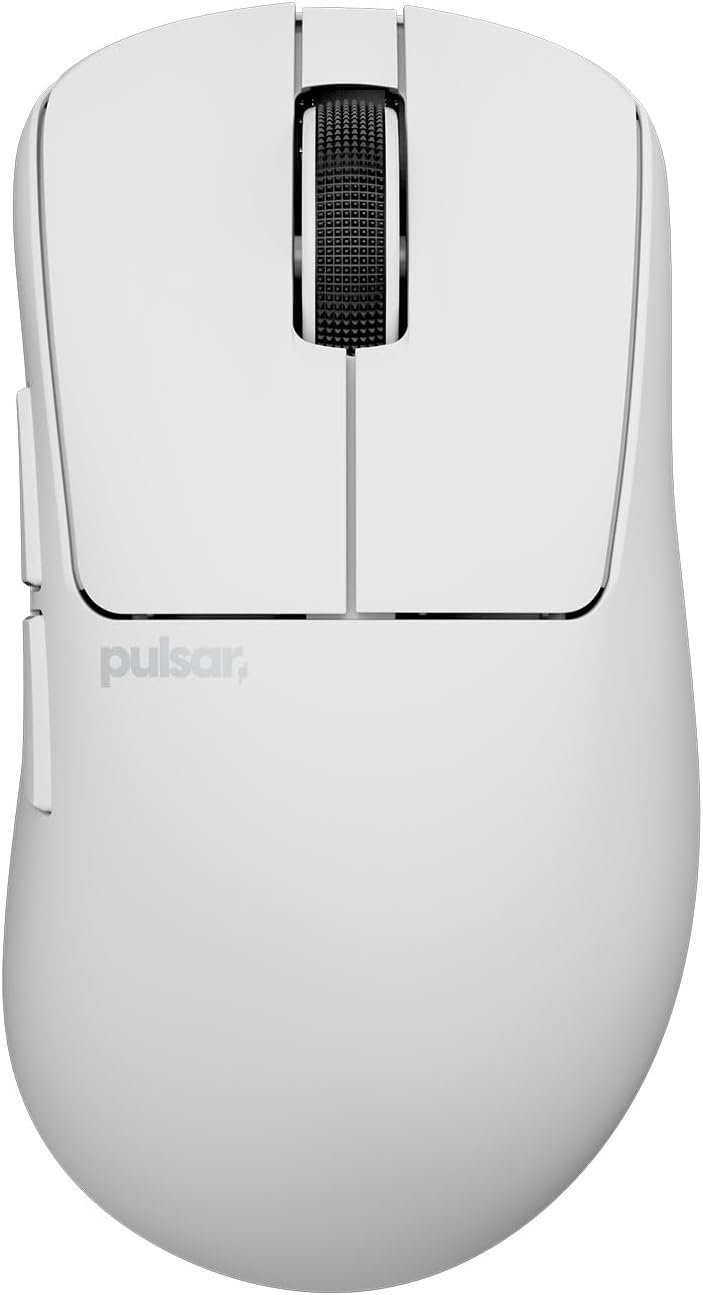
Pulsar Gaming Gears Xlite Crazylight Gaming Mouse, Mini, Uyuni White
A 41g mouse sounds almost too light to be serious, which is exactly the question behind the Pulsar Xlite Crazylight: can a Mini gaming mouse move quickly without becoming flimsy, difficult to control, or tiring to use? The answer looks promising for the right player, but not universal. The product is listed in the Uyuni White finish, priced at $129.95, and currently shown as in stock.
For this review, the sensible way to judge it is not by the largest number on the box. You need to consider handling, sensor behavior, switch design, wireless responsiveness, the included 8K dongle, customer feedback, alternatives, and ownership value. On paper, the Pulsar Xlite Crazylight is particularly attractive if you play competitive shooters, use a compact grip, and notice fatigue from heavier mice. If you have large hands, prefer a substantial palm rest, or simply want a cheaper wireless mouse, the decision is less straightforward.
The central trade-off is unusually clear: you are paying for reduced mass and enthusiast-level electronics, not for a long list of productivity controls or decorative extras. That can be worthwhile when every rapid correction matters. It can also be money spent on capabilities you barely use.
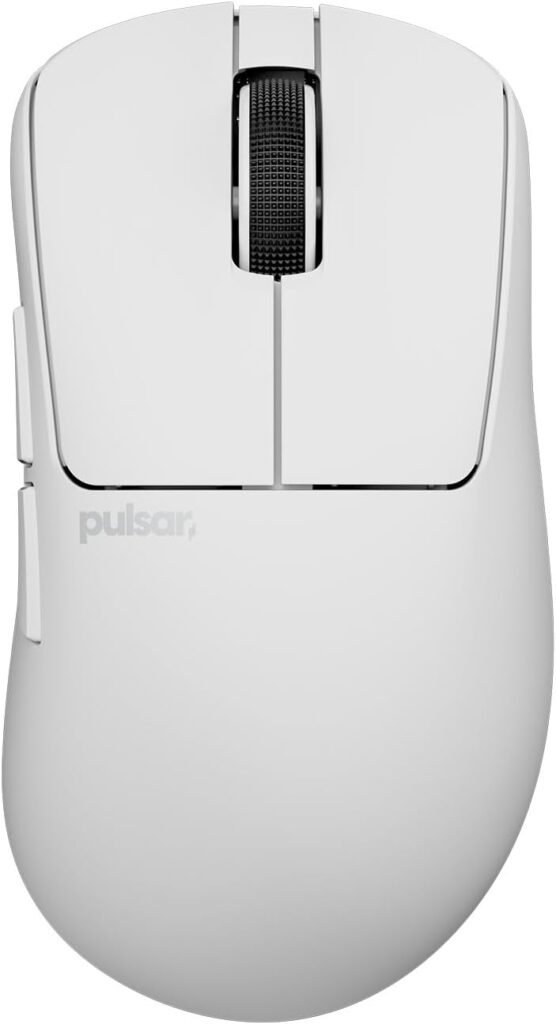

Pulsar Xlite Crazylight at a Glance
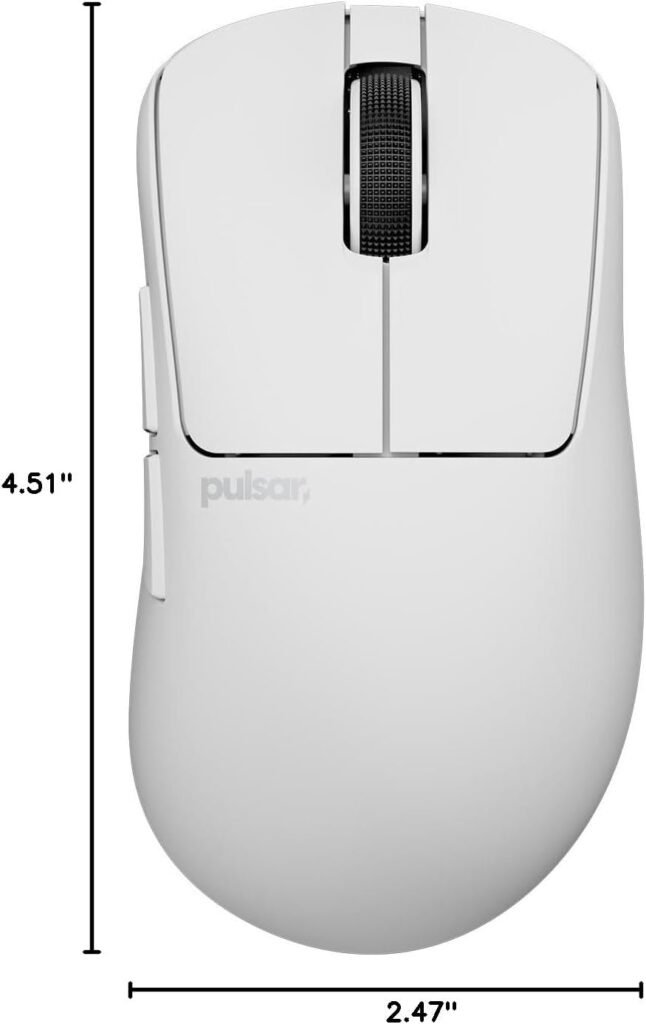
The confirmed specification sheet is compact but ambitious. The Pulsar Xlite Crazylight is the Mini size, weighs 41g, uses Pulsar’s XS-1 sensor, and includes an 8K dongle. The product description compares its mass with an egg, but it does not provide a complete physical-dimensions table, so there is no responsible way to infer its length, width, or height.
| Specification | Stated detail |
|---|---|
| Size | Mini |
| Weight | 41g |
| Sensor | XS-1 |
| Maximum resolution | 32,000 DPI |
| Tracking speed | 750 IPS |
| Acceleration | 50g |
| Switches | Optical |
| Encoder | Pulsar Blue Encoder |
| Polling accessory | 8K dongle included |
In practice, 41g should make flicks and repeated repositioning feel less demanding, particularly with low sensitivity and a large mouse pad. It may reduce the effort of lifting and resetting the mouse, but lighter is not automatically better: some players use extra mass as a stabilizing reference. The value question is whether that unusually low weight and the electronics justify the $129.95 asking price over a mainstream wireless gaming mouse.
Design, Size, and Everyday Handling
The Xlite shell follows a minimalist idea: remove structure where possible while retaining the durability promised in the product description. The Uyuni White finish gives it a restrained appearance rather than the visual clutter associated with RGB-heavy gaming hardware. The reduced construction is central to the design, not a side detail; every missing gram changes how readily the mouse starts, stops, and changes direction.
Mini matters more than many shoppers expect. A fingertip user may appreciate compact contact points, while a claw grip can benefit from a short body that leaves room for controlled finger movement. A palm-oriented user, especially one with longer fingers, may instead find the available support restrictive. You should measure your hand length and compare it with the manufacturer’s published dimensions before purchase; those dimensions are not included in the supplied product data, so check the current listing rather than relying on photographs.
Rapid direction changes and aim corrections are the likely handling strengths. The questions that cannot be answered from the description are just as practical: does the shell flex under pressure, does the coating wear, and how easy is the light-colored surface to clean? Look for repeated customer comments rather than treating one isolated complaint as proof of a design flaw. Keep confirmed facts—the Mini format, white finish, and 41g weight—separate from comfort or durability impressions that require hands-on testing.


Pulsar Xlite Crazylight Sensor Performance in Real Games
The XS-1 sensor is specified at 32,000 DPI, with 750 IPS tracking speed and 50g acceleration. These are substantial limits. They suggest considerable tracking headroom for fast swipes, abrupt camera movement, and low-sensitivity aiming, rather than an expectation that you will routinely play at the maximum resolution.
Most players will select a much lower DPI and tune sensitivity inside the game. The meaningful benefit is stable, responsive sensor behavior when your hand moves quickly across the pad. A high number alone does not prove better motion accuracy, lift-off distance, or latency, and no measured figures for those areas were supplied here.
Use a controlled test instead of trusting the specification sheet:
- Set the DPI and in-game sensitivity you actually intend to use.
- Draw slow horizontal and diagonal lines, then perform fast edge-to-edge swipes.
- Lift and reposition repeatedly to check for unexpected cursor movement.
- Repeat the test near the edges of your pad and watch for skipping or inconsistent response.
- If the final listing supports both wired and wireless operation, compare the two under identical settings.
This process tells you more about suitability than experimenting at an impractical maximum DPI. It also helps separate a sensor issue from a poor surface, unstable configuration, or an overly aggressive sensitivity setting.
Optical Switches, Encoder, and Click Feel
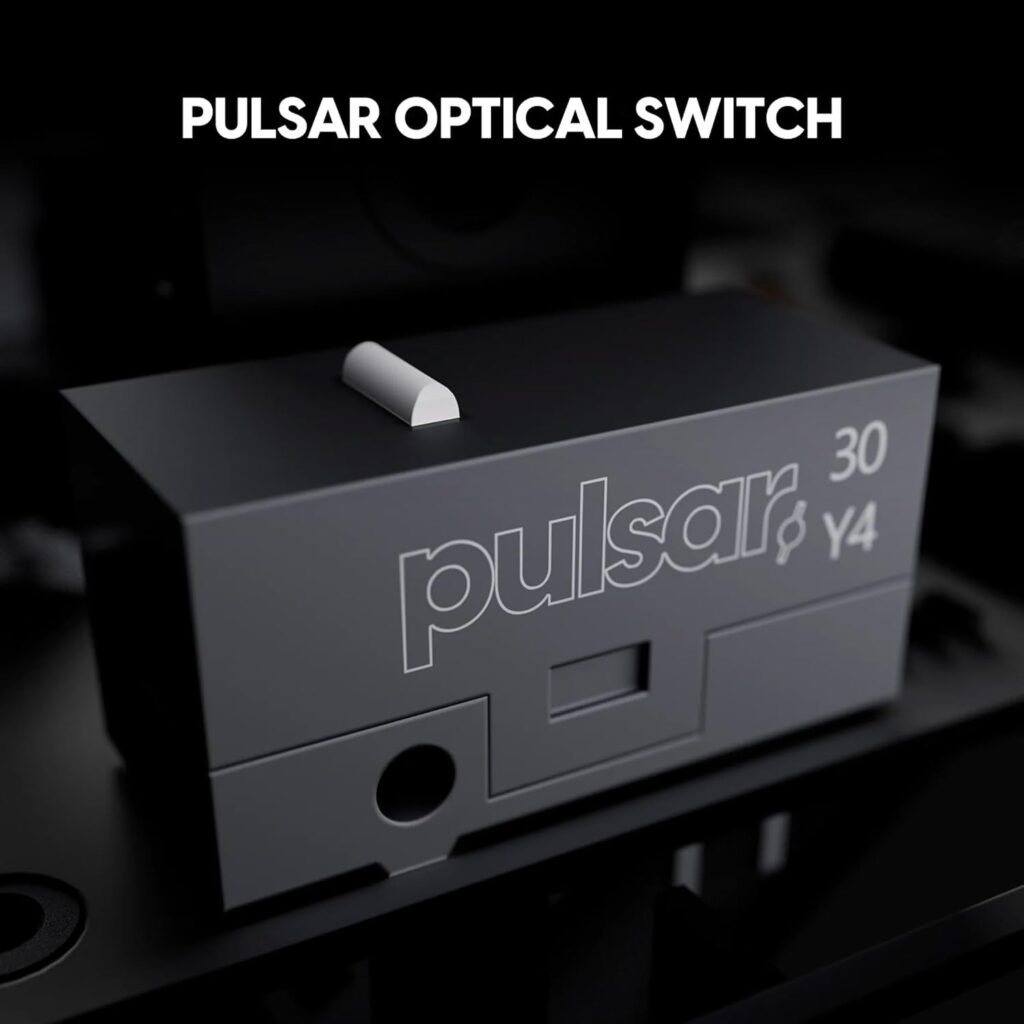
The Speed of Light optical switches are designed to reduce the chance of unintended double clicks while keeping actuation fast. That is a useful design goal, not a guarantee that every unit will feel identical or remain faultless indefinitely. Customer feedback should be read for recurring reports about click consistency, noise, actuation weight, and long-term behavior.
The Pulsar Blue Encoder adds a tactile rotation target for the scroll wheel. In a game, distinct steps can help with weapon switching; outside games, they can make menus and browsing feel more deliberate. Whether that feels precise or too pronounced is personal, so the first few minutes of testing matter more than enthusiastic marketing language.
Run this sequence before you settle on the mouse:
- Click the left and right buttons slowly, rapidly, and at alternating speeds.
- Hold each main button while dragging windows and selecting text.
- Test both side buttons from your natural grip without shifting your hand.
- Scroll one step at a time through a menu, then scroll quickly through a long page.
- Repeat the clicks after several gaming sessions and watch for accidental activations.
Pulsar describes the internal structure as dust-proof. That should be understood as protection against contamination, not permission to ignore maintenance. A clean pad, careful storage, and occasional surface cleaning still matter, particularly with a pale finish.

8K Polling and the Included Dongle
The mouse is described as 8K polling ready, and the package includes an 8K dongle. Pulsar presents this as up to eight times more reports per second than the standard 1,000 Hz rate. More frequent position updates can reduce the time between reports, but the visible effect depends on your display refresh rate, the game engine, system performance, and your ability to notice small cursor changes.
Set it up methodically. Connect the dongle directly to the computer or use the recommended extension arrangement, install the required Pulsar software if the current listing calls for it, and check for firmware updates. Select a polling rate, then test the connection in the game you actually play. The supplied information does not confirm battery capacity, charging time, wireless range, connectivity modes, or the precise software feature set, so verify those details before purchase.
An 8K setting is not mandatory. A 1,000 Hz profile may be sensible if you prefer lower resource use, encounter instability, or cannot see a practical difference on your setup. Test both only if your system can support the comparison consistently; changing several variables at once makes the result difficult to interpret.
What Customers Are Saying About the Pulsar Xlite Crazylight
No verified star rating or review count was included in the supplied product record available for this review. That means it would be misleading to write that buyers rate the Pulsar Xlite Crazylight a particular score or to claim a recurring customer consensus. The absence of those figures is itself relevant: you should inspect the current customer-review panel, including the most recent reviews, before relying on claims about durability or wireless stability.
Read the reviews by theme rather than by isolated enthusiasm. Look for repeated comments about the 41g handling, whether smaller-handed buyers find the Mini shape comfortable, and whether larger-handed users describe cramped fingers or insufficient palm contact. Then check whether click feel, scroll steps, sensor tracking, 8K stability, software setup, shell creaking, coating wear, or the Uyuni White finish appear across multiple dated reviews.
A contradictory review does not automatically mean one buyer is wrong. Grip style, hand size, firmware version, polling choice, USB setup, and personal sensitivity can produce genuinely different experiences. A single report of a connection failure is an incident; several reports that describe the same failure after comparable setup steps deserve much more weight. Likewise, praise for maneuverability from compact-grip users should not be treated as evidence that the shape suits every hand.
When you check the live listing, record the review volume and dates alongside any pattern you find. That keeps your judgment proportionate and protects you from treating an early batch complaint—or one unusually enthusiastic review—as a complete ownership forecast.
Pulsar Xlite Crazylight Versus Alternatives
The most useful comparison is not which mouse has the biggest headline number. It is which shape, weight, software environment, and polling setup match your hand and games. Current competitor prices and several competing specifications were not supplied for verification, so the table deliberately labels them unknown rather than presenting stale figures as current.
| Mouse | Size and weight | Sensor and polling | Switches/software | Checked price |
|---|---|---|---|---|
| Pulsar Xlite Crazylight Mini | Mini; 41g | XS-1; 32,000 DPI, IPS, 50g; 8K dongle included | Optical switches; Pulsar Blue Encoder; current software details not supplied | $129.95 |
| Logitech G PRO X Superlight 2 | Current size and weight: verify listing | Current sensor and polling figures: verify listing | Switch and software details: verify listing | Not verified; check price on the date you shop |
| Razer Viper V3 Pro | Current size and weight: verify listing | High-polling support and sensor figures: verify listing | Razer software ecosystem; exact current details: verify listing | Not verified; check price on the date you shop |
The Pulsar is the obvious candidate when 41g weight, compact handling, optical switches, and an included 8K dongle are your priorities. The Logitech may appeal if you prefer its familiar symmetrical shape or broader established software environment, while the Razer deserves attention if its Viper shape and software fit you better. For either alternative, compare the live listing and note the price date; competitor pricing changes too often to guess responsibly.
Who Should Buy the Pulsar Xlite Crazylight?
The best match is a competitive FPS player who uses fingertip or claw grip, has smaller hands, and wants quick repositioning without a heavy shell. The light construction can make repeated aim corrections and lift-and-reset movements less demanding. You may also appreciate the high-polling option if your monitor and games can use it without instability.
For casual gaming, the mouse makes sense only if you value its shape and low weight enough to notice them. The headline sensor limits will probably matter less than comfortable control. For esports practice, the case is stronger because consistent handling and rapid movement are central to the experience. Office use is possible, though the Mini proportions and limited confirmed productivity details may make a larger, button-rich mouse more convenient. Travel favors the low mass, but you should confirm how the wireless and charging arrangements work before treating it as a portable work companion.
Choose another model first if you want broad palm support, a larger ergonomic body, heavier control, a lower price, or extensive shortcuts. Your decision can follow four steps:
- Confirm the Mini dimensions and match them to your hand and grip.
- Decide whether your monitor and games make 8K polling relevant.
- Verify software, charging, and connectivity details on the current listing.
- Compare $129.95 with two alternatives whose current specifications and prices you have checked.
Price, Ownership, and Long-Term Value
At $129.95, the tangible differentiators are clear: very low mass, the XS-1 sensor specification, optical switches, a tactile encoder, and an 8K dongle in the package. The harder question is how much of that you will use. A casual player who spends a few evenings a month gaming may not gain enough from high polling or extreme sensor headroom to justify the premium.
A competitive player may value the reduced physical effort more than RGB lighting, extra buttons, or office-oriented features. That is the better value argument here: not “more specifications,” but a design that could make your preferred aiming routine feel easier and more repeatable. No lifespan or resale-value promise should be inferred from the low weight or optical switch description.
Before committing, verify the warranty terms, return window, replacement skates, software support, firmware-update process, battery details, and spare-parts availability. The supplied product data does not establish any of those ownership conditions. Save the order record, keep the packaging, and inspect the white shell for finish or discoloration concerns during the return period.
Your checklist is simple: confirm the listing says Mini, confirm the 8K dongle is included, test the fit and controls promptly, and document any defect. That turns an expensive experiment into a controlled purchase decision rather than a guess based on weight alone.
How to Set Up and Test It Before the Return Window Ends
Use the return period as a structured evaluation window rather than waiting for a problem to reveal itself during an important match. Start by installing the required configuration software if applicable, connect or pair the mouse according to the current instructions, and confirm that the dongle is recognized. Check for firmware updates before judging wireless or polling behavior.
- Select your intended DPI, in-game sensitivity, and polling rate. Begin with a stable setting rather than immediately assuming the highest rate is best.
- Test tracking with slow lines, fast swipes, lift-and-reposition movements, and edge-to-edge travel across the pad.
- Check the main clicks, side buttons, scroll steps, encoder feel, click-and-drag behavior, and repeated-click response.
- Play for at least to minutes, then assess grip comfort, wrist tension, cursor consistency, and whether your fingers feel crowded by the Mini shell.
- Record connection, software, charging, or surface-finish issues with dates and screenshots.
Do not evaluate only in a short aim trainer session. A mouse can feel exciting for five minutes and awkward after an hour, particularly when its shape is compact. If a problem appears, preserve the evidence and contact the seller or manufacturer while your return options remain open.
This process also reveals whether the premium is doing anything for you personally. If the low weight improves control and the connection remains stable, the Pulsar Xlite Crazylight has a coherent reason to exist. If you cannot get comfortable or never use the advanced polling mode, a less specialized alternative may be the wiser purchase.
Pros and Cons
Pros
- Exceptionally light 41g construction aimed at fast repositioning and repeated aim corrections.
- XS-1 sensor specification includes 32,000 DPI, IPS tracking, and 50g acceleration.
- Optical switches are designed to reduce unintended double clicks while preserving quick actuation.
- Pulsar Blue Encoder is intended to provide tactile scroll-wheel rotation.
- An 8K dongle is included rather than requiring a separate high-polling accessory.
Cons
- The Mini format may feel cramped for larger hands or users who prefer broad palm support.
- At $129.95, it carries a premium that casual players may not recover through everyday use.
- The supplied product information does not confirm battery capacity, charging time, connectivity modes, software features, warranty terms, or current customer-review statistics.
- The 8K capability may offer limited visible benefit on some displays and games while using more system resources than 1,000 Hz polling.
Final Verdict
Key Takeaways
- The Pulsar Gaming Gears Xlite Crazylight Gaming Mouse, Mini, Uyuni White is a highly specialized lightweight mouse rather than an obvious all-purpose choice.
- Its confirmed hardware highlights are the 41g design, XS-1 sensor, optical switches, Pulsar Blue Encoder, and included 8K dongle.
- The Mini shape deserves more attention than the headline DPI number; hand fit and grip style will determine whether the mouse feels precise or cramped.
- Customer-review rating and review-count figures were not supplied, so long-term durability and real-world wireless reliability remain questions to verify on the current listing.
- At $129.95, it makes the strongest case for competitive players who will genuinely use the low weight and high polling options.
Frequently Asked Questions
Is the Pulsar Xlite Crazylight Mini suitable for large hands?
The supplied listing describes the mouse as the Mini version and gives its weight as 41g, but it does not provide physical dimensions. Check Pulsar’s current dimensions before ordering and compare them with a mouse that already fits your hand.
Do you need 32,000 DPI for competitive gaming?
The XS-1 sensor is specified at 32,000 DPI, IPS, and 50g acceleration. Those figures provide tracking headroom, but most players will use a much lower DPI setting. The practical gain is consistent tracking during fast movement, not a need to play at 32,000 DPI.
Is 8K polling worth using?
The product description says the package includes an 8K dongle and supports up to eight times the reports per second of a standard 1,000 Hz rate. Whether you notice the difference depends on your monitor, game engine, computer performance, and sensitivity to cursor updates.
Are the optical switches more reliable?
The optical-switch design is intended to reduce unintended double clicks, but the supplied material does not establish a guaranteed service life. Test repeated clicks, click-and-drag actions, and side buttons during the return period.
Disclosure: As an Amazon Associate, I earn from qualifying purchases.
