


Razer Basilisk V3: Features and First Impressions
A feature-rich wired mouse is only a good deal if you will use the features rather than admire them in a specification list. The Razer Basilisk V3 is currently listed at $34.98, compared with a listed original price of $69.99, and it is shown as In Stock. At that price, the central question is less whether it has enough technology and more whether its right-handed shape, numerous controls, and software requirements suit the way you actually use a PC in 2026.
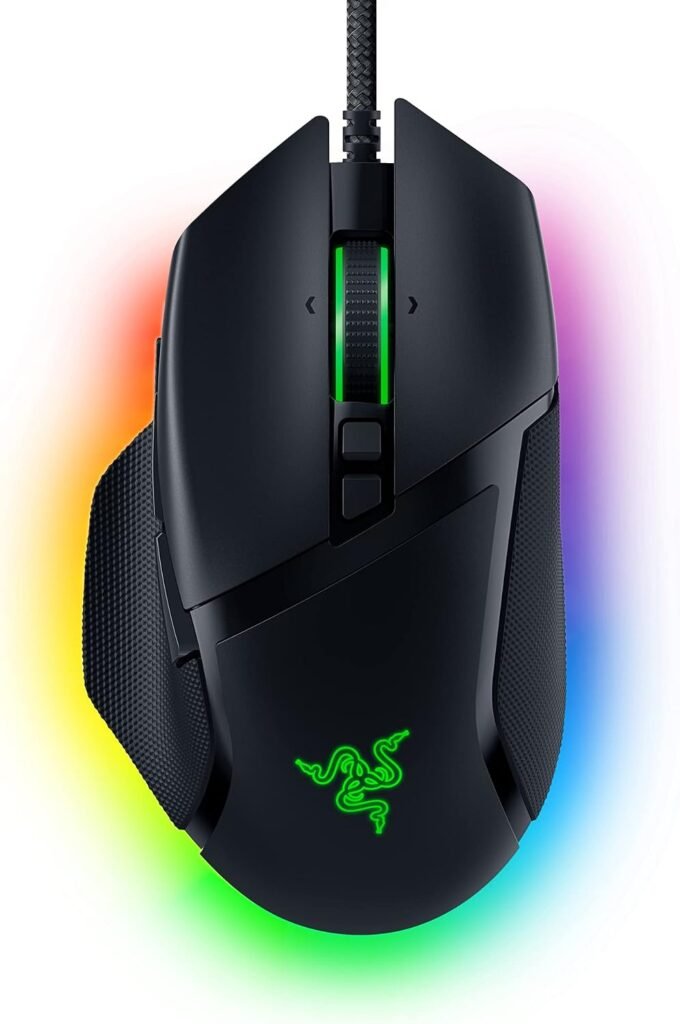
The Razer Basilisk V3 Customizable RGB Wired Ergonomic Gaming Mouse, Black is built for PC gaming through a wired connection. Its headline package includes an ergonomic shell with a thumb rest, programmable buttons, a Focus Plus 26K DPI optical sensor, second-generation optical mouse switches, RGB lighting zones, and a HyperScroll tilt wheel.
That combination gives you a plausible fit for MMO, MOBA, strategy, simulation, and mixed work-and-gaming use. FPS players may appreciate the tracking and quick switches, although the extra controls won’t automatically make a competitive setup better. General PC users can assign shortcuts to the additional buttons, but the mouse makes more sense when you want customization rather than the simplest possible pointing device.
Quick take: at $34.98, the Razer Basilisk V3 is a strong value on paper for a right-handed PC user who wants a wired, button-heavy mouse. The detailed trade-offs are comfort, layout, software, and the absence of a supplied verified rating or review count.

Design, Comfort, and Everyday Handling
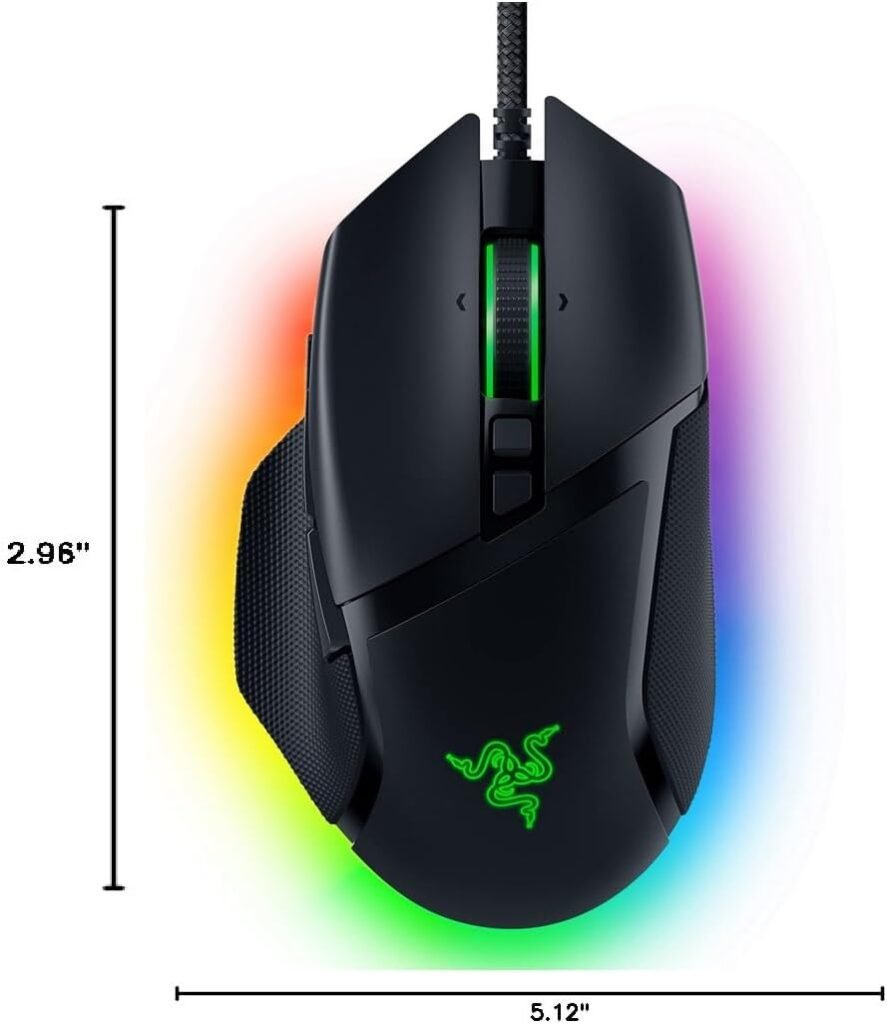
The right-handed shell is shaped to let your palm settle over the mouse while the thumb rest gives the lower side of your hand a defined place to sit. That can make extended sessions feel more supported than a flat, symmetrical mouse, particularly when you tend to keep your hand resting on the body instead of lifting it frequently.
Button placement is central to the experience. The primary controls remain easy to reach, while the side and thumb-area controls give you access to functions without moving to the keyboard. The trade-off is density: if you have smaller hands, or if you use a tight grip, several controls may feel close together rather than naturally separated.
Your grip changes the answer. A palm grip is the most obvious match for the raised ergonomic profile and thumb support. A claw grip can work if your fingers naturally clear the main buttons while your thumb reaches the side controls. A fingertip grip is less certain, since users who prefer minimal palm contact may find the substantial shell and thumb-rest structure more intrusive.
The cable is a practical strength and a practical limitation. A wired connection avoids battery charging and gives you a consistent connection at the desk, but it also requires space for cable movement and routing. Before buying, check four things:
- Confirm that you want a right-handed design and identify whether your usual grip is palm, claw, or fingertip.
- Check your hand size against the shape in person or through the retailer’s fit information; don’t rely on button counts to predict comfort.
- Look at your desk layout, including where the cable will cross or leave the mouse area.
- Consider whether a wired lead will catch on a monitor stand, keyboard, or desk edge during low-sensitivity play.
The shape may be comfortable for long sessions, but comfort is personal. A thumb rest that feels supportive to one player can feel like an obstacle to another, especially when rapid lifting and repositioning are part of the routine.
Razer Basilisk V3 Features: Buttons, Sensor, and Scroll Wheel
The Razer Basilisk V3 gives you programmable buttons, which is enough to change the way you approach both games and desktop work. You could assign push-to-talk to one control, ping to another, and a macro or secondary shortcut to a third. In an MMO, those buttons can hold frequently used abilities; in a strategy or simulation title, they can reduce repeated trips to the keyboard; in productivity software, they can handle navigation or application commands.
That flexibility is not equally valuable to every player. Someone who spends most of the time in competitive FPS games may prefer a cleaner layout with fewer opportunities for accidental activation. The mouse can still serve that player, but the sensible approach is to assign only the controls that are genuinely useful rather than treating every button as an obligation.
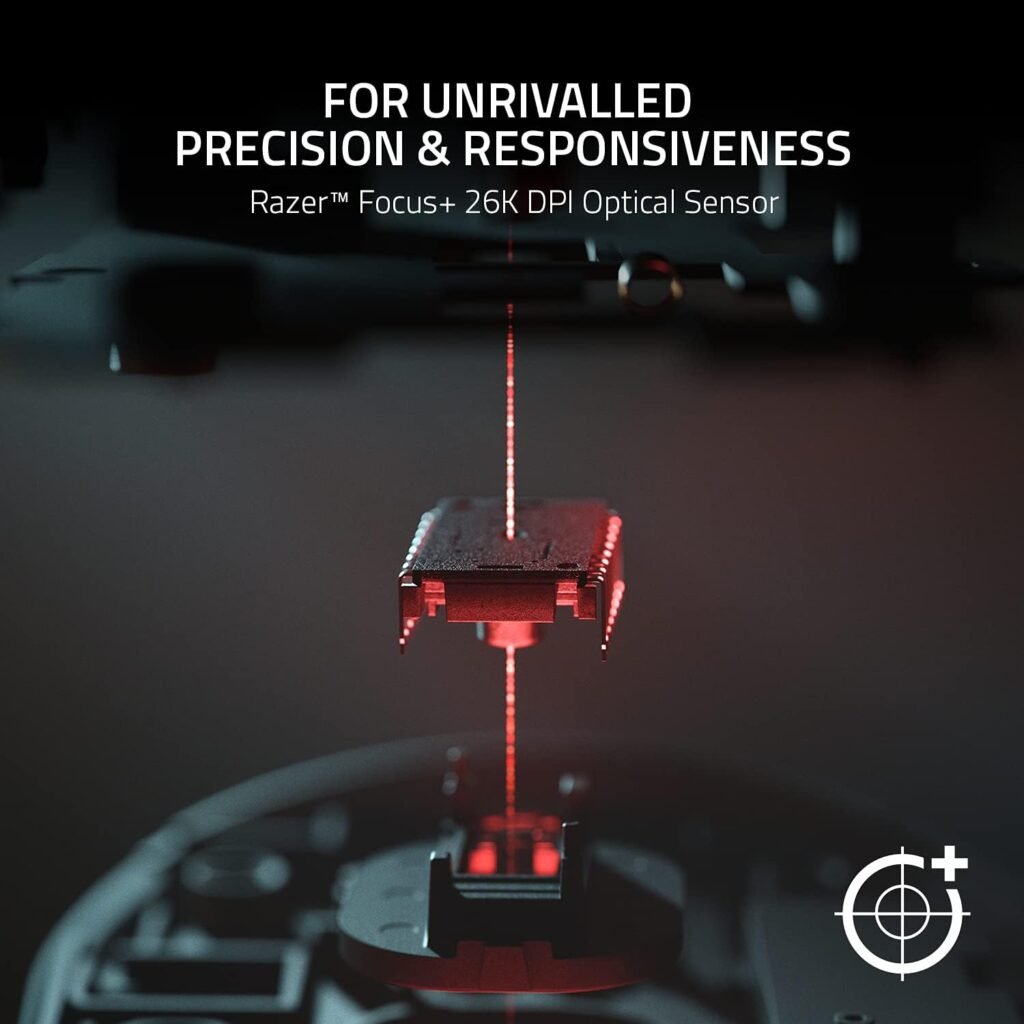
The Focus Plus 26K DPI optical sensor is specified to track with zero smoothing and pixel-precise accuracy. The 26,000 DPI ceiling is a capability, not a recommendation. A high maximum does not automatically make your aim more accurate; your game sensitivity, control habits, surface, and comfort matter more than selecting the largest number in the driver.
Start with a DPI setting that lets you move naturally across your available mouse area, then adjust in-game sensitivity gradually. Test the change in the games you actually play rather than judging it from a desktop cursor alone. Maxing out DPI can make ordinary pointer movement unnecessarily twitchy.
The HyperScroll tilt wheel has two distinct modes. In free-spinning mode, it can move rapidly through long pages or documents; in tactile mode, it gives controlled scrolling and physical feedback that may help when cycling through weapons or skills. The wheel also has left and right tilt inputs, adding two more possible control directions. Whether those inputs fit your routine depends on how often you scroll, switch actions, or use keyboard shortcuts.

Optical Switches and RGB Customization
The second-generation optical mouse switches are specified with a 0.2ms actuation speed, reduced risk of unintended misclicks, and a rated lifespan of up to 70 million clicks. Those are useful hardware figures, but they should be read carefully. Actuation speed describes the switch’s stated response capability; it doesn’t guarantee that every game will feel faster, and a click-life rating isn’t a promise that every individual unit will reach that number in ordinary ownership.
The lighting system divides the mouse into 11 Razer Chroma RGB zones. You can choose from more than 16.8 million colors and multiple effects, while compatible lighting can react dynamically with more than Chroma-integrated games. Basic plug-in illumination and deeper game-linked behavior are different experiences, so check whether the titles you play support the effects you want.
Razer Synapse is the control center for button assignments, lighting, profiles, and performance settings. That software is valuable when you want separate arrangements for work, an MMO, and an FPS, but it adds setup and maintenance to the ownership experience. If you prefer hardware that behaves the same without a desktop utility, this is a meaningful drawback rather than a minor detail.
For Windows users seeking more consistent pointer movement, Razer recommends disabling Enhance pointer precision in mouse settings. Don’t change it blindly: test the setting with your normal games and desktop tasks, since a configuration that feels predictable to one person may feel wrong to another. The best setup is the one you can reproduce comfortably, not the one that merely follows a list of gaming settings.
What Customers Are Saying About the Razer Basilisk V3
No verified star rating or review count was included in the supplied publication data, so it would be misleading to attach a numerical customer score to this review. That limitation matters: specifications explain what the mouse is designed to do, while a sufficiently large review record helps reveal whether problems appear consistently over time.
The themes prospective buyers should examine are fairly clear. Positive reports are most useful when they describe the ergonomic shape and thumb-rest support during long sessions, the convenience of assigning buttons to game actions, smooth sensor tracking, the appearance of the RGB zones, and satisfaction with the discounted price. A short first impression saying that the mouse feels good in the hand is less informative than an ownership report explaining how it performed after weeks or months.
Negative reports deserve the same separation. Some complaints, if present in the listing’s review record, would concern learning the many-button layout or managing Razer Synapse; those are setup and preference issues rather than hardware failures. Wired-only operation and cable routing are design limitations. Scroll-wheel behavior, switch consistency, or tracking faults would be more serious hardware concerns, but the supplied data does not establish their frequency or confirm a general reliability pattern.
Use customer reviews as a matching exercise, not a popularity contest. Prioritize comments from people who use the same operating system, grip style, games, and approximate session length. Then sort long-term ownership comments separately from unboxing reactions, and look for repeated descriptions rather than one unusually positive or negative anecdote.
That method is especially important here because the missing rating and review count leave you with less quantified evidence than the feature list. The Razer Basilisk V3 may be an excellent fit, but your decision should rest on the shape, connection, and workflow described by comparable owners rather than on assumptions about an unverified score.
Razer Basilisk V3 Compared With Alternatives
The most direct alternative is the Logitech G502 HERO, another right-handed, wired, ergonomic mouse aimed at buyers who want many controls. The purchasing decision is less about one headline sensor number and more about which software ecosystem, wheel behavior, button arrangement, and shell you prefer. Both occupy the button-heavy category, so hand fit and control placement deserve more attention than marketing language.
The Logitech G502 X is a higher-priced alternative that may appeal if you want newer switch technology or a different approach to the button and wheel implementation. Its current price and exact specification set were not supplied here, so check the live listing before treating it as a direct value comparison. Competitor pricing changes, while the Razer model’s stated $34.98 price makes its immediate value argument unusually straightforward.
| Model | Connection | Programmable controls | Sensor headline | Lighting | Best suited to | Current price |
|---|---|---|---|---|---|---|
| Razer Basilisk V3 | Wired | 11 buttons | 26,000 DPI optical | 11-zone Chroma RGB | Right-handed customization users | $34.98 |
| Logitech G502 HERO | Verify current listing | Verify current listing | Verify current listing | Verify current listing | Button-heavy ergonomic users | Verify current listing |
| Logitech G502 X | Verify current listing | Verify current listing | Verify current listing | Verify current listing | Buyers seeking newer implementation | Verify current listing |
The fair conclusion is not that the Razer Basilisk V3 beats both Logitech models for everyone. It is that $34.98 buys a particularly broad set of controls and lighting if you accept a cable and Razer’s software. If wireless freedom, a lighter feel, or a different wheel mechanism matters more, a competitor may justify its premium.
Who Should Buy This Wired Gaming Mouse?
The best match is a right-handed PC gamer who wants an ergonomic thumb-rest shape, extensive button customization, RGB lighting, and a connection that does not depend on charging. MMO, MOBA, strategy, and simulation players are the clearest beneficiaries because repeated actions can be moved closer to the thumb. Someone who alternates between gaming and productivity may also appreciate separate profiles for different tasks.
FPS players deserve a more qualified answer. The 26K sensor and optical switches are relevant to responsive aiming and clicking, but specifications alone don’t settle whether the mouse belongs on your desk. The ergonomic body and additional controls may feel reassuring to one player and unnecessarily substantial to another. If your priority is a very light, stripped-down mouse, look elsewhere before focusing on sensor figures.
You should also pass if you need a wireless setup, require left-handed support, dislike companion software, or want a mouse with minimal configuration. Those aren’t defects that a driver update can solve; they are mismatches between the product’s design and your preferences.
Use this setup checklist after deciding that the basic format suits you:
- Confirm right-hand compatibility and settle on the grip you will use most often.
- Install Synapse only if you want custom assignments, lighting, profiles, or performance controls.
- Remap the buttons you will actually use first; leave the rest at default until you have a reason to change them.
- Test pointer settings inside your intended games, then keep the configuration that feels repeatable rather than chasing maximum numbers.
That restrained approach prevents the 11-button layout from becoming a project. You are buying options, not a requirement to customize every control.
Price, Availability, and Overall Value in 2026
At $34.98, the Razer Basilisk V3 is listed at half the $69.99 original price. That reduction is a major part of the buying case, not a detail to treat as permanent. The listing currently shows the mouse as In Stock, but check the live price and availability before checkout because retail offers can change.
What are you paying for at that price? You get programmable buttons, 26K DPI optical tracking, second-generation optical switches rated for up to million clicks, HyperScroll functionality, and 11-zone Chroma RGB. The feature count is unusually generous for a wired mouse at the current listing price, particularly if you would otherwise buy separate gaming and productivity controls.
Newer or wireless alternatives may charge more for freedom from a cable, a different shape, updated switch designs, or a revised wheel and button layout. The supplied product information does not support assigning exact competitor prices, so compare the live listings rather than relying on an old street-price assumption. A higher price can be sensible when it solves a problem you actually have; it is not automatically better value.
Use a simple decision rule. Choose the Razer Basilisk V3 at $34.98 if you value wired reliability, right-handed ergonomic support, and broad customization. Compare more carefully if you need wireless operation, left-handed compatibility, a particularly light mouse, or a setup that works without desktop software.
Razer Basilisk V3 review verdict: the Razer Basilisk V3 is a compelling $34.98 wired gaming mouse for right-handed users who will use its programmable controls and RGB features, but its fit, cable, software, and unverified customer-review record make it a considered purchase rather than a universal recommendation.
Pros and Cons

Pros
- 11 programmable buttons support gaming actions, communication commands, macros, and productivity shortcuts.
- Focus Plus 26K DPI optical tracking is specified with zero smoothing and pixel-precise movement.
- Second-generation optical switches are rated for up to million clicks and list a 0.2ms actuation speed.
- HyperScroll tilt wheel offers free-spinning and tactile modes, with left and right tilt inputs.
- Eleven-zone Razer Chroma RGB provides more than 16.8 million colors and dynamic support for over integrated games.
- The $34.98 current price is half the listed $69.99 original price, subject to change.
Cons
- Wired-only connection limits desk flexibility and may not suit shoppers seeking wireless operation.
- The 11-button layout and companion software can take time to configure, particularly for users who prefer a simple mouse.
- The right-handed ergonomic shape may not suit left-handed users, smaller hands, or people seeking an especially lightweight design.
- The supplied product data does not include a verified star rating, review count, or confirmed long-term failure rate, so ownership reliability is harder to judge precisely.
Final Verdict
Key Takeaways
- At $34.98 versus the listed $69.99 original price, the Razer Basilisk V3 offers an unusually broad feature set for a wired mouse.
- Its best match is a right-handed PC user who will actually use programmable controls, RGB profiles, and the HyperScroll wheel.
- The 26,000 DPI headline and 0.2ms switch figure describe hardware capability, not a guarantee that every player will perform better.
- Because no verified star rating or review count was supplied, you should treat long-term reliability as less certain than the published specifications.
Frequently Asked Questions
Is the Razer Basilisk V3 worth buying at $34.98?
Yes, provided you want a right-handed, wired mouse with extensive customization. Its current $34.98 price is substantially below the listed $69.99 original price, and the programmable buttons, optical switches, scroll-wheel modes, and RGB system give it broader functionality than a basic office mouse.
Is the Razer Basilisk V3 good for FPS gaming?
It can work well for FPS games because it has a Focus Plus 26K DPI optical sensor and second-generation optical switches with a stated 0.2ms actuation speed. However, its extra controls and larger ergonomic design may not suit every competitive player, especially someone who prefers a very light, minimal mouse.
Is the Razer Basilisk V3 suitable for left-handed users?
It is designed for right-handed use. The thumb-rest shape and thumb-area controls are aimed at supporting a conventional right-handed grip, so left-handed shoppers should consider a different design.
Do you need Razer Synapse to use the mouse?
Razer Synapse is used for assignments, lighting, profiles, and performance settings. You can use the mouse as a wired pointing device without exploring every advanced option, but buyers who dislike installing desktop companion software should factor that limitation into the decision.
Disclosure: As an Amazon Associate, I earn from qualifying purchases.